
BSP D9
Hướng dẫn sử dụng tay cầm chơi game BSP D9
Mô hình: D9
1. Giới thiệu
The BSP D9 Game Controller is a versatile gaming accessory designed for a wide range of devices, including iPhone, iPad, Android phones and tablets, PC, Nintendo Switch, and PlayStation consoles. It features advanced Hall Effect joysticks and triggers for precise control, along with programmable back buttons for enhanced gameplay. This manual provides detailed instructions for setting up, operating, maintaining, and troubleshooting your D9 Game Controller.
2. Sản phẩm hếtview
The D9 Game Controller is engineered for comfort and performance, offering a stretchable design to accommodate various device sizes. Key features include:
- Cần điều khiển và cò Hall Effect: Provides high precision and durability, reducing drift issues.
- Nút quay lại có thể lập trình (M1/M2): Customize functions for quick access to complex commands.
- Stretchable Design: Supports device lengths from 130mm to 280mm (5-11 inches) and thickness up to 13mm.
- Khả năng tương thích đa nền tảng: Works with iOS, Android, PC, PS3, PS4, and Nintendo Switch.
- Chức năng Turbo: Adjustable auto-fire settings for various buttons.
2.1. Bố cục bộ điều khiển

Image: BSP D9 Game Controller with a tablet, demonstrating its use with Call of Duty Mobile. This image highlights the controller's ergonomic design and how it holds a tablet.

Image: Detailed diagram of the BSP D9 Game Controller's buttons and indicators. This includes the Cross Key, L1/R1, L2/R2, Select, Home, Start, Turbo, A/B/X/Y buttons, Status Indicator, Charging Indicator, Left Stick/L3, Right Stick/R3, and programmable M1/M2 back buttons.

Image: Illustration explaining the Hall Effect Triggers and Joysticks. It highlights 0.1mm accuracy for triggers and features like no latency, no dead zone, long lift, and precision control for joysticks, ensuring smooth and accurate input.
3. Thiết lập và kết nối
Before first use, ensure the controller is fully charged. Connect the provided USB cable to the controller's charging port and a power source.
3.1. Device Compatibility and Mounting

Image: Diagram illustrating the stretchable design of the BSP D9 Game Controller. It shows support for device lengths from 130-280mm (5-11 inches) and a thickness of 13mm. The image also indicates compatibility with iPhone 15 series and support for silicon & clear phone cases.
The D9 controller features a stretchable design to securely hold your smartphone or tablet. Gently pull the two halves of the controller apart to extend the central bracket. Insert your device into the bracket, ensuring it is centered and stable. The controller supports devices with lengths between 130mm and 280mm and a maximum thickness of 13mm. Extra silicone pads are included for optimal fit and protection.
3.2. Kết nối với thiết bị
The controller supports various connection modes. Refer to the specific pairing instructions for your device type:
- iOS Devices (iPhone/iPad):
- Bật bộ điều khiển.
- Go to Bluetooth settings on your iOS device.
- Select "D9 Gamepad" or similar from the list of available devices to pair.
- Thiết bị Android:
- Bật bộ điều khiển.
- Kích hoạt Bluetooth trên thiết bị Android của bạn.
- Tìm kiếm "D9 Gamepad" and pair.
- Máy tính:
- Connect via USB cable or Bluetooth (if your PC has Bluetooth).
- For Bluetooth, go to PC Bluetooth settings and pair with "D9 Gamepad".
- Nintendo Switch/PS3/PS4:
- Specific pairing instructions may vary. Generally, put the console into pairing mode and then activate the controller's pairing mode (often by holding a specific button combination).

Image: Visual representation of the BSP D9 Game Controller's broad compatibility. It shows support for streaming & cloud gaming services like PS Remote Play, Xbox Game Pass, Steam Link, Rainway, NVIDIA GeForce NOW, Moonlight, and Arcade. It also lists direct play support for iOS games (Genshin Impact, Call of Duty Mobile, Diablo Immortal, Minecraft, Roblox) and Android games (Call of Duty Mobile, Diablo Immortal, Minecraft, NBA, Asphalt).
4. Hướng dẫn vận hành
4.1. Điều khiển cơ bản
Familiarize yourself with the controller's buttons and their standard functions:
- Cần điều khiển trái/phải: Điều khiển chuyển động và camera.
- Phím điều hướng (D-Pad): Đầu vào định hướng.
- Các nút A/B/X/Y: Action buttons, typically for jumping, interacting, etc.
- L1/R1 (Nút vai): Common for aiming, firing, or menu navigation.
- L2/R2 (Nút kích hoạt): Analog input for acceleration, braking, or precise shooting.
- SELECT/START/HOME Buttons: Menu navigation, pausing, or system functions.
4.2. Macro Programming Function (M1/M2)

Image: Instructions for the Macro Programming Function on the BSP D9 Game Controller. It shows how to set and cancel macros for the M1 and M2 back buttons, allowing users to combine A/B/X/Y/L1/L2/R1/R2/Cross key inputs into a single button press.
The D9 controller features two programmable back buttons (M1 and M2) that can be customized to perform complex key combinations, enhancing your in-game operation and potentially prolonging the life of other buttons.
How to Set a Macro:
- Press "SELECT + M1" key for 2 seconds until the LED indicator light flashes quickly.
- Press the key combination you want to set for the macro (e.g., "A + B + X + Y").
- Then press the "M1" key again. The LED light will remain on, indicating that the setting is complete.
- After setting, pressing "M1" will automatically execute the programmed key combination. (This setting also applies to "M2".)
How to Cancel a Macro:
- Press "SELECT + M1" key for 2 seconds until the LED indicator light flashes quickly.
- Press "M1" to clear the macro programming button. (Note: Do not press other buttons at this time). The LED light will remain on to confirm the clearing.
4.3. Chức năng Turbo
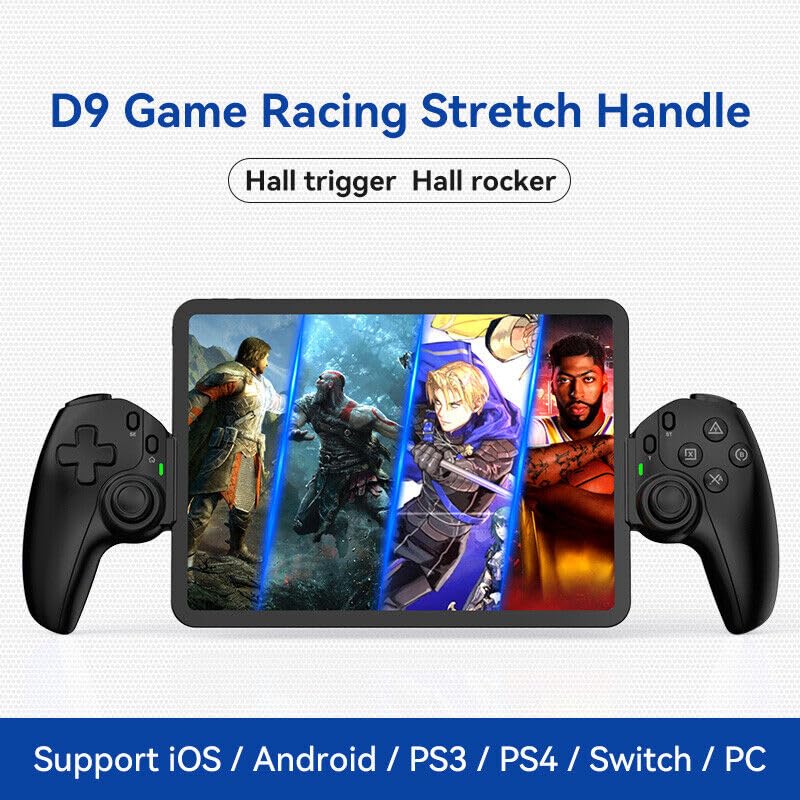
Image: The D9 Game Racing Stretch Handle, highlighting its Hall trigger and Hall rocker features. This image serves as a general product shot.

Image: Explanation of the Turbo Function on the BSP D9 Game Controller. It shows that A/B/X/Y/L1/L2/R1/R2 buttons can be set with turbo function, offering three adjustable turbo speeds: 8 shoots/s, 15 shoots/s, and 25 shoots/s.
The Turbo function allows you to set automatic rapid firing for specific buttons (A/B/X/Y, L1/L2, R1/R2). There are three adjustable turbo speeds: 8 shots/second, 15 shots/second, and 25 shots/second.
How to Set Turbo:
- Press and hold the button you wish to apply Turbo to (e.g., A button).
- While holding the button, press the "TURBO" button once to activate the lowest speed.
- Press the "TURBO" button again (while still holding the action button) to cycle through the speeds.
- Release both buttons when the desired speed is set.
How to Clear Turbo:
- Press and hold the button with Turbo enabled.
- Press the "TURBO" button until the Turbo function is deactivated (usually indicated by a specific LED flash or cessation of rapid firing).
5. Bảo trì
- Vệ sinh: Dùng vải mềm, khô để lau bộ điều khiển. Đối với vết bẩn cứng đầu, lau nhẹampLau sạch vải bằng nước. Tránh sử dụng hóa chất mạnh hoặc chất tẩy rửa có tính mài mòn.
- Kho: Bảo quản bộ điều khiển ở nơi khô ráo, thoáng mát, tránh ánh nắng trực tiếp và nhiệt độ cao.
- Chăm sóc pin: Để kéo dài tuổi thọ pin, tránh xả hết pin bộ điều khiển thường xuyên. Sạc pin thường xuyên, ngay cả khi không sử dụng trong thời gian dài.
- Xử lý: Tránh làm rơi bộ điều khiển hoặc để nó chịu tác động mạnh vì điều này có thể làm hỏng các linh kiện bên trong.
KHAI THÁC. Xử lý sự cố
| Vấn đề | Nguyên nhân có thể | Giải pháp |
|---|---|---|
| Bộ điều khiển không bật. | Pin yếu. | Sạc bộ điều khiển trong ít nhất 30 phút. |
| Bộ điều khiển không kết nối qua Bluetooth. | Bluetooth chưa được bật trên thiết bị; bộ điều khiển không ở chế độ ghép nối; có nhiễu sóng. | Ensure Bluetooth is on. Put controller in pairing mode. Move closer to the device. Restart both controller and device. |
| Các nút bấm hoặc cần điều khiển không phản hồi. | Software glitch; physical damage; low battery. | Recharge the controller. Restart the controller. If problem persists, contact customer support. |
| Macro function not working. | Incorrect programming steps. | Review "Macro Programming Function" section and re-program carefully. |
| Device does not fit in the controller. | Device dimensions exceed supported range. | Check your device's length and thickness against the supported range (130-280mm length, 13mm thickness). |
7. Thông số kỹ thuật
- Người mẫu: D9
- Kết nối: Bluetooth, Wired (USB)
- Nền tảng tương thích: iOS, Android, PC, PS3, PS4, Nintendo Switch
- Chiều dài thiết bị được hỗ trợ: 130mm - 280mm (5 - 11 inch)
- Supported Device Thickness: Lên đến 13mm
- Cần điều khiển/Cò súng: Hiệu ứng Hall
- Tính năng đặc biệt: Programmable Back Buttons (M1/M2), Turbo Function
- Nhà sản xuất: ShenZhen ShanWan Technology Co., Ltd.
- ASIN: B0DBR2SZZ6
8. Bảo hành và Hỗ trợ
For warranty information and technical support, please refer to the official BSP webhoặc liên hệ với nhà bán lẻ. Giữ lại hóa đơn mua hàng để làm bằng chứng bảo hành.
Nhà sản xuất: ShenZhen ShanWan Technology Co., Ltd.
Ask a question about this manual
Ask about setup, troubleshooting, compatibility, parts, safety, or missing instructions. Manuals+ will review the question and use this page’s manual context to help answer it.