
DAJA A6 Pro (Model A6-US)
Hướng dẫn sử dụng máy khắc và cắt laser DAJA A6 Pro 20W
Model: A6 Pro (A6-US)
1. Sản phẩm hếtview
The DAJA A6 Pro 20W Laser Engraver and Cutter Machine is a high-precision, Class 1 laser device designed for engraving and cutting various materials. It features an enclosed design for enhanced safety and supports interchangeable laser heads for diverse applications. This manual provides essential information for safe and effective operation.
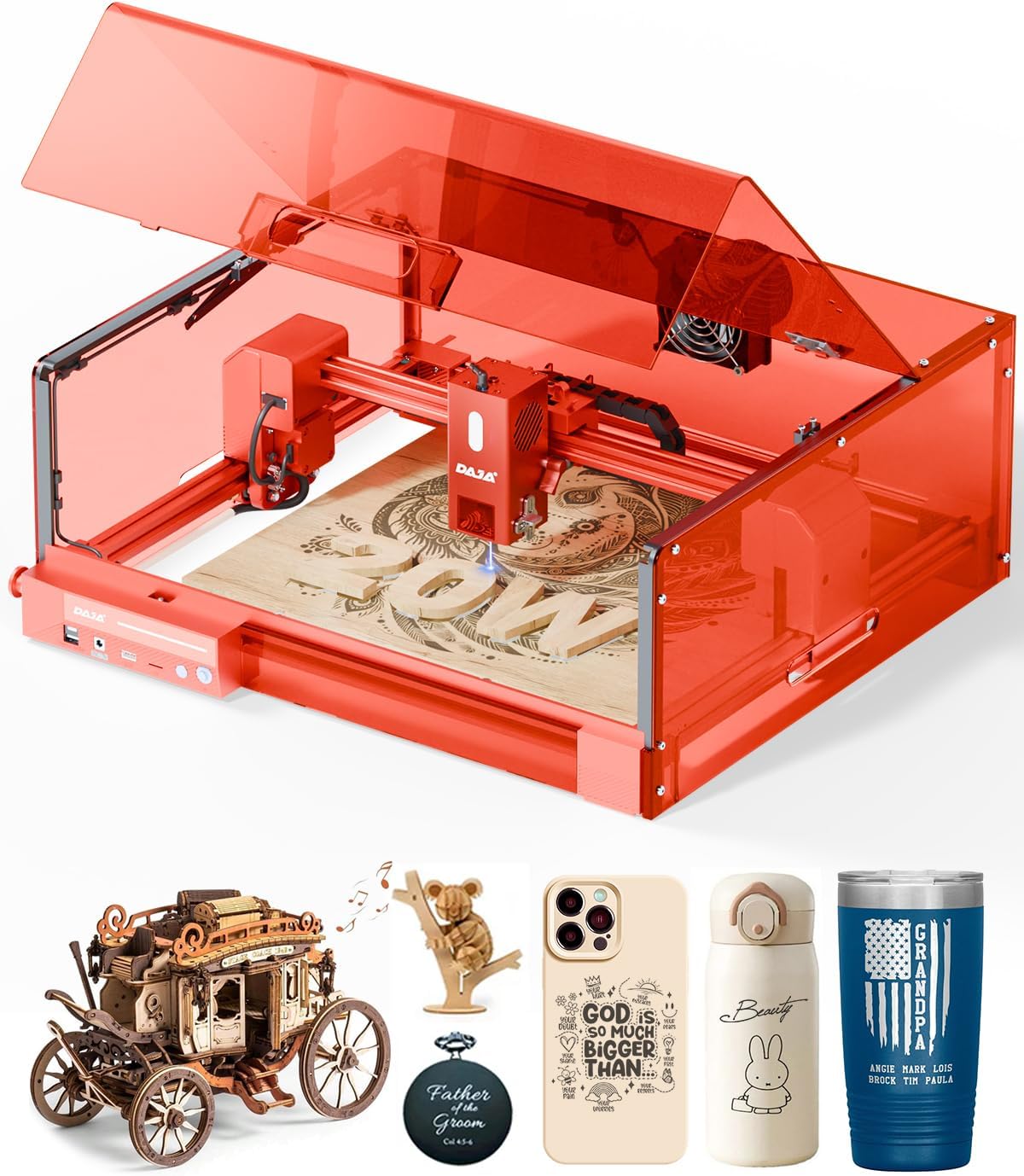
Figure 1: The DAJA A6 Pro 20W Laser Engraver and Cutter Machine with its protective cover and an engraved wooden piece.
2. Thông tin an toàn
Your safety is paramount. The DAJA A6 Pro is equipped with multiple safety features to ensure secure operation. Always adhere to the following guidelines:
- An toàn Laser Lớp 1: The machine is fully enclosed for eye protection, reducing direct laser exposure.
- Lid-Open Safety Stop: Operation automatically halts if the lid is opened during use, preventing accidental laser exposure.
- Built-in Flame Sensor: Detects unusual heat or flames and automatically stops operation to prevent hazards.
- Nút dừng khẩn cấp: Provides immediate shutdown capability in case of an emergency.
- Khóa an toàn cho trẻ em: Prevents unauthorized access and operation.
- 15° Tilt Stop Feature: Automatically pauses the machine if it tilts beyond a safe angle.
- Thông gió hiệu quả: Helps contain fumes and dust generated during engraving, ensuring a cleaner work environment.
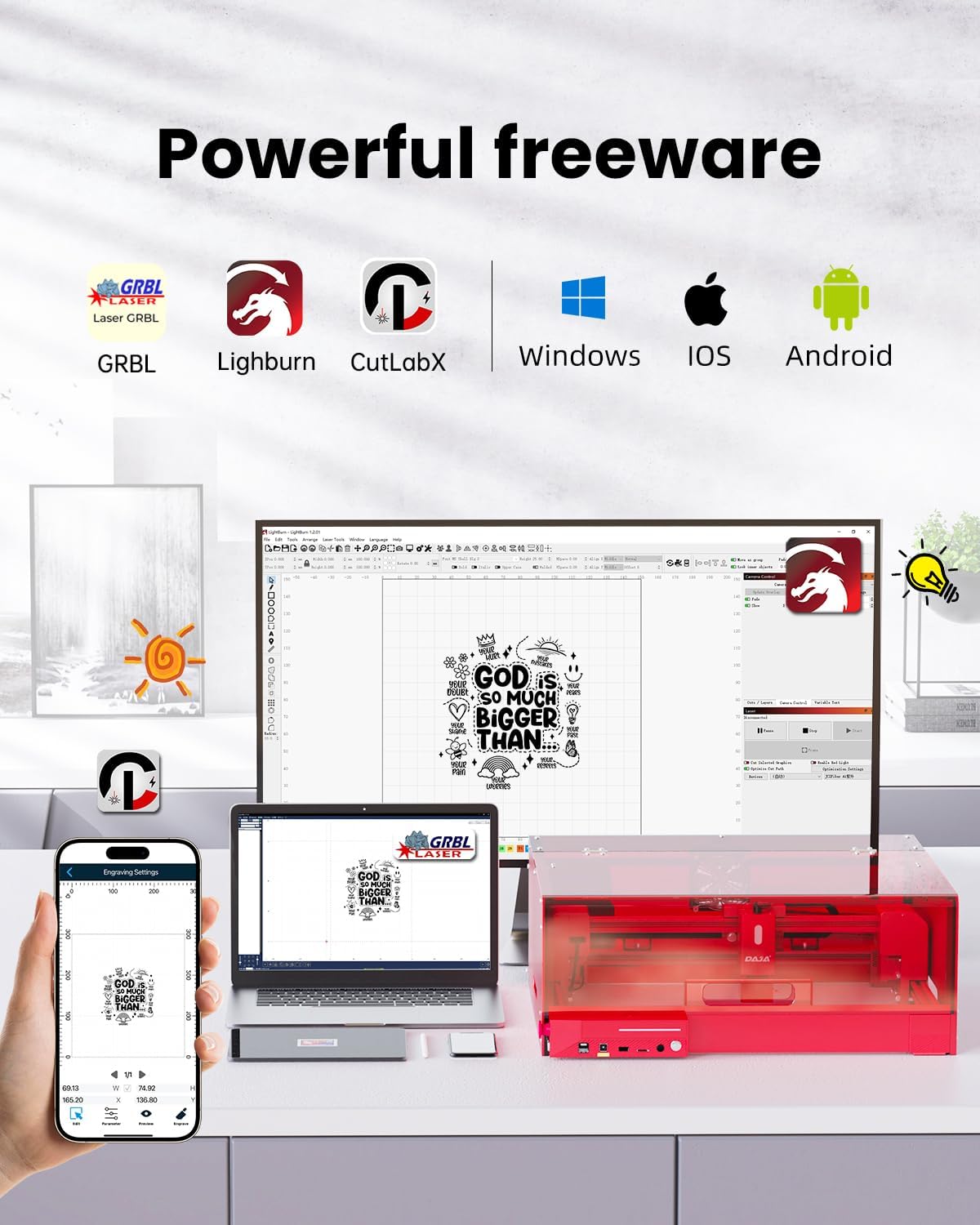
Figure 2: Visual representation of the DAJA A6 Pro's comprehensive safety enhancements, including the enclosed design, lid-open safety stop, and emergency stop button.
3. Thiết lập và lắp ráp
The DAJA A6 Pro is designed for modular assembly. Follow these steps to set up your machine. For a visual guide, please refer to the installation video below.
Video 1: Machine Installation Guide. This video demonstrates the step-by-step assembly process for the DAJA A6 Pro laser engraver, including unboxing, module connection, and protective cover installation.
Các bước lắp ráp:
- Mở hộp và nhận diện các linh kiện: Carefully remove all components from the packaging. Identify the structural assemblies for the laser engraving machine and the light shield accessories.
- Lắp ráp khung chính:
- Install the Y-axis right module into the front module.
- Install the Y-axis left module assembly into the front module.
- Synchronize the installation of the rear module into both the Y-right and Y-left modules.
- Tighten and fix the 4 corners with M5 * 22 six-piece cup head screws.
- Connect the corresponding plug of the motherboard into its socket.
- Install X-axis Module:
- Push the Y-axis left sliding group backwards to the end.
- Install the X-axis group downwards into the sliding group.
- Insert the corresponding connector plug into the socket.
- Tighten and fix the X-axis module with M4 * 55 hexagonal socket head screws.
- Ensure the laser connection plug is properly plugged in.
- Assemble the Protective Cover:
- Assemble the protective cover (left module) and the protective cover (rear module) correspondingly.
- Tighten and fix with M4 * 8 half round head hexagon socket screws.
- Assemble the front module of the protective cover onto the protective cover (right module and left module).
- Tighten and fix with M3 * 14 hexagonal socket head screws.
- Hang the exhaust fan leads on the hooks in sequence.
- Install the protective cover assembly (top cover back panel module) onto the corresponding uncovered cover module.
- Use M4 * 8 half round head hex screws and M4 hex anti-slip nuts to fix and tighten with a wrench.
- Open the cover plate upwards.
- Install the pull rod to the designated position and tighten it with M3 * 8 socket head hex screws.
- Lắp ráp cuối cùng: Install the assembled protective cover and the bare machine together. Fasten the 4 positions with M5 * 22 socket head cap screws.
4. Hướng dẫn vận hành
4.1 Engravable Materials
The DAJA A6 Pro supports engraving and cutting on over 300 types of materials. The interchangeable laser heads allow for versatility:
- Blue Laser (455nm): Suitable for engraving on wood, Kraft paper, painted metals, glass, ceramics, leather, acrylic, plastic, bamboo, PVC board, and food.
- Infrared Laser (1064nm): Ideal for marking on metals (gold, silver, copper, aluminum, platinum, titanium, stainless steel), plastics, and painted metals.

Figure 3: A visual guide to the wide range of materials compatible with the DAJA A6 Pro, including wood, metal, acrylic, and more.
4.2 Khả năng tương thích của phần mềm
The A6 Pro offers extensive compatibility with various operating systems and software, allowing users to choose their preferred interface for design and control:
- Hệ điều hành: Windows, Mac OS, iOS, Android, Linux.
- Phần mềm: GRBL, LightBurn, CutLabX.

Figure 4: Illustration of the DAJA A6 Pro's compatibility with various software and operating systems, including mobile and desktop applications.
4.3 Laser Precision and Cutting Capabilities
The A6 Pro utilizes a high-power semiconductor laser to ensure ultra-precise movement and 100% printing of complex lines and patterns, achieving a laser precision of 0.01mm. Beyond engraving, the machine provides sufficient power for direct material cutting.
- Capable of cutting wood up to 16mm thick in a single pass.
- Capable of cutting acrylic up to 10mm thick in a single pass.

Figure 5: Demonstrates the DAJA A6 Pro's strong laser cutting capabilities, showing its ability to cut through materials like wood and acrylic with precision.
4.4 Ứng dụng sáng tạo
The versatility of the DAJA A6 Pro allows for a wide range of creative and practical applications, from personal projects to small business needs:
- Pet customization (e.g., engraved pet tags).
- Brand customization (e.g., on tumblers).
- Commemorative items and personalized gifts (e.g., wooden hearts, custom notebooks).
- DIY hobbyist projects, including intricate designs (e.g., watch bands, wooden puzzles).
- Small business product creation and prototyping (e.g., jewelry, keychains).

Hình 6: Ví dụamples of various items that can be created or customized using the DAJA A6 Pro, showcasing its versatility for personal and commercial use.
5. Bảo trì
Regular maintenance ensures the longevity and optimal performance of your DAJA A6 Pro. Always power off and unplug the machine before performing any maintenance.
- Vệ sinh: Regularly clean the interior of the machine, especially the engraving area, to remove dust and debris. Use a soft, dry cloth.
- Chăm sóc thấu kính laser: The machine features a built-in replaceable laser protection lens. Inspect the lens periodically for any residue or damage. Replace if necessary to maintain engraving precision.
- Hệ thống thông gió: Ensure the exhaust fan and ventilation ducts are clear of obstructions to maintain proper airflow and fume extraction.
- Bộ phận chuyển động: Check the X and Y axis rails for smooth movement. Keep them clean and free of debris.
KHAI THÁC. Xử lý sự cố
Phần này cung cấp giải pháp cho những vấn đề thường gặp mà bạn có thể gặp phải.
- Máy không bật nguồn:
- Check if the power adapter is securely connected to both the machine and a working power outlet.
- Đảm bảo công tắc nguồn ở vị trí "Bật".
- Laser không hoạt động/Tín hiệu yếu:
- Verify that the laser connection plug is properly seated.
- Check the laser protection lens for cleanliness or damage. Clean or replace if needed.
- Ensure the protective cover is fully closed and secured, as the machine has a lid-open safety stop.
- Confirm that the correct laser head is installed for the material being used.
- Engraving/Cutting Quality Issues (e.g., blurry, incomplete):
- Ensure the material is properly focused. Refer to the software instructions for focus adjustment.
- Check the laser power and speed settings in your software; adjust according to the material type and desired effect.
- Verify that the material is flat and securely placed on the working area.
- Làm sạch thấu kính laser.
- Máy dừng hoạt động giữa chừng:
- Check if the lid was accidentally opened. Close it securely to resume.
- The flame sensor might have been triggered. Inspect the working area for any signs of excessive heat or flame.
- Ensure the machine is on a stable, level surface to prevent triggering the tilt stop feature.
- Sự cố kết nối phần mềm:
- Ensure the USB cable is securely connected to both the machine and your computer.
- Khởi động lại phần mềm và máy.
- Check for updated drivers or software versions.
7. Thông số kỹ thuật
| Tính năng | Chi tiết |
|---|---|
| Thương hiệu | DAJA |
| Người mẫu | A6 Pro (A6-US) |
| Công suất Laser | 20,000mW |
| Lớp Laser | Cấp độ 1 |
| Khu vực làm việc | 300mm x 300mm |
| Khả năng tương thích của vật liệu | Acrylic, Metal, Plastic, Wood, Paper, Leather, Glass, Ceramics, Bamboo, Stone, PVC board, Food |
| Trọng lượng sản phẩm | 6 kg (13.2 pound) |
| Kích thước sản phẩm | 17.72 x 15.75 x 7.09 inch |
| Chế độ hoạt động | Thủ công |
| Mã số UPC | 797422370179 |
| Hệ thống được hỗ trợ | Windows, Mac OS, iOS, Android, Linux |
| Phần mềm điều hành | LightBurn, LaserGRBL, CutLabX |
8. Bảo hành và Hỗ trợ
The DAJA A6 Pro comes with a one-year warranty from the date of purchase.
For technical support, additional resources, and software downloads, please visit the official support drive:
drive.google.com/drive/folders/1Z9r2Ap8IN47GNqvXlkJtwx7TKAo6SIw-?usp=sharing
Vui lòng giữ lại bằng chứng mua hàng của bạn để yêu cầu bảo hành.
Ask a question about this manual
Ask about setup, troubleshooting, compatibility, parts, safety, or missing instructions. Manuals+ will review the question and use this page’s manual context to help answer it.