
1. Giới thiệu
Thank you for choosing the BTQILEYOO Q28-2X Motorcycle Helmet Bluetooth Headset with integrated camera. This device combines communication, entertainment, and recording capabilities for an enhanced riding experience. Please read this manual thoroughly before use to ensure proper operation and safety.
2. Thông tin an toàn
For your safety and to prevent damage to the device, please adhere to the following guidelines:
- Handle the battery with care. Avoid exposing the device to extreme temperatures (both high and low).
- Be cautious when operating near other wireless devices to prevent potential interference.
- Hãy đảm bảo thiết bị được gắn chắc chắn vào mũ bảo hiểm trước khi lái xe.
- Không được cố tháo rời hoặc sửa đổi thiết bị vì điều này sẽ làm mất hiệu lực bảo hành và có thể gây hư hỏng hoặc thương tích.
- Always prioritize road safety. Do not operate device functions that distract you from riding.
3. Nội dung gói hàng
Xác minh rằng tất cả các mục đều có trong gói hàng của bạn:
- BTQILEYOO Q28-2X Helmet Headset Unit
- Thẻ nhớ TF 32GB (được cài đặt sẵn hoặc bán riêng)
- Helmet Speakers with Microphone
- Giá đỡ gắn (có tùy chọn kẹp và dán)
- Cáp sạc USB Type-C
- Hướng dẫn sử dụng
4. Sản phẩm hếtview và Tính năng
The Q28-2X unit integrates several key functionalities:

Figure 1: BTQILEYOO Q28-2X Helmet Headset Main Unit
4.1. Integrated 1080P HD Camera
The Q28-2X features a 1080P 120° ultra-wide-angle lens, capable of capturing clear and detailed high-definition videos at 30 frames per second (FPS) and crisp 2MP images. It supports up to 256GB TF cards for extended recording, with a complimentary 32GB TF card included.
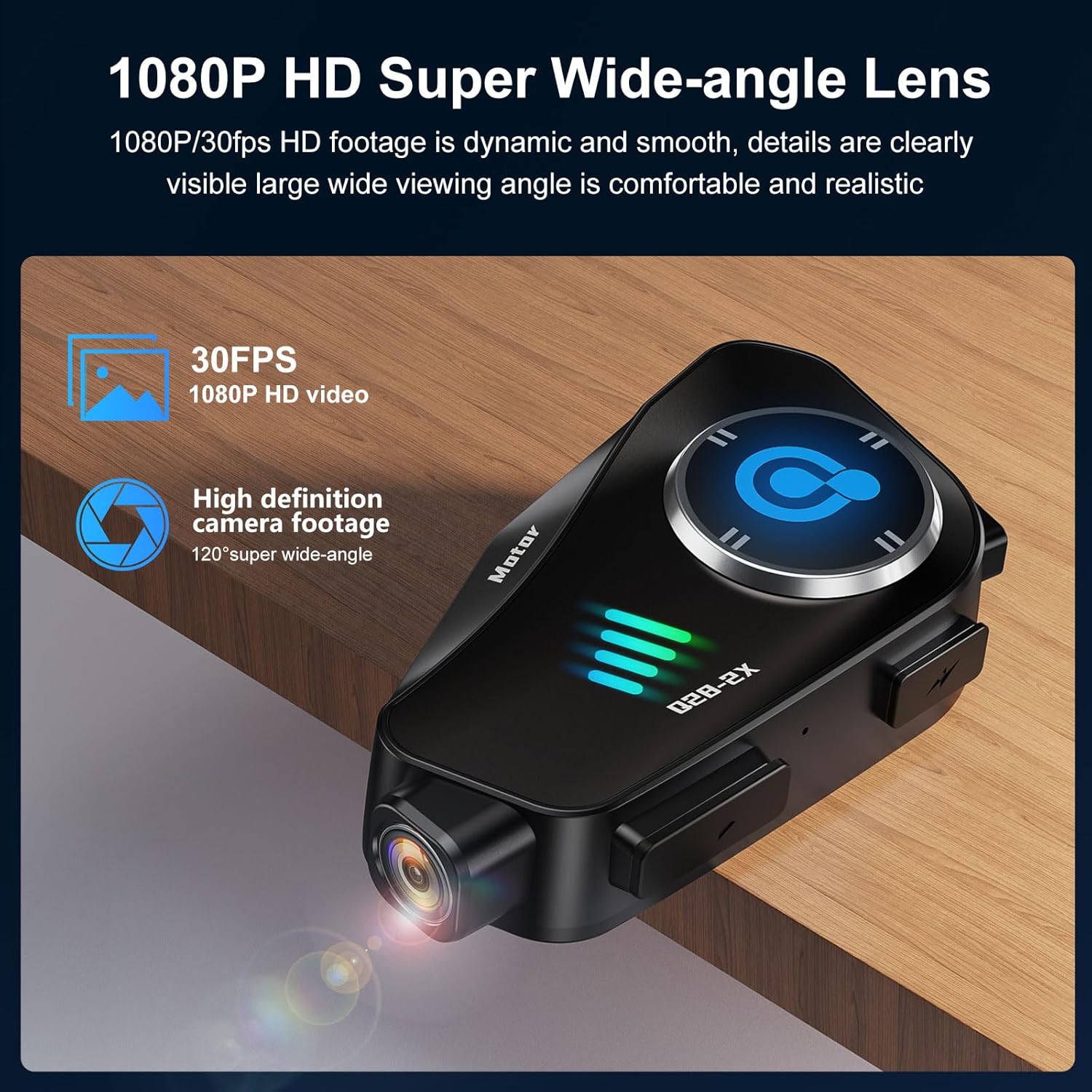
Figure 2: 1080P HD Super Wide-angle Lens for clear video capture.
4.2. Advanced Noise Reduction
Equipped with a high-sensitivity microphone and combining CVC algorithm with DSP hardware, the device effectively reduces environmental noise, ensuring clear human voice transmission during calls and recordings.

Figure 3: Intelligent Noise Reduction for clear communication in noisy environments.
4.3. Pin bền lâu và sạc nhanh
The built-in 1500mAh battery provides approximately 50 hours of music playback and 6.5 hours of continuous video recording. It boasts a standby time of up to 18 months and supports Type-C fast charging. Battery status can be displayed on your connected phone.

Figure 4: Extended battery life for music and video recording.
4.4. Xếp hạng chống nước IP66
The Q28-2X is IP66 waterproof, designed to withstand various weather conditions including dust, rain, storms, and snow, ensuring reliable performance even in challenging outdoor environments.
4.5. Intercom and Connectivity
Supports dual 1000m intercom functionality and is compatible with other third-party wireless headset intercom systems. It features Bluetooth 5.3 for stable audio streaming and Wi-Fi hotspot for direct phone connectivity to view và tải xuống foo đã ghitage.
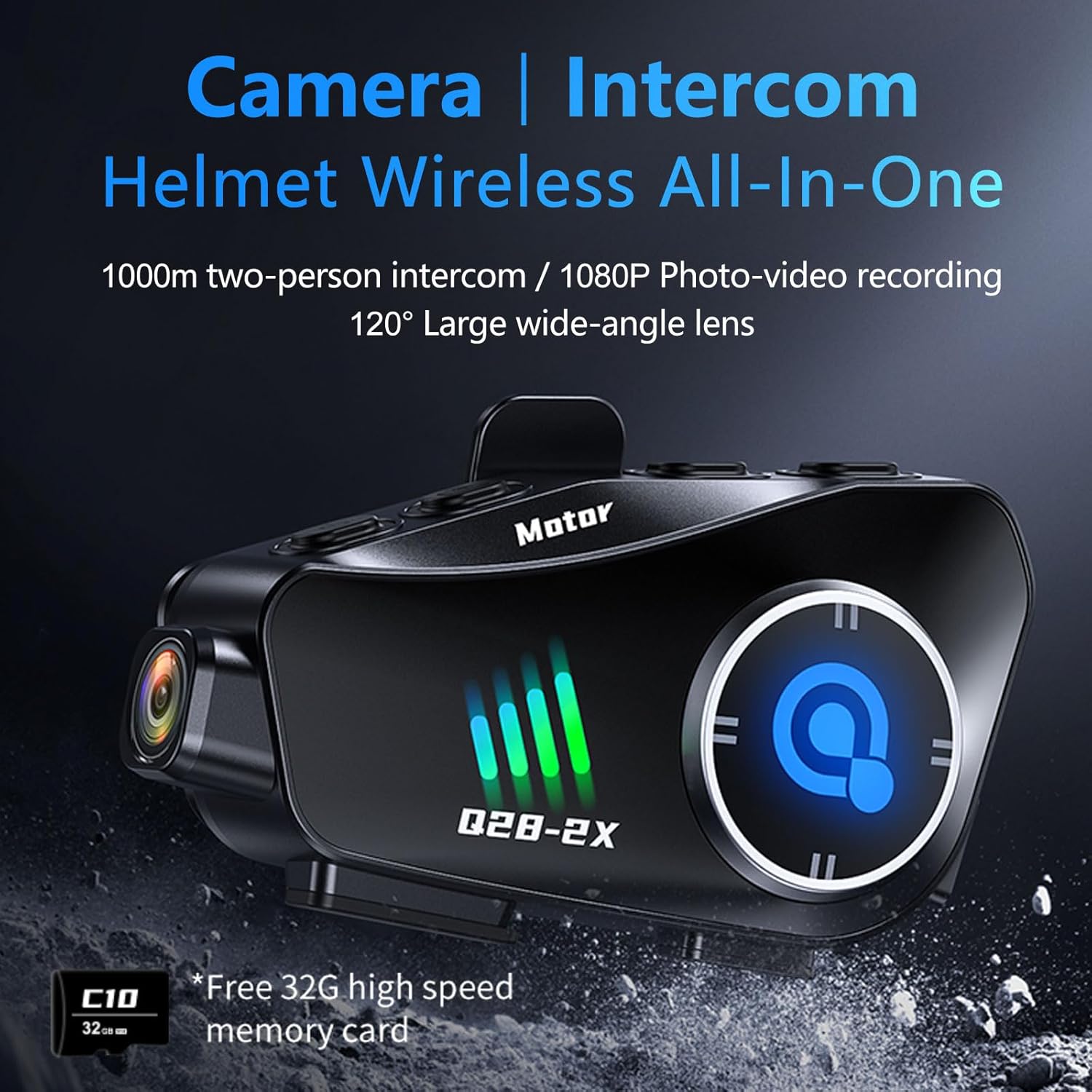
Figure 5: All-in-one Camera and Intercom system.

Figure 6: Wi-Fi Hotspot for seamless phone connectivity and media management.
4.6. 360° Body Adjustment
The camera body can be rotated 360 degrees, allowing for flexible adjustment of the shooting angle to capture panoramic video or adapt to horizontal/vertical shooting preferences.

Figure 7: Helmet Exclusive HD Recorder with 360° rotation capability.
5. Thiết lập và Cài đặt
5.1. Gắn thiết bị
The Q28-2X unit can be mounted on the side of your helmet using either the clip-on bracket or the adhesive mount. Ensure the mount is securely fastened and the unit clicks firmly into place. The mount allows for adjustment to optimize the camera's viewgóc ing.
5.2. Lắp đặt loa và micrô
Install the speakers inside your helmet's ear pockets. Route the microphone to a position near your mouth for optimal voice pickup. Ensure wires are tucked away neatly to avoid discomfort or interference.
5.3. Sạc ban đầu
Before first use, fully charge the device using the provided USB Type-C cable. Connect the cable to the charging port on the unit and a compatible USB power source.
6. Hướng dẫn vận hành

Figure 8: Function Buttons and their corresponding actions.
6.1. Bật/Tắt nguồn
To power on the device, press and hold the main power button (usually the central button or indicated as 'Motor' on the unit) until the indicator lights illuminate. To power off, press and hold the same button until the lights turn off.
6.2. Kết nối Bluetooth
- Đảm bảo Bluetooth được bật trên điện thoại thông minh của bạn.
- On your phone, search for available Bluetooth devices. The device will appear as "Q28".
- Select "Q28" to pair. Once paired, you can stream music, make calls, and receive GPS voice prompts.

Figure 9: Incoming calls are automatically answered for convenience.
6.3. Hoạt động của máy ảnh
The camera has a separate power button. Press the camera power button to turn it on/off. Once on, press the record button to start/stop video recording. A short press of the photo button will capture a still image.
6.4. Wi-Fi Hotspot and App Usage
Activate the Wi-Fi hotspot on the device (refer to the function button diagram). Connect your smartphone to this Wi-Fi network. Download the dedicated app (check the manual for QR code or app store name). Through the app, you can:
- View real-time camera feed.
- Playback recorded videos and photos.
- Download media files đến điện thoại của bạn.
- Adjust camera settings (resolution, loop recording, etc.).
6.5. Chức năng liên lạc nội bộ
Refer to the specific intercom pairing instructions in the quick start guide for connecting with another Q28-2X unit or compatible third-party intercoms. The intercom button on the unit initiates and ends intercom conversations.
7. Bảo trì
7.1. Vệ sinh
Lau thiết bị bằng vải mềm, damp Không sử dụng hóa chất mạnh hoặc chất tẩy rửa có tính mài mòn. Đảm bảo tất cả các cổng đều khô ráo trước khi sạc.
7.2. Quản lý thẻ TF
Regularly format the TF card to maintain optimal recording performance and prevent data corruption. This can typically be done through the companion app's settings. Back up important footage trước khi định dạng.
7.3. Chăm sóc pin
Để kéo dài tuổi thọ pin, tránh xả hết pin thiết bị thường xuyên. Bảo quản thiết bị ở nơi khô ráo, thoáng mát khi không sử dụng trong thời gian dài.
KHAI THÁC. Xử lý sự cố
- Thiết bị không bật nguồn: Đảm bảo pin đã được sạc. Kết nối với nguồn điện và thử lại.
- Sự cố ghép nối Bluetooth: Ensure the device is in pairing mode. Turn off and on your phone's Bluetooth. Forget previous pairings and try again. Confirm you are connecting to "Q28".
- Không có âm thanh phát ra từ loa: Check speaker connections to the main unit. Ensure volume is not muted on the device or your phone.
- Camera không ghi hình/lưu lại: Ensure a TF card is inserted and has sufficient free space. Format the TF card if issues persist.
- App display issues (e.g., untranslated text): While the device unit supports English, some parts of the companion app may not be fully translated. Refer to the manual's diagrams and common icons for navigation.
- Hệ thống liên lạc nội bộ không kết nối: Ensure both units are within range and in intercom pairing mode. Refer to the specific pairing sequence in the quick start guide.
9. Thông số kỹ thuật
| Tính năng | Đặc điểm kỹ thuật |
|---|---|
| Người mẫu | Q28-2X |
| Độ phân giải của máy ảnh | 1080P HD (1920*1080) @ 30FPS |
| Góc ống kính | Góc rộng 120° |
| Độ phân giải ảnh | 2MP |
| Dung lượng pin | 1500mAh |
| Thời gian phát nhạc | Lên đến 50 giờ |
| Thời gian quay video | Lên đến 6.5 giờ |
| Thời gian chờ | Lên đến 18 tháng |
| Cổng sạc | USB loại C |
| Xếp hạng chống thấm nước | IP66 |
| Phiên bản Bluetooth | 5.3 |
| Phạm vi liên lạc nội bộ | Up to 1000m (dual intercom) |
| Thẻ TF được hỗ trợ | Lên đến 256GB |
| Trọng lượng sản phẩm | 11.5 ounce |
| Vật liệu | Nhôm |
10. Bảo hành và Hỗ trợ
For warranty information and technical support, please refer to the documentation provided with your purchase or contact BTQILEYOO customer service directly. Keep your proof of purchase for warranty claims.