
AOLON GT5 Pro
Hướng dẫn sử dụng đồng hồ thông minh Aolon GT5 Pro
Mẫu: GT5 Pro
1. Giới thiệu
Thank you for choosing the Aolon GT5 Pro Smart Watch. This manual provides essential information for setting up, operating, and maintaining your device. Please read it carefully to ensure optimal performance and longevity of your smart watch.
2. Nội dung gói hàng
Khi mở gói hàng, vui lòng kiểm tra xem tất cả các mặt hàng được liệt kê bên dưới có đầy đủ hay không:
- Aolon GT5 Pro Smart Watch (with one strap attached)
- Additional Strap (e.g., leather or silicone, depending on variant)
- Cáp sạc từ tính
- Hướng dẫn sử dụng

Image: Contents of the Aolon GT5 Pro Smart Watch package, showing the watch, an extra strap, a magnetic charging cable, and the user manual.
3. Sản phẩm hếtview
The Aolon GT5 Pro Smart Watch features a robust design with a 1.6-inch HD display and multiple physical buttons for intuitive control, especially during outdoor activities.
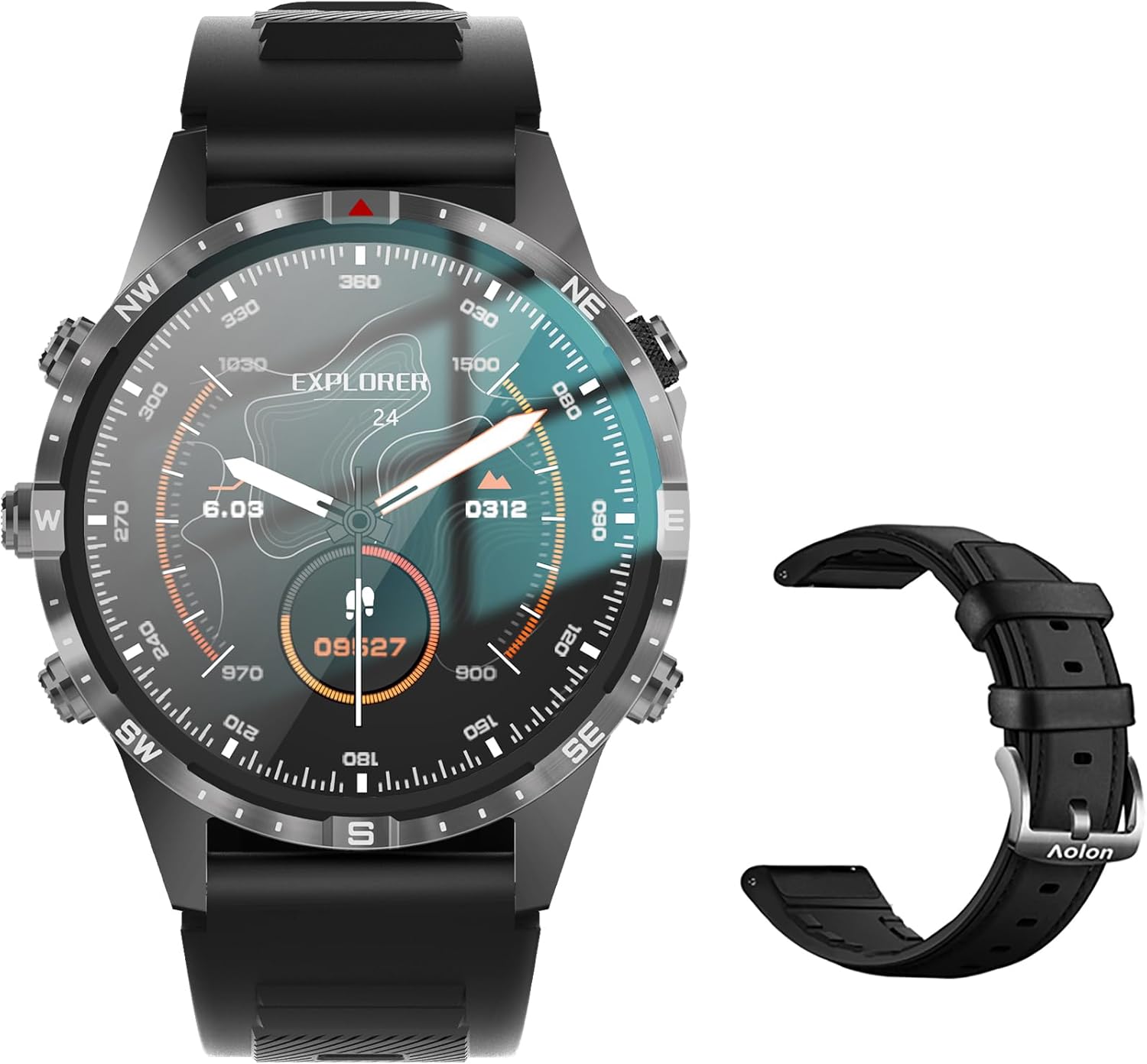
Image: The Aolon GT5 Pro Smart Watch displaying a compass-like watch face, alongside an additional black leather strap.
3.1. Các thành phần của đồng hồ
- Trưng bày: 1.6-inch HD Large Screen (360x360 resolution IPS HD with ultra-narrow bezel).
- Các nút: 5 independent physical buttons for precise control and navigation.
- Cảm biến: Heart rate sensor, blood oxygen sensor, motion sensor.
- Loa và Micro: Hỗ trợ chức năng gọi điện qua Bluetooth.

Hình ảnh: Cận cảnh view of the Aolon GT5 Pro Smart Watch screen, emphasizing its 1.6-inch HD display with 360x360 pixel resolution and narrow bezel.
4. Thiết lập
4.1. Sạc đồng hồ thông minh
Before first use, fully charge your Aolon GT5 Pro Smart Watch. Connect the magnetic charging cable to the charging points on the back of the watch and plug the USB end into a power adapter (not included) or a computer's USB port.
- Thời gian sạc: Khoảng 1.5 giờ để sạc đầy.
- Battery Life: Up to 7-10 days with typical use, 30 days standby time.

Image: Visual representation of the Aolon GT5 Pro's battery performance, indicating 30 days standby, 7-10 days typical use, and 1.5 hours charging time.
4.2. Cài đặt và ghép nối ứng dụng
To unlock the full potential of your smart watch, download the companion app on your smartphone.
- Tải ứng dụng: Scan the QR code in the manual or on the watch screen, or search for the app name (usually mentioned in the quick start guide) in your phone's app store (App Store for iOS, Google Play Store for Android).
- Đăng ký/Đăng nhập: Mở ứng dụng và làm theo hướng dẫn trên màn hình để tạo tài khoản hoặc đăng nhập.
- Ghép nối đồng hồ: Ensure Bluetooth is enabled on your smartphone. In the app, navigate to the device pairing section and select your Aolon GT5 Pro from the list of available devices. Confirm the pairing request on both your phone and watch.
5. Hướng dẫn vận hành
5.1. Điều hướng cơ bản
- Vuốt lên/xuống: Cuộn qua các menu và thông báo.
- Vuốt sang trái/phải: Truy cập nhanh các chức năng hoặc các tiện ích khác nhau.
- Nhấn nút: Use the 5 independent buttons for specific functions like power on/off, back, or quick access to sports modes. Refer to the quick start guide for specific button assignments.
- Chạm vào màn hình: Select items or confirm actions.
5.2. Gọi điện qua Bluetooth
The Aolon GT5 Pro supports Bluetooth calling, allowing you to make and receive calls directly from your wrist.
- Hãy đảm bảo đồng hồ của bạn đã được kết nối với điện thoại qua Bluetooth.
- Access the call function on your watch to dial numbers or answer incoming calls.
- Receive message notifications from your phone's apps directly on your watch.

Image: The Aolon GT5 Pro Smart Watch showing its Bluetooth calling feature, with icons representing call, music, and contact functions.
5.3. Chế độ thể thao
The watch supports over 100 sports modes, including swimming, running, cycling, and yoga. Select your desired activity to track specific metrics.
- Navigate to the Sports section on your watch.
- Choose your activity. The watch will record data such as calories burned, steps, distance, and pace.
- Connect to your phone's GPS via the app for detailed route tracking.
5.4. Theo dõi sức khỏe
The Aolon GT5 Pro continuously monitors various health metrics.
- Nhịp tim: Dynamic heart rate measurement 24/7.
- Oxy trong máu: Low power consumption blood oxygen level monitoring.
- Theo dõi giấc ngủ: Records your sleep status in real-time, providing data on deep, light, and awake times.

Image: The Aolon GT5 Pro Smart Watch screen showing health monitoring features, including heart rate, blood pressure, and blood oxygen levels.

Image: The Aolon GT5 Pro Smart Watch screen illustrating sleep quality monitoring, detailing sleep stagvà thời lượng.
5.5. Compass Navigation
Utilize the built-in guide needle navigation for accurate direction during outdoor activities.
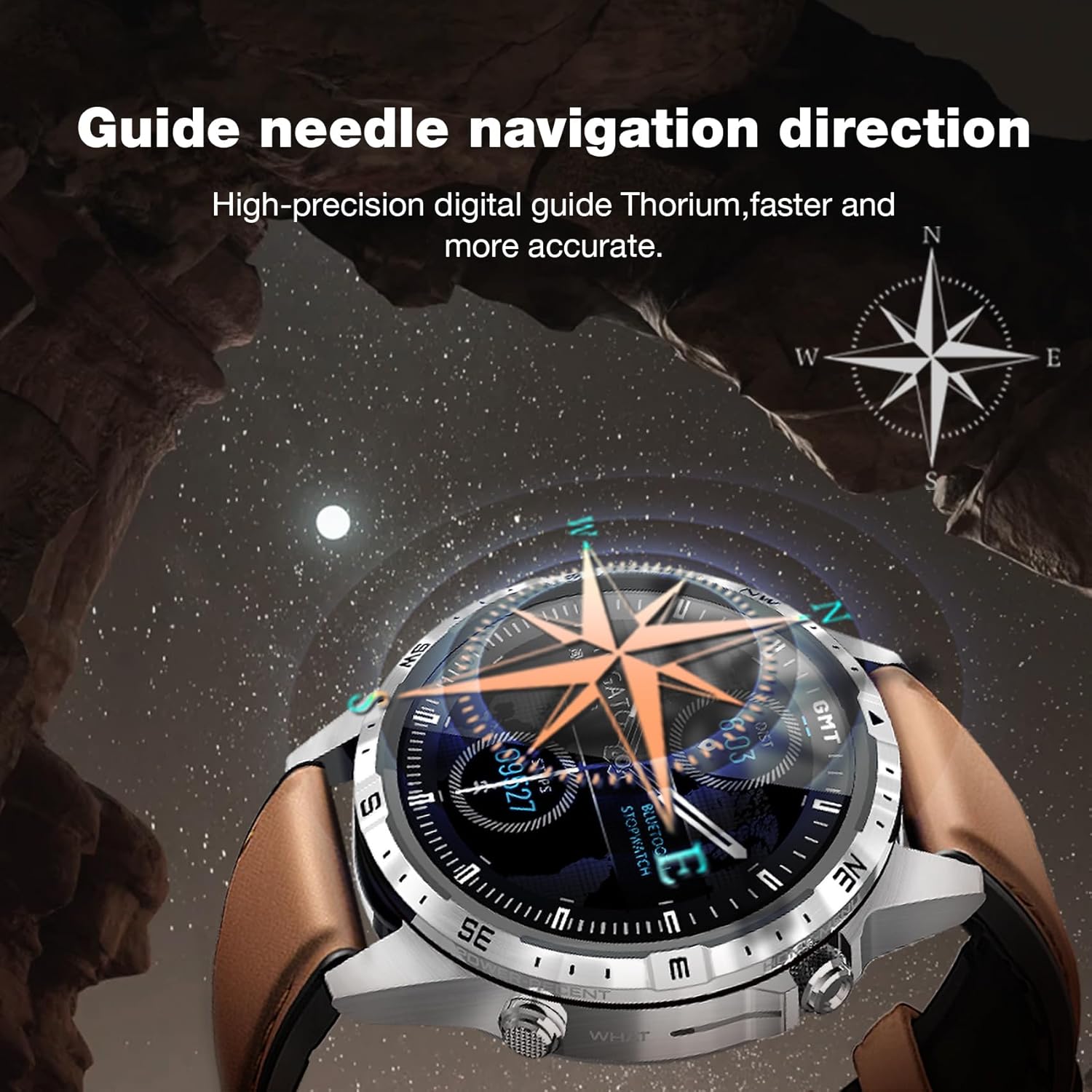
Image: The Aolon GT5 Pro Smart Watch showing its guide needle navigation feature, providing high-precision digital direction.
5.6. Các chức năng khác
The watch includes various other essential functions:
- Kiểm soát âm nhạc
- Dự báo thời tiết
- Đồng hồ bấm giờ
- Điều khiển máy ảnh từ xa
- Ambient Sound Monitoring
- Tìm điện thoại của tôi
- Đồng hồ báo thức
- Nhắc nhở ít vận động
- Nhắc nhở uống thuốc
- Women's Menstrual Health Tips
5.7. Thay đổi mặt đồng hồ
Personalize your watch by choosing from multiple types of dials available through the watch or the companion app.

Image: A selection of diverse watch faces for the Aolon GT5 Pro, demonstrating customization options.
6. Bảo trì
6.1. Vệ sinh đồng hồ
- Lau màn hình và thân đồng hồ bằng vải mềm, không xơ.
- Đối với vết bẩn cứng đầu, hãy chà nhẹampLau vải bằng nước. Tránh sử dụng hóa chất mạnh hoặc vật liệu mài mòn.
- Đảm bảo các điểm tiếp xúc sạc sạch và khô trước khi sạc.
6.2. Khả năng chống nước
The Aolon GT5 Pro is IP67 waterproof. This means it is protected against dust and can withstand immersion in water up to 1 meter for 30 minutes.
- It is suitable for daily use, such as washing hands, face, or sweating during exercise.
- Avoid hot water, steam, or prolonged immersion in water.
- Không vận hành các nút dưới nước.
6.3. Strap Care and Replacement
The watch comes with standard dual straps (silicone and leather). Clean straps regularly. The silicone strap is ideal for sports, while the leather strap offers a more formal look. Straps can be easily switched without tools.
KHAI THÁC. Xử lý sự cố
If you encounter issues with your Aolon GT5 Pro Smart Watch, refer to the following common solutions:
| Vấn đề | Giải pháp |
|---|---|
| Đồng hồ không bật | Hãy đảm bảo đồng hồ đã được sạc đầy. Nhấn và giữ nút nguồn trong vài giây. |
| Không thể ghép nối với điện thoại thông minh | Ensure Bluetooth is enabled on your phone. Restart both the watch and phone. Make sure the watch is not already paired with another device. Check app permissions. |
| Dữ liệu sức khỏe không chính xác | Đảm bảo đồng hồ được đeo vừa vặn trên cổ tay, không quá chặt hoặc quá lỏng. Vệ sinh vùng cảm biến ở mặt sau của đồng hồ. |
| Chưa nhận được thông báo | Check app notification settings on your phone and within the watch app. Ensure the watch is connected via Bluetooth. |
| Tuổi thọ pin ngắn | Reduce screen brightness, turn off unnecessary features (e.g., continuous heart rate monitoring if not needed), and ensure proper charging. |
8. Thông số kỹ thuật
| Tính năng | Chi tiết |
|---|---|
| Người mẫu | GT5 chuyên nghiệp |
| Trưng bày | 1.6-inch HD IPS, 360x360 Pixel Resolution |
| Dung lượng pin | Pin Lithium Polymer 340 mAh |
| Tuổi thọ pin | 7-10 ngày (sử dụng thông thường), 30 ngày (chế độ chờ) |
| Thời gian sạc | Xấp xỉ 1.5 giờ |
| Chống nước | IP67 |
| Kết nối | Bluetooth |
| Khả năng tương thích | Android và iOS |
| Kích thước | 16.3 x 10 x 2.5 cm (Package); Watch: 47.5mm diameter, 22mm strap width |
| Cân nặng | 180 g (Trọng lượng đóng gói) |
9. Thông tin an toàn
- Không cố tháo rời hoặc sửa đổi đồng hồ.
- Giữ đồng hồ tránh xa nhiệt độ khắc nghiệt và ánh sáng mặt trời trực tiếp.
- Consult a medical professional before starting any new exercise regimen or if you have pre-existing health conditions. The health data provided by the watch is for reference only and should not be used for medical diagnosis or treatment.
- Để xa tầm tay trẻ em.
10. Bảo hành và Hỗ trợ
For warranty information and customer support, please refer to the warranty card included in your package or visit the official AOLON webNếu bạn gặp bất kỳ vấn đề nào không được đề cập trong hướng dẫn này, vui lòng liên hệ với bộ phận chăm sóc khách hàng để được hỗ trợ.
Ask a question about this manual
Ask about setup, troubleshooting, compatibility, parts, safety, or missing instructions. Manuals+ will review the question and use this page’s manual context to help answer it.