
1. Giới thiệu
Thank you for choosing the LanLuk 200W GaN IV 8-Port USB-C Charging Station. This device is designed to provide efficient and safe charging for a wide range of electronic devices, including laptops, smartphones, tablets, and more. Please read this manual carefully before use to ensure proper operation and to maximize the lifespan of your product.
2. Hướng dẫn an toàn
- Không để thiết bị tiếp xúc với nước, hơi ẩm hoặc nhiệt độ khắc nghiệt.
- Tránh làm rơi hoặc để thiết bị chịu tác động mạnh.
- Không được tự ý tháo rời, sửa đổi hoặc cố gắng sửa chữa thiết bị. Việc này sẽ làm mất hiệu lực bảo hành và có thể gây hư hỏng hoặc thương tích.
- Chỉ sử dụng dây nguồn được cung cấp.
- Ensure proper ventilation around the charging station during use to prevent overheating.
- Để xa tầm tay trẻ em.
- Unplug the charging station from the power outlet when not in use or during electrical storms.
3. Nội dung gói hàng
Xác minh rằng tất cả các mục đều có trong gói hàng của bạn:
- 1 x LanLuk 200W 8-in-1 USB-C Charging Station
- 1 x Power Cord
- 1 x Hướng dẫn sử dụng
4. Sản phẩm hếtview
The LanLuk 200W GaN IV 8-Port USB-C Charging Station features advanced GaN IV technology for higher energy efficiency, upgraded heat dissipation, and a compact design. It provides a total of 200W power output across 8 ports, allowing you to charge multiple devices simultaneously.
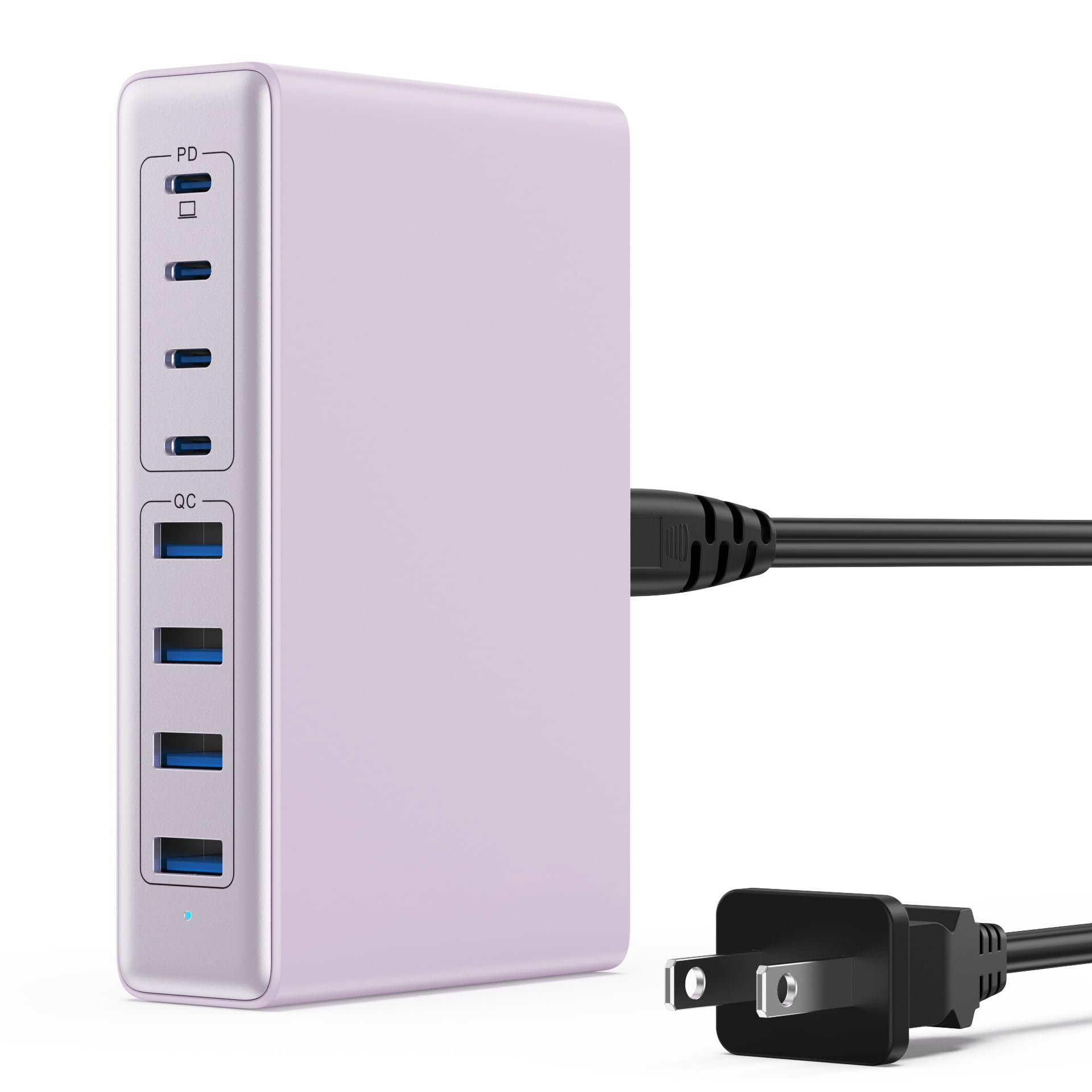
Image: The LanLuk 200W GaN IV 8-Port USB-C Charging Station in purple.
Các tính năng chính:
- GaN IV Technology: Utilizes the latest Gallium Nitride (GaN) IV chip for enhanced efficiency, reduced heat, and a smaller form factor.
- Tổng công suất đầu ra 200W: Delivers optimal power to charge up to 8 devices simultaneously at full speed.
- 8 cổng sạc: Includes 4 USB-C ports (PD 3.0) and 4 USB-A ports (QC 4.0) for broad compatibility.
- Công suất 65W (PD): One dedicated USB-C port provides up to 65W, capable of fast-charging laptops like MacBook Pro/Air, Dell XPS, and more.
- Multi-Protection Safety System: Built-in intelligent IC with six safety protections: over-voltage, over-current, over-charge, over-temperature, static electricity, and short circuit.
- Tương thích phổ quát: Supports a wide range of devices including iPhones, iPads, Android phones, laptops, gaming consoles (Steam Deck, Nintendo Switch), smartwatches, and headphones.
- Thiết kế di động: Compact size (approximately 5 inches by 3 inches) with a 1.5M/5FT AC extension power cord for flexible placement.
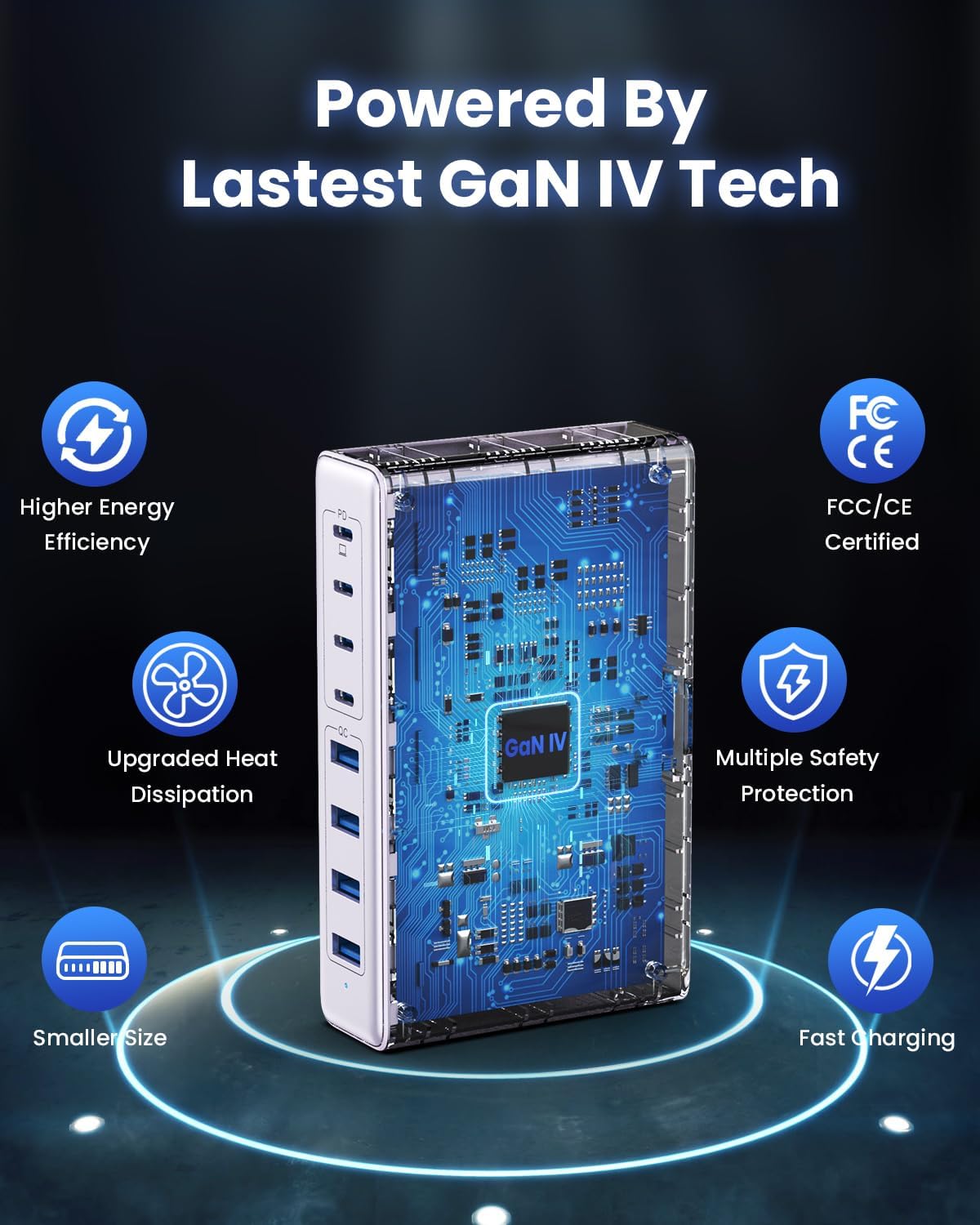
Image: Diagram illustrating the benefits of GaN IV technology, including higher energy efficiency, upgraded heat dissipation, smaller size, multiple safety protections, and fast charging.

Image: Visual representation of the charging station connecting to 8 different devices (4 USB-C, 4 USB-A).

Image: Infographic showing the universal compatibility with laptops/tablets (MacBook Pro, Dell XPS, iPad Pro), smartphones (iPhone, Samsung Galaxy, Google Pixel), and gaming devices/others (ROG ALLY, Steam Deck, AirPods, Switch).

Image: Illustration highlighting the USB-C1 port's 65W output, perfect for laptops, showing a MacBook charging.
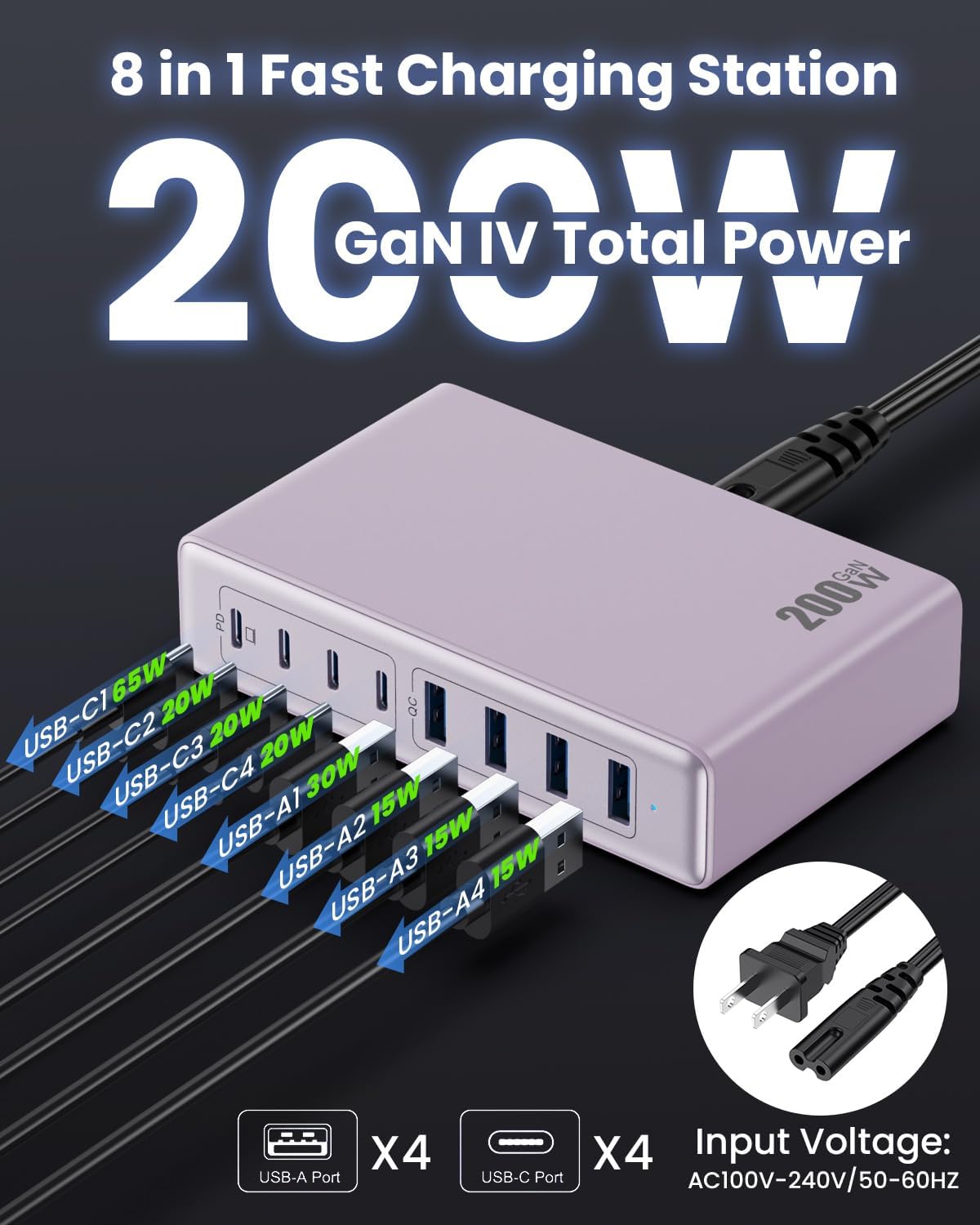
Hình ảnh: Chi tiết view of the charging station's ports and their individual power outputs (USB-C1 65W, USB-C2 20W, USB-C3 20W, USB-C4 20W, USB-A1 15W, USB-A2 15W, USB-A3 15W, USB-A4 15W).

Image: Comparison chart showing the LanLuk charger's advantages over other chargers in terms of total max output, one port output, number of ports, devices charged, portability, and sustainability.
5. Thiết lập
- Giải nén: Cẩn thận lấy trạm sạc và tất cả phụ kiện ra khỏi bao bì.
- Kết nối dây nguồn: Insert the included power cord into the AC input port on the back of the charging station.
- Cắm vào ổ cắm: Plug the other end of the power cord into a standard AC wall outlet (100-240V, 50/60Hz).
- Sẵn sàng để sử dụng: The charging station is now ready to charge your devices.
6. Hướng dẫn vận hành
- Identify Port Type: Determine whether your device requires a USB-C or USB-A connection.
- Kết nối thiết bị: Plug your device's charging cable into the appropriate port on the charging station. For optimal laptop charging, use the 65W PD USB-C1 port.
- Bắt đầu sạc: Your device should begin charging automatically. The intelligent chip will identify the device and deliver the optimal charging current.
- Giám sát sạc: Some devices may display a charging indicator.
- Ngắt kết nối: Once charging is complete, safely disconnect your device from the charging station.
7. Thông số kỹ thuật
| Tính năng | Sự miêu tả |
|---|---|
| Thương hiệu | Lan Lục |
| Số hiệu mẫu | HX-P21 |
| Cái gì?tage | 200 Watt (Tổng cộng) |
| Tổng số cổng USB | 8 (4 USB-C, 4 USB-A) |
| Đầu ra USB-C | PD USB C (up to 65W on one port) |
| Đầu ra USB-A | QC4.0 USB-A |
| Đầu vào Voltage | 100-240 Volts (AC), 50-60 Hz |
| Dòng điện đầu ra | 4 Amps (Tối đa) |
| Vật liệu | Plastic (ABS and PC fireproof materials) |
| Tính năng đặc biệt | GaN IV Technology, Fast Charging, Lightweight Design, Charging Indicator, Universal Compatibility, Short Circuit Protection |
| Kích thước | Approximately 5 inches x 3 inches (portable) |
| Nguồn điện | Điện có dây |
KHAI THÁC. Xử lý sự cố
- Thiết bị không sạc được:
- Hãy đảm bảo trạm sạc được cắm đúng cách vào ổ cắm điện đang hoạt động.
- Hãy kiểm tra xem cáp sạc đã được kết nối chắc chắn với cả trạm sạc và thiết bị của bạn chưa.
- Hãy thử dùng cáp sạc hoặc cổng khác để loại trừ khả năng cáp hoặc cổng bị lỗi.
- Verify your device is compatible with the charging station's output specifications.
- Sạc chậm:
- Hãy đảm bảo bạn đang sử dụng cáp tương thích với sạc nhanh cho thiết bị của mình.
- For laptops, use the dedicated 65W PD USB-C1 port.
- Charging multiple devices simultaneously may distribute the total power, potentially reducing individual port speeds.
- Check if your device supports fast charging protocols (PD, QC).
- Quá nhiệt:
- Ensure the charging station has adequate ventilation and is not covered.
- If excessive heat persists, discontinue use and contact customer support.
9. Bảo trì
- Vệ sinh: Ngắt kết nối trạm sạc khỏi ổ cắm điện trước khi vệ sinh. Sử dụng khăn mềm, khô để lau bề mặt. Không sử dụng chất tẩy rửa dạng lỏng hoặc dạng xịt.
- Kho: Bảo quản thiết bị ở nơi khô mát, tránh ánh nắng trực tiếp và nơi ẩm ướt khi không sử dụng.
- Chăm sóc cáp: Avoid bending or crimping charging cables excessively to prevent damage.
10. Bảo hành và Hỗ trợ
LanLuk provides a Bảo hành 3 năm for free replacement. If you encounter any issues or have questions regarding your product, please contact our customer support team for assistance.
Hỗ trợ khách hàng: Please refer to the contact information provided on the product packaging or our official webtrang web hỗ trợ.