
Giới thiệu
The Kinglucky KL-M16-2MIC-A-01 Wireless Lavalier Mini Microphone system is designed to enhance audio quality for various recording needs, including video recording, interviews, live streaming, and online meetings. This compact and portable system offers features such as intelligent noise reduction, 360-degree sound pickup, and broad compatibility with smartphones and tablets.
Có gì trong hộp
Xác minh rằng tất cả các mục đều có trong gói hàng của bạn:
- 2x micrô không dây
- 1x Lightning Receiver
- 1x Type-C Adapter
- 2x Charging Cables
- 1x Hướng dẫn sử dụng

Image: The package contents including two microphones, a receiver, a Type-C adapter, charging cables, and the user manual.
Cài đặt
- Kết nối đầu thu: Plug the appropriate receiver (Lightning or USB-C adapter) into your smartphone or tablet's charging port.
- Bật nguồn micro: Press the power button on each wireless microphone. A green indicator light will illuminate, signifying that the microphone is on and ready to pair.
- Kết nối tự động: The microphone and receiver will automatically connect without requiring Bluetooth pairing or a dedicated app. The green light on the microphone will remain solid once connected.
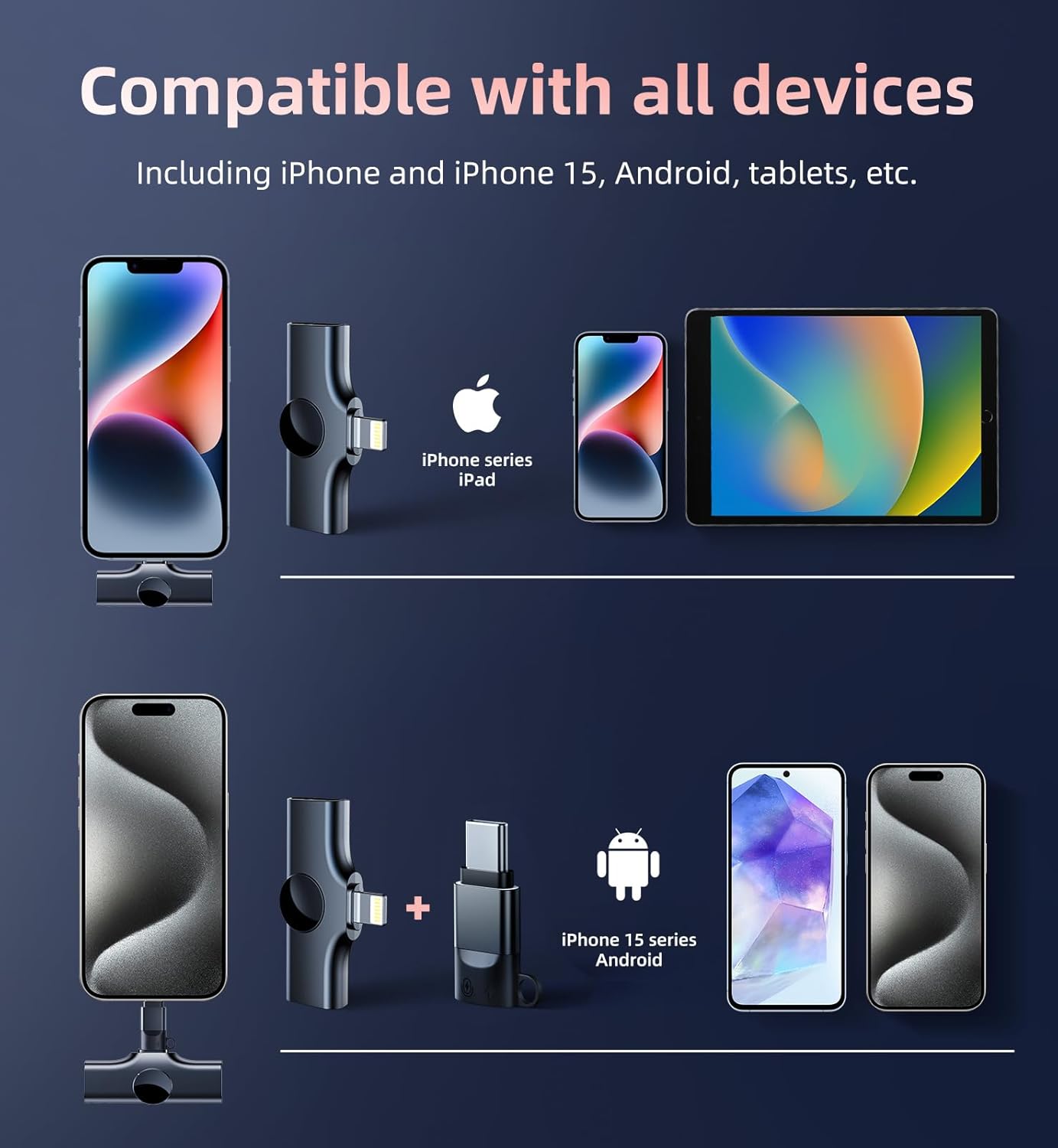
Image: A visual representation of the plug-and-play setup, showing the receiver connected to a smartphone and the microphone powered on.
Video: A demonstration of the effortless one-step plug and play connection process for the Kinglucky wireless microphone system.
Hướng dẫn sử dụng
Đeo micro
Clip the mini microphone onto your clothing, such as a lapel or collar, ensuring it is positioned to capture your voice clearly. Its compact and lightweight design allows for comfortable, hands-free operation.

Image: The microphone clipped to clothing, illustrating its 360-degree omnidirectional sound pickup capability.
Giảm tiếng ồn
The microphone features a DSP chip and AI intelligent noise reduction module, along with a sponge windshield, to effectively filter out background noise. This ensures clear and pure sound capture, even in noisy environments.

Image: A graphic illustrating the DSP and AI dual noise reduction technology for clear audio recording.
Video: A demonstration of the professional noise-cancelling capabilities of the Kinglucky mini microphone.
Tuổi thọ pin và sạc
Each wireless microphone is equipped with an 80mAh rechargeable battery, providing up to 8 hours of continuous use. The receiver is powered by your device and can also charge your device when connected to a charger. Use the provided data cables to charge the microphones; a full charge takes approximately 1 hour.
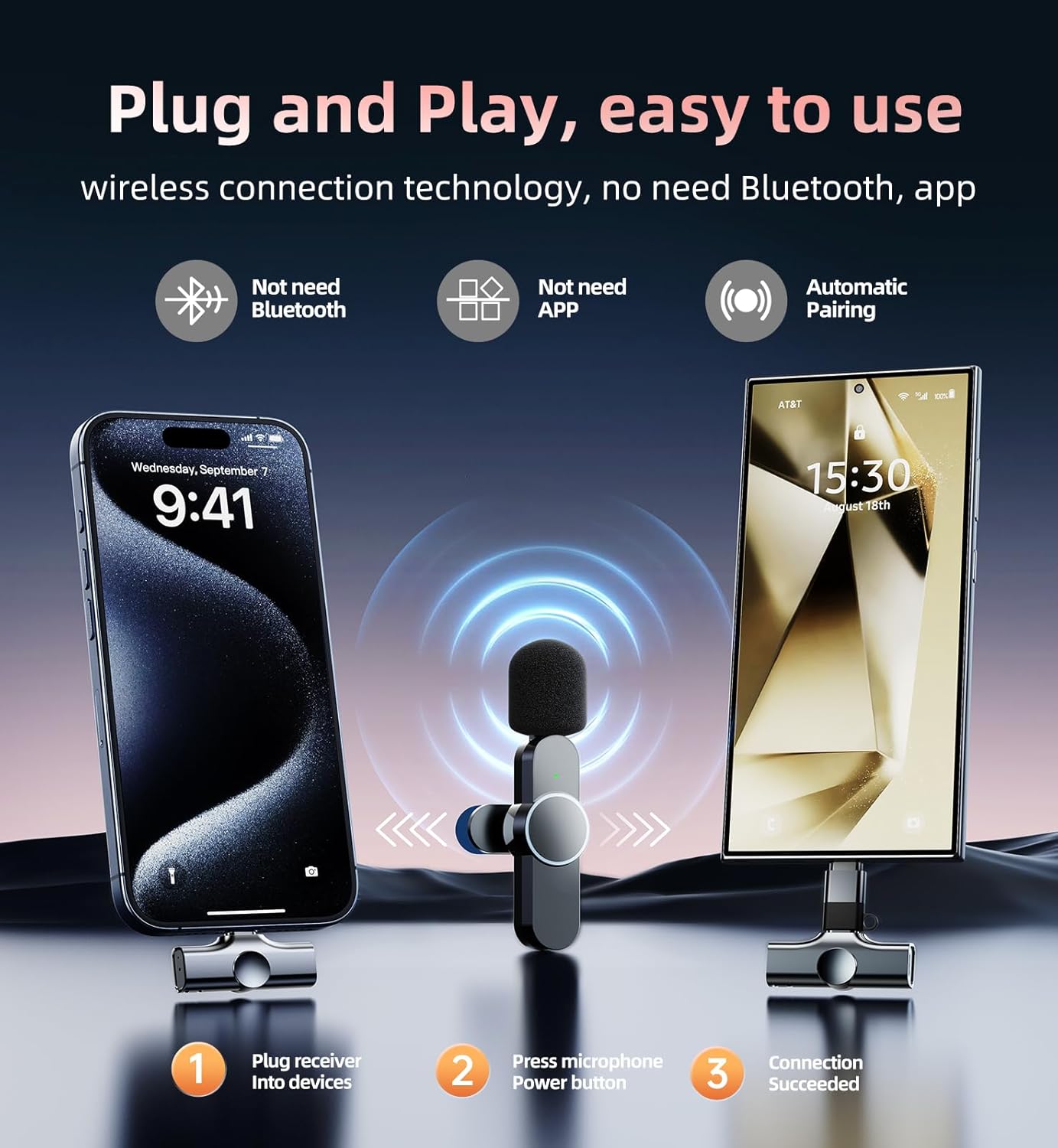
Image: A visual indicating the 8-hour long working time of the microphone.
Khả năng tương thích
The Kinglucky Wireless Lavalier Mini Microphone is compatible with a wide range of devices:
- Thiết bị Apple: iPhone (including iPhone 15 series), iPad (with Lightning or Type-C port).
- Thiết bị Android: 99% of Android phones and tablets (with Type-C port).

Image: A graphic displaying the microphone's compatibility with iPhone, iPad, and Android devices.
Thông số kỹ thuật
| Tính năng | Đặc điểm kỹ thuật |
|---|---|
| Thương hiệu | Vua may mắn |
| Số hiệu mẫu | KL-M16-2MIC-A-01 |
| Yếu tố hình thức của micrô | Lavalier |
| Công nghệ kết nối | CẮM VÀ CHƠI |
| Loại đầu nối | Lightning, USB Type-C |
| Tính năng đặc biệt | Giảm tiếng ồn |
| Thiết bị tương thích | Android, Smartphone, Tablet, iPad, iPhone |
| Mẫu cực | Đa hướng |
| Âm thanh nhạy | 95 Decibel |
| Signal-to-Noise Ratio | 95 dB |
| Trọng lượng sản phẩm | 7 gam (0.247 ounce) |
| Nguồn điện | Pin chạy bằng |
| Vật liệu | Nhựa |
| Số lượng kênh | 2 |
BẢO TRÌ
- Vệ sinh: Use a soft, dry cloth to clean the microphone and receiver. Avoid using harsh chemicals or abrasive materials.
- Kho: Bảo quản hệ thống micro ở nơi khô ráo, thoáng mát, tránh ánh nắng trực tiếp và nhiệt độ quá cao hoặc quá thấp.
- Sạc: Ensure the microphones are fully charged before extended use. Avoid overcharging.
Xử lý sự cố
- Không có âm thanh/Chất lượng âm thanh kém:
- Ensure the receiver is fully inserted into your device's charging port.
- Verify that the microphone is powered on (solid green indicator light).
- Kiểm tra cài đặt đầu vào âm thanh của thiết bị để đảm bảo micrô ngoài đã được chọn.
- Confirm the microphone is charged.
- Remove any phone cases that might obstruct the receiver's connection.
- Micrô không kết nối:
- Hãy đảm bảo cả micro và bộ thu đều đã được bật nguồn.
- If the microphone's green light is blinking, it is attempting to connect. Wait a few seconds for it to establish a connection.
- Hãy thử rút phích cắm và cắm lại đầu thu.
- Tuổi thọ pin ngắn:
- Ensure the microphones are fully charged before use.
- Avoid using the microphone in extremely cold temperatures, which can reduce battery performance.
Bảo hành và Hỗ trợ
Kinglucky offers a 2-year warranty service for this product. For any issues encountered during normal use, please contact the professional customer service team for round-the-clock online support.

Image: Details of the Kinglucky-CARE PROGRAM, including free replacement, 24/7 support, faster delivery, and a 365-day warranty.