
1. Giới thiệu
Thank you for choosing the VCHICS Digital Audio Amplifier Receiver Module. This device is designed to provide versatile audio playback options, including Bluetooth, USB, TF card, and FM radio, with adjustable bass and treble controls. This manual will guide you through the setup, operation, and maintenance of your ampmô-đun lifier.
2. Các tính năng chính
- MP3 music playback from TF card, USB disk, and Bluetooth.
- Adjustable Treble, Bass, and Master Volume controls.
- Integrated Bluetooth receiver for wireless audio streaming.
- Built-in FM radio function.
- AUX port for connection to PC, phone, or CD players.
- Supports AC 110-220V or DC 12-24V input voltage.
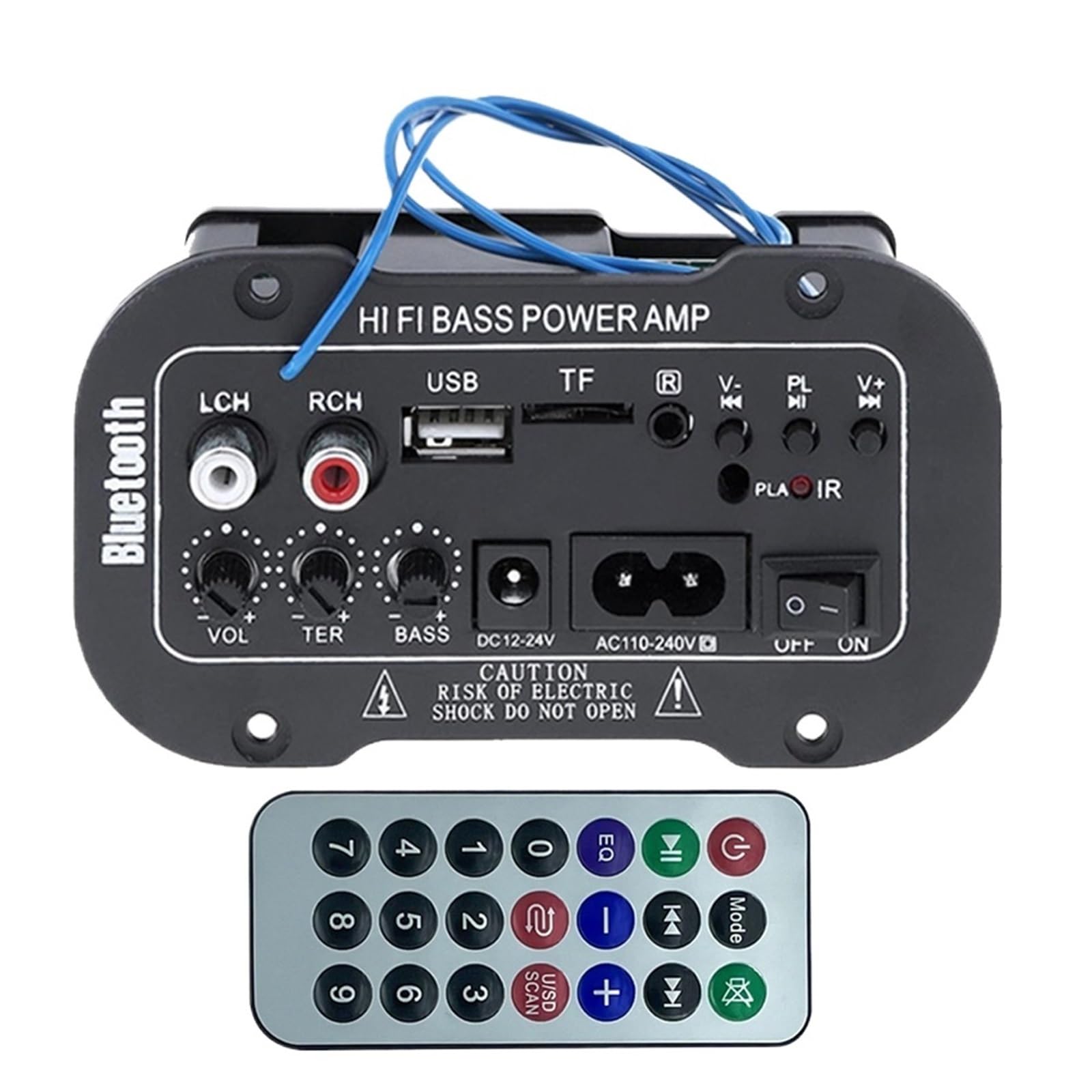
Hình 1: Hếtview of the VCHICS Digital Audio Amplifier Receiver Module.
3. Thông số kỹ thuật
| Đặc điểm kỹ thuật | Giá trị |
|---|---|
| Phiên bản Bluetooth | 2.1+EDR |
| Hoạt động Voltage | 9-20 V DC |
| Công suất làm việc | 25-30W |
| Bộ giải mã | SBC |
| Trở kháng | 4 Ohm |
| Kích thước đơn vị loa | 133mm |
| Độ nhạy | 200hv |
| Đáp ứng tần số | 20-20000Hz |
| Trọng lượng sản phẩm | 400 gam |
| Số lượng kênh | 1 |
| Số hiệu mẫu | 1005005454581585 |

Figure 2: Product dimensions (11.7cm x 6.5cm x 4.5cm / 10cm x 4cm).
4. Điều khiển và kết nối
Familiarize yourself with the various controls and connection ports on your ampmô-đun lifier:

Hình 3: Chi tiết view of controls and connection points.
- LCH / RCH (Audio Input): Left and Right channel audio input for external devices.
- Khe cắm USB: Dùng để kết nối ổ đĩa flash USB để phát nhạc MP3.
- Khe cắm TF: Dùng để lắp thẻ TF (MicroSD) để phát nhạc MP3.
- Previous / Next (V- / V+): Navigate tracks or adjust volume in certain modes.
- Play / Pause (PL/IR): Play/pause audio, or initiate FM scan. IR indicates Infrared Sensor for remote control.
- Chỉ số: Đèn trạng thái.
- Cảm biến hồng ngoại: For receiving signals from a remote control (if included or compatible).
- TẮT / BẬT: Power switch for the module.
- AC110-240V: Nguồn điện AC đầu vào.
- DC12-24V: Đầu vào nguồn DC.
- Điều chỉnh âm trầm: Rotary knob to adjust bass levels.
- Điều chỉnh âm bổng: Rotary knob to adjust treble levels.
- Điều chỉnh âm lượng: Rotary knob to adjust master volume.
- Nút Bluetooth: Kích hoạt chế độ Bluetooth.
5. Thiết lập
5.1 kết nối nguồn
- Đảm bảo amplifier module is switched OFF.
- Connect the appropriate power supply to either the Điện áp xoay chiều 110-240V đầu vào hoặc DC12-24V input. Use only the specified voltagphạm vi điện tử để ngăn ngừa thiệt hại.
5.2 Kết nối loa
Connect your speakers to the output terminals of the amplifier module. Ensure correct polarity (+/-) for optimal sound quality.
5.3 Antenna Connection (for FM Radio)
If using the FM radio function, connect the provided FM antenna to the designated antenna port for better reception.
6. Hướng dẫn vận hành
6.1 Bật/Tắt nguồn
Chuyển đổi TẮT MỞ switch to power on or power off the module.
6.2 Kết nối Bluetooth
- Nhấn nút CÁCH THỨC button (or the Bluetooth button if labeled) to switch the amplifier to Bluetooth mode.
- On your mobile phone or Bluetooth device, open the Bluetooth settings and search for available devices.
- Chọn amplifier's Bluetooth device name (usually "Bluetooth" or similar) from the list to connect.
- Sau khi ghép nối thành công, bạn có thể phát âm thanh từ thiết bị của mình thông qua thiết bị đó. ampchất lót.
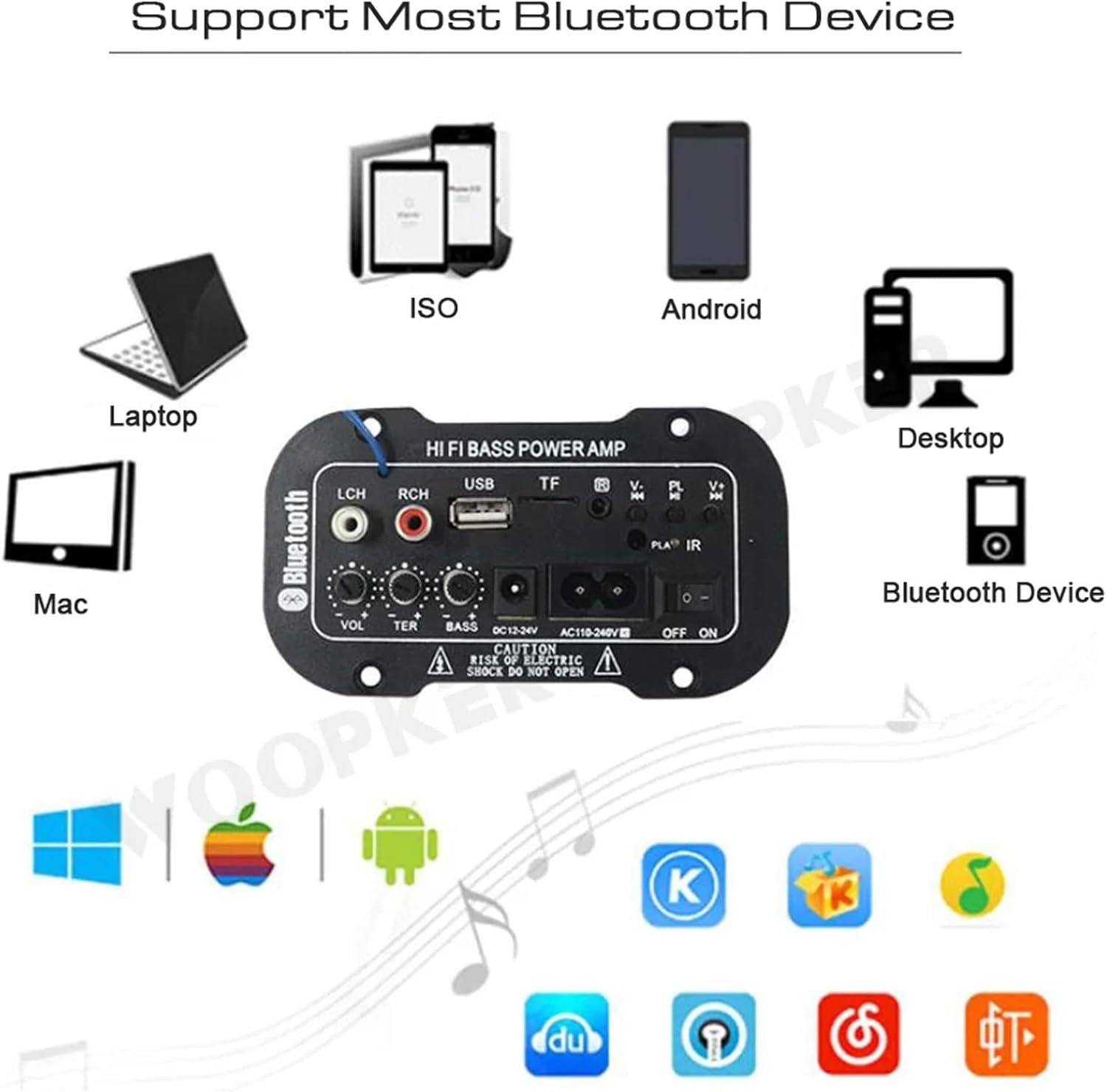
Hình 4: Các amplifier module supports various Bluetooth devices including laptops, phones, and desktops.
Hoạt động của đài phát thanh FM 6.3
- Hãy đảm bảo ăng-ten radio được kết nối đúng cách.
- Nhấn nút CÁCH THỨC nút để chuyển đổi amplifier to FM radio mode.
- Nhấn nút Phát / Tạm dừng button to initiate an automatic scan for all available FM channels. The module will save them automatically.
- Sử dụng Trước Sau buttons to switch between saved radio stations.
6.4 Phát lại qua USB / Thẻ TF
- Lắp ổ flash USB vào Khe usb hoặc thẻ TF (MicroSD) vào Khe TF.
- The module should automatically detect the storage device and begin playing MP3 files. Nếu không, hãy nhấn CÁCH THỨC button to cycle through input sources until USB or TF mode is active.
- Sử dụng Trước Sau buttons to change tracks and the Phát / Tạm dừng nút để điều khiển phát lại.
6.5 đầu vào AUX
Connect an external audio source (e.g., PC, phone, CD player) to the LCH / RCH (Audio Input) ports using an appropriate audio cable. Press the CÁCH THỨC button to select the AUX input source.
6.6 Điều chỉnh âm thanh
Sử dụng Điều chỉnh âm lượng, Điều chỉnh Treble, Và Điều chỉnh âm trầm rotary knobs to fine-tune your audio output to your preference.
KHAI THÁC. Xử lý sự cố
- Không có điện: Ensure the power cable is securely connected and the power switch is in the ON position. Verify the power source is active and providing the correct voltage (AC 110-240V or DC 12-24V).
- Không có âm thanh: Check speaker connections for correct polarity. Ensure the volume is turned up. Verify the correct input mode (Bluetooth, FM, USB, TF, AUX) is selected. Test with a different audio source.
- Bluetooth không kết nối: Hãy chắc chắn rằng amplifier is in Bluetooth mode. Ensure your device's Bluetooth is enabled and within range. Try restarting both the amplifier và thiết bị Bluetooth của bạn.
- Thu sóng FM kém: Ensure the FM antenna is properly connected and extended. Try repositioning the antenna or the amplifier for better signal.
- Thẻ USB/TF không hoạt động: Ensure the USB drive or TF card contains compatible MP3 audio files. Check that the storage device is inserted correctly and not corrupted.
8. Bảo trì
- Giữ lại amplifier module clean by wiping it with a soft, dry cloth.
- Tránh để thiết bị tiếp xúc với hơi ẩm, nhiệt độ quá cao hoặc quá thấp hoặc ánh nắng trực tiếp.
- Do not attempt to disassemble or repair the module yourself, as this may void any warranty and cause damage.
9. Bảo hành và Hỗ trợ
Để biết thông tin bảo hành và hỗ trợ kỹ thuật, vui lòng tham khảo tài liệu đi kèm khi mua hàng hoặc liên hệ với nhà bán lẻ. Vui lòng giữ lại hóa đơn mua hàng để được hỗ trợ bảo hành.