
1. Giới thiệu
Thank you for choosing the EasySMX T37 Wireless Switch Pro Controller. This manual provides detailed instructions for setting up, operating, maintaining, and troubleshooting your controller. Please read this manual carefully before use to ensure optimal performance and longevity of your device. This controller is compatible with Nintendo Switch, Switch Lite, and Switch OLED consoles.
2. Sản phẩm hếtview
The EasySMX T37 is a wireless gamepad designed for an enhanced gaming experience on Nintendo Switch systems. It features an ergonomic design, dual turbo vibration, and 6-axis gyro motion control.

Hình ảnh 2.1: Mặt trước view of the EasySMX T37 Wireless Switch Pro Controller, showcasinnhờ hình dáng tiện dụng và bố trí nút bấm hợp lý.
3. Thiết lập
3.1 Ghép nối với Nintendo Switch
- Hãy bật máy chơi game Nintendo Switch của bạn.
- Từ Menu HOME, chọn Bộ điều khiển > Thay đổi cách cầm/thứ tự.
- On the EasySMX T37 controller, press and hold the Nút ĐỒNG BỘ (located on the top edge of the controller) for 3 seconds until the LED indicators start flashing rapidly.
- Once the controller is successfully paired, the player LED(s) on the bottom of the controller will light up solid.
3.2 Sạc bộ điều khiển
Connect the provided USB-C charging cable to the USB-C port on the controller and the other end to a USB power source (e.g., Switch dock, USB wall adapter, computer USB port). The LED indicators will show charging status and turn off when fully charged.
4. Hướng dẫn vận hành
4.1 Điều khiển cơ bản
The controller features standard button layouts for Nintendo Switch compatibility:
- Các nút A/B/X/Y: Các nút hành động.
- D-Pad: Đầu vào định hướng.
- Cần điều khiển Analog Trái/Phải: Điều khiển chuyển động và camera.
- Các nút L/R/ZL/ZR: Nút vai và nút cò súng.
- Nút Home: Returns to the Switch HOME Menu.
- Nút CHỤP ẢNH: Chụp ảnh màn hình.
- Các nút CỘNG (+) / TRỪ (-): Chức năng Bắt đầu/Chọn.

Image 4.1: A user holding the EasySMX T37 controller, demonstrating the comfortable grip and accessible button placement during gameplay.
4.2 Chức năng Turbo
The Turbo function allows for rapid, automatic pressing of a button, useful in action or arcade games.
- Kích hoạt Turbo: Nhấn và giữ nút hành động mong muốn (A/B/X/Y/L/R/ZL/ZR), sau đó nhấn nút Nút Turbo (T button). The button will now auto-fire.
- Điều chỉnh tốc độ Turbo: Trong khi giữ Nút Turbo, di chuyển Right Analog Stick Up or Down to cycle through three speeds: 5 shots/s, 12 shots/s, and 20 shots/s.
- Tắt Turbo: Repeat the activation step (hold the action button, then press the Turbo button) or press and hold the Nút Turbo for 5 seconds to clear all Turbo settings.
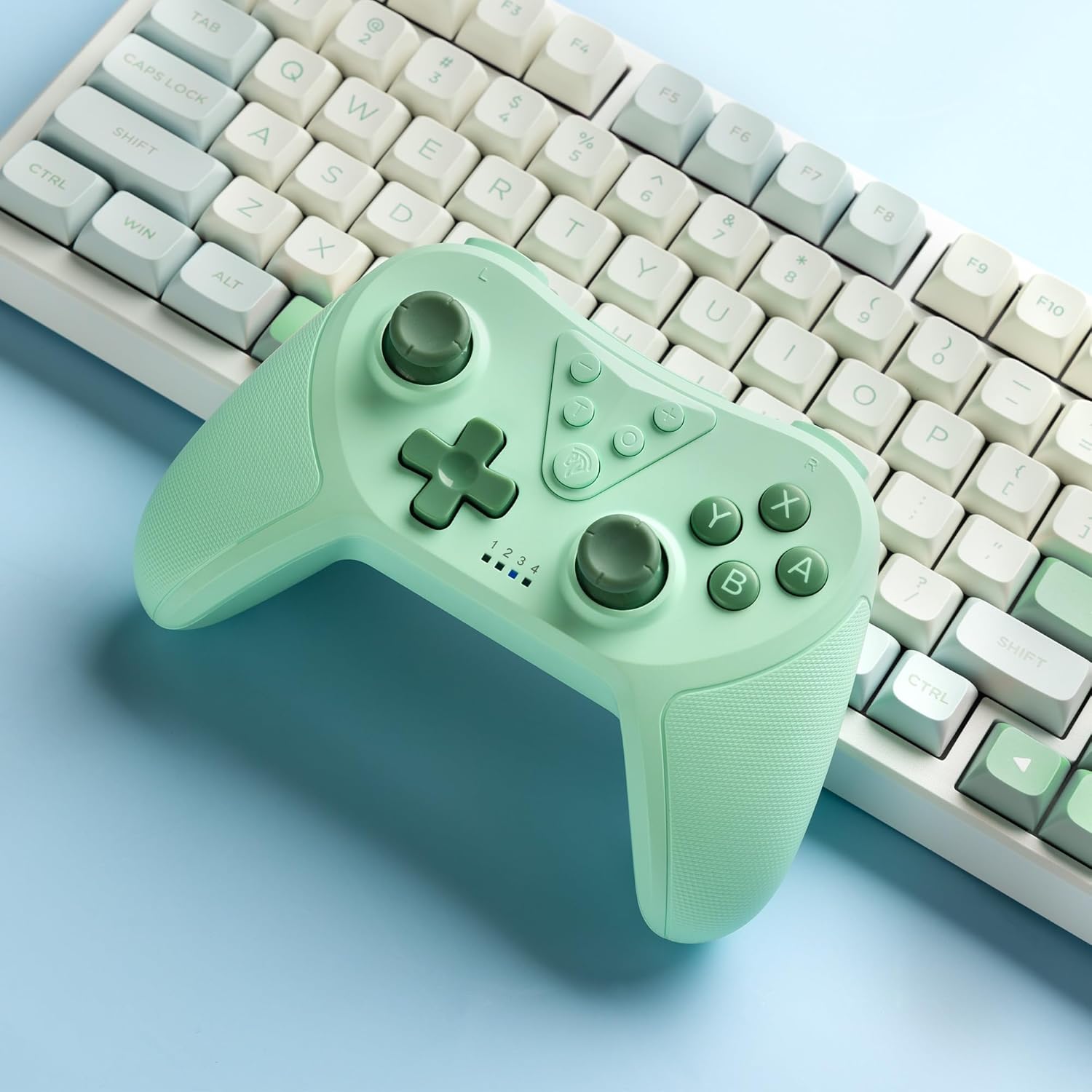
Image 4.2: Illustration of the Turbo function on the EasySMX T37 controller, showing the three adjustable speeds: 5, 12, and 20 shots per second.
4.3 Điều chỉnh rung
The controller features dual motors for adjustable vibration feedback, enhancing immersion in games.
- Điều chỉnh cường độ rung: Nhấn và giữ Nút Turbo, sau đó di chuyển Left Analog Stick Up or Down to cycle through four vibration levels: 0% (off), 30%, 70%, and 100%.

Image 4.3: Visual representation of the Dual Vibration feature on the EasySMX T37 controller, indicating four intensity levels from 0% to 100%.
4.4 6-Axis Gyro Motion Control
The built-in 6-axis gyroscope provides precise motion sensing, allowing for intuitive control in games that support motion input.

Image 4.4: Illustration depicting the 6-Axis Gyro Motion Control feature of the EasySMX T37 controller, showing how it interacts with a game on the Nintendo Switch screen.
5. Bảo trì
- Vệ sinh: Sử dụng vải mềm, khô để vệ sinh bộ điều khiển. Tránh sử dụng hóa chất mạnh hoặc vật liệu mài mòn.
- Kho: Bảo quản bộ điều khiển ở nơi khô ráo, thoáng mát, tránh ánh nắng trực tiếp và nhiệt độ cao.
- Chăm sóc pin: Để kéo dài tuổi thọ pin, tránh xả hết pin bộ điều khiển thường xuyên. Sạc pin thường xuyên, ngay cả khi không sử dụng trong thời gian dài.
- Tránh rơi: Bảo vệ bộ điều khiển khỏi bị rơi và va đập, vì có thể làm hỏng các linh kiện bên trong.
KHAI THÁC. Xử lý sự cố
6.1 Bộ điều khiển không kết nối
- Đảm bảo bộ điều khiển đã được sạc.
- Verify the Switch console is updated to the latest system version.
- Hãy thử ghép nối lại bộ điều khiển bằng cách làm theo các bước trong Mục 3.1.
- If issues persist, try resetting the controller by inserting a thin object into the small reset hole (if present, usually on the back) for a few seconds.
6.2 Buttons Unresponsive or Lagging
- Đảm bảo bộ điều khiển được sạc đầy.
- Move closer to the Switch console to ensure a strong wireless connection.
- Kiểm tra xem có vật cản hoặc mảnh vụn nào xung quanh các nút bấm không.
- Ghép nối lại bộ điều khiển.
6.3 Controller Not Charging
- Hãy đảm bảo cáp USB-C được kết nối chắc chắn với cả bộ điều khiển và nguồn điện.
- Hãy thử sử dụng cáp USB-C hoặc bộ đổi nguồn khác.
- Đảm bảo nguồn điện hoạt động bình thường.
7. Thông số kỹ thuật
- Người mẫu: T37
- Kết nối: Không dây (Bluetooth)
- Khả năng tương thích: Nintendo Switch, Switch Lite, Switch OLED
- Đặc trưng: Dual Turbo Function, Adjustable Vibration, 6-Axis Gyro Motion Control, Ergonomic Design
- Product Identifier (ASIN): B0CTTWN84L
8. Bảo hành và Hỗ trợ
For warranty information, technical support, or further assistance, please refer to the official EasySMX webhoặc liên hệ trực tiếp với bộ phận hỗ trợ khách hàng của họ. Giữ lại hóa đơn mua hàng để yêu cầu bảo hành.