
1. Giới thiệu
This manual provides essential information for the safe and efficient operation of your Next YE-43020GG4 43-inch Full HD Google Android TV. Please read this manual thoroughly before using the product and retain it for future reference.

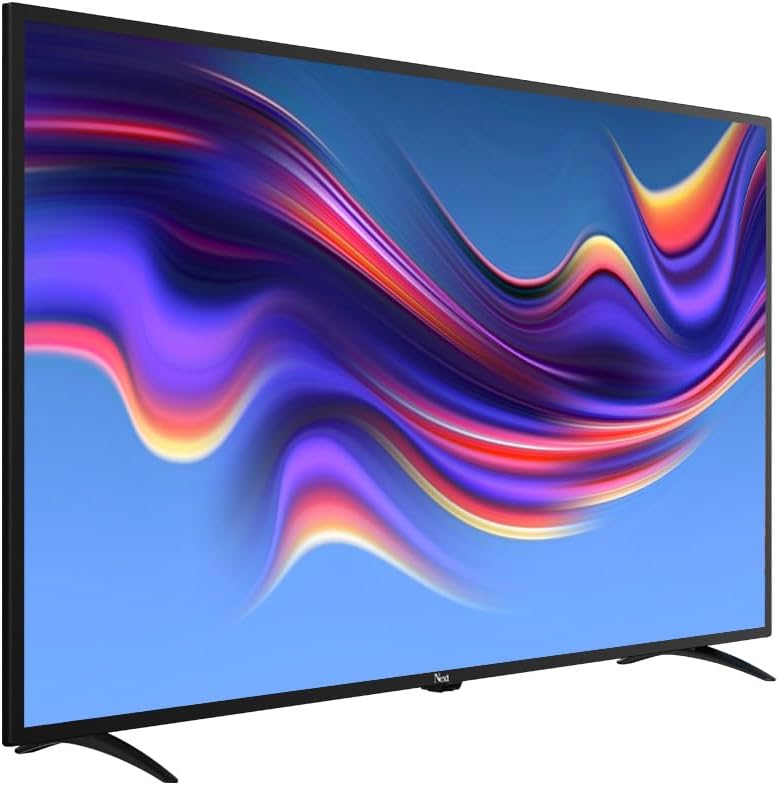
Hình ảnh 1.1: Đằng trước view of the Next YE-43020GG4 43-inch Full HD Google Android TV, showcasing its sleek design and the Google Android TV interface.
The Next YE-43020GG4 is a 43-inch Full HD (1920x1080p) LED television featuring the Google Android TV operating system. It offers a dynamic contrast enhancer for improved picture quality and integrated Wi-Fi for seamless internet connectivity. This model is designed for ease of use and provides access to a wide range of applications and streaming services.
2. Thông tin an toàn
Hãy tuân thủ các biện pháp phòng ngừa an toàn sau đây để tránh làm hỏng TV và đảm bảo an toàn cá nhân:
- Nguồn điện: Connect the TV only to an AC 100-240V, 50/60Hz power source. Ensure the power cord is not damaged or pinched.
- Thông gió: Không được bịt kín các lỗ thông gió. Hãy để đủ không gian xung quanh TV để đảm bảo luồng không khí lưu thông tốt, tránh tình trạng quá nóng.
- Nước và độ ẩm: Không nên để tivi tiếp xúc với mưa, hơi ẩm, hoặc đặt các vật chứa chất lỏng lên hoặc gần tivi.
- Vệ sinh: Rút phích cắm TV trước khi vệ sinh. Sử dụng khăn mềm, khô. Không sử dụng chất tẩy rửa dạng lỏng hoặc bình xịt.
- Vị trí: Place the TV on a stable, level surface. If wall-mounting, ensure the mount is compatible and installed by qualified personnel.
- Tia chớp: During lightning storms or when unused for long periods, unplug the TV from the power outlet and disconnect the antenna cable.
- Bảo dưỡng: Không nên tự ý sửa chữa TV. Hãy giao việc sửa chữa cho nhân viên kỹ thuật có chuyên môn.
3. Nội dung gói hàng
Xác minh rằng tất cả các mục đều có trong gói hàng:
- Next YE-43020GG4 43-inch Full HD Google Android TV Unit
- Điều khiển từ xa
- Kệ tivi (2 cái)
- Dây nguồn
- Hướng dẫn sử dụng (tài liệu này)
- Batteries for Remote Control (may vary by region)
4. Physical Features and Connections
Familiarize yourself with the physical layout and connection ports of your television.

Hình ảnh 4.1: Ở phía sau view of the TV with labeled connection ports.
4.1. Kết nối bảng điều khiển phía sau
| Cảng | Sự miêu tả |
|---|---|
| HDMI 1 (CÂY CUNG) | High-Definition Multimedia Interface with Audio Return Channel support. Connect external devices like Blu-ray players or soundbars. |
| HDMI 2 | High-Definition Multimedia Interface. Connect external devices. |
| USB (2x) | Universal Serial Bus ports for connecting USB storage devices (e.g., flash drives) to play media or for software updates. |
| DÂN TỘC | RJ45 port for wired internet connection. |
| DVB-S / DVB-S2 | Satellite input for connecting a satellite dish. |
| DVB-T / DVB-T2 | Terrestrial antenna input for connecting a digital terrestrial antenna. |
| DVB-C | Cable input for connecting to a cable TV network. |
| CI MODULE | Common Interface slot for inserting a CI+ module and smart card, typically used for encrypted digital TV services. |
| MINI AV-IN | Mini Audio/Video input for connecting older devices using an adapter cable (not always included). |
4.2. Side Profile

Hình ảnh 4.2: chuyên nghiệp bên tráifile của TV.

Hình ảnh 4.3: Người chuyên nghiệp bên phảifile của TV.
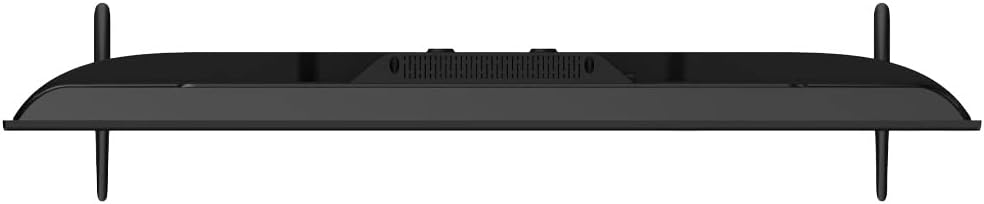
The slim design of the television allows for versatile placement options, whether on a stand or wall-mounted. The side profiles illustrate the minimal depth of the unit.
5. Thiết lập
5.1. Lắp đặt chân đế TV
- Carefully place the TV face down on a soft, flat surface (e.g., a blanket or foam) to prevent screen damage.
- Xác định các mảnh giá đỡ bên trái và bên phải.
- Hãy căn chỉnh từng mảnh chân đế sao cho khớp với các lỗ vít tương ứng ở phía dưới TV.
- Cố định chân đế bằng các vít được cung cấp. Không vặn quá chặt.
- Carefully lift the TV to an upright position and place it on a stable surface.
5.2. Lắp tường (Tùy chọn)
If you choose to wall-mount your TV, ensure you use a VESA-compatible wall mount kit (not included) and follow the instructions provided with the wall mount. It is recommended to have this installation performed by a qualified professional.
5.3. Kết nối nguồn điện và thiết bị ngoại vi
- Kết nối dây nguồn vào ổ cắm điện của TV rồi cắm vào ổ cắm trên tường.
- Connect your antenna, satellite dish, or cable TV source to the appropriate input ports (DVB-T/T2, DVB-S/S2, DVB-C).
- Connect any external devices (e.g., game consoles, Blu-ray players) to the HDMI ports.
- For wired internet, connect an Ethernet cable to the ETHERNET port. For Wi-Fi, ensure your router is on and within range.
5.4. Trình hướng dẫn thiết lập ban đầu
- Bật TV bằng nút nguồn trên điều khiển từ xa hoặc chính TV.
- Follow the on-screen instructions to select your language, country, and network settings (Wi-Fi or Ethernet).
- Sign in with your Google Account to access Google Play Store, Google Assistant, and other Google services.
- Complete the channel scan for terrestrial, satellite, or cable broadcasts.
6. Hướng dẫn vận hành
6.1. Điều khiển từ xaview

Hình ảnh 6.1: The remote control for your Next Google Android TV, featuring quick access buttons for popular streaming services and voice control.
The remote control provides access to all TV functions. Insert two AAA batteries (not included) into the battery compartment, observing polarity.
- Nút nguồn: Bật hoặc tắt TV.
- Phím điều hướng (Lên/Xuống/Trái/Phải/OK): Điều hướng menu và xác nhận lựa chọn.
- Nút Quay lại: Trở về màn hình trước đó.
- Nút Home: Truy cập màn hình chính của Android TV.
- Tăng/Giảm âm lượng: Điều chỉnh mức âm lượng.
- Lên/Xuống kênh: Thay đổi kênh truyền hình.
- Netflix, YouTube, Prime Video, Google Play Buttons: Direct access to these applications.
- Google Assistant Button (Microphone Icon): Kích hoạt điều khiển bằng giọng nói.
6.2. Sử dụng Trợ lý Google

Hình ảnh 6.2: Voice search functionality via the remote control, activated by the Google Assistant button.
Press the Google Assistant button on your remote and speak into the microphone to:
- Tìm kiếm movies, TV shows, or information.
- Điều khiển các thiết bị nhà thông minh.
- Ứng dụng mở.
- Nhận câu trả lời cho các câu hỏi.
6.3. Accessing Applications and Streaming Services
From the Android TV home screen, you can access pre-installed applications or download new ones from the Google Play Store. Use the dedicated buttons on the remote for quick access to popular streaming platforms.
Hình ảnh 6.3: The Next Google Android TV provides access to a wide range of streaming applications, enhancing your entertainment options.
7. Bảo trì
7.1. Vệ sinh TV
- Màn hình: Nhẹ nhàng lau màn hình bằng vải mềm, không xơ. Đối với các vết bẩn cứng đầu, hãy lau nhẹampThấm ướt khăn bằng nước hoặc dung dịch vệ sinh màn hình chuyên dụng (đảm bảo an toàn cho màn hình LED) và lau nhẹ nhàng. Không xịt trực tiếp chất lỏng lên màn hình.
- Buồng: Lau tủ TV bằng vải mềm, khô. Tránh sử dụng chất tẩy rửa có tính mài mòn, sáp hoặc dung môi.
- Trước khi vệ sinh: Luôn rút phích cắm TV ra khỏi ổ cắm điện trước khi vệ sinh.
7.2. Cập nhật phần mềm
Your Android TV may receive software updates periodically. It is recommended to keep your TV's software updated to ensure optimal performance and access to the latest features and security patches. You can usually check for updates in the TV's settings menu under "About" or "System Update."
KHAI THÁC. Xử lý sự cố
Tham khảo bảng sau để biết các vấn đề thường gặp và giải pháp:
| Vấn đề | Nguyên nhân có thể / Giải pháp |
|---|---|
| Không có điện |
|
| Không có hình ảnh, nhưng có âm thanh. |
|
| Không có âm thanh, nhưng có hình ảnh. |
|
| Điều khiển từ xa không hoạt động |
|
| Sự cố kết nối Wi-Fi |
|
| Ứng dụng bị sập hoặc đóng băng |
|
9. Thông số kỹ thuật
Technical specifications for the Next YE-43020GG4 43-inch Full HD Google Android TV:
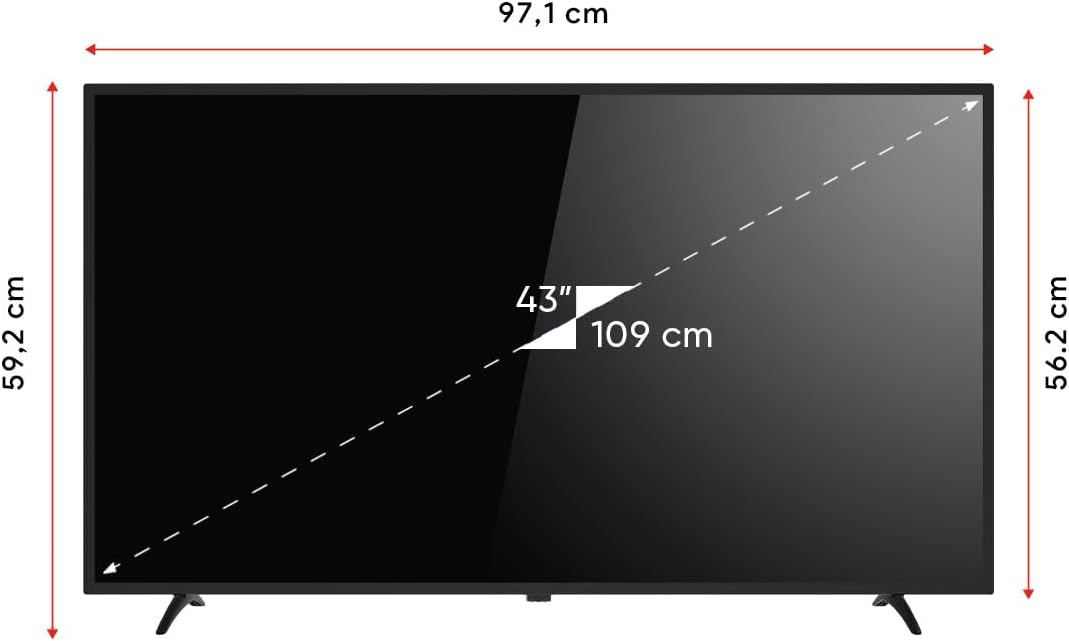
Hình ảnh 9.1: Dimensions of the Next YE-43020GG4 TV.
| Tính năng | Chi tiết |
|---|---|
| Tên mẫu | YE-43020GG4 |
| Thương hiệu | Kế tiếp |
| Kích thước màn hình | 43 inch (109 cm) |
| Công nghệ hiển thị | DẪN ĐẾN |
| Nghị quyết | Độ phân giải đầy đủ (1920x1080p) |
| Tốc độ làm mới | 60Hz |
| Hệ điều hành | Google Android tivi |
| Kết nối | Wi-Fi, Ethernet |
| Cổng HDMI | 2 (1x ARC) |
| Cổng USB | 2 |
| Tỷ lệ khung hình | 16:9 |
| Tỷ lệ tương phản | 3000:1 |
| Tính năng đặc biệt | Dynamic Contrast Enhancer, Google Assistant |
| Kích thước sản phẩm (WxDxH) | 97.1 x 19.4 x 59.2cm |
| Trọng lượng sản phẩm | 5.9 Kilôgam |
| Năm mẫu | 2024 |
Hình ảnh 9.2: EU Energy Label for the Next YE-43020GG4, indicating its energy efficiency rating and consumption.
10. Bảo hành và Hỗ trợ
10.1. Thông tin bảo hành
Your Next YE-43020GG4 television comes with a manufacturer's warranty. Please refer to the warranty card included in your product packaging for specific terms, conditions, and duration of the warranty. Keep your purchase receipt as proof of purchase for warranty claims.
10.2. Hỗ trợ khách hàng
For technical assistance, troubleshooting beyond this manual, or warranty service, please contact Next customer support. Contact details can typically be found on the manufacturer's official webtrang web hoặc trên thẻ bảo hành.
Khi liên hệ với bộ phận hỗ trợ, vui lòng chuẩn bị những thông tin sau:
- Tên mẫu: YE-43020GG4
- Số sê-ri (nằm ở mặt sau của TV)
- Ngày mua hàng
- Mô tả rõ ràng về vấn đề