
1. Giới thiệu
Thank you for choosing the LEVOIT LPF-R432-WEU Pedestal Fan. This fan is designed to provide powerful and efficient air circulation, ensuring a comfortable environment in your home or office. With its quiet operation, versatile oscillation, and smart features, it offers a superior cooling experience. Please read this manual thoroughly before use to ensure proper operation and maintenance.
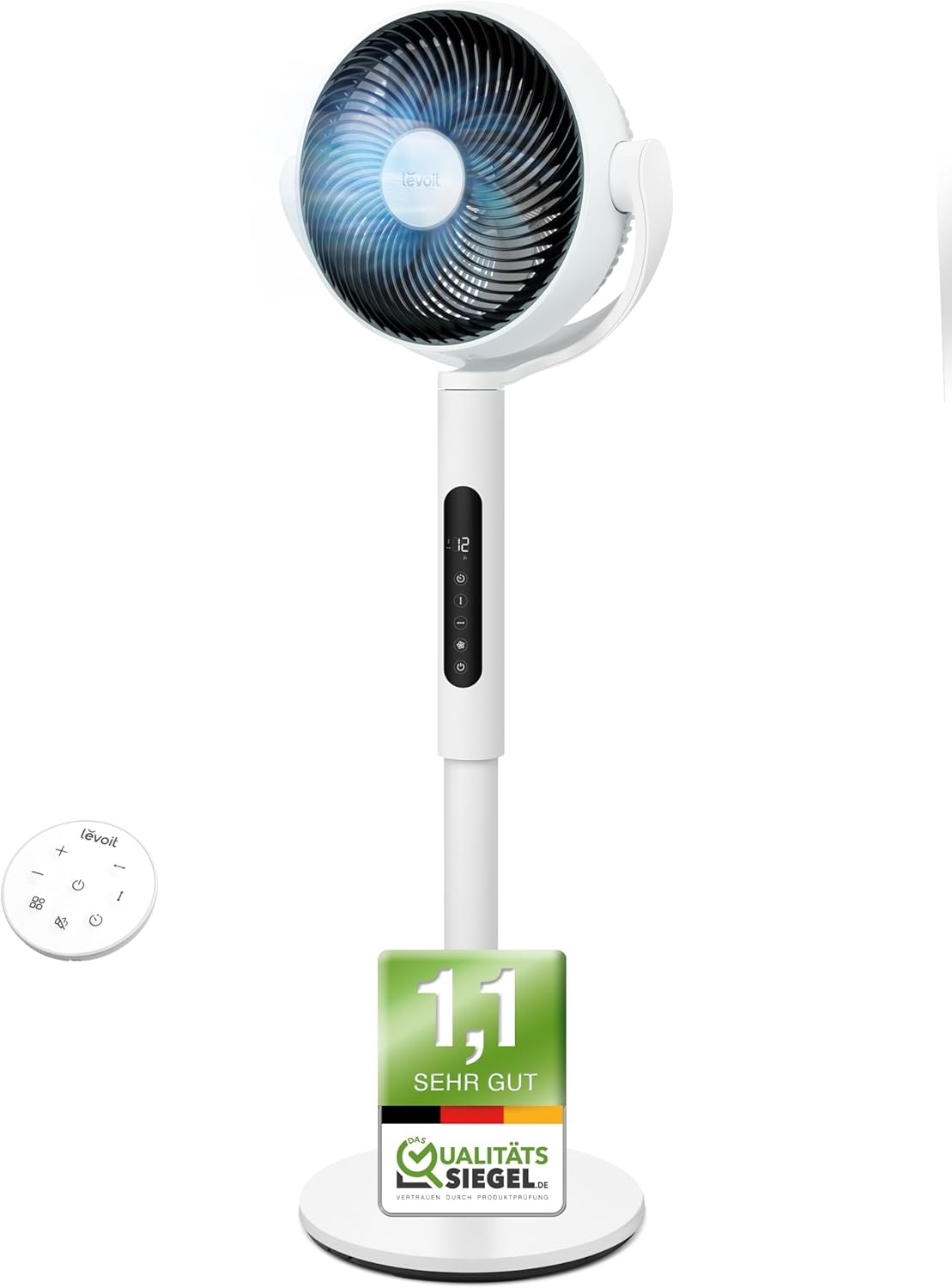
Image: The LEVOIT LPF-R432-WEU Pedestal Fan, showcasing its sleek white design and integrated remote control.
2. Hướng dẫn an toàn quan trọng
Để giảm nguy cơ hỏa hoạn, điện giật hoặc thương tích, vui lòng tuân thủ các biện pháp phòng ngừa an toàn sau:
- Luôn rút phích cắm quạt khỏi ổ điện trước khi vệ sinh, bảo trì hoặc khi không sử dụng.
- Không được vận hành quạt nếu dây hoặc phích cắm bị hỏng. Nếu dây hoặc phích cắm bị hỏng, vui lòng liên hệ bộ phận hỗ trợ khách hàng.
- Tránh xa dây nguồn gần bề mặt có nhiệt.
- Không nhúng quạt vào nước hoặc các chất lỏng khác.
- Không được cho ngón tay hoặc vật lạ vào bất kỳ khe hở nào của quạt.
- Đảm bảo quạt được đặt trên bề mặt ổn định, bằng phẳng để tránh bị lật.
- Thiết bị này không dành cho những người (bao gồm trẻ em) có khả năng thể chất, giác quan hoặc tinh thần hạn chế, hoặc thiếu kinh nghiệm và kiến thức, trừ khi họ được người chịu trách nhiệm về sự an toàn của họ giám sát hoặc hướng dẫn sử dụng thiết bị.
- Trẻ em cần được giám sát để đảm bảo chúng không đùa nghịch với thiết bị.
- Không sử dụng quạt ngoài trời hoặc ở những nơi ẩm ướt.
3. Nội dung gói hàng
Vui lòng kiểm tra gói hàng để biết các mục sau:
- LEVOIT Pedestal Fan (Main Unit)
- Cơ sở hội
- Điều khiển từ xa
- Dây nguồn
- Hướng dẫn sử dụng (Tài liệu này)
4. Thiết lập và lắp ráp
The LEVOIT Pedestal Fan requires minimal assembly. Follow these steps to set up your fan:
- Cẩn thận loại bỏ tất cả các thành phần khỏi bao bì.
- Attach the main fan unit to the base assembly. Ensure it clicks securely into place.
- Đặt quạt trên bề mặt chắc chắn, bằng phẳng.
- Nối dây nguồn vào quạt rồi cắm vào ổ cắm điện tiêu chuẩn.

Image: Diagram illustrating the simple assembly process of the LEVOIT Pedestal Fan, showing the main unit connecting to the base.
5. Hướng dẫn vận hành
Your LEVOIT Pedestal Fan offers various settings for optimal comfort.
5.1. Bật/Tắt nguồn
Press the power button on the fan's control panel or the remote control to turn the fan on or off.
5.2. Cài đặt tốc độ
Adjust the fan speed using the '+' and '-' buttons on the control panel or remote. The fan features 12 adjustable speed levels to suit your preference, from a gentle breeze to powerful air circulation.
5.3. Dao động
Activate the oscillation feature to distribute air across a wider area. The fan supports both horizontal (up to 90°) and vertical (up to 120°) oscillation for comprehensive room coverage.

Image: Visual representation of the LEVOIT Pedestal Fan's automatic oscillation capabilities, showing 90° horizontal and 120° vertical movement for wide air distribution.
5.4. Chức năng hẹn giờ
Set the fan to automatically turn off after a specified period using the timer button. This is useful for energy saving or for use during sleep.
5.5. Chế độ ban đêm
For undisturbed sleep, activate the Night Mode. In this mode, the fan operates at a very low noise level (as low as 20 dB) and the display lights can be turned off.

Image: The LEVOIT Pedestal Fan operating in a bedroom setting, illustrating its quiet 20 dB operation and screen dimming feature for peaceful sleep.
5.6. Cảm biến thông minh
The integrated smart sensor can automatically adjust the fan speed based on the room's temperature, optimizing comfort and energy consumption.
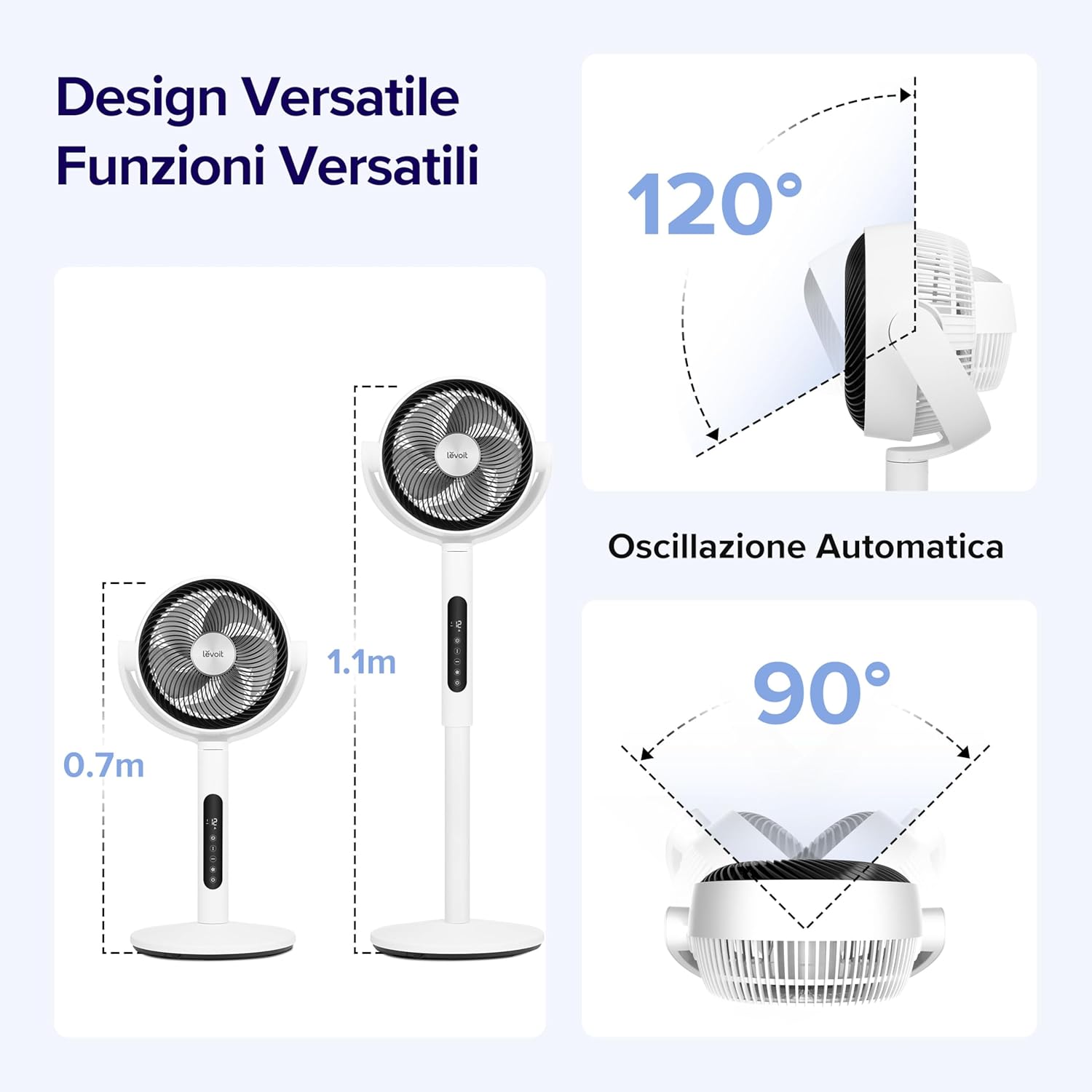
Image: A visual demonstrating the smart sensor technology of the LEVOIT Pedestal Fan, which intelligently adjusts fan speed according to ambient room temperature for energy efficiency.
5.7. Điều khiển từ xa
The fan comes with a convenient remote control for easy operation from a distance. The remote control is magnetic and can be stored securely on the fan unit itself.

Hình ảnh: Cận cảnh view of the magnetic remote control for the LEVOIT Pedestal Fan, showing it being attached to the fan for convenient storage.
6. Bảo trì
Việc vệ sinh và bảo dưỡng thường xuyên sẽ giúp kéo dài tuổi thọ của quạt và đảm bảo hiệu suất hoạt động tối ưu.
6.1. Vệ sinh quạt
- Luôn rút phích cắm của quạt trước khi vệ sinh.
- Lau sạch bề ngoài của quạt bằng một miếng vải mềm.amp vải. Không sử dụng chất tẩy rửa có tính mài mòn hoặc dung môi.
- For thorough cleaning, the front grille and fan blades can be easily detached. Rotate the front grille to unlock and remove it.
- Wash the detached grille and blades with mild soap and water. Ensure they are completely dry before reattaching.
- Reassemble the fan by aligning the components and rotating the grille back into its locked position.

Image: Illustration showing the ease of disassembling the LEVOIT Pedestal Fan's front grille and blades for cleaning, emphasizing the simple rotation and washing process.
6.2. Lưu trữ
Khi không sử dụng trong thời gian dài, hãy bảo quản quạt ở nơi khô ráo, thoáng mát, tốt nhất là trong bao bì gốc để bảo vệ quạt khỏi bụi bẩn và hư hỏng.
KHAI THÁC. Xử lý sự cố
Nếu bạn gặp bất kỳ sự cố nào với quạt, vui lòng tham khảo các vấn đề và giải pháp thường gặp sau đây:
| Vấn đề | Nguyên nhân có thể | Giải pháp |
|---|---|---|
| Quạt không quay. | Không cắm điện; Ổ cắm điện không hoạt động; Không nhấn nút nguồn. | Đảm bảo quạt được cắm chặt vào ổ cắm đang hoạt động. Nhấn nút nguồn. |
| Luồng khí yếu. | Fan speed too low; Air intake/outlet blocked; Fan blades dirty. | Increase fan speed. Ensure no obstructions. Clean fan blades and grilles. |
| Quạt ồn ào. | Quạt không được đặt trên bề mặt bằng phẳng; Các bộ phận bị lỏng; Vật cản. | Place fan on a stable, level surface. Check for any loose components or foreign objects. |
| Điều khiển từ xa không hoạt động. | Batteries dead; Obstruction between remote and fan. | Replace remote control batteries. Ensure clear line of sight to the fan's receiver. |
8. Thông số kỹ thuật
| Tính năng | Chi tiết |
|---|---|
| Thương hiệu | Levoit |
| Số hiệu mẫu | LPF-R432-WEU |
| Màu sắc | Trắng |
| Kích thước (D x R x C) | 31.75 x 36.83 x 111cm |
| Cân nặng | 7.5 Kilôgam |
| Quyền lực | 21 Watt |
| Tậptage | 120.0 vôn |
| Vật liệu | Nhựa |
| Mức độ tiếng ồn | 20 dB (tối thiểu) |
| Tính năng đặc biệt | Portable, Lightweight, Oscillating, Timer, Remote Controlled, Smart Sensor |
| Dao động | Up to 90° Horizontal, Up to 120° Vertical |
| Nguồn điện | Điện có dây |
9. Bảo hành và Hỗ trợ
For warranty information and customer support, please refer to the warranty card included with your product or visit the official LEVOIT website. Do not attempt to repair the fan yourself, as this may void the warranty.