
1. Giới thiệu
This manual provides comprehensive instructions for the setup, operation, maintenance, and troubleshooting of your ApoloSign Neon Light Digital Picture Frame (Model DPF141). Please read this manual thoroughly before using the device to ensure optimal performance and longevity.
2. Sản phẩm hếtview
The ApoloSign Neon Light Digital Picture Frame features a 14.1-inch 2K FHD display with AI Color-Changing LED strip. It is designed for displaying photos and videos, offering seamless sharing capabilities via the Frameo app and versatile connectivity options.
Các tính năng chính:
- 14.1-inch 2K FHD Display: 1920x1200 resolution with a 16:10 aspect ratio and 2.5D glass touch screen for clear visuals.
- AI Color-Changing LED Strip: Automatically adjusts ambient lighting based on photo color tones.
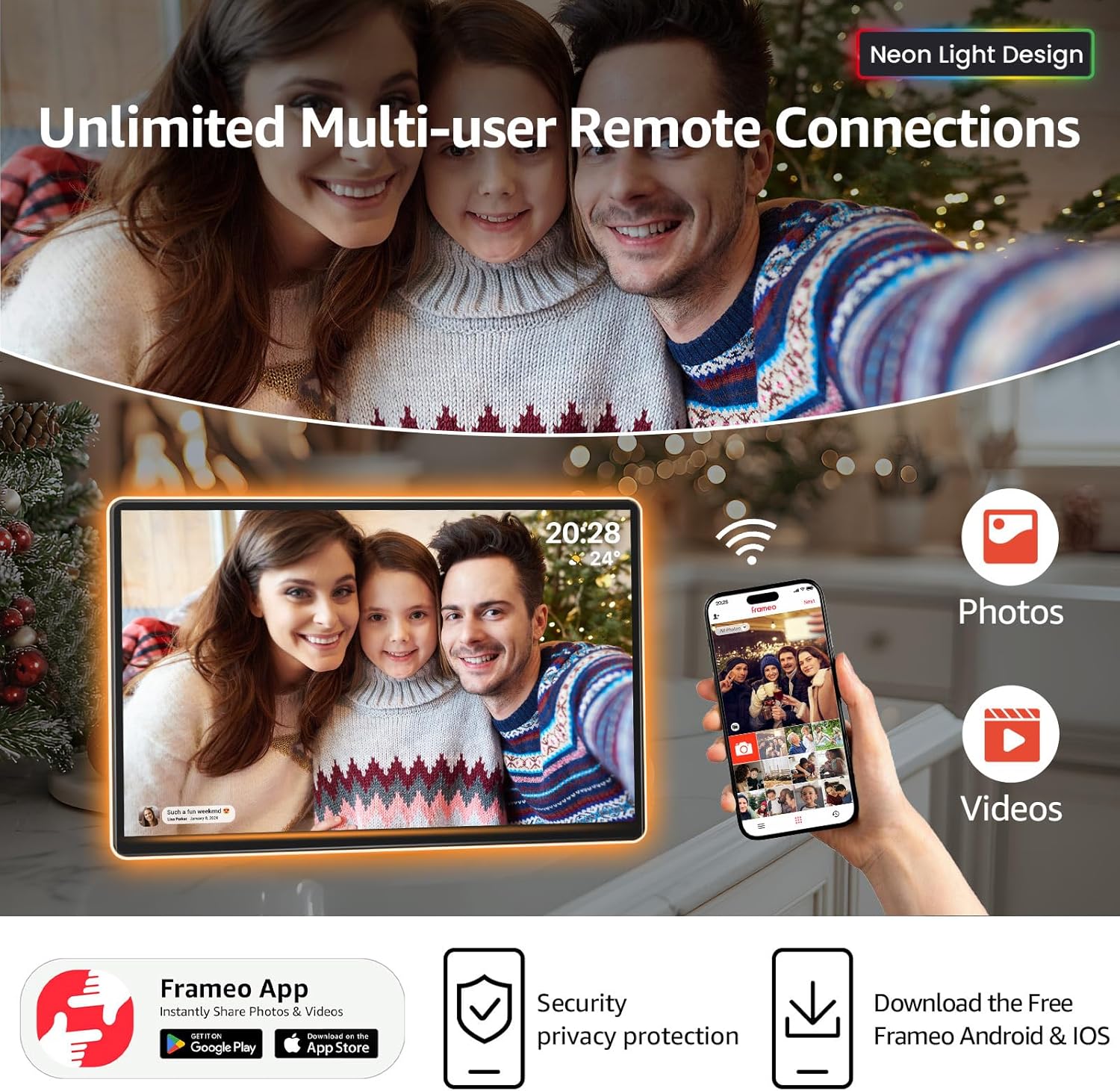
- Frameo App Integration: Enables instant sharing of photos and videos with connected frames globally via Wi-Fi.
- Chức năng đa dạng: Includes built-in alarm clock, weather updates, and "Do Not Disturb" mode.
- Kho: 32GB internal storage, expandable up to 32GB via TF Card.
- Vị trí linh hoạt: Supports both landscape and portrait orientation with auto-rotate functionality.

The frame is designed for ease of use and integration into various home or office environments, providing a dynamic way to display cherished memories.
3. Nội dung gói hàng
Xác minh rằng tất cả các mục đều có trong gói hàng:
- ApoloSign Neon Light Digital Picture Frame (14.1 inch)
- Bộ đổi nguồn
- Hướng dẫn sử dụng
- Chân đế (được gắn sẵn hoặc tách rời, tùy thuộc vào kiểu máy)

4. Hướng dẫn cài đặt
4.1 Bật nguồn ban đầu
- Connect the power adapter to the frame's DC port and then to a power outlet.
- The frame will automatically power on. Follow the on-screen instructions to select your language and connect to a Wi-Fi network.
4.2 Installing the Frameo App
The Frameo app is essential for sharing photos and videos to your ApoloSign Digital Picture Frame.
- Download the "Frameo" app from the App Store (iOS) or Google Play Store (Android).
- Tạo tài khoản hoặc đăng nhập nếu bạn đã có tài khoản.
- On your ApoloSign frame, tap "Add friend" and note the unique code displayed.
- In the Frameo app on your smartphone, enter this code to connect your device to the frame.

Once connected, you can invite family and friends to send photos directly to your frame using their own Frameo apps.
4.3 Vị trí vật lý
The frame can be placed in either portrait or landscape orientation. The display will automatically adjust.
- Bàn: Use the included stand for stable placement on any flat surface.
- Giá treo tường: The frame includes mounting holes for vertical or horizontal wall installation (mounting hardware not included).
5. Hướng dẫn vận hành
5.1 Gửi ảnh và video
- Via Frameo App: Open the Frameo app, select the photos/videos you wish to send, choose your frame as the recipient, and tap send. You can add captions to your media.
- Via USB Drive/SD Card: Insert a USB drive or SD card (up to 32GB) containing your media into the respective ports on the frame. Navigate to the gallery or settings to import the media.

5.2 Điều hướng giao diện màn hình cảm ứng
The ApoloSign frame features a responsive touchscreen for direct interaction.
- Vuốt: Swipe left or right to browse through photos and videos.
- Vỗ nhẹ: Tap on a photo to reveal options such as favoriting, hiding, or accessing settings.
- Cài đặt: Access the main settings menu to adjust display mode, shuffle, volume, brightness, and other preferences.

5.3 AI Color-Changing LED Feature
The integrated LED strip automatically adjusts its color to complement the tones of the displayed photo, enhancing the visual experience.

5.4 Tính năng thông minh
- Alarm Clock & Weather: Configure these features through the frame's settings menu to display current time, weather, and set alarms.
- Chế độ Không làm phiền: Schedule specific times for the frame to automatically turn off or enter a low-power state for uninterrupted relaxation.
- Timed Sleep & Wake Mode: Set daily schedules for the frame to power on and off automatically.

6. Bảo trì
- Vệ sinh: Use a soft, dry, lint-free cloth to clean the screen and frame. Avoid abrasive cleaners or sprays directly on the screen.
- Cập nhật phần mềm: Ensure your frame's software is up-to-date for optimal performance and new features. Updates are typically managed through the Frameo app or the frame's settings.
- Quản lý lưu trữ: Thường xuyên review and delete unwanted photos/videos to manage the 32GB internal storage. Consider using an SD card for additional storage.
KHAI THÁC. Xử lý sự cố
| Vấn đề | Nguyên nhân có thể | Giải pháp |
|---|---|---|
| Frame not powering on | Bộ đổi nguồn không được kết nối hoặc bị lỗi. | Hãy đảm bảo bộ chuyển đổi nguồn được kết nối chắc chắn với cả khung và ổ cắm điện đang hoạt động. Thử cắm vào một ổ cắm khác. |
| Không thể kết nối với Wi-Fi | Mật khẩu Wi-Fi không đúng, tín hiệu yếu hoặc sự cố mạng. | Verify the Wi-Fi password. Move the frame closer to the router. Restart your router. |
| Ảnh không hiển thị trên khung | Frameo app not connected, incorrect frame code, or network issue. | Check Frameo app connection status. Re-enter the frame code. Ensure both phone and frame are connected to the internet. |
| AI LED strip not changing colors | Feature disabled in settings or temporary software glitch. | Check the frame's settings to ensure the AI LED feature is enabled. Restart the frame. |
8. Thông số kỹ thuật
| Tính năng | Chi tiết |
|---|---|
| Số hiệu mẫu | DPF141 |
| Kích thước màn hình | 14.1 inch |
| Nghị quyết | 1920x1200 (2K FHD) |
| Tỷ lệ khung hình | 16:10 |
| Kiểu hiển thị | IPS Touchscreen with 2.5D Glass |
| Bộ nhớ trong | 32GB |
| Lưu trữ mở rộng | Thẻ TF (lên đến 32GB) |
| Kết nối | Wi-Fi, USB, SD Card |
| Kích thước sản phẩm | 9.84 x 14.17 x 0.99 inch |
| Trọng lượng sản phẩm | 4.2 pound |
| Nguồn điện | A batteries required (likely refers to power adapter, not actual batteries) |
9. Bảo hành và Hỗ trợ
ApoloSign offers a Bảo hành trọn đời Và 24/7 Fast Support for its products. For any issues or inquiries, please contact ApoloSign customer service.
Additional support and resources may be available through the Frameo app's help center or the ApoloSign official webđịa điểm.

10. Video sản phẩm
Below are official product videos demonstrating features and usage:
ApoloSign Neon Light Digital Picture Frame Overview
Video này cung cấp một hơnview of the ApoloSign Neon Light Digital Picture Frame, showcasing thiết kế và các chức năng chính của nó.