
1. Giới thiệu
This manual provides instructions for the proper setup, operation, and maintenance of your Luqeeg Smart Two-Way Voice Intercom System. This wireless intercom system is designed to facilitate communication within homes, offices, or other environments, offering a convenient way to speak with individuals in different rooms or areas without shouting. It is particularly useful for caregivers, families with young children, or individuals requiring assistance.

Hình 1: The intercom system is suitable for diverse applications, including assisting caregivers, monitoring children, and providing peace of mind for pregnant women.
2. Nội dung gói hàng
Vui lòng kiểm tra xem tất cả các mặt hàng được liệt kê dưới đây có trong gói hàng của bạn hay không. Nếu có bất kỳ mặt hàng nào bị thiếu hoặc hư hỏng, vui lòng liên hệ với bộ phận hỗ trợ khách hàng.
- Intercom Unit (2x)
- Charging Base (2x)
- Cáp sạc USB (2x)
- Hướng dẫn sử dụng (Tài liệu này)
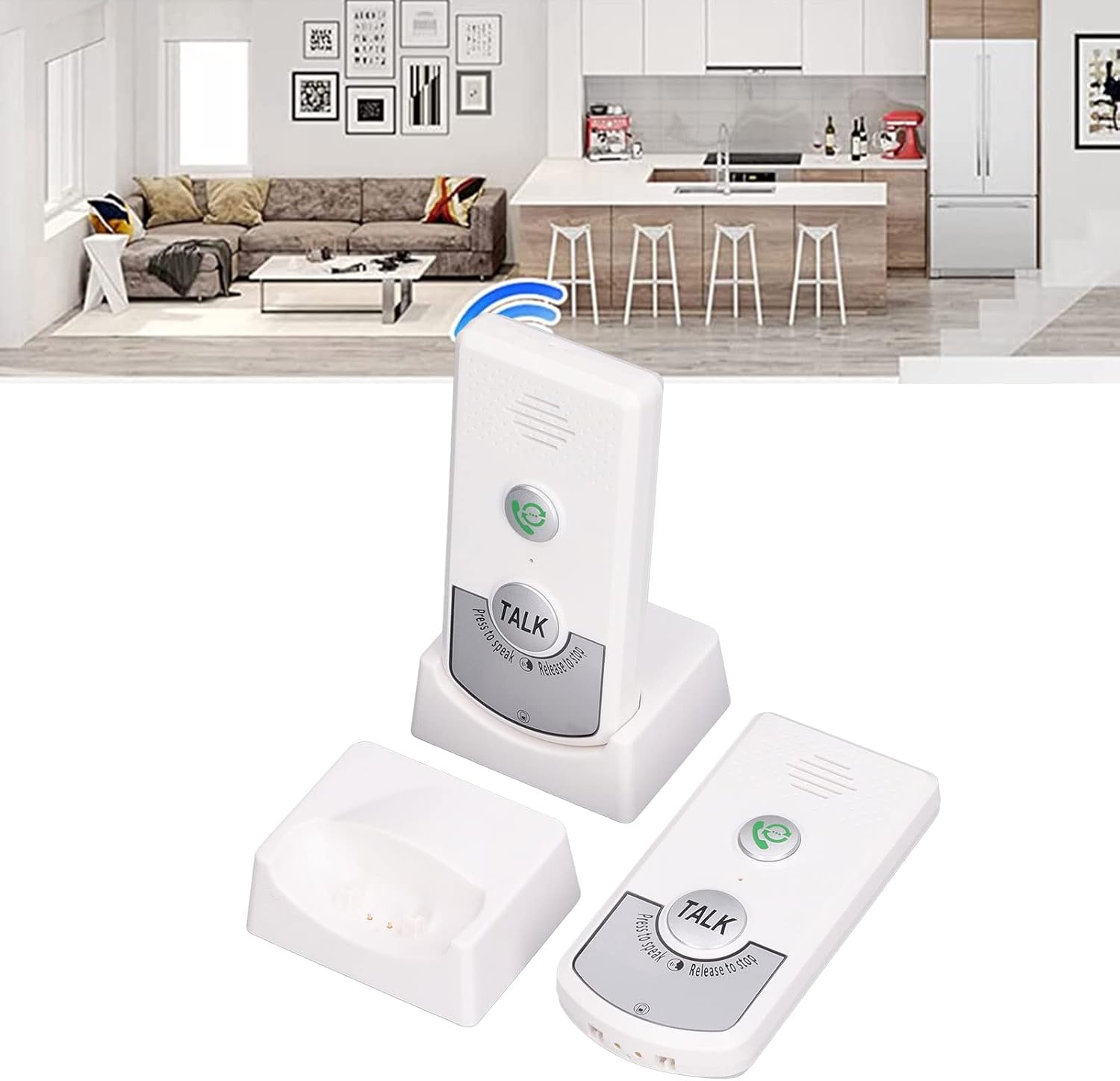
Hình 2: Contents of the Luqeeg Smart Two-Way Voice Intercom System package.
3. Sản phẩm hếtview
Familiarize yourself with the components and controls of your intercom unit.

Hình 3: Đằng trước view of the intercom unit, highlighting key controls.
- Nút gọi: Press to initiate a call to the other intercom unit.
- Nút NÓI: Press and hold to speak, release to listen.
- Người nói: Outputs audio from the other unit.
- Micrô: Captures your voice during communication.
- Kiểm soát âm lượng: Adjusts the speaker volume (3 levels).
- Channel Switch (A/B): Selects the communication channel.
- Cổng sạc (USB-C): Located on the back/bottom for power input.
- Đèn báo: Provides status information (e.g., charging, low battery, call status).

Hình 4: Ở phía sau view of the intercom unit, showing the charging port and information label.
4. Thiết lập
Follow these steps to set up your intercom system for first use.
- Nạp tiền vào các thiết bị: Connect each intercom unit to its charging base using the provided USB cables and a compatible USB power adapter (not included). The indicator light will show charging status. A full charge provides up to 48 hours of endurance.
- Chọn một kênh: Each unit has a channel switch (A or B). Ensure both intercom units are set to the same channel (e.g., both on 'A' or both on 'B') for them to communicate.
- Vị trí: Place the intercom units in desired locations within your home or facility. Consider areas where communication is most needed, such as a living room, bedroom, kitchen, or garage. The system is designed for multi-floor communication.

Hình 5: Example of intercom unit placement for multi-level communication.
5. Hướng dẫn vận hành
Learn how to use your intercom system for effective two-way communication.
- Bắt đầu cuộc gọi: Press the Call Button (green phone icon) on your unit. The other unit will ring to alert the recipient.
- Nói: Once the call is established or if you wish to speak directly, press and hold the large "TALK" button. Speak clearly into the microphone.
- Nghe: Release the "TALK" button to listen for a response from the other unit. The system operates in a push-to-talk, release-to-listen manner.
- Điều chỉnh âm lượng: Use the volume control buttons on the side of the unit to increase or decrease the speaker volume to one of the three available levels.
- Kết thúc cuộc gọi: Calls typically end when both parties stop pressing the "TALK" button.

Hình 6: Visual representation of two-way intercom communication.
6. Bảo trì
Proper care ensures the longevity and optimal performance of your intercom system.
- Vệ sinh: Lau sạch các thiết bị bằng khăn mềm, khô. Không sử dụng chất tẩy rửa có tính ăn mòn hoặc dung môi.
- Chăm sóc pin: Recharge the units regularly, approximately every two days, to maintain battery health and ensure continuous operation. Avoid fully depleting the battery frequently.
- Kho: Store the units in a cool, dry place when not in use for extended periods.
KHAI THÁC. Xử lý sự cố
Tham khảo phần này để biết giải pháp cho những vấn đề thường gặp.
| Vấn đề | Nguyên nhân có thể | Giải pháp |
|---|---|---|
| Không có âm thanh hoặc chất lượng âm thanh kém | Incorrect channel, low volume, out of range, battery low. | Ensure both units are on the same channel (A or B). Adjust volume. Move units closer. Charge batteries. |
| Thiết bị không bật | Đã hết pin. | Connect to charging base and charge for at least 30 minutes. |
| Indicator light flashing red | Pin yếu. | Recharge the unit immediately. |
| Indicator light flashing green | Indoor doorbell (call received). | This indicates an incoming call. Respond by pressing the TALK button. |
| Cannot communicate between units | Different channels selected. | Verify both units are set to the same channel (A or B). |
8. Thông số kỹ thuật
Key technical details of the Luqeeg Smart Two-Way Voice Intercom System.
| Tính năng | Chi tiết |
|---|---|
| Số hiệu mẫu | Luqeegdhgx643e9t-12 |
| Trọng lượng sản phẩm | 10.8 ounce |
| Kích thước gói hàng | 5.51 x 3.54 x 2.76 inch |
| Màu sắc | Trắng |
| Kênh | 2 (A và B) |
| Mức âm lượng | 3 mức điều chỉnh |
| Độ bền của pin | Lên đến 48 giờ |
| Sạc Voltage | DC5V |
9. Bảo hành và Hỗ trợ
For warranty information, please refer to the documentation provided at the time of purchase or contact your retailer. For technical support or further assistance, please contact Luqeeg customer service through their official channels.