
1. Giới thiệu
The Phanteks 5.5” Hi-Res Universal LCD Display is designed to enhance your PC setup by providing a versatile secondary screen. This display offers a high-resolution visual experience and multiple mounting options for seamless integration into or outside your PC chassis. This manual will guide you through the installation, operation, and maintenance of your new display.
2. Nội dung gói hàng
Vui lòng kiểm tra xem tất cả các mục được liệt kê bên dưới có đầy đủ trong bao bì sản phẩm của bạn hay không:
- Phanteks 5.5” Hi-Res Display
- 4x Fan Screws
- Vít 4x M4
- 1x SATA to Micro USB Type B Cable
- 1x Cáp HDMI
- 2x Feet (for external placement)
3. Sản phẩm hếtview
The Phanteks 5.5” Hi-Res Universal LCD Display is engineered for both functionality and aesthetic appeal. Key features include:
- High-resolution 2160 x 1440 IPS display
- Wide range of mounting options – Hidden magnets for mounting on a steel surface. Mount to chassis fan location or fans directly.
- Smooth 60hz refresh rate with 450 nit brightness, IPS Panel with LED backlighting and 99% sRGB support.
- Plug-and-play with HDMI and SATA Power cable included.
- Secondary display with endless possibilities and edge-to-edge tempered glass panel.
4. Thiết lập
4.1. Kết nối màn hình
- Kết nối được cung cấp Cáp HDMI from your graphics card or motherboard to the HDMI input port on the Phanteks display.
- Kết nối được cung cấp SATA to Micro USB Type B Cable from an available SATA power connector in your PC to the Micro USB Type B port on the Phanteks display for power.
- Ensure both connections are secure. The display should power on automatically once your PC is running.
4.2. Tùy chọn lắp đặt
The Phanteks display offers flexible mounting solutions:
- Gắn từ tính: The display features hidden magnets allowing it to be securely attached to any steel surface within your PC chassis.
- Gắn quạt: Use the provided 4x Fan Screws or 4x M4 Screws to mount the display to a 120mm fan bracket or directly to a fan location in your chassis.
- External Placement: Attach the 2x Feet to the display for stable placement outside your PC, such as on your desk.

Hình 1: Mặt trước view of the Phanteks 5.5” Hi-Res Universal LCD Display.

Hình 2: Quay lại view of the display, highlighting magnetic mounting points and screw holes for fan mounting.
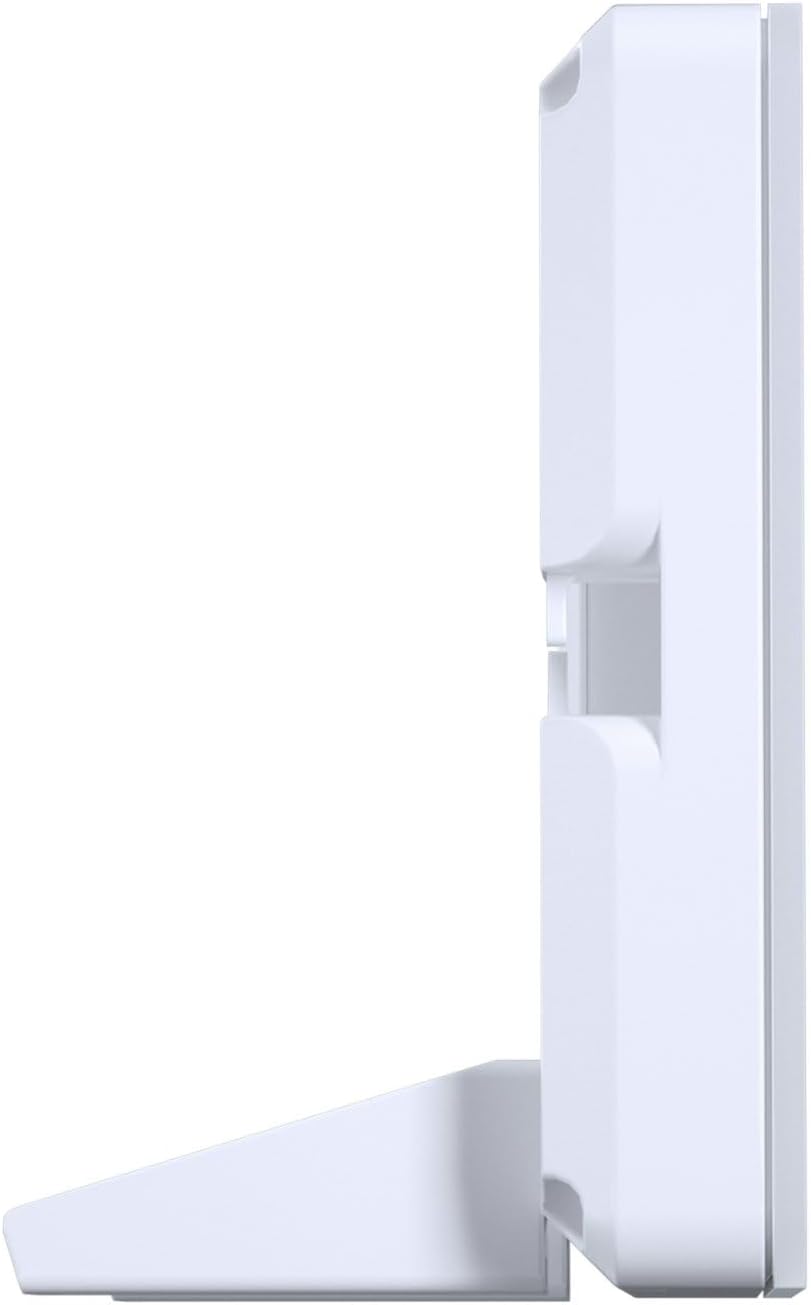
Hình 3: Mặt bên view of the display with the included feet attached for desktop use.
4.3. Cài đặt phần mềm
The Phanteks display is designed for plug-and-play functionality, recognized by your PC as a standard secondary monitor. For advanced customization, such as displaying system statistics (CPU/GPU temperature, usage, etc.) or custom animations, third-party software like AIDA64, Rainmeter, or Wallpaper Engine may be utilized. Refer to the documentation of your chosen software for specific setup instructions.
5. Hoạt động
Once connected and powered on, the Phanteks display will function as an extension of your main monitor. You can drag windows, applications, or custom monitoring dashboards onto it.
- Hiển thị thông tin: Use compatible software to output real-time system data, custom images, or videos to the display.
- Tùy chỉnh: Many third-party applications allow for extensive customization of the displayed content, including themes, layouts, and background images/animations.
6. Bảo trì
To ensure the longevity and optimal performance of your Phanteks display, follow these maintenance guidelines:
- Vệ sinh: Gently wipe the screen with a soft, lint-free cloth. For stubborn smudges, use a screen-safe cleaning solution applied to the cloth, not directly to the screen.
- Xử lý: Avoid applying excessive pressure to the screen or dropping the device.
- Môi trường: Operate the display in a well-ventilated area and avoid extreme temperatures or humidity.
KHAI THÁC. Xử lý sự cố
If you encounter issues with your Phanteks display, refer to the following common troubleshooting steps:
- Màn hình không bật:
- Ensure both the HDMI and SATA power cables are securely connected.
- Verify that your PC is powered on and the graphics card is functioning correctly.
- Try connecting the display to a different HDMI port on your graphics card/motherboard or a different USB power source.
- Distorted Colors or Flickering:
- Check the HDMI cable for any damage or loose connections. Try a different HDMI cable if available.
- Đảm bảo trình điều khiển đồ họa của bạn được cập nhật.
- Verify the display resolution and refresh rate settings in your operating system.
- Display Not Detected by PC:
- Khởi động lại máy tính của bạn.
- Ensure the HDMI cable is connected to an active output port on your graphics card.
- Check your display settings in your operating system to see if the secondary monitor is detected but disabled.
8. Thông số kỹ thuật
Detailed technical specifications for the Phanteks 5.5” Hi-Res Universal LCD Display:
| Tính năng | Chi tiết |
|---|---|
| Kích thước sản phẩm | 5.94 x 3.15 x 0.65 inch |
| Trọng lượng sản phẩm | 7.2 ounce |
| Nhà sản xuất | Phanteks |
| Số hiệu mẫu sản phẩm | PH-HRLCD_WT01 |
| Kích thước màn hình đứng | 5.5 inch |
| Nghị quyết | 2160x1440 |
| Độ sáng của ảnh | 450 nits |
| Phổ màu | sRGB99% |
| Tốc độ làm mới | 60hz |
| Mô tả bề mặt màn hình | Bóng loáng |

Figure 4: Display dimensions: 5.94" (L) x 3.15" (B) x 0.65" (H).
9. Bảo hành và Hỗ trợ
For warranty information, technical support, or service inquiries, please refer to the official Phanteks webtrang web hoặc liên hệ với bộ phận chăm sóc khách hàng của họ. Hãy giữ lại hóa đơn mua hàng để yêu cầu bảo hành.