
glo 10189920
glo HYPER PRO Device User Manual
Mẫu: 10189920
1. Giới thiệu
The glo HYPER PRO is an advanced tobacco heating device designed to provide an enhanced experience. It features an EasyView LED display for monitoring device status, a TasteSelect selector for choosing between Standard and Boost modes, and HeatBoost technology for consistent intensity. The device also includes fast charging capabilities and extended battery life.
Important Safety Notice: This product is not risk-free and contains nicotine, which is addictive.
2. Cảnh báo an toàn
- This product, when used with its intended tobacco sticks, is not risk-free and delivers nicotine, a highly addictive substance.
- The device itself does not contain tobacco sticks, liquids, pre-filled cartridges, or refills. These must be purchased separately.
- The glo HYPER PRO operates without combustion, producing zero ash and less odor compared to traditional cigarettes.
- Always read the label, warnings, and instructions provided on the product packaging before use. Information on the packaging may differ from online descriptions.
- Để xa tầm tay trẻ em và vật nuôi.
- Không để thiết bị tiếp xúc với nhiệt độ quá cao, ánh nắng trực tiếp hoặc nước.
- Use only the charging cable provided or a certified USB-C cable with a compatible power adapter.
3. Nội dung gói hàng
Please check that your glo HYPER PRO package contains the following items:
- glo HYPER PRO Device
- Cáp sạc USB-C
- Bàn chải vệ sinh
- Hướng dẫn sử dụng (tài liệu này)
4. Hết thiết bịview
Familiarize yourself with the components of your glo HYPER PRO device.
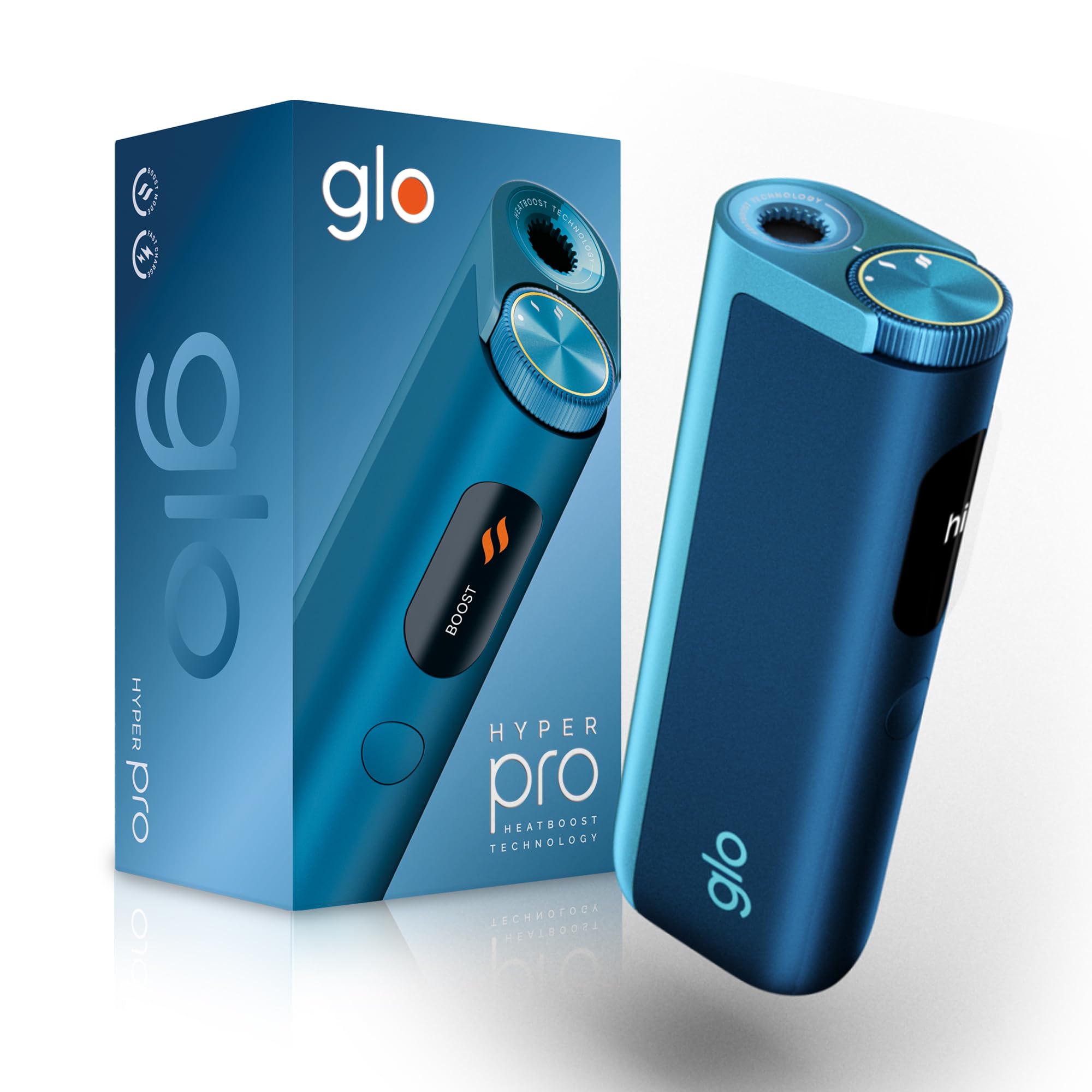
This image displays the glo HYPER PRO device in blue, highlighting its compact dimensions (96.4mm height, 36.5mm width) and weight (92 grams). Key features such as Boost Mode, EasyView Display, and Fast Charge are indicated.
- Buồng gia nhiệt: Where the tobacco stick is inserted.
- TasteSelect Selector: Button to switch between Standard and Boost modes.
- DễView Màn hình LED: Shows selected mode, session progress, and battery status.
- Cổng USB-C: Để sạc thiết bị.
5. Thiết lập ban đầu
5.1 Sạc thiết bị
Before first use, fully charge your glo HYPER PRO device. The device features fast charging and extended battery life.
- Connect the USB-C charging cable to the device's USB-C port.
- Plug the other end of the cable into a compatible USB power adapter.
- Dễ dàngView LED display will indicate the charging progress.
- Sau khi được sạc đầy, hãy ngắt kết nối thiết bị khỏi bộ sạc.
5.2 Lần sử dụng đầu tiên
To turn on the device for the first time:
- Press the TasteSelect button 5 times rapidly.
- The device will vibrate and the EasyView LED display will illuminate, indicating it is ready for use.
6. Vận hành thiết bị
6.1 Inserting a Tobacco Stick
Ensure the device is clean before inserting a tobacco stick.
- Gently insert a compatible tobacco stick into the heating chamber at the top of the device.
- Do not force the stick.
6.2 Selecting a Mode (Standard or Boost)
The TasteSelect selector allows you to choose your preferred intensity.

This image illustrates two glo HYPER PRO devices, demonstrating the selection between Standard and Boost intensity modes.
- Chế độ chuẩn: For a balanced experience. Press and hold the TasteSelect button until the device vibrates once.
- Chế độ tăng cường: For superior intensity, featuring HeatBoost technology. Press and hold the TasteSelect button until the device vibrates twice.
Dễ dàngView LED display will show the selected mode and the heating progress.
6.3 Bắt đầu một phiên
- After inserting the tobacco stick and selecting your mode, the device will begin heating.
- Dễ dàngView LED display will show a countdown or progress indicator.
- The device will vibrate when it is ready for use.
- Once the session is complete, the device will vibrate again and the display will turn off.
6.4 Ending a Session
Sau buổi học:
- Remove the used tobacco stick from the heating chamber.
- Dispose of the used stick responsibly.
- Để thiết bị nguội trước khi vệ sinh hoặc cất giữ.
7. Bảo trì và vệ sinh
Regular cleaning ensures optimal performance and longevity of your glo HYPER PRO device.
7.1 Cleaning the Heating Chamber
- Hãy đảm bảo thiết bị đã tắt và nguội hoàn toàn trước khi vệ sinh.
- Use the provided cleaning brush to gently remove any tobacco residue from the heating chamber.
- Avoid using water or liquid cleaners directly on the heating element.
- For stubborn residue, a dry cotton swab can be used carefully.
7.2 Vệ sinh bên ngoài
Wipe the exterior of the device with a soft, dry cloth as needed.
KHAI THÁC. Xử lý sự cố
If you encounter issues with your glo HYPER PRO, refer to the following common problems and solutions:
| Vấn đề | Nguyên nhân có thể | Giải pháp |
|---|---|---|
| Thiết bị không bật | Pin yếu hoặc không có pin | Sạc đầy thiết bị bằng cáp USB-C đi kèm. |
| Thiết bị không nóng | Tobacco stick not inserted correctly; Device malfunction | Ensure the tobacco stick is fully and correctly inserted. Try restarting the device. If the issue persists, contact customer support. |
| Sạc chậm hoặc không hoạt động | Faulty cable or adapter; Dirty charging port | Check the USB-C cable and power adapter for damage. Try a different compatible cable/adapter. Clean the charging port gently with a dry, soft brush. |
| Màn hình LED không hoạt động | Thiết bị trục trặc | Hãy thử khởi động lại thiết bị. Nếu sự cố vẫn tiếp diễn, hãy liên hệ với bộ phận hỗ trợ khách hàng. |
9. Thông số kỹ thuật
| Tính năng | Chi tiết |
|---|---|
| Thương hiệu | toàn cầu |
| Số hiệu mẫu | 10189920 |
| Kích thước (DxRxC) | 9.6 x 3.6 x 2.1cm |
| Cân nặng | 150 gram |
| Dung lượng pin | 2580 mAh (Ion Li-ti) |
| Cổng sạc | USB-C |
| Tính năng đặc biệt | Thiết kế nhỏ gọn |
| Nhà sản xuất | Nicoventures Trading Limited |
10. Bảo hành và Hỗ trợ
10.1 Thông tin bảo hành
For detailed warranty information, please refer to the warranty card included in your product packaging or visit the official glo webtrang web. Điều khoản và điều kiện bảo hành có thể thay đổi tùy theo khu vực.
10.2 Hỗ trợ khách hàng
If you have any questions, require assistance, or need to report an issue with your glo HYPER PRO device, please contact glo customer support through their official webtrang web hoặc thông tin liên hệ được cung cấp trong tài liệu sản phẩm của bạn.
Ask a question about this manual
Ask about setup, troubleshooting, compatibility, parts, safety, or missing instructions. Manuals+ will review the question and use this page’s manual context to help answer it.