
MINYE F760
MINYE F760 Double Din Car Stereo User Manual
Mẫu: F760
1. Giới thiệu
This manual provides detailed instructions for the installation, operation, and maintenance of your MINYE F760 Double Din Car Stereo. Please read this manual thoroughly before using the product to ensure proper function and safety. Keep this manual for future reference.
2. Thông tin an toàn
- Khuyến nghị cài đặt chuyên nghiệp: Due to the complexity of car audio systems, professional installation is highly recommended to prevent damage to the unit or vehicle.
- Nguồn điện: Ensure the car stereo is connected to a 12V DC power supply with a negative ground.
- Dây điện: Incorrect wiring can cause damage to the unit or vehicle. Follow the wiring diagram carefully.
- Lái xe an toàn: Không vận hành thiết bị theo cách khiến bạn mất tập trung khi lái xe. Luôn ưu tiên an toàn giao thông.
- Nhiệt độ: Tránh để thiết bị ở nhiệt độ quá cao hoặc tiếp xúc trực tiếp với ánh nắng mặt trời trong thời gian dài.
- Độ ẩm: Keep the unit away from water and moisture to prevent electrical hazards.
3. Nội dung gói hàng
Xác minh rằng tất cả các mục đều có trong gói hàng:
- MINYE F760 Car Stereo Unit
- Khai thác năng lượng
- Điều khiển từ xa
- Cáp USB
- Giá đỡ và ốc vít
- Backup Camera (if included in package)
- Hướng dẫn sử dụng

4. Sản phẩm hếtview
The MINYE F760 features a 7-inch LCD touchscreen and various connectivity options. Below is a general overview of the unit's front panel and key features.

Các tính năng chính:
- 7-inch LCD Touchscreen (1024x600 resolution)
- Apple CarPlay & Android Auto không dây
- Bluetooth 5.1 for hands-free calling and audio streaming
- Mirror-Link function for screen mirroring
- RDS FM/AM Radio
- Type-C and USB ports for charging and data
- Hỗ trợ đầu vào camera lùi
- Khả năng tương thích với điều khiển vô lăng
5. Thiết lập và Cài đặt
Việc lắp đặt đúng cách rất quan trọng để đạt hiệu suất tối ưu. Nếu bạn không chắc chắn về bất kỳ bước nào, hãy tham khảo ý kiến của chuyên gia lắp đặt.
5.1 Sơ đồ đấu dây
Refer to the provided wiring harness and diagram for correct connections. Common connections include:
- Dây màu vàng: Constant 12V (Battery Positive)
- Dây đỏ: ACC (Accessory Power, Switched 12V)
- Dây đen: Ground (Chassis Ground)
- Dây màu cam: Illumination/Dimmer
- Reverse Wire: Connect to vehicle's reverse light signal for backup camera activation.
- Dây loa: Connect to vehicle's speakers (e.g., White/White-Black for Front Left, Gray/Gray-Black for Front Right, Green/Green-Black for Rear Left, Purple/Purple-Black for Rear Right).
Ghi chú: Đảm bảo tất cả các kết nối đều an toàn và cách điện để tránh đoản mạch.
5.2 Gắn thiết bị
Use the provided mounting brackets and screws to secure the car stereo into your vehicle's double din opening. Ensure the unit is firmly in place to prevent vibrations and movement.
6. Hướng dẫn vận hành
6.1 Các thao tác cơ bản
- Bật/Tắt nguồn: Nhấn nút Q/M để bật hoặc tắt thiết bị.
- Kiểm soát âm lượng: Xoay núm để điều chỉnh âm lượng.
- Điều hướng Menu: Use the touchscreen to navigate through menus and select functions. The home icon (Trang chủ) returns to the main menu.
6.2 Đài phát thanh (FM/AM/RDS)
Select the "Radio" icon from the main menu to access the radio function.
- Lựa chọn ban nhạc: Tap "Band" to switch between FM1, FM2, FM3, AM1, and AM2.
- Tự động quét: Tap "Scan" to automatically search and save strong stations.
- Điều chỉnh thủ công: Use the left/right arrows to fine-tune frequencies.
- Trạm đặt trước: Tap on P1-P6 to select saved stations. Long-press to save the current station.
- RDS: Radio Data System provides additional information like station name, program type, and traffic announcements.
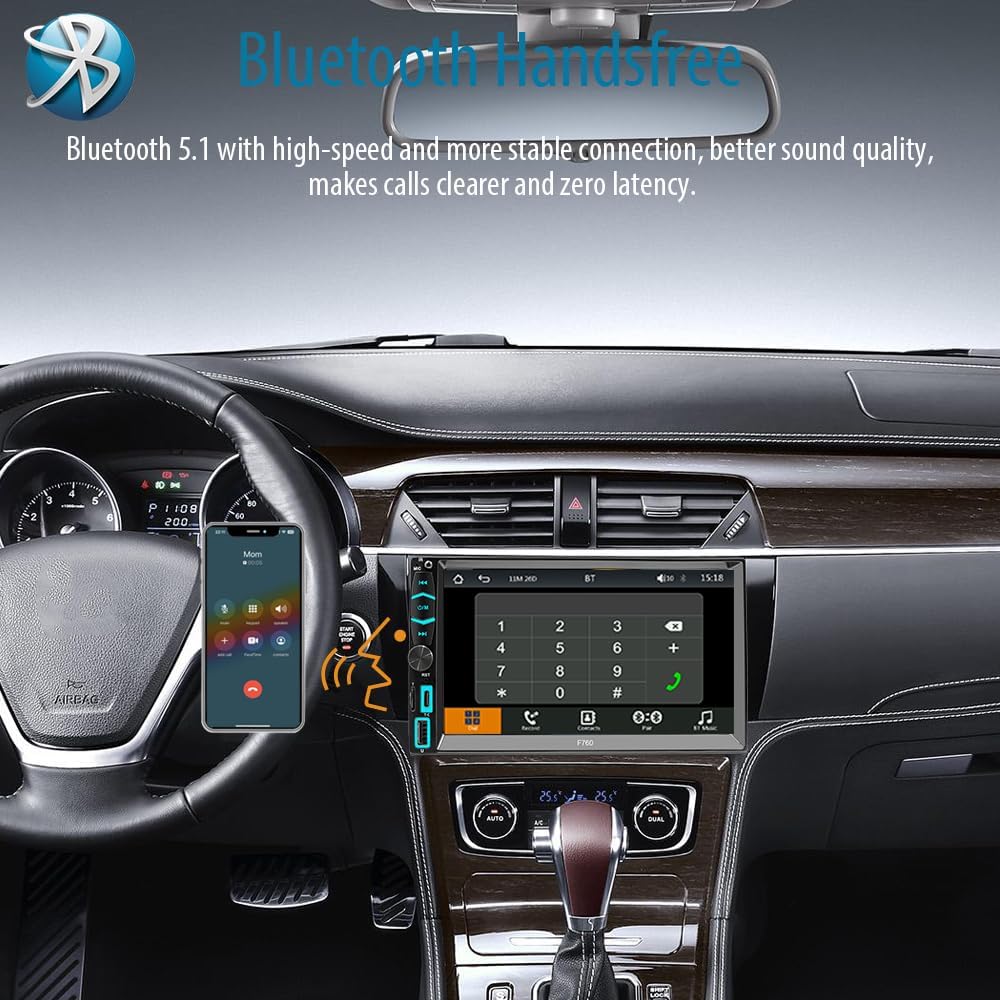
6.3Bluetooth 5.1
Connect your mobile device via Bluetooth for hands-free calls and audio streaming.
- On the car stereo, select the "BT" icon.
- Trên thiết bị di động của bạn, bật Bluetooth và tìm kiếm các thiết bị có sẵn.
- Select "MINYE F760" (or similar) from the list and confirm pairing.
- Sau khi ghép nối, bạn có thể thực hiện/nhận cuộc gọi và phát nhạc trực tuyến.
6.4 Wireless Apple CarPlay / Android Auto
Connect your smartphone wirelessly to access navigation, music, messages, and more.
- Đảm bảo Bluetooth và Wi-Fi được bật trên điện thoại thông minh của bạn.
- On the car stereo, select the "PhoneLink" or "CarPlay/Android Auto" icon.
- Follow the on-screen prompts to connect your device. For Apple CarPlay, select "CarPlay" and for Android Auto, select "Auto".
- The system will automatically connect to your phone's CarPlay or Android Auto interface.

6.5 Mirror-Link (Wired)
Use the Mirror-Link function to display your smartphone screen on the car stereo via a wired connection.
- Connect your smartphone to the car stereo's USB or Type-C port using a compatible cable.
- Select the "Mirror-Link" icon on the car stereo.
- Hãy làm theo hướng dẫn trên điện thoại để cho phép phản chiếu màn hình.

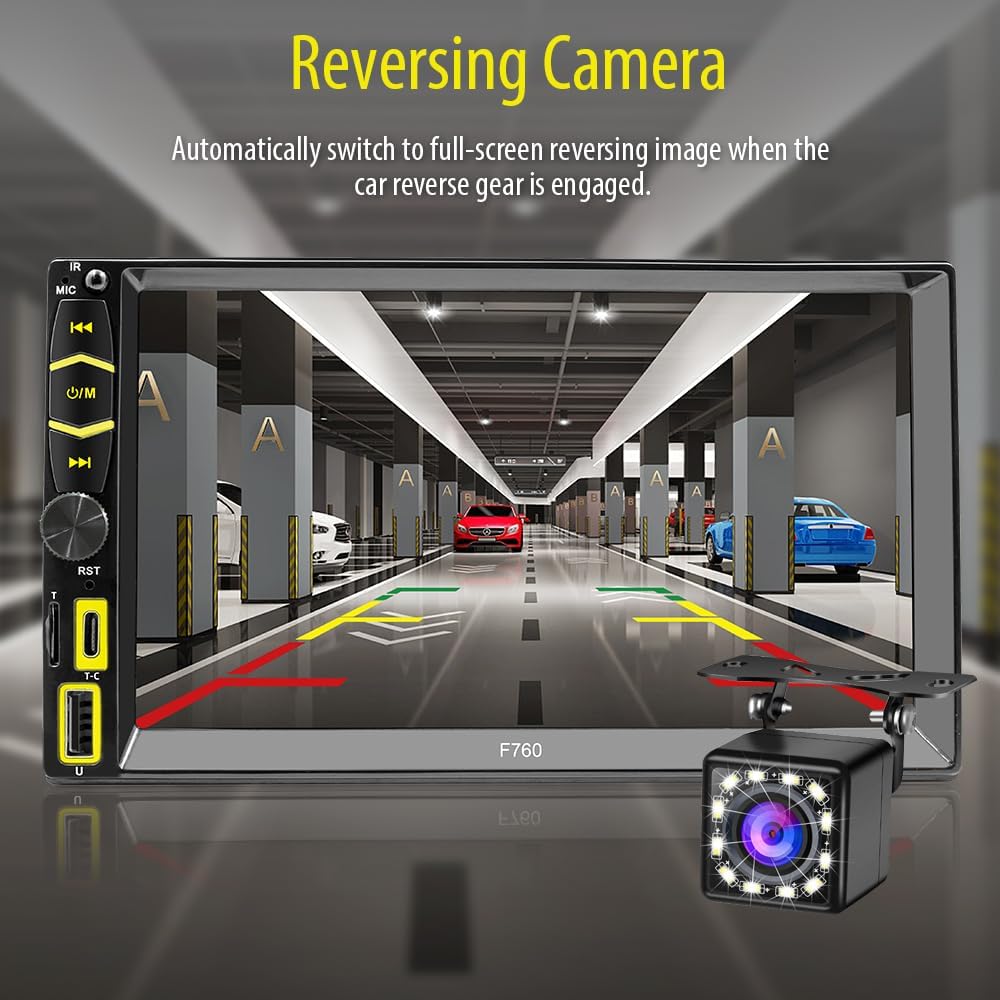
6.6 Camera lùi
When properly installed, the backup camera automatically displays the rear view khi xe chuyển sang số lùi.
- Ensure the backup camera is connected to the dedicated video input and the reverse trigger wire is connected to the vehicle's reverse light signal.
- Màn hình sẽ tự động chuyển sang chế độ camera. view khi lùi xe.
- The camera features 12-LED night vision and a 170° viewgóc ing.

6.7 điều khiển vô lăng
The unit supports learning for existing steering wheel controls. Access this feature via the "Setup" menu.
- Đi đến Cài đặt > Bánh xe.
- Follow the on-screen instructions to program each steering wheel button (e.g., Volume Up, Volume Down, Next Track, Previous Track).

6.8 Cài đặt hiển thị
Customize the display parameters for optimal viewđang.
- Điều hướng đến Cài đặt > Cài đặt hiển thị.
- Adjust Brightness, Contrast, Hue, and Saturation.
- You can also change the background wallpaper via Cài đặt > Lý lịch.
6.9 Cài đặt âm thanh
Điều chỉnh cài đặt âm thanh theo sở thích của bạn.
- Truy cập Cài đặt > Cài đặt âm thanh.
- Adjust the equalizer settings (e.g., Jazz, Classic, Rock, Pop, Flat, User-defined).
- Enable or disable Loudness.
7. Bảo trì
- Vệ sinh: Hãy dùng khăn mềm, khô để lau màn hình và thiết bị. Không sử dụng chất tẩy rửa có tính ăn mòn hoặc dung môi.
- Cập nhật chương trình cơ sở: Kiểm tra của nhà sản xuất webtrang web cung cấp mọi bản cập nhật chương trình cơ sở có sẵn để đảm bảo hiệu suất tối ưu và các tính năng mới.
KHAI THÁC. Xử lý sự cố
| Vấn đề | Nguyên nhân có thể | Giải pháp |
|---|---|---|
| Thiết bị không bật nguồn. | Incorrect wiring (power/ground), blown fuse. | Check power and ground connections. Verify vehicle fuses and unit's inline fuse. |
| Không có âm thanh. | Volume too low, incorrect speaker wiring, mute activated. | Increase volume. Check speaker connections. Ensure mute is off. |
| Bluetooth không kết nối được. | Bluetooth chưa được bật, thiết bị không ở chế độ ghép nối, có nhiễu sóng. | Ensure Bluetooth is on for both devices. Try re-pairing. Move closer to the unit. |
| CarPlay/Android Auto not working wirelessly. | Wi-Fi/Bluetooth off, phone not compatible, software glitch. | Ensure Wi-Fi and Bluetooth are active. Check phone compatibility. Restart phone and stereo. |
| Hình ảnh camera lùi không hiển thị. | Camera not connected, reverse trigger wire not connected. | Verify camera video input and reverse trigger wire connection. |
9. Thông số kỹ thuật
- Người mẫu: F760
- Kích thước màn hình: 7 inch
- Độ phân giải màn hình: 1024x600
- Kết nối: Bluetooth 5.1, USB, Type-C
- Tính năng đặc biệt: Wireless Apple CarPlay, Wireless Android Auto, Mirror-Link, RDS FM/AM Radio, Backup Camera Support, Steering Wheel Control
- Chế độ đầu ra âm thanh: Âm thanh nổi
- Số kênh: 2
- Nguồn điện: 12V DC (Âm đất)
- Trọng lượng sản phẩm: 2.01 pound
- Kích thước gói hàng: 8.07 x 6.69 x 4.33 inch
10. Bảo hành và Hỗ trợ
For warranty information or technical support, please refer to the warranty card included in your package or contact MINYE customer service through the retailer where the product was purchased. Keep your purchase receipt as proof of purchase.