
Zenwire E520h
Zenwire E520h Projector User Manual
Model: E520h | Brand: Zenwire
1. Giới thiệu
This manual provides detailed instructions for the setup, operation, and maintenance of your Zenwire E520h projector. Please read this manual thoroughly before using the device to ensure proper functionality and to maximize your viewkinh nghiệm.
The Zenwire E520h is a Full HD 1080p projector with 4K support, featuring Android 9.0, dual-band WiFi (2.4/5 GHz), and Bluetooth 5.0 for versatile home theater entertainment.
2. Nội dung gói hàng
Xác minh rằng tất cả các mục đều có trong gói hàng:
- Zenwire E520h Projector
- Điều khiển từ xa (không bao gồm pin)
- Cáp nguồn
- Cáp HDMI
- AV Cable (stereo)
- Hướng dẫn sử dụng

The image above displays the Zenwire E520h projector along with its standard accessories: a remote control, power cable, HDMI cable, and AV cable. These components are essential for setting up and operating your projector.
3. Sản phẩm hếtview
Familiarize yourself with the various parts and connections of your Zenwire E520h projector.

Hình ảnh này cung cấp một cái nhìn toàn diện. view of the projector from different angles, highlighting the lens, control panel, ventilation grilles, and various input/output ports located on the sides and rear of the device.

The Zenwire E520h projector supports a wide range of multimedia devices, including streaming sticks (Roku, Fire TV, Chromecast), external audio systems, USB storage, gaming consoles (Xbox, PlayStation), mobile devices (phones, tablets), DVD players, and computers (laptops, desktops) via its various input ports.
4. Thiết lập
4.1 Vị trí
Position the projector on a stable, flat surface. Ensure adequate ventilation around the device. The optimal projection distance ranges from 1.2 to 6 meters, allowing for screen sizes from 36 to 200 inches.

This image demonstrates how varying the distance between the projector and the screen affects the projected image size, showing examples for 45, 120, and 200-inch displays.
4.2 kết nối nguồn
Connect the power cable to the projector's power input and then plug it into a suitable electrical outlet.
4.3 Bật nguồn ban đầu
Press the power button on the projector or the remote control to turn on the device. The projector will boot into the Android 9.0 operating system.
5. Hướng dẫn vận hành
5.1 Chỉnh sửa tiêu điểm và Keystone
Adjust the focus ring around the lens until the image is clear. Use the 4D keystone correction feature to adjust the image shape if the projector is not perfectly perpendicular to the screen. This can be done via the remote control or on-screen settings.

This image illustrates the process of adjusting the focus ring on the projector lens and demonstrates the effect of keystone correction on the projected image, ensuring a rectangular display even when the projector is angled.
5.2 Hệ thống thông minh Android 9.0
The projector runs on Android 9.0, allowing direct access to streaming applications like YouTube, Netflix, HBO, and Spotify. Navigate the interface using the remote control.

The image above shows the projector's smart interface, featuring a grid of popular streaming applications, demonstrating the integrated Android 9.0 system's capability to run apps directly.
5.3 Kết nối không dây (WiFi & Bluetooth)
Wi-Fi: Connect to your home network using the integrated 2.4/5 GHz WiFi. This enables Miracast and Airplay for wireless screen mirroring from iOS, Android, and Windows devices.

This image illustrates the projector's wireless connectivity, showing it mirroring content from a smartphone and tablet, and highlighting its compatibility with iOS, Android, and Windows 10 devices for screen sharing.
Bluetooth 5.0: Pair with external Bluetooth speakers, soundbars, or headphones for enhanced audio. Go to the settings menu to manage Bluetooth devices.
5.4 Kết nối có dây
The projector features multiple ports for wired connections:
- HDMI (x2): Connect laptops, gaming consoles, Blu-ray players, or streaming devices.
- USB: Phát nội dung đa phương tiện trực tiếp từ ổ USB.
- CỦA: Kết nối các thiết bị cũ hơn bằng cáp AV đi kèm.
- Mini-Jack: Dành cho đầu ra âm thanh ngoài.
- Micro-SD/TF Card Reader: Dùng để phát nội dung đa phương tiện từ thẻ nhớ.
6. Bảo trì
6.1 Vệ sinh ống kính
Lau nhẹ ống kính máy chiếu bằng vải mềm, không xơ được thiết kế chuyên dụng cho bề mặt quang học. Không sử dụng chất tẩy rửa có tính mài mòn hoặc lực quá mạnh.
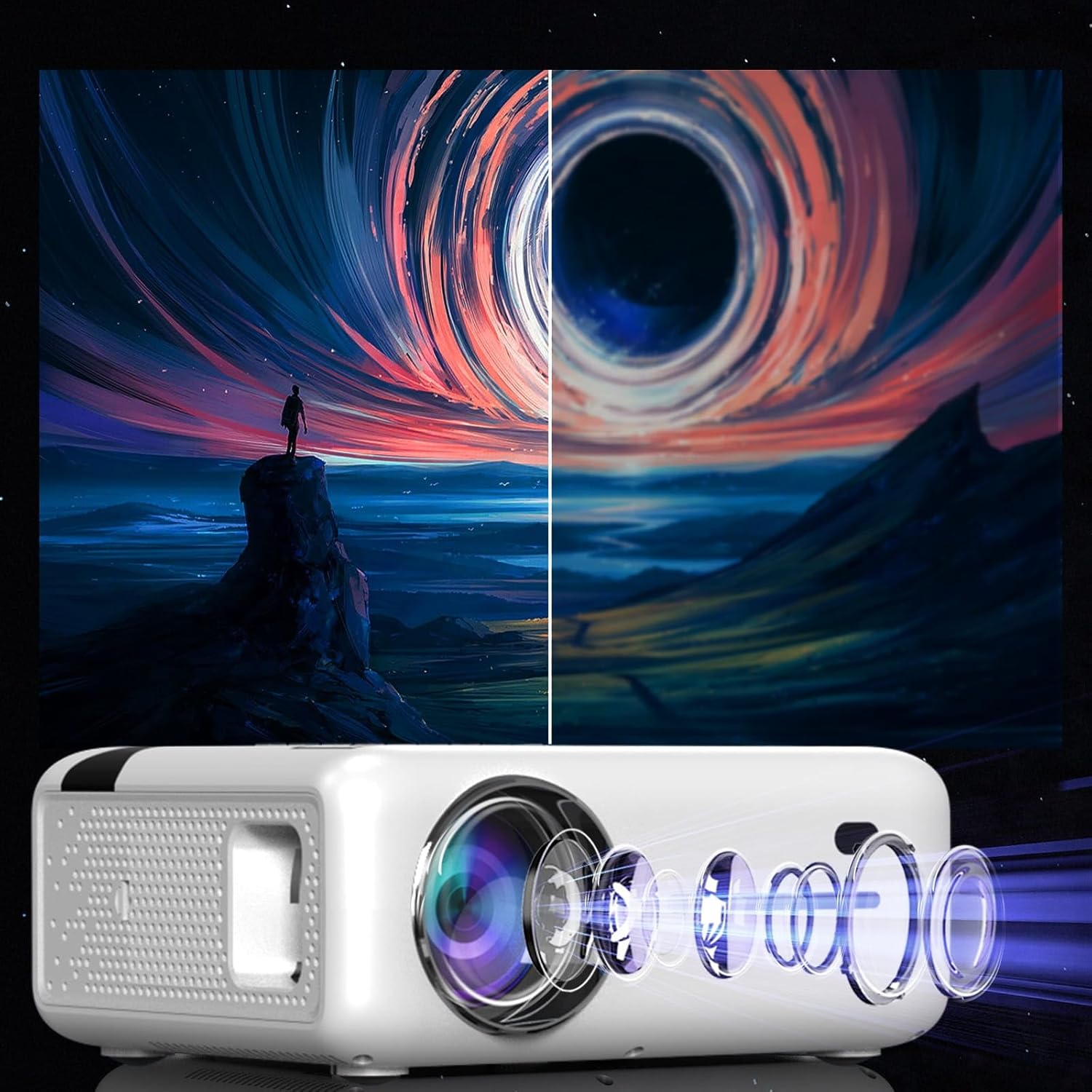
This diagram illustrates the multi-element lens system of the projector, highlighting the precision optics that require careful handling during cleaning to maintain image quality.
6.2 Thông gió
Ensure that the projector's ventilation openings are not blocked to prevent overheating. Regularly check for dust accumulation and clean if necessary using compressed air.
6.3 Lưu trữ
When not in use for extended periods, store the projector in a cool, dry place, away from direct sunlight and excessive dust. Use the original packaging or a protective case.
KHAI THÁC. Xử lý sự cố
| Vấn đề | Nguyên nhân có thể | Giải pháp |
|---|---|---|
| Không có hình ảnh nào được hiển thị | Dây nguồn bị ngắt kết nối, nguồn đầu vào không chính xác, nắp ống kính đã được đậy. | Check power connection, select correct input source (HDMI, USB, etc.), remove lens cap. |
| Hình ảnh mờ | Focus not adjusted, keystone incorrect. | Adjust the focus ring, use keystone correction. |
| Không có âm thanh | Volume too low, incorrect audio output selected, external device muted. | Increase projector volume, check audio settings, ensure external device is not muted. |
| Sự cố kết nối WiFi | Incorrect password, router too far, interference. | Verify WiFi password, move projector closer to router, check for other wireless devices. |
8. Thông số kỹ thuật
| Tính năng | Chi tiết |
|---|---|
| Người mẫu | Zenwire E520h |
| Độ phân giải gốc | 1920 x 1080p (Full HD) |
| Độ phân giải được hỗ trợ | Lên đến 4K |
| Độ sáng | 9000 lumens (300 ANSI) |
| Tỷ lệ tương phản | 2000:1 |
| Hệ điều hành | Android 9.0 |
| Wi-Fi | 2.4/5 GHz (Miracast, Airplay support) |
| Bluetooth | 5.0 |
| Kết nối | 2x HDMI, USB, AV, Mini-Jack, Micro-SD/TF |
| Kích thước chiếu | 36 - 200 inch |
| Khoảng cách chiếu | 1.2 - 6 mét |
| Chỉnh sửa Keystone | 4D (manual and auto) |
| Tậptage | 230 Vôn |
| Kích thước (Gói) | 23 x 18.5 x 10.5cm |
| Trọng lượng (Gói) | 1.2kg |
9. Bảo hành và Hỗ trợ
For warranty information and technical support, please refer to the contact details provided with your purchase documentation or visit the official Zenwire webtrang web. Giữ lại bằng chứng mua hàng để yêu cầu bảo hành.
Tài liệu liên quan - e520h
 |
Sách hướng dẫn sử dụng máy chiếu ProGaga PG610W Sách hướng dẫn sử dụng toàn diện cho máy chiếu ProGaga PG610W, bao gồm thiết lập, vận hành, cài đặt, kết nối, thông số kỹ thuật và khắc phục sự cố. |
 |
Hướng dẫn sử dụng máy chiếu tại nhà Sách hướng dẫn sử dụng Máy chiếu tại nhà, bao gồm hướng dẫn thiết lập, vận hành, kết nối và khắc phục sự cố. |
 |
Hướng dẫn sử dụng máy chiếu kỹ thuật số: Cài đặt, vận hành và an toàn Sách hướng dẫn sử dụng toàn diện cho máy chiếu kỹ thuật số, bao gồm các biện pháp phòng ngừa an toàn cần thiết, cài đặt, chức năng điều khiển từ xa, phát phương tiện (video, nhạc, hình ảnh, văn bản), cài đặt trình chiếu, cài đặt thời gian, thiết lập hệ thống và phương pháp kết nối không dây (iOS Cast và Android Miracast). |
 |
Máy chiếu phim gia đình thông minh mini TOWND: Hướng dẫn sử dụng nhanh Hướng dẫn sử dụng nhanh toàn diện cho Máy chiếu rạp hát gia đình thông minh mini TOWND, bao gồm các biện pháp phòng ngừa an toàn, danh sách phụ kiện, mô tả về hình thức và chức năng, hướng dẫn kết nối cho nhiều thiết bị khác nhau (HDMI, VGA, USB, Bluetooth, phản chiếu không dây), gỡ lỗi màn hình chiếu, được hỗ trợ file định dạng, khoảng cách chiếu và thông tin bảo hành. |
 |
Hướng dẫn sử dụng máy chiếu Full HD Plexgear 24017 Sách hướng dẫn sử dụng đầy đủ cho máy chiếu Full HD Plexgear 24017, bao gồm thiết lập, vận hành, cài đặt, xử lý sự cố và thông tin an toàn. Các tính năng bao gồm màn hình LCD, nguồn sáng LED, nhiều tùy chọn đầu vào (HDMI, VGA, AV), phát nội dung đa phương tiện qua USB, phản chiếu màn hình Wi-Fi (iOS/Android) và kết nối Bluetooth. |
 |
AUN A50 Projector User Guide - Setup, Features, and Connectivity Comprehensive user guide for the AUN A50 projector, covering product box contents, interface details, remote control functions, technical specifications, and guides for wireless screen mirroring (iPhone/Android) and online video casting. |
Ask a question about this manual
Ask about setup, troubleshooting, compatibility, parts, safety, or missing instructions. Manuals+ will review the question and use this page’s manual context to help answer it.