
Giới thiệu
Cảm ơn bạn đã muaasing the Emerson EPD-1001 Portable 10-inch DVD Player. This manual provides essential information for setting up, operating, and maintaining your device. Please read these instructions carefully before use to ensure proper functionality and to maximize your viewkinh nghiệm.
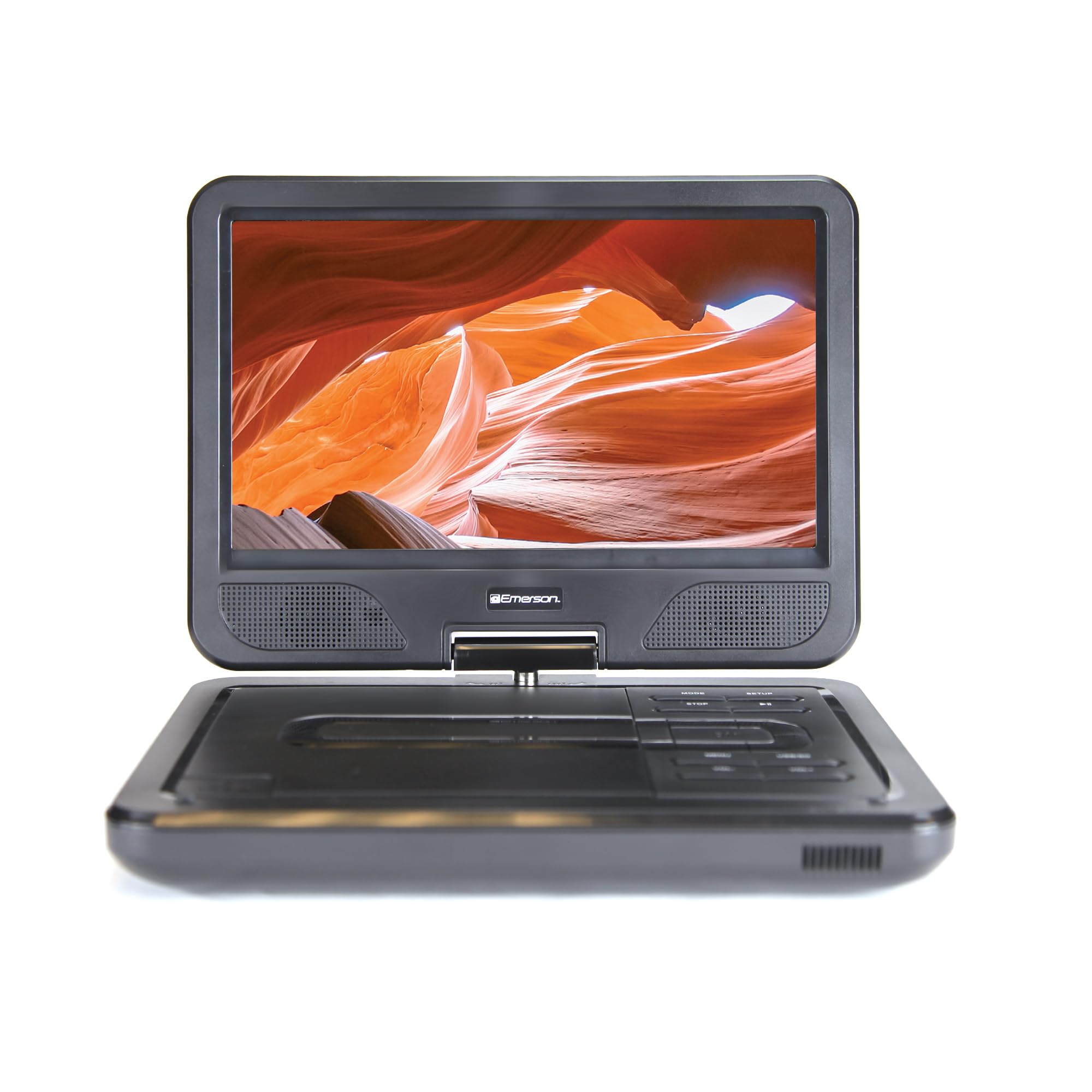
Image: The Emerson EPD-1001 Portable 10-inch DVD Player shown with its screen open, displaying a vibrant image.
Có gì trong hộp
Xác minh rằng tất cả các mặt hàng đều có trong bao bì:
- Emerson EPD-1001 Portable 10-inch DVD Player
- Điều khiển từ xa
- Bộ đổi nguồn AC
- Dây nguồn DC cho ô tô
- Cable AV
- Hướng dẫn sử dụng (tài liệu này)
- Thẻ bảo hành

Image: The Emerson EPD-1001 Portable 10-inch DVD Player displayed alongside its remote control.
Tính năng sản phẩm
- Màn hình xoay 10 inch: The large 10-inch screen swivels 180 degrees, allowing for flexible viewgóc nghiêng.
- Loa tích hợp: Integrated speaker provides clear audio for an immersive experience.
- Pin sạc: Enjoy portable viewing with the built-in rechargeable battery, offering hours of playback.
- Điều khiển từ xa: Navigate menus and control playback effortlessly with the included remote.
- Thiết kế nhỏ gọn: Lightweight and compact for easy transport during travel.
- Khả năng tương thích đa định dạng: Supports a wide range of DVD formats, as well as media from USB flash drives and SD cards.
Video: A 360-degree product overview of the Emerson EPD-1001 Portable DVD Player, showcasinHãy xem xét thiết kế và các tính năng của nó từ nhiều góc độ khác nhau.
Cài đặt
- Tháo hộp: Cẩn thận lấy hết các bộ phận ra khỏi bao bì. Giữ lại bao bì để bảo quản hoặc vận chuyển sau này.
- Sạc pin: Before first use, fully charge the internal rechargeable battery. Connect the AC power adapter to the DC IN 9-12V port on the DVD player and plug it into a standard wall outlet. The charging indicator light will illuminate. A full charge typically takes several hours.
- Nguồn điện cho xe (Tùy chọn): For in-car use, connect the DC car cord to the DC IN 9-12V port and plug the other end into your vehicle's 12V accessory socket.
- External Display Connection (Optional): To connect to an external display (e.g., TV), use the provided AV cable. Connect the AV OUT port on the DVD player to the corresponding AV IN ports on your television.

Image: A hand plugging a 12V car adapter into a vehicle's power outlet, demonstrating how to power the DVD player on the go.
Hướng dẫn sử dụng
Bật/Tắt nguồn
- Để bật nguồn, hãy bấm và giữ QUYỀN LỰC nhấn nút cho đến khi màn hình sáng lên.
- Để tắt nguồn, hãy bấm và giữ QUYỀN LỰC Nhấn nút một lần nữa cho đến khi màn hình tắt.
Inserting and Playing a DVD
- Open the disc cover by gently lifting the MỞ chốt cửa.
- Place a DVD disc onto the spindle with the label side facing up. Gently press the center of the disc to secure it.
- Đóng nắp đĩa.
- The player will automatically detect the disc and begin playback. If not, press the PHÁT/TẠM DỪNG cái nút.
Using the Swivel Screen
The screen can be rotated up to 180 degrees. Gently swivel the screen to your desired viewing angle. You can also fold the screen flat against the base for a tablet-like viewkinh nghiệm.

Image: A woman using the Emerson EPD-1001 Portable DVD Player, demonstrating the swivel screen feature for comfortable viewđang.
Phát lại đa phương tiện (USB/Thẻ SD)
- Lắp ổ flash USB vào USB cổng hoặc thẻ SD vào THẺ SD chỗ.
- Sử dụng CÁCH THỨC button on the player or remote to select the appropriate input (USB or SD).
- Điều hướng qua phương tiện truyền thông của bạn filesử dụng các nút mũi tên và nhấn ĐI VÀO để chơi.

Image: A hand inserting a USB flash drive into the side port of the portable DVD player, illustrating media playback from external storage.
Sử dụng điều khiển từ xa
Point the remote control directly at the infrared sensor on the DVD player. The remote allows access to functions such as Play, Pause, Stop, Fast Forward, Rewind, Chapter Skip, Volume Control, Menu Navigation, and Input Selection.
Đầu ra âm thanh
- Loa tích hợp: Audio will play automatically through the integrated speakers. Adjust volume using the TẦM+ Và vol- nút bấm.
- Giắc cắm tai nghe: For private listening, plug standard 3.5mm headphones into the TAI NGHE jack. This will mute the built-in speakers.
BẢO TRÌ
- Vệ sinh: Use a soft, dry cloth to clean the exterior of the DVD player. For the screen, use a soft, lint-free cloth specifically designed for electronics screens. Do not use liquid cleaners or abrasive materials.
- Chăm sóc đĩa đệm: Handle discs by their edges. Keep discs clean and free of scratches. Use a soft, lint-free cloth to wipe discs from the center outwards if cleaning is necessary.
- Chăm sóc pin: To prolong battery life, avoid fully discharging the battery frequently. If storing the device for an extended period, charge the battery to approximately 50% and store in a cool, dry place. Recharge every few months to prevent deep discharge.
- Kho: Store the DVD player in a cool, dry environment away from direct sunlight, extreme temperatures, and excessive dust.
Xử lý sự cố
| Vấn đề | Nguyên nhân có thể | Giải pháp |
|---|---|---|
| Máy nghe nhạc không bật được. | Pin đã hết hoặc bộ chuyển đổi nguồn chưa được kết nối. | Connect the AC power adapter and allow the battery to charge. Ensure the power button is pressed and held. |
| Không có hình ảnh trên màn hình. | Disc is dirty/scratched, incorrect input selected, or screen is folded incorrectly. | Clean the disc. Ensure the screen is properly opened and swiveled. If connected to an external display, verify AV cable connections and TV input selection. |
| Không có âm thanh. | Volume is too low, headphones are connected, or disc has no audio track. | Increase the volume. Disconnect headphones if using built-in speakers. Check disc for audio content. |
| Đĩa không phát hoặc bị gián đoạn. | Đĩa bị bẩn, trầy xước hoặc không tương thích với định dạng hiện tại. | Clean the disc thoroughly. Try a different disc. Ensure the disc format is supported by the player. |
| Điều khiển từ xa không hoạt động. | Batteries are dead or remote is not pointed at sensor. | Replace remote control batteries. Ensure direct line of sight to the player's IR sensor. |
Thông số kỹ thuật
| Tính năng | Chi tiết |
|---|---|
| Thương hiệu | Emerson |
| Số hiệu mẫu | EPD-1001 |
| Kích thước màn hình | 10 inch |
| Kiểu hiển thị | Màn hình tinh thể lỏng |
| Độ phân giải gốc | 1280x720 |
| Công nghệ kết nối | USB |
| Thiết bị tương thích | Mobile Phone, Television (via AV out) |
| Loại phương tiện truyền thông | DVD, CD, MP3, USB, SD Card |
| Kích thước sản phẩm (L x W x H) | Dài 10" x Rộng 1.8" x Cao 7.35" |
| Trọng lượng sản phẩm | 2.2 Bảng Anh |
| Màu sắc | Đen |
| Tùy chọn nguồn điện | Built-in rechargeable battery, AC adapter, 12V car adapter |

Image: A diagram illustrating the dimensions (length, width, height) and weight of the Emerson EPD-1001 Portable DVD Player.
Bảo hành và Hỗ trợ
The Emerson EPD-1001 Portable 10-inch DVD Player comes with a warranty covering 1 Year for Parts Và 90 Days for Labor kể từ ngày mua.
For technical support, warranty claims, or service inquiries, please contact the manufacturer, Naxa Electronics, Inc. Refer to the warranty card included in your product packaging for specific contact details and procedures.
Vui lòng giữ lại hóa đơn mua hàng để xác nhận bảo hành.


