
1. Sản phẩm hếtview
The ECOPAD 10.1 Inch Android 15 Tablet is designed for versatile use, offering a balance of performance and portability. It features a quad-core processor, the Android 15 operating system, and a 10.1-inch IPS HD touchscreen for clear visuals. With ample storage and expansion options, dual cameras, and robust connectivity, this tablet is suitable for various tasks from entertainment to productivity.
- Hệ điều hành: Android 15
- Trưng bày: 10.1-inch IPS HD (1280x800 pixels)
- Bộ xử lý: Quad-core ARM RK3562
- Ký ức: 12GB RAM (4GB physical + 8GB virtual)
- Kho: 64GB ROM, expandable up to 1TB via SD card (sold separately)
- Máy ảnh: 2.0MP phía trước, 8.0MP phía sau
- Ắc quy: 6000mAh Lithium Battery (up to 8 hours video playback)
- Kết nối: Dual Band Wi-Fi (2.4/5GHz), Bluetooth 5.0
- Chứng nhận: GMS Certified for full Google Play access
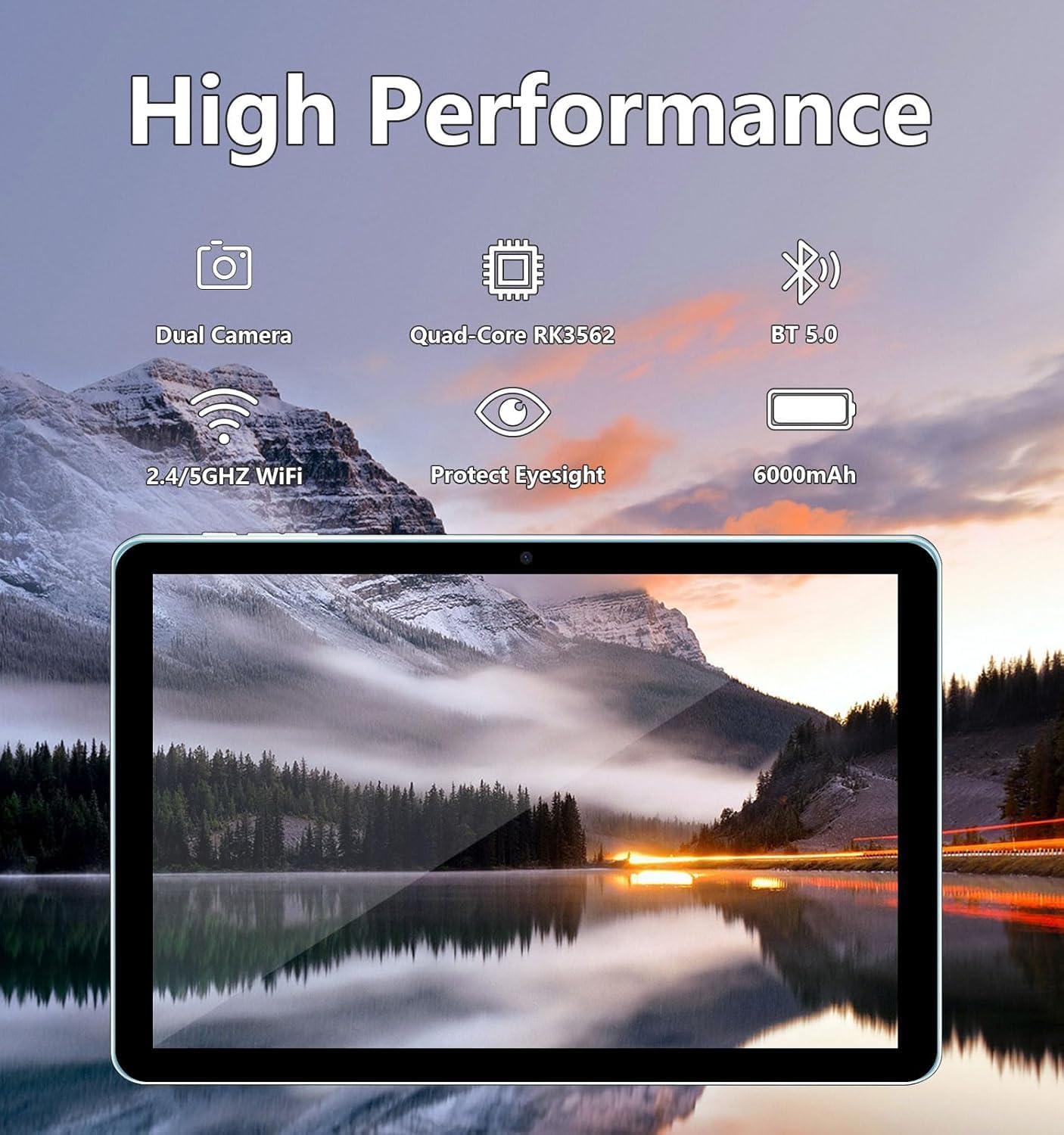
Image: The ECOPAD tablet showcasing its high-performance features including dual cameras, quad-core processor, Bluetooth 5.0, dual-band Wi-Fi, and 6000mAh battery.
2. Bắt đầu
2.1 Unboxing Your Tablet
Carefully remove all items from the packaging. The box should contain the ECOPAD 10.1 Inch Tablet, a protective case, a USB-C charging cable, and a screen protector. Please check for any damage during transit.
2.2 Đặc điểm vật lý
Familiarize yourself with the tablet's ports and buttons:

Image: A detailed diagram illustrating the location of the USB-C Port, SD Card Slot, Volume buttons, Power On/Off button, Reset button, Microphone, Front Camera, Headphone Jack, Speakers, Rear Camera, and Flash on the ECOPAD tablet.
- Cổng USB-C: Để sạc và truyền dữ liệu.
- Khe cắm thẻ SD: Lắp thẻ Micro SD để mở rộng dung lượng lưu trữ.
- Giảm âm lượng / Tăng âm lượng: Điều chỉnh âm lượng.
- Bật/Tắt nguồn: Press and hold to power on or off. Short press to sleep/wake.
- Reset (Reboot): A small pinhole for force restarting the device if unresponsive.
- Micrô: Dùng để thu âm trong các cuộc gọi hoặc ghi âm.
- Camera trước: Dùng cho cuộc gọi video và chụp ảnh tự sướng.
- Giắc cắm tai nghe: Kết nối tai nghe 3.5 mm.
- Diễn giả: Đối với đầu ra âm thanh.
- Camera sau: Dùng để chụp ảnh và quay video.
- Đèn nháy: Cung cấp ánh sáng cho camera sau.
2.3 Sạc máy tính bảng
Before first use, fully charge your tablet. Connect the provided USB-C cable to the tablet's USB-C port and the other end to a compatible USB power adapter (not always included) or a computer's USB port. The battery indicator on the screen will show charging status.
2.4 Bật / Tắt nguồn
- Để bật nguồn: Press and hold the Power On/Off button until the ECOPAD logo appears on the screen.
- Để Tắt Nguồn: Press and hold the Power On/Off button until a power menu appears. Select 'Power Off' and confirm.
- Ngủ/Thức dậy: Briefly press the Power On/Off button.
2.5 Thiết lập ban đầu
Khi bật nguồn lần đầu, máy tính bảng sẽ hướng dẫn bạn qua quá trình thiết lập ban đầu. Quá trình này thường bao gồm:
- Chọn ngôn ngữ của bạn.
- Đang kết nối với mạng Wi-Fi.
- Đăng nhập bằng tài khoản Google hoặc tạo tài khoản mới.
- Thiết lập khóa màn hình (mã PIN, hình vẽ, mật khẩu).
- Reviewing and accepting Google services terms.
3. Vận hành máy tính bảng của bạn
3.1 Điều hướng màn hình cảm ứng
The tablet's 10.1-inch IPS HD touchscreen supports multi-touch gestures:
- Vỗ nhẹ: Chọn một mục hoặc mở một ứng dụng.
- Chạm và giữ: Truy cập menu ngữ cảnh hoặc di chuyển các mục.
- Vuốt: Điều hướng qua màn hình, cuộn danh sách hoặc bỏ qua thông báo.
- Chụm để phóng to: Phóng to hoặc thu nhỏ hình ảnh và web trang.
3.2 Kết nối với Wi-Fi
Để kết nối Internet:
- Đi đến Cài đặt > Mạng & internet > Wi-Fi.
- Chuyển đổi Wi-Fi On.
- Chọn mạng mong muốn của bạn từ danh sách.
- Nhập mật khẩu nếu được yêu cầu và chạm vào Kết nối.
3.3 Cửa hàng Google Play
As a GMS Certified device, your tablet has full access to the Google Play Store. You can download a wide variety of applications, games, movies, and books.
- Nhấn vào Cửa hàng Play biểu tượng trên màn hình chính hoặc ngăn kéo ứng dụng của bạn.
- Tìm kiếm hoặc duyệt các ứng dụng.
- Vỗ nhẹ Cài đặt Tải xuống và cài đặt ứng dụng.

Image: The tablet display featuring the Google Play Store icon and other Google Mobile Services (GMS) applications, indicating full access to the Android ecosystem.
3.4 Quản lý lưu trữ
The tablet comes with 64GB of internal storage (ROM) and 12GB of RAM (4GB physical + 8GB virtual for enhanced performance). You can expand storage further:
- Thẻ micro SD: Insert a Micro SD card (up to 1TB, sold separately) into the SD card slot to store additional photos, videos, and files.
- To manage storage, go to Cài đặt > Kho.

Image: The tablet screen displaying its storage capabilities, including 12GB RAM, 64GB ROM, and the option for 1TB SD card expansion, allowing users to store a large volume of data.
3.5 Sử dụng máy ảnh
The tablet is equipped with a 2.0MP front camera and an 8.0MP rear camera.
- Mở Máy ảnh ứng dụng.
- Chạm vào biểu tượng máy ảnh để chuyển đổi giữa camera trước và camera sau.
- Nhấn nút chụp để chụp ảnh hoặc bắt đầu/dừng quay video.

Image: The tablet screen showing a video conference with four participants, demonstrating the clarity of the 10.1-inch 1280x800 HD display for communication.
3.6 Kết nối Bluetooth
Connect your tablet to Bluetooth devices like headphones, speakers, or keyboards.
- Đi đến Cài đặt > Thiết bị được kết nối > Bluetooth.
- Chuyển đổi Bluetooth On.
- Máy tính bảng sẽ quét tìm các thiết bị khả dụng. Chọn thiết bị của bạn từ danh sách để ghép nối.
4. Bảo trì
4.1 Chăm sóc pin
To maximize your tablet's battery life and longevity:
- Tránh nhiệt độ quá cao.
- Không nên để pin cạn kiệt hoàn toàn thường xuyên.
- Rút bộ sạc ra sau khi máy tính bảng đã sạc đầy.
- Reduce screen brightness and disable unnecessary features (e.g., Bluetooth, Wi-Fi) when not in use.
4.2 Vệ sinh máy tính bảng của bạn
Sử dụng vải mềm, không xơ để lau màn hình và thân máy tính bảng. Đối với các vết bẩn cứng đầu, hãy lau nhẹampLau sạch khăn bằng nước hoặc dung dịch vệ sinh màn hình. Tránh sử dụng hóa chất mạnh hoặc vật liệu mài mòn.
KHAI THÁC. Xử lý sự cố
If you encounter issues with your ECOPAD tablet, try the following common solutions:
- Máy tính bảng không phản hồi: Press and hold the Power On/Off button for about 10-15 seconds to force a restart. If this doesn't work, locate the small 'Reset' pinhole and use a thin object (like a paperclip) to press it gently.
- Apps are crashing or running slowly: Close unused apps, clear app caches (Settings > Apps > [App Name] > Storage & cache > Clear cache), or restart the tablet. Ensure your apps are updated.
- Sự cố kết nối Wi-Fi: Hãy đảm bảo Wi-Fi đã được bật. Thử khởi động lại bộ định tuyến và máy tính bảng. Xóa mạng đó đi và kết nối lại.
- Pin hết nhanh: Reduce screen brightness, disable background app refresh, turn off GPS, Bluetooth, and Wi-Fi when not needed. Check battery usage in Settings to identify power-hungry apps.
- Screen is not responding to touch: Khởi động lại máy tính bảng. Nếu sự cố vẫn tiếp diễn, hãy đảm bảo màn hình sạch sẽ và không có bụi bẩn.
Nếu các bước trên không giải quyết được vấn đề của bạn, vui lòng tham khảo mục Bảo hành và Hỗ trợ để được trợ giúp thêm.
6. Thông số kỹ thuật
| Tính năng | Đặc điểm kỹ thuật |
|---|---|
| Kích thước màn hình đứng | 10.1 inch |
| Độ phân giải màn hình | 1280 x 800 pixel |
| Độ phân giải màn hình tối đa | 1280*800 điểm ảnh |
| Loại không dây | Bluetooth |
| Tuổi thọ pin trung bình (tính bằng giờ) | Lên đến 8 giờ (phát lại video) |
| Thương hiệu | ECOPAD |
| Loạt | THTH-K12C |
| Số hiệu mẫu sản phẩm | THTH-K12C |
| Hệ điều hành | Android 15 |
| Trọng lượng sản phẩm | 2.02 pound |
| Kích thước sản phẩm | 9.5 x 6.2 x 0.28 inch |
| Kích thước sản phẩm DxRxC | 9.5 x 6.2 x 0.28 inch |
| Màu sắc | Màu xanh da trời |
| Ở phía sau Webđộ phân giải cam | 8MP |
| Thương hiệu bộ xử lý | CÁNH TAY |
| Pin | Cần có 1 pin Lithium Polymer. (có kèm theo) |
| Dung lượng lưu trữ bộ nhớ | 64 GB (có thể mở rộng lên đến 1TB) |
7. Bảo hành và Hỗ trợ
ECOPAD offers comprehensive support for your product.
- Bảo hành: Your ECOPAD tablet comes with a 1-year warranty. This warranty covers product failures due to manufacturing defects.
- Liên hệ bộ phận hỗ trợ: If you have any questions, encounter issues, or require technical assistance, please do not hesitate to contact ECOPAD customer service. Most questions are answered within 24 hours.
ECOPAD is committed to providing high-quality products and excellent customer service, continuously improving products and services through sharing and communication.