
Giới thiệu
Welcome to the CRKD Nitro Deck instruction manual. This guide provides essential information for setting up, operating, maintaining, and troubleshooting your professional handheld deck for Nintendo Switch and Switch OLED. The Nitro Deck is designed to enhance your gaming experience with zero stick drift, customizable controls, and pass-through charging.
Hướng dẫn thiết lập
Nội dung gói
- CRKD Nitro Deck (Black)
- Cáp USB-C sang USB-C
- Swappable Thumbstick Toppers
Inserting Your Nintendo Switch
Carefully align your Nintendo Switch console with the USB-C connector inside the Nitro Deck. Gently slide the console into the deck until it clicks securely into place. Ensure the console is fully seated for proper connection.
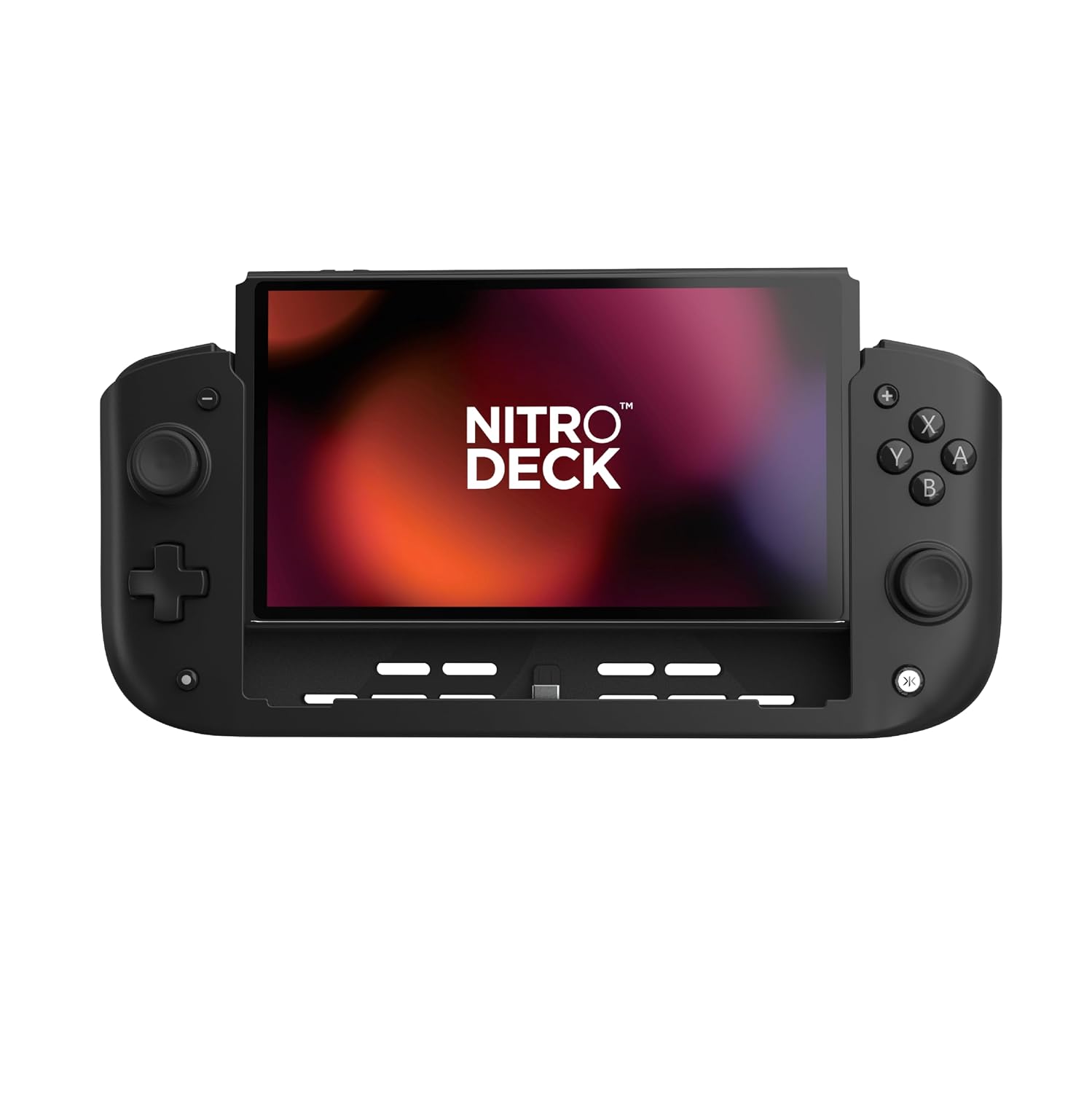
Hình ảnh: Mặt trước view of the CRKD Nitro Deck with a Nintendo Switch console securely inserted.
Initial Connection and Pairing
The Nitro Deck connects directly via USB-C, eliminating the need for wireless pairing. For optimal performance, ensure 'Pro Controller Wired Communication' is enabled on your Nintendo Switch. Navigate to System Settings > Controllers and Sensors > Pro Controller Wired Communication and set it to 'On'.
Video: Official trailer showcasing the CRKD Nitro Deck's features and compatibility.
Hướng dẫn sử dụng
Bố cục và chức năng của nút
The Nitro Deck features a familiar button layout for intuitive gameplay. This includes A, B, X, Y face buttons, a directional pad, two clickable analog sticks (Hall effect), L/R shoulder buttons, and ZL/ZR triggers. Additionally, there are re-mappable back buttons for advanced customization.

Hình ảnh: Chi tiết view of the Nitro Deck's precision Hall effect thumbsticks and responsive face buttons.
Re-mappable Back Buttons
Customize your gameplay by assigning functions to the four re-mappable back buttons. Refer to the CRKD Companion app for detailed instructions on button mapping and profile sự quản lý.

Image: The rear of the Nitro Deck showing the two sets of re-mappable back buttons for personalized control.
Swappable Thumbstick Toppers
The Nitro Deck allows you to swap out thumbstick toppers to suit your preference. Gently pull the existing topper straight up to remove it, then align and press down the desired topper until it securely snaps into place.

Image: A thumbstick topper being removed from the Nitro Deck, illustrating the swappable design.
Sạc qua
The Nitro Deck supports pass-through charging, allowing you to charge your Nintendo Switch console while actively playing. Connect your USB-C charging cable to the designated input port on the back of the Nitro Deck.

Image: Close-up of the USB-C input port on the Nitro Deck, enabling pass-through charging for the Switch.
Gyro Compatibility and Rumble Support
The Nitro Deck fully supports gyro controls and rumble feedback, providing an immersive and responsive gaming experience for compatible Nintendo Switch titles.
BẢO TRÌ
Vệ sinh
To clean your Nitro Deck, use a soft, dry cloth. For stubborn smudges, a slightly damp cloth with mild soap can be used, ensuring no moisture enters any ports or openings. Avoid abrasive cleaners or solvents.
Kho
When not in use, store the Nitro Deck in a cool, dry place away from direct sunlight and extreme temperatures. If storing for extended periods, ensure the Nintendo Switch console is removed from the deck.
Xử lý sự cố
Các vấn đề thường gặp và giải pháp
Issue: Stick Drift
Solution: The Nitro Deck features Hall effect thumbsticks designed for zero stick drift. If you experience any unexpected input, ensure the device is properly connected and the Switch's firmware is up to date.
Issue: Device Not Responding
Solution: Ensure the Nintendo Switch is securely seated in the Nitro Deck. Verify the "Pro Controller Wired Communication" setting is enabled in the Switch's system settings (System Settings > Controllers and Sensors). Disconnect and re-connect the Switch from the deck.
Vấn đề: Sự cố sạc
Solution: Ensure the USB-C cable is properly connected to the input port on the Nitro Deck. Use a compatible power adapter and cable. Test with a different cable or adapter if issues persist.
Thông số kỹ thuật
| ASIN | B0CFLVJBBD |
| Ngày phát hành | Ngày 26 tháng 2024 năm XNUMX |
| Kích thước sản phẩm | 10.04 x 1.77 x 4.41 inch |
| Số hiệu mẫu sản phẩm | 23ND |
| Trọng lượng sản phẩm | 9.5 ounce |
| Nhà sản xuất | CRKD |
| Nước xuất xứ | Trung Quốc |
| Ngày đầu tiên có sẵn | Ngày 13 tháng 2023 năm XNUMX |
Bảo hành và Hỗ trợ
For detailed warranty information and technical support, please visit the official CRKD webhoặc liên hệ trực tiếp với bộ phận chăm sóc khách hàng của họ. Bạn có thể tìm thêm thông tin và sản phẩm tại trang web. CRKD Store.


