
Sản phẩm trênview
The Hikity DAB+ Android 15 Autoradio is an advanced 2 DIN car stereo system designed to enhance your in-car entertainment and navigation experience. It features a 7-inch IPS touchscreen, an octa-core processor, 4GB RAM, and 64GB ROM for smooth operation. Key functionalities include wireless CarPlay and Android Auto, Bluetooth 5.1, FM/RDS/DAB radio, built-in GPS, and a 36-band DSP for superior audio quality. A rear camera is included for added convenience.
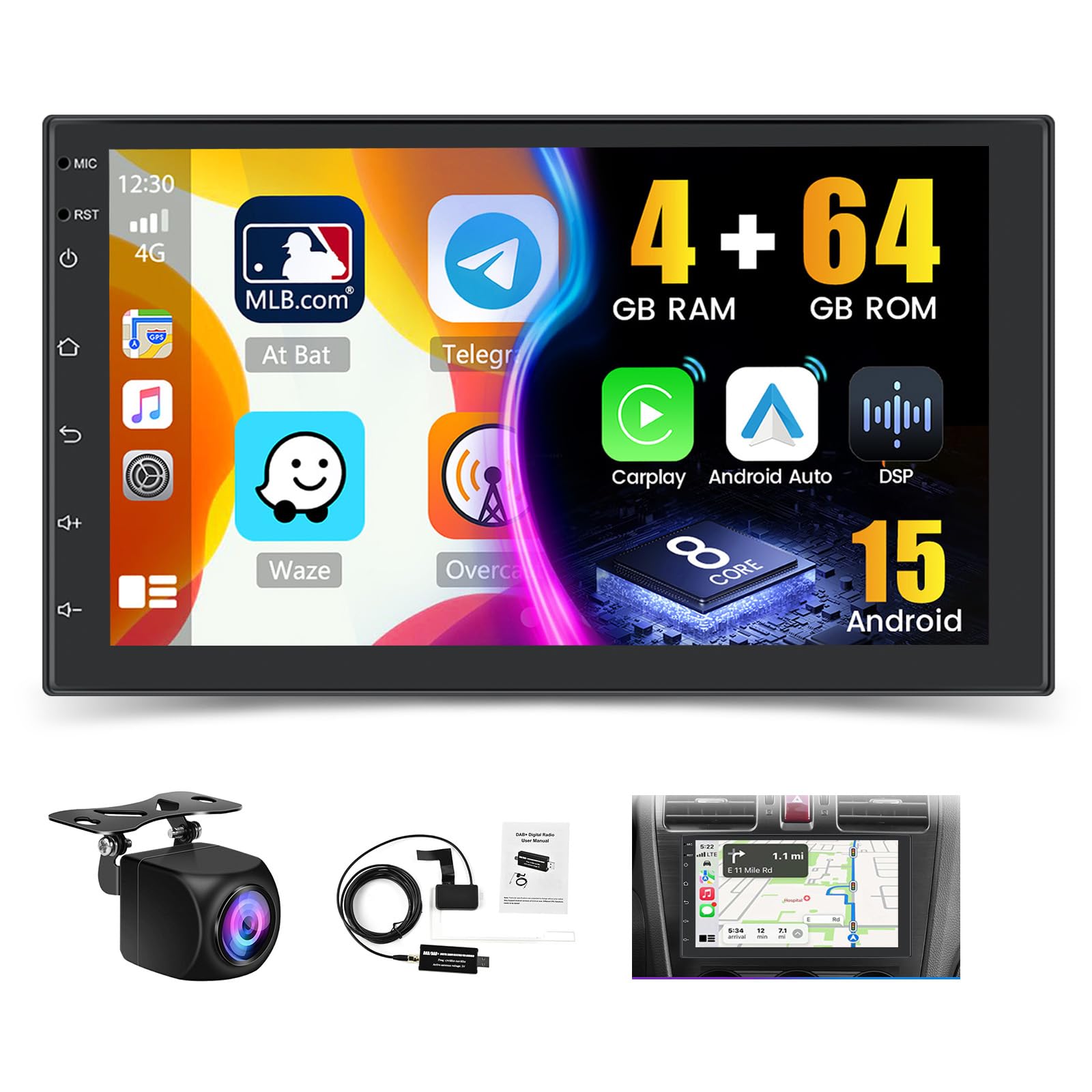
Hình ảnh: Trênview of the Hikity Autoradio's core features including processor, memory, and connectivity options.
Thiết lập và cài đặt
This section provides guidance for the physical installation and initial setup of your Hikity Autoradio. Professional installation is recommended.
Nội dung gói
Trước khi cài đặt, hãy kiểm tra xem tất cả các thành phần đã có đầy đủ chưa:
- Hikity Autoradio Unit
- Cáp điện (nhiều loại)
- Cáp đầu vào máy ảnh
- RCA Cable Bundle
- Ăng-ten GPS
- Cáp USB
- Giá đỡ lắp
- Hướng dẫn sử dụng (tài liệu này)
- Camera sau AHD
- DAB+ Antenna (USB stick type)

Image: Product dimensions and a visual list of all items included in the package.
Kết nối dây điện
Connect the power cables, speaker wires, and accessory cables according to your vehicle's wiring diagram. Ensure proper insulation for all connections.
- Dây cáp điện: Kết nối với nguồn điện của xe (nguồn 12V cố định, nguồn 12V phụ kiện, nối đất).
- Ngõ vào/ra RCA: Đối với bên ngoài ampbộ khuếch đại hoặc màn hình video.
- Tín hiệu đầu vào camera lùi: Connect the included AHD rear camera.
- Cáp USB: Dùng để truyền dữ liệu, sạc pin và kết nối các thiết bị ngoại vi.
- Ăng ten GPS: Lắp đặt ở vị trí thoáng đãng view của bầu trời.
- Ăng-ten vô tuyến: Kết nối ăng-ten FM/AM của xe bạn.
- Ăng-ten DAB+: Connect the provided USB DAB+ receiver and antenna.

Image: DAB/DAB+ USB receiver and antenna for digital radio reception.
Lắp ráp
Use the provided mounting brackets to secure the autoradio in your vehicle's 2 DIN slot. Ensure a snug fit and proper ventilation.

Image: Visual representation of the car stereo before and after installation, showcasing the 7-inch IPS touchscreen.
Hướng dẫn sử dụng
This section details the various functions and features of your Hikity Autoradio.
Hoạt động cơ bản
- Bật/Tắt nguồn: Press the power button or turn your vehicle's ignition key.
- Kiểm soát âm lượng: Use the on-screen controls or steering wheel controls (if configured).
- Màn hình cảm ứng: Điều hướng giao diện bằng cách chạm, vuốt và chụm trên màn hình IPS 7 inch.
CarPlay không dây & Android Auto
Connect your compatible smartphone wirelessly or via USB to access navigation, music, calls, and messages directly on the autoradio screen.
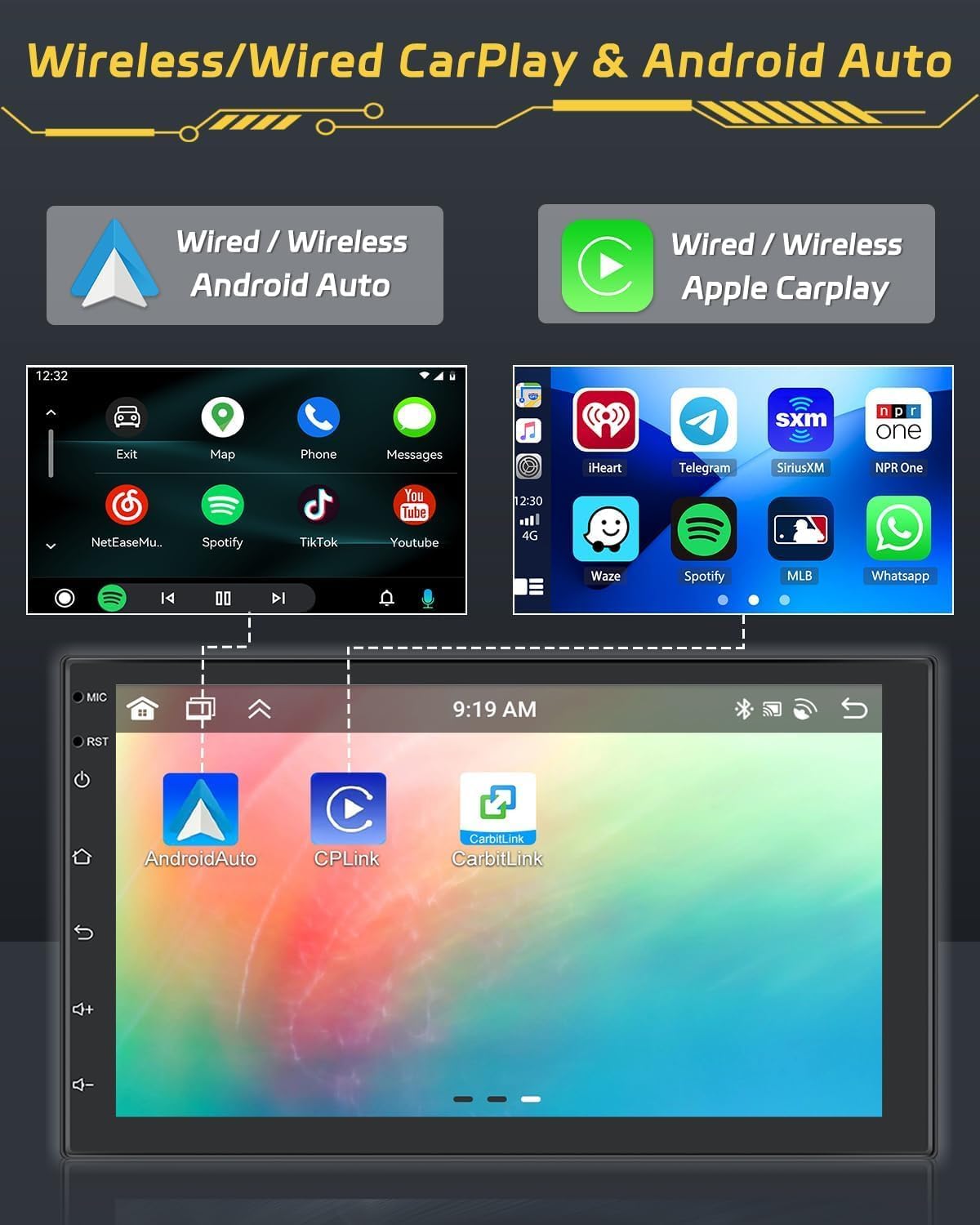
Image: Display of Wireless CarPlay and Android Auto functionality, showing smartphone integration.
Bluetooth 5.1
Pair your smartphone via Bluetooth for hands-free calling and audio streaming. Access your contacts and call history directly from the unit.

Image: Bluetooth 5.0 interface for hands-free calls and audio streaming.
Radio Functions (FM/RDS/DAB)
Tune into your favorite FM, RDS, or DAB+ radio stations. The DAB+ receiver provides access to a wider range of digital radio broadcasts.

Image: FM/RDS radio interface with station presets.
Định vị GPS
Utilize the built-in GPS module for accurate navigation. Download and use your preferred navigation apps from the Android app store.

Image: GPS navigation display showing a map and route details.
36EQ DSP Technology
Fine-tune your audio experience with the integrated 36-band Digital Sound Processor (DSP). Adjust frequency, equalization, and sound field settings to optimize sound quality and reduce distortion.

Image: DSP interface for advanced audio equalization and sound customization.
Chức năng chia ba màn hình
Multitask efficiently by displaying up to three applications simultaneously on the screen. For example, use navigation, music, and a web trình duyệt cùng một lúc.

Image: Demonstration of the three-screen split function, allowing multiple apps to run concurrently.
Điều khiển vô lăng (SWC)
Configure your vehicle's steering wheel buttons to control the autoradio functions. This feature enhances driving safety by keeping your hands on the wheel.

Image: SWC function interface for customizing steering wheel button controls.
Chức năng camera sau
Camera sau AHD đi kèm tự động hiển thị hình ảnh phía sau. view when reversing, aiding in parking and maneuvering. An optional front camera can also be integrated for dual recording.
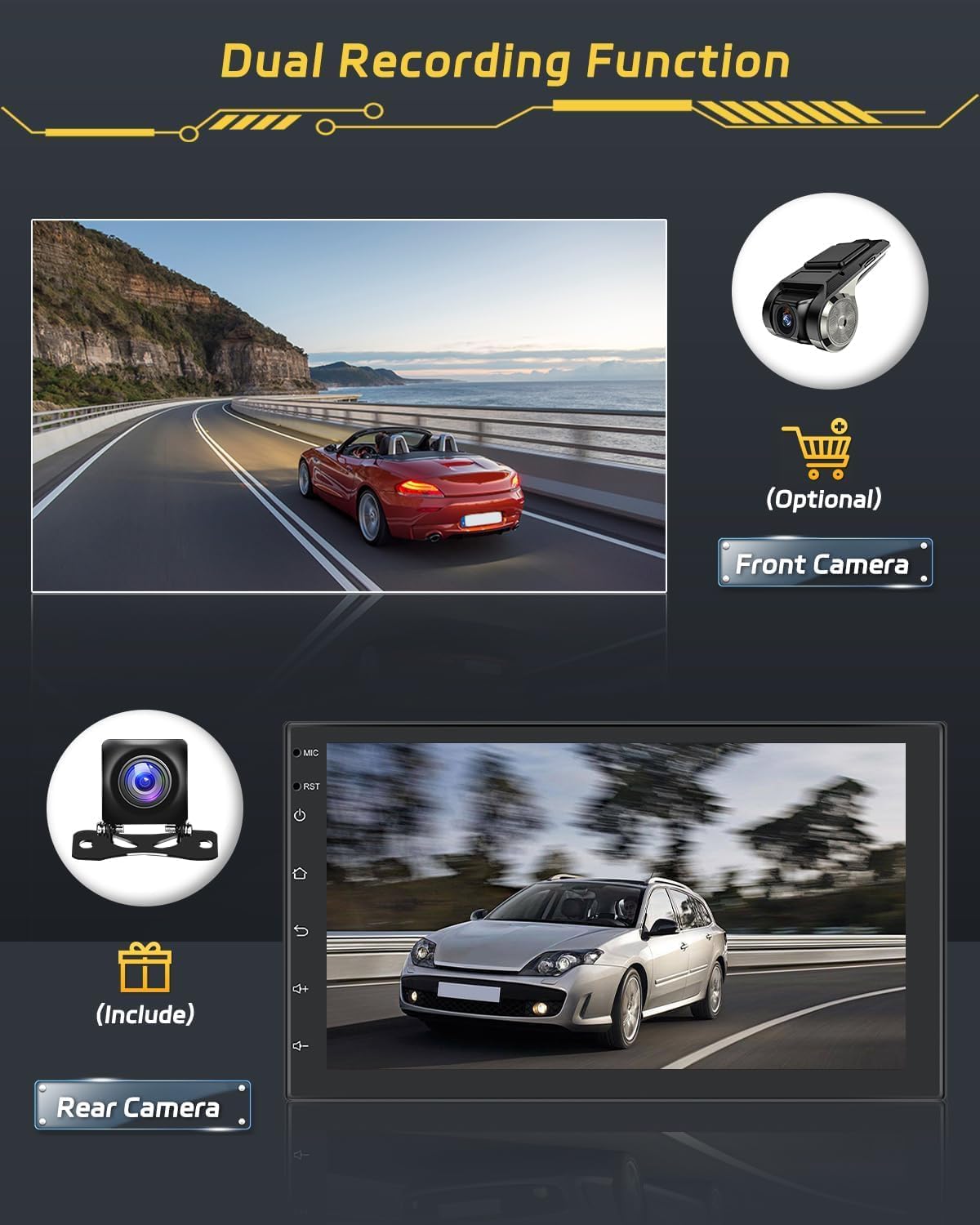
Image: Rear camera display and optional front camera for dual recording.
Liên kết gương
Mirror your smartphone's screen onto the autoradio display. This feature supports both wired and wireless connections. Note: Some phone models, such as Samsung and Huawei, may not be fully supported for Mirror Link functionality.

Image: Mirror Link function demonstrating smartphone screen mirroring.
Kết nối WiFi
Connect the autoradio to a WiFi hotspot to access online features, download apps, and browse the internet.

Image: WiFi connection feature with online content streaming.
BẢO TRÌ
Bảo trì đúng cách đảm bảo tuổi thọ và hiệu suất tối ưu của đài phát thanh ô tô của bạn.
Vệ sinh
Sử dụng khăn mềm, khô để lau màn hình cảm ứng và bên ngoài thiết bị. Đối với những vết bẩn cứng đầu, hãy dùng khăn hơi ẩm.amp cloth with a mild, non-abrasive cleaner can be used. Avoid harsh chemicals or abrasive materials that could damage the screen or finish.
Cập nhật phần mềm
Periodically check for available software updates to ensure your system has the latest features and performance improvements. Updates can typically be performed via WiFi connection or USB.
Xử lý sự cố
This section addresses common issues you might encounter with your Hikity Autoradio.
| Vấn đề | Nguyên nhân có thể | Giải pháp |
|---|---|---|
| Thiết bị không bật nguồn. | Đấu dây sai, cầu chì bị cháy, sự cố về nguồn điện của xe. | Check power connections (constant 12V, accessory 12V, ground). Inspect vehicle fuses. |
| Không có âm thanh hoặc âm thanh bị méo. | Speaker wiring issues, incorrect audio settings, DSP settings. | Verify speaker connections. Check volume levels and DSP equalizer settings. |
| Màn hình cảm ứng không phản hồi. | Lỗi phần mềm, lỗi hệ thống tạm thời. | Perform a soft reset (refer to manual for specific reset button location, usually a small pinhole). If issue persists, contact support. |
| CarPlay/Android Auto thường xuyên bị ngắt kết nối. | Weak WiFi signal, faulty USB cable, phone compatibility. | Ensure strong WiFi signal for wireless connection. Use a high-quality USB cable for wired connection. Check phone compatibility. |
| Poor radio reception (FM/DAB). | Antenna not properly connected, weak signal area, faulty antenna. | Ensure FM and DAB+ antennas are securely connected and properly positioned. Try in a different location. |
| Unit is slow or freezes. | Too many applications running, low memory, software issue. | Close unnecessary applications. Restart the unit. Ensure sufficient storage space. |
Thông số kỹ thuật sản phẩm
| Thương hiệu | Hikity |
| Số hiệu mẫu | Hikity-A3452A4B1DA-3UK |
| Hệ điều hành | Android 15 |
| Bộ xử lý | 8 lõi |
| ĐẬP | 4GB |
| Bộ nhớ trong | 64GB |
| Kích thước màn hình | 7 inch |
| Kiểu hiển thị | IPS Touchscreen with 2.5D Glass |
| Kết nối | Bluetooth 5.1, Wi-Fi, AirPlay, FM, RDS, DAB+ |
| Tính năng đặc biệt | Wireless Android Auto, Wireless Apple CarPlay, Built-in GPS, DSP (36EQ), Split Screen, Rear Camera Input |
| Chế độ đầu ra âm thanh | Âm thanh nổi |
| Surround Sound Config | 4.0 kênh |
| Công suất đầu ra tối đa | 445 Watt |
| Công suất đầu ra RMS | 45 Watt |
| Kích thước sản phẩm | 2.5P x 17.2l x 10.2H cm |
| Màu sắc | Đen |
Thông tin bảo hành
The Hikity Autoradio comes with a Bảo hành 24 tháng kể từ ngày mua. Bảo hành này bao gồm các lỗi sản xuất và trục trặc trong quá trình sử dụng bình thường. Vui lòng giữ lại hóa đơn mua hàng để yêu cầu bảo hành.
Hỗ trợ khách hàng
For any technical assistance, troubleshooting, or warranty inquiries, please contact Hikity customer support. We offer online inquiry support with a response time typically within 24 hours.
Please visit the official Hikity store or contact your retailer for support details.
Cửa hàng trực tuyến: Cửa hàng Hikity trên Amazon