
1. Giới thiệu
Thank you for choosing the Diffuserlove Cloud Humidifier Rain Water Drip Diffuser. This device combines the functions of a humidifier, a rain sound generator, and a multi-color mood lamp to create a relaxing and comfortable environment. Please read this manual thoroughly before use to ensure proper operation and maintenance.
Thông tin an toàn quan trọng
- Do not use with essential oils. This device is designed for water-based humidification and rain effects only.
- Để xa tầm tay trẻ em và vật nuôi.
- Place the humidifier on a stable, flat surface away from direct sunlight or heat sources.
- Hãy đảm bảo dây nguồn không bị hư hỏng và được kết nối đúng cách.
- Không nhúng bộ phận đế vào nước hoặc các chất lỏng khác.
- Rút phích cắm thiết bị trước khi vệ sinh hoặc đổ đầy lại.
2. Nội dung gói hàng
Xác minh rằng tất cả các mục đều có trong gói hàng:
- Diffuserlove Cloud Rain Humidifier Unit
- Remote Control (requires two AAA batteries, not included)
- Type-C Power Cord (plug not included)

Image: The Diffuserlove Cloud Humidifier unit with its remote control.
3. Sản phẩm hếtview
The Diffuserlove Cloud Humidifier features a unique mushroom-shaped design with integrated rain and mist functions, along with customizable lighting.

Image: The humidifier showing its approximate dimensions: 16cm (6.3 inches) wide and 25cm (9.95 inches) tall.
Thành phần:
- Mushroom Top: Houses the light and rain drip mechanism.
- Bể chứa nước: Transparent section for water, capacity 300ml.
- Đơn vị cơ sở: Contains controls, power input, and ultrasonic mist generator.
- Các nút điều khiển: Located on the front of the base unit for light, power, and mist/rain functions.
- Điều khiển từ xa: Để dễ dàng điều chỉnh cài đặt.
4. Thiết lập
- Vị trí: Place the humidifier on a flat, stable surface. Ensure it is not near electronic devices sensitive to moisture.
- Tháo nắp trên: Gently lift the transparent water tank section from the base.
- Đổ đầy bình nước: Fill the water tank with clean tap water up to the MAX line. Do not overfill. Do not add essential oils.

Image: A hand pouring water into the humidifier's base reservoir.
- Lắp ráp lại: Carefully place the transparent water tank back onto the base unit, ensuring it is securely seated.
- Kết nối nguồn: Insert the Type-C power cord into the port on the back of the base unit, then connect the other end to a suitable USB power adapter (not included).

Image: A hand connecting the Type-C power cable to the humidifier's power port.
5. Hoạt động
The humidifier can be operated using the touch buttons on the base unit or the included remote control.
5.1 Bật/Tắt nguồn
- Nút thiết bị: Bấm nút nguồn (U) on the base unit to turn the device on or off.
- Điều khiển từ xa: Press the 'ON' or 'OFF' button on the remote control.
5.2 Rain & Mist Modes
The humidifier offers three combined rain and mist modes:
- Heavy Rain & Mist: Provides a strong rain sound and mist output.
- Light Rain & Mist: Offers a softer rain sound and mist output.
- Mist Only (No Rain): Produces mist without the rain sound effect.
Use the 'Rain' and 'Mist' buttons on the remote control to adjust these settings. The touch button on the device cycles through mist modes.

Image: Visual representation of the three rain and mist modes: Heavy, Light, and No Rain.
5.3 Chức năng chiếu sáng
The mushroom top features a 7-color LED mood light with various display options:
- Chế độ màu cố định: Select a specific color from the remote control (R, G, B, or other color buttons).
- Cycling Color Mode: The light transitions through all 7 colors automatically.
- Chế độ thở nhẹ: The selected or cycling color gently fades in and out.
- Điều chỉnh độ sáng: Use the sun icon buttons on the remote to increase or decrease light brightness.
The light button on the device cycles through light modes. The remote offers more precise control.
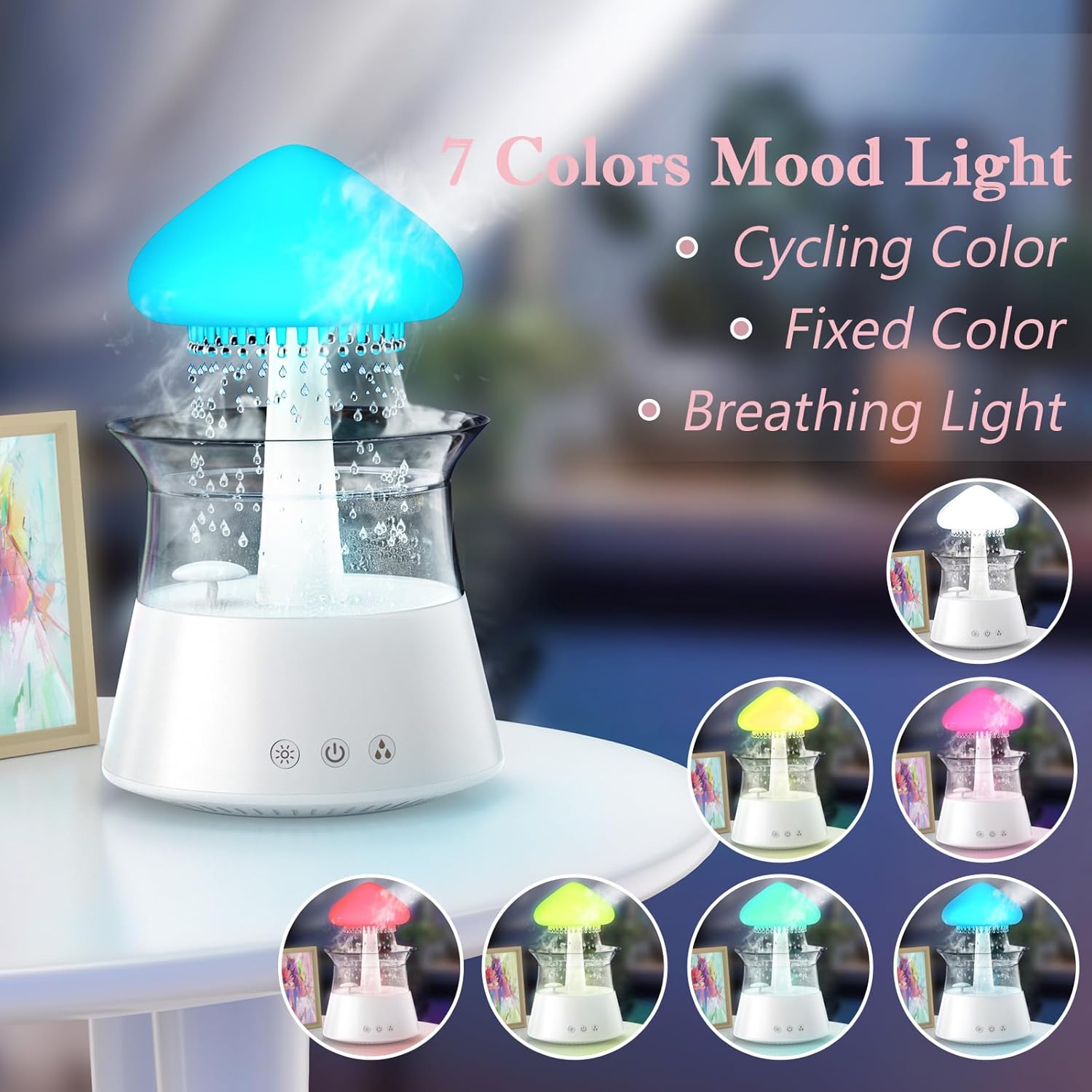
Image: The humidifier showcasing its 7-color mood light feature, including cycling, fixed, and breathing light modes.
5.4 Cài Đặt Hẹn Giờ
Set an automatic shut-off timer using the remote control:
- Press the '4H', '6H', or '8H' buttons on the remote to set the timer for 4, 6, or 8 hours respectively.
- The device will automatically turn off after the selected duration.

Image: A diagram illustrating the remote control with buttons for timer settings (4H, 6H, 8H), light colors, breathing light, rain volume, mist volume, and light brightness.
6. Bảo trì
Vệ sinh thường xuyên đảm bảo hiệu suất tối ưu và kéo dài tuổi thọ của máy tạo độ ẩm.
6.1 Bảo trì hàng ngày
- Thay nước: Change the water in the tank daily to prevent bacterial growth.
- Lau sạch: Wipe the inside of the water tank and the mushroom top with a clean, damp vải.
6.2 Vệ sinh hàng tuần
- Rút phích cắm: Luôn rút phích cắm của máy tạo độ ẩm trước khi vệ sinh.
- Tháo rời: Carefully remove the mushroom top and the transparent water tank.
- Bồn nước sạch: Wash the water tank with mild soap and water. Rinse thoroughly to remove all soap residue.
- Vệ sinh đế máy: Use a soft brush or cotton swab to gently clean the ultrasonic mist generator and any small openings in the base unit. Do not use abrasive cleaners.
- Tẩy cặn: If mineral deposits accumulate, fill the tank with a mixture of equal parts white vinegar and water. Let it sit for 30 minutes, then rinse thoroughly.
- Khô: Để tất cả các bộ phận khô hoàn toàn trong không khí trước khi lắp ráp lại.

Image: Hands gently lifting the transparent water tank from the humidifier's base, indicating how to access for cleaning or refilling.
KHAI THÁC. Xử lý sự cố
If you encounter issues with your Diffuserlove Cloud Humidifier, refer to the following common problems and solutions:
| Vấn đề | Nguyên nhân có thể | Giải pháp |
|---|---|---|
| Không có sương mù hoặc sương mù yếu | Mực nước thấp Mineral buildup on mist generator Lỗ thông hơi bị chặn | Đổ đầy bình nước Clean the mist generator as per maintenance instructions Ensure air vents are clear |
| No rain sound or weak rain sound | Mực nước thấp Rain drip holes blocked Rain function not activated | Đổ đầy bình nước Clean rain drip holes (a small wire may be needed, not included) Activate rain function via remote or device button |
| Đèn không hoạt động | Tắt chức năng đèn Thiết bị không được cấp nguồn | Turn on light function via remote or device button Ensure device is plugged in and powered on |
| Điều khiển từ xa không phản hồi | Pin chết Obstruction between remote and device | Thay pin AAA trong điều khiển từ xa Ensure clear line of sight to the device's sensor |
| Rò rỉ nước | Bình chứa nước đặt không đúng vị trí Bể chứa nước quá đầy Damage to unit | Re-seat the water tank correctly Không đổ quá vạch MAX Contact customer support if unit is damaged |
8. Thông số kỹ thuật
Technical details for the Diffuserlove Cloud Humidifier (Model CH06):
- Tên mẫu: CH06
- Thương hiệu: Diffuserlove
- Kích thước sản phẩm: 6.3"D x 6.3"W x 9.95"H (160 x 160 x 251 mm)
- Sức chứa nước: 300ml
- Nguồn điện: Type-C electric, 5V 2A
- Cái gì?tage: 10 watt
- Tậptage: 2.3E+2 Volts (Note: This value seems unusually high for a 5V USB device. Please refer to the product label for accurate voltage yêu cầu.)
- Chế độ hoạt động: Manual (via device buttons) / Remote Control
- Tính năng đặc biệt: Auto Shut Off, Night Light, Rain Sounds, Remote Control
- Ánh sáng: 7 colors LED night light
- Tần số siêu âm: 2.4MHz
- Rain Sounds: White noise 30-50dB
- Vật liệu: Nhựa ABS+PP
- Trọng lượng sản phẩm: 1.87 pound
- UPC: 663992505702

Image: The back of the product packaging displaying detailed product parameters and specifications.
9. Bảo hành và Hỗ trợ
The Diffuserlove Cloud Humidifier (Model CH06) comes with a Bảo hành 12 tháng kể từ ngày mua. Bảo hành này bao gồm các lỗi sản xuất trong điều kiện sử dụng bình thường.
For warranty claims, technical support, or any questions regarding your product, please contact Diffuserlove customer service through the retailer where the product was purchased or refer to the contact information provided on the product packaging.