
1. Giới thiệu
Thank you for choosing the Rettru XDWIFI Pro Wireless WiFi Camera. This compact camera is designed for versatile security monitoring, offering HD 1080P video recording, night vision, and motion detection capabilities. It is suitable for various applications including home security, baby monitoring, and pet monitoring. This manual provides detailed instructions for setting up, operating, and maintaining your camera to ensure optimal performance.
2. Nội dung gói hàng
Vui lòng xác minh rằng tất cả các mục được liệt kê dưới đây đều có trong gói hàng của bạn:
- 1 x Rettru XDWIFI Pro Camera
- 1 x đế từ
- 1 x Micro SD Card Reader
- 1 x Hướng dẫn sử dụng
- 1 x Cáp nguồn

Image: The package contents include the camera, magnetic base, Micro SD card reader, user manual, and power cable.
3. Tính năng sản phẩm
- Thiết kế nhỏ gọn: The camera features a small form factor, measuring approximately 1.57 x 1.18 x 0.5 inches, making it easy to conceal and place discreetly.
- HD 1080P Video: Records clear video at 1080p resolution.
- Nâng cao tầm nhìn ban đêm: Equipped with two 940nm infrared lights, providing up to 26ft night vision range without visible glow.
- Phát hiện chuyển động: Intelligent motion detection with customizable monitoring areas and times. Sends alarm notifications with images to your phone upon detection.
- Chế độ nguồn kép: Features a built-in lithium battery for approximately 1.5 hours of continuous operation, and can be connected to a USB power source for extended use.
- Ghi vòng lặp: Tự động ghi đè lên bản cũ hơn fileKhi thẻ nhớ đầy, nó sẽ tự động ghi hình liên tục.
- Xa Viewtrong: Access live video feed from anywhere via the companion mobile application (V380 Pro).
- Gắn từ tính: Includes a magnetic base for flexible installation on various surfaces.

Image: The camera's compact dimensions are illustrated, emphasizing its small size.

Image: The camera's small size allows for discreet placement, such as within a plant pot.

Image: The camera can be mounted on a desk, bookshelf, or wall using its 360-degree rotating stand.
4. Hướng dẫn cài đặt
4.1 Sạc máy ảnh
Before first use, fully charge the camera. Connect the camera to a USB power source (e.g., wall charger, power bank, computer USB port) using the provided USB cable. The charging indicator light will show the charging status.

Image: The camera supports dual power modes, allowing it to be powered by its built-in battery or an external USB source like a power bank or wall charger.
4.2 Lắp thẻ Micro SD (Tùy chọn)
For local video storage, insert a Micro SD card (up to 128GB, purchased separately) into the camera's SD card slot. Ensure the card is inserted correctly with the contacts facing the camera's interior. The camera supports loop recording, overwriting older filekhi thẻ đầy.

Image: Illustration of Micro SD card insertion and the corresponding recording durations for various card capacities.
4.3 Tải xuống và cài đặt ứng dụng
The Rettru XDWIFI Pro camera uses the V380 chuyên nghiệp application for remote viewing and control. Download the app from your device's app store (iOS App Store or Google Play Store).
- Tìm kiếm "V380 Pro" in your app store.
- Tải xuống và cài đặt ứng dụng.
- Đăng ký tài khoản hoặc đăng nhập nếu bạn đã có tài khoản.

Image: Visual steps for downloading the V380 Pro app, connecting the device, and establishing a WiFi connection.
4.4 Connecting the Camera to WiFi
Follow these steps to connect your camera to your home WiFi network:
- Bật máy ảnh.
- Open the V380 Pro app on your smartphone.
- Nhấn vào biểu tượng "+" để thêm thiết bị mới.
- Select the appropriate connection method (e.g., "Add device by WiFi Smart Config" or "Add device by AP Hotspot").
- Follow the on-screen instructions to connect the camera to your 2.4GHz WiFi network. Note: This camera only supports 2.4GHz WiFi networks. It is not compatible with 5GHz networks.
- Once connected, you can name your device and begin viewđang theo dõi luồng phát trực tiếp.
5. Hướng dẫn vận hành
5.1 Trực tiếp Viewđang
After successful setup, open the V380 Pro app and select your camera from the device list to access the live video feed. You can view the feed remotely from anywhere with an internet connection.
5.2 Phát hiện chuyển động
The camera features intelligent motion detection. When motion is detected, the camera will send an alarm notification with images to your phone. You can customize motion detection settings within the V380 Pro app:
- Độ nhạy: Điều chỉnh độ nhạy phát hiện chuyển động.
- Khu vực phát hiện: Xác định các khu vực cụ thể bên trong camera. view để phát hiện chuyển động.
- Lịch trình: Set specific times for motion detection to be active.
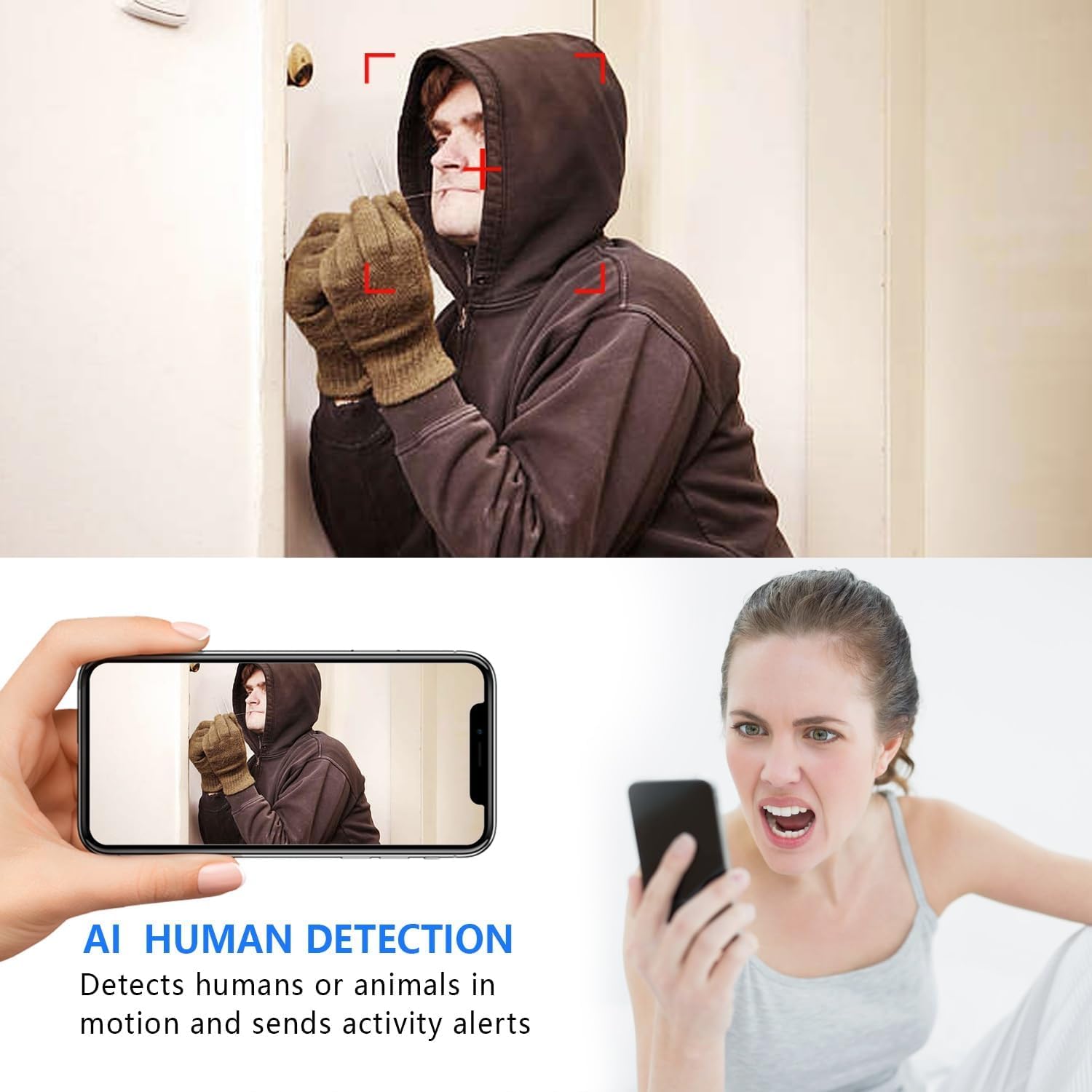
Image: The AI Human Detection feature identifies human movement and sends alerts to your mobile device.
5.3 Tầm nhìn ban đêm
The camera automatically switches to night vision mode in low-light conditions. The infrared lights are non-glowing, ensuring discreet monitoring in complete darkness up to 26 feet.

Image: Comparison of day and night vision, demonstrating the camera's ability to provide clear images in darkness.
5.4 Ghi và Lưu trữ
The camera supports two primary recording methods:
- Ghi hình vào thẻ Micro SD: If an SD card is inserted, the camera will record video directly to it. Loop recording ensures continuous operation by overwriting the oldest footage.
- Lưu trữ đám mây: The V380 Pro app may offer optional cloud storage services for your recordings. Refer to the app for details on subscription plans and features.
6. Bảo trì
- Vệ sinh: Hãy dùng khăn mềm, khô để lau ống kính và thân máy ảnh. Tránh sử dụng chất tẩy rửa dạng lỏng hoặc vật liệu có tính mài mòn.
- Chăm sóc pin: For optimal battery life, avoid extreme temperatures. Recharge the camera regularly, especially if it will be stored for an extended period.
- Cập nhật chương trình cơ sở: Periodically check the V380 Pro app for any available firmware updates for your camera. Keeping the firmware updated ensures the best performance and security.
KHAI THÁC. Xử lý sự cố
| Vấn đề | Nguyên nhân có thể | Giải pháp |
|---|---|---|
| Camera fails to connect to WiFi. | Incorrect WiFi password; Camera too far from router; Router is 5GHz only; Network interference. |
|
| Không có nguồn cấp video trực tiếp. | Camera is offline; Poor internet connection; App issue. |
|
| Không nhận được cảnh báo phát hiện chuyển động. | App notifications disabled; Motion detection settings incorrect; Camera offline. |
|
| Tuổi thọ pin ngắn. | Continuous recording; Frequent motion detection; Low ambient temperature. |
|
8. Thông số kỹ thuật
| Tính năng | Chi tiết |
|---|---|
| Số hiệu mẫu | USA-Heima-XDWIFI New-JIAN-00005 |
| Độ phân giải quay video | 1080p |
| Viewgóc ing | 160 Độ |
| Tầm nhìn ban đêm | Lên đến 26 feet |
| Giao thức kết nối | Wi-Fi (chỉ 2.4 GHz) |
| Thiết bị tương thích | iOS/Android Phone |
| Nguồn điện | Chạy bằng pin (bao gồm 1 pin Lithium Ion) |
| Tuổi thọ pin | Approx. 1.5 hours (continuous operation) |
| Kho | Thẻ nhớ Micro SD (tối đa 128GB, không kèm theo), Lưu trữ đám mây (tùy chọn) |
| Kích thước sản phẩm (L x W x H) | 1.7 x 1.3 x 0.4 inch |
| Trọng lượng sản phẩm | 0.64 ounce (18.14 g) |
| Operating App | V380 chuyên nghiệp |
| Loại cài đặt | Wall-Mounted & Surface-Mounted (with magnetic base) |
| Bảo vệ quốc tế Rating | IP65 |
9. Bảo hành và Hỗ trợ
For warranty information and technical support, please refer to the contact details provided with your purchase or visit the official Rettru webNếu bạn gặp bất kỳ vấn đề nào không được đề cập trong hướng dẫn này, vui lòng liên hệ với bộ phận chăm sóc khách hàng để được hỗ trợ.