
1. Giới thiệu
Thank you for choosing Lightinginside Smart LED Bulbs. These bulbs offer advanced lighting control, including voice commands, color changing capabilities, and smart automation, all without requiring a separate hub. This manual provides essential information for installation, operation, and maintenance to ensure optimal performance and safety.

Image: Six Lightinginside Smart LED Bulbs, highlighting their smart features and compatibility.
2. Có gì trong hộp
- 6* Smart Bulbs
- Hướng dẫn sử dụng
3. Hướng dẫn thiết lập
3.1 Cài đặt
- Hãy đảm bảo đã tắt nguồn điện của đèn trước khi lắp đặt.
- Carefully screw the Lightinginside Smart LED Bulb into a standard E26 socket.
- Turn on the power to the light fixture. The bulb will begin to blink, indicating it is in pairing mode.
3.2 Tải xuống ứng dụng và ghép nối
The Lightinginside Smart LED Bulbs use the free Smart Life app for control. A 2.4GHz Wi-Fi network and Bluetooth are required for initial pairing.
- Download the "Smart Life - Smart Living" app from your device's app store (iOS or Android).
- Open the Smart Life app and tap the '+' icon to add a device.
- The app will automatically detect the blinking bulb. Follow the on-screen prompts to connect the bulb to your 2.4GHz Wi-Fi network.
- Once successfully paired, the bulb will stop blinking and remain steadily lit.

Image: Step-by-step guide for setting up the smart bulbs using the Smart Life app and integrating with voice assistants.
3.3 Tích hợp Trợ lý giọng nói
After pairing with the Smart Life app, you can link your bulbs to Alexa or Google Assistant for voice control.
- In the Smart Life app, navigate to the bulb's settings and select the option to integrate with Alexa or Google Assistant.
- Follow the instructions within the Smart Life app to link your account with your chosen voice assistant.
- Once linked, you can use voice commands to control your bulbs.
Video: A user demonstrates the initial setup process, emphasizing the importance of having lights in the ON position for pairing.
4. Hướng dẫn vận hành
4.1 Điều khiển bằng giọng nói
Use simple voice commands with Alexa or Google Assistant to control your lights hands-free.
- "Alexa, bật đèn bếp lên."
- "Hey Google, dim bedroom light to 50%."
- "Alexa, change living room light to blue."

Image: Voice control demonstration with Alexa and Google Assistant.
4.2 Kiểm soát ứng dụng
The Smart Life app provides comprehensive control over your bulbs.
- Thay đổi màu sắc: Choose from over 16 million RGB colors.
- Trắng có thể điều chỉnh: Adjust white light from 2700K (warm) to 6500K (cool).
- Làm mờ: Điều chỉnh độ sáng từ 1% đến 100%.
- Cảnh: Select from default scenes or create custom scenes for various moods and occasions.
- Đồng bộ nhạc: Sync your lights to the beat of your music (Smart Life App only).
- Kiểm soát nhóm: Control multiple bulbs simultaneously by grouping them in the app.
- Scheduling & Automation: Set schedules, timers, and biorhythm functions for automated lighting.
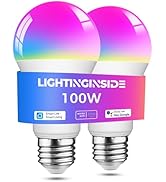
Image: Smart Life app interface showing 16 million color options.
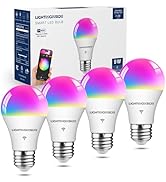
Image: Smart Life app interface showing tunable white light options (2700K-6500K).

Image: Dimmable feature of the smart bulbs, adjustable from 1% to 100% brightness.

Image: Group control functionality, allowing multiple bulbs to be managed together.
Image: Music Sync feature, where lights change to the beat of music.
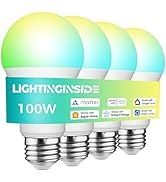
Image: Schedule and Automation features for setting timed light operations.
Video: Một kết thúcview of Lightinginside WiFi Smart Light Bulbs, showcasing various features and applications.
5. Tính năng
- Điều khiển bằng giọng nói: Tương thích với Alexa và Google Assistant để vận hành rảnh tay.
- Faster Setup: Upgraded 2nd-generation Bluetooth + Wi-Fi dual-channel chip for quicker and more reliable pairing.
- Cấu hình linh hoạt: Connect locally via Bluetooth or Wi-Fi, with remote control via Wi-Fi. Bulbs intelligently switch between connection types.
- Always Connected: Local control via Bluetooth is available even if Wi-Fi is temporarily unavailable.
- Chiếu sáng tự động: Utilize schedules, timers, plans, and biorhythm functions within the Smart Life App.
- Tunable White & RGB: Access over 16 million RGB colors and tunable white light from 2700K to 6500K, including default and custom scenes.
- Không cần Hub: Direct connection to a 2.4 GHz WiFi network via the Smart Life App.
- Tiết kiệm năng lượng: 9W LED (60W equivalent) design with dimming functions contributes to reduced energy consumption.

Image: Highlighting the 'No Hub Required' feature for easy setup.

Image: Illustrating the upgraded Wi-Fi & Bluetooth combo chips for flexible and seamless connectivity.
6. Thông số kỹ thuật
| Thuộc tính | Giá trị |
|---|---|
| Thương hiệu | Lightinginside |
| Tên mẫu | A19 (LYS-018) |
| Loại ánh sáng | DẪN ĐẾN |
| Cái gì?tage | 9 Watt |
| Tương đương sợi đốt | 60 Watt |
| Độ sáng | 800 Lumen |
| Kích thước hình dạng bóng đèn | A19 |
| Đế bóng đèn | E26 |
| Màu sáng | Nhiều màu (RGBCW) |
| Nhiệt độ màu | 2700-6500 độ Kelvin |
| Chỉ số hoàn màu (CRI) | 90 |
| Tậptage | 120 Vôn (AC) |
| Đã chấp nhận Voltage Tần số | 100 đến 120 Volt và 60 Hertz |
| Phương pháp kiểm soát | Ứng dụng, Giọng nói |
| Kết nối | Wi-Fi 2.4GHz, Bluetooth |
| Tuổi thọ trung bình | 25000 giờ |
| Sử dụng trong nhà/ngoài trời | Trong nhà |
| Chứng nhận | ETL, FCC, RoHS |
| Kích thước sản phẩm | Rộng 2.36" x Cao 4.17" |
| Trọng lượng sản phẩm | 10.2 ounce (cho gói 6 cái) |
KHAI THÁC. Xử lý sự cố
7.1 Bulb is Blinking During Setup
This is normal. The blinking indicates the bulb is in pairing mode and ready to be connected to the Smart Life app. If it stops blinking unexpectedly, power cycle the bulb (turn off and on quickly 3-5 times) to re-enter pairing mode.
7.2 Các vấn đề về kết nối
- Ensure your Wi-Fi network is 2.4GHz. These bulbs do not support 5GHz networks.
- Verify your Bluetooth is enabled on your smartphone during the initial pairing process.
- If Wi-Fi goes down, local control via Bluetooth should still be available.
- If the bulb loses connection, try power cycling it (turn off and on quickly 3-5 times) to reset and re-establish connection.
7.3 Unexpected On/Off or Color Changes
- Check your Smart Life app for any active schedules, timers, or automation rules that might be causing the behavior.
- Review settings in linked voice assistant apps (Alexa, Google Home) for conflicting routines.
- Ensure the bulb is not connected to a dimmer switch, as this can cause flickering or unpredictable behavior.
8. Bảo trì
- Vệ sinh: Hãy đảm bảo bóng đèn đã tắt và nguội trước khi vệ sinh. Lau bằng khăn mềm, khô. Không sử dụng chất tẩy rửa dạng lỏng.
- Kho: Bảo quản bóng đèn ở nơi khô ráo, thoáng mát khi không sử dụng.
- Xử lý: Handle bulbs with care to avoid damage.
9. Thông tin an toàn
- Chỉ sử dụng trong nhà.
- Do not use with standard dimmer switches, as this may cause flickering, buzzing, or damage to the bulb. Control dimming via the Smart Life app or voice assistant.
- Hãy đảm bảo đã tắt nguồn điện trước khi lắp đặt hoặc tháo bóng đèn.
- Không tháo rời bóng đèn.
- Để xa tầm tay trẻ em.
10. Bảo hành & Hỗ trợ
Lightinginside products come with a Bảo hành 2 năm. For technical support or warranty claims, please contact Lightinginside customer service.
Dịch vụ khách hàng: 877-522-8599 (Weekdays 8am-5pm PDT)
Lightinginside focuses on designing and offering smart lighting devices and accessories to help customers enjoy a smarter life.