
Giới thiệu
Thank you for choosing the HOCO W40 Bluetooth Headphones. These wireless headphones are designed to provide a high-quality audio experience with deep bass, clear calls, and comfortable wear. This manual will guide you through the setup, operation, and maintenance of your new headphones.
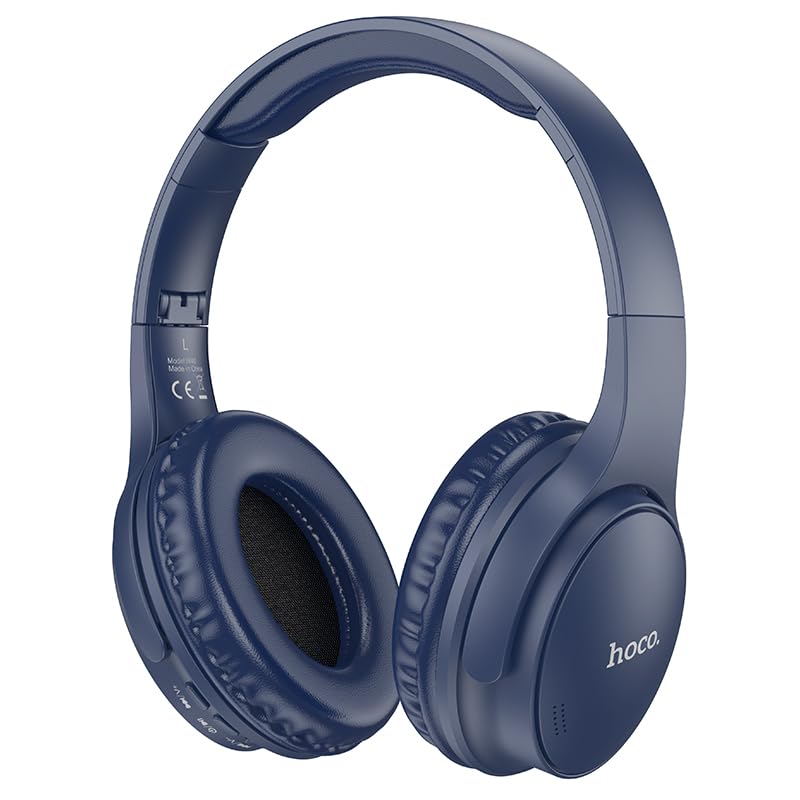
Image: HOCO W40 Bluetooth Headphones in a folded position, showcasing the earcups and headband. The headphones are blue.
Có gì trong hộp
Vui lòng kiểm tra nội dung gói hàng của bạn để đảm bảo có đầy đủ các mục sau:
- HOCO W40 Bluetooth Headphones
- Đệm tai
- Headband (integrated with headphones)
The package includes the HOCO W40 Bluetooth Headphones, along with ear cushions and the integrated headband for comfortable use.
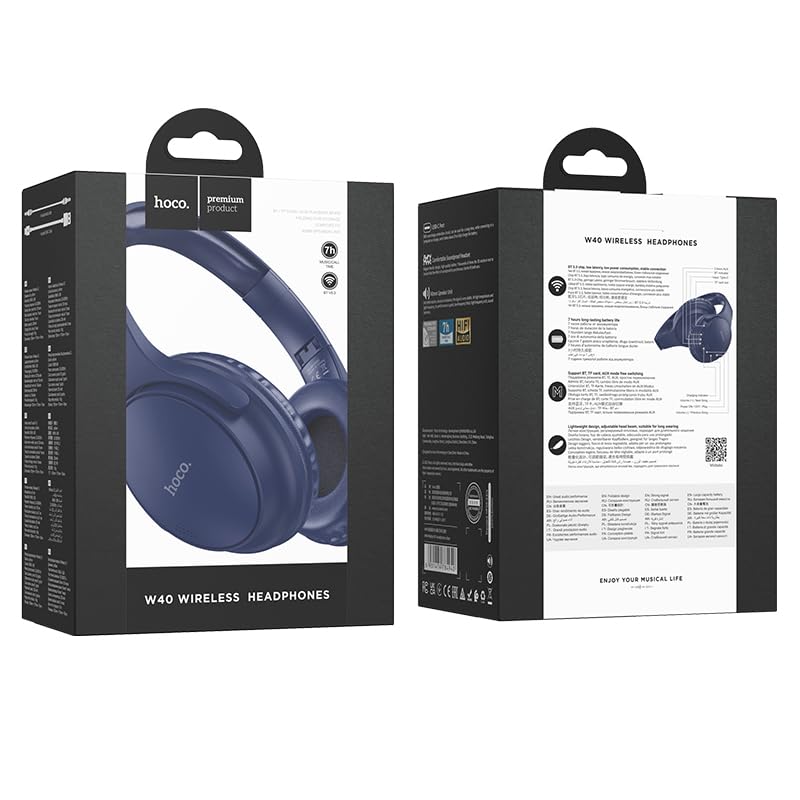
Image: Retail packaging for the HOCO W40 Wireless Headphones, showing the product image and some features on the box.
Sản phẩm trênview
Familiarize yourself with the various parts and controls of your HOCO W40 headphones.
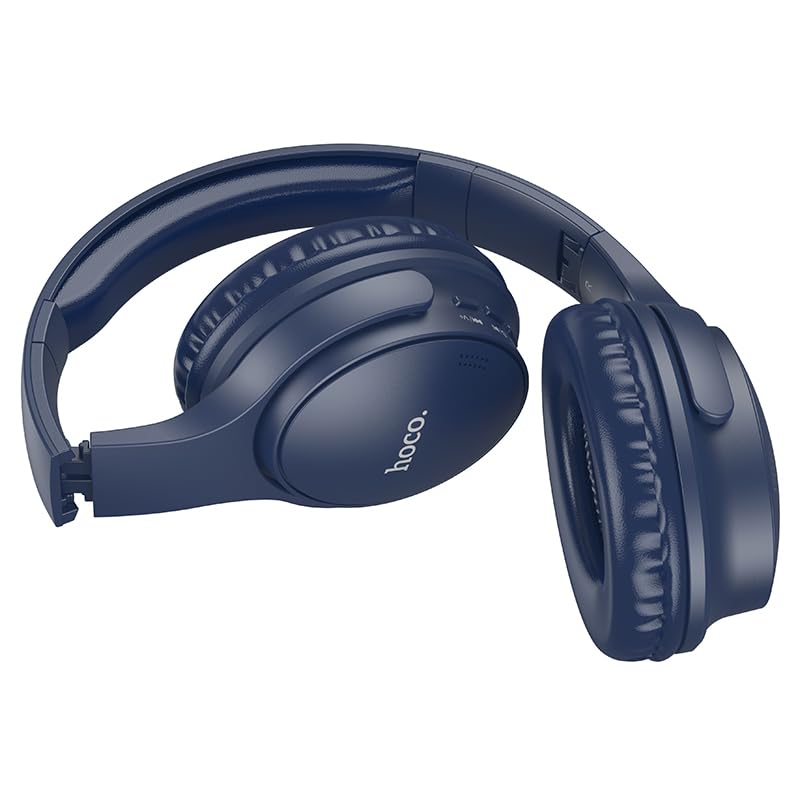
Hình ảnh: Bên view of the HOCO W40 Bluetooth Headphones, highlighting the earcup and headband design. The controls are visible on the right earcup.
Kiểm soát và chỉ báo:
- Nút nguồn: Used to power the headphones on/off and initiate pairing.
- Kiểm soát âm lượng: Adjusts the listening volume using touch controls.
- Nút đa chức năng (MFB): For play/pause, answer/end calls.
- Micrô: Tích hợp sẵn chức năng gọi điện rảnh tay.
- Cổng sạc: Để kết nối cáp sạc.
- Đèn báo LED: Hiển thị trạng thái nguồn, chế độ ghép nối và trạng thái sạc.
The headphones feature touch controls for volume adjustment and other functions, along with a built-in microphone for clear communication.
Cài đặt
1. Sạc tai nghe
Before first use, fully charge your headphones. A full charge takes approximately 1 giờ.
- Connect the charging cable (not included in the JSON's 'whats_in_the_box' but typically provided) to the charging port on the headphones.
- Kết nối đầu kia của cáp với nguồn điện USB (ví dụ: máy tính, bộ đổi nguồn trên tường).
- The LED indicator will show the charging status (e.g., red while charging, blue/off when fully charged).
Once fully charged, the headphones provide up to 12 giờ of continuous playtime.
2. Ghép nối với thiết bị Bluetooth
The HOCO W40 headphones use Bluetooth 5.3 for stable and seamless connectivity. They are compatible with smartphones, tablets, laptops, and other Bluetooth-enabled devices (iOS, Android).
- Đảm bảo đã tắt tai nghe.
- Press and hold the Power Button until the LED indicator flashes rapidly (usually blue and red alternately), indicating pairing mode.
- Trên thiết bị của bạn, hãy bật Bluetooth và tìm kiếm các thiết bị khả dụng.
- Select "HOCO W40" from the list of found devices.
- Once paired, the LED indicator will stop flashing and may turn solid blue or off, depending on the model.
- The headphones have a wireless range of up to 10 mét.
If pairing is unsuccessful, turn off both devices, wait a few seconds, and repeat the steps.
Hướng dẫn sử dụng
Bật/Tắt nguồn
- Bật nguồn: Nhấn và giữ nút nguồn khoảng 3 giây cho đến khi đèn LED báo hiệu sáng lên.
- Tắt nguồn: Nhấn và giữ nút nguồn khoảng 5 giây cho đến khi đèn LED tắt.
Kiểm soát âm nhạc
- Phát/Tạm dừng: Nhấn nhanh nút đa chức năng (MFB).
- Tăng âm lượng: Tap the designated touch control area for volume up.
- Giảm âm lượng: Tap the designated touch control area for volume down.
- Bài hát tiếp theo: Double-tap the MFB or use the designated touch control.
- Bản nhạc trước: Triple-tap the MFB or use the designated touch control.
Note: Specific touch control gestures may vary slightly. Refer to the quick start guide included with your product for precise details.
Kiểm soát cuộc gọi
- Trả lời/Kết thúc cuộc gọi: Nhấn nhanh nút đa chức năng (MFB).
- Từ chối cuộc gọi: Nhấn và giữ MFB trong 2 giây.
- Gọi lại số cuối cùng: Nhấn đúp nút MFB khi không đang thực hiện cuộc gọi.
BẢO TRÌ
Proper care will extend the life of your HOCO W40 headphones.
- Vệ sinh: Dùng vải mềm, khô để vệ sinh tai nghe. Không sử dụng chất tẩy rửa có tính ăn mòn hoặc dung môi.
- Kho: Bảo quản tai nghe ở nơi khô ráo, thoáng mát, tránh ánh nắng trực tiếp và nhiệt độ cao.
- Khả năng chống nước: The headphones are water resistant, making them suitable for workouts and outdoor activities. However, they are not designed for submersion in water. Avoid prolonged exposure to heavy rain or direct water jets.
- Chăm sóc pin: Để kéo dài tuổi thọ pin, hãy sạc tai nghe thường xuyên, ngay cả khi không sử dụng thường xuyên. Tránh để pin cạn kiệt hoàn toàn trong thời gian dài.
Xử lý sự cố
| Vấn đề | Giải pháp khả thi |
|---|---|
| Tai nghe không bật được. | Ensure the headphones are charged. Connect them to a power source and try again after a few minutes. |
| Không thể ghép nối với thiết bị. |
|
| Không có âm thanh hoặc âm lượng thấp. |
|
| Chất lượng cuộc gọi kém. |
|
Thông số kỹ thuật
| Người mẫu | W40 |
| Thương hiệu | HOCO |
| Công nghệ kết nối | Không dây (Bluetooth 5.3) |
| Phạm vi Bluetooth | 10 mét |
| Tuổi thọ pin | Lên đến 12 giờ |
| Thời gian sạc | Khoảng 1 giờ |
| Loại trình điều khiển âm thanh | Trình điều khiển động |
| Kiểm soát tiếng ồn | Cách âm |
| Mức độ chống nước | Chống nước |
| Loại điều khiển | Điều khiển âm lượng (Cảm ứng) |
| Micrô tích hợp | Yes, for Hands-Free Calls |
| Thiết bị tương thích | Smartphones, Tablets, Laptops (Universal Compatibility) |
| Vật liệu | Nhựa |
| Trọng lượng sản phẩm | 180 gam |
Video sản phẩm chính thức
Xem video sản phẩm chính thức để có hình ảnh trực quan hơnview of the HOCO W40 Bluetooth Headphones and their key features.
Video: Sản phẩm chính thức đã ra mắtview of the HOCO W40 Bluetooth Headphones, demonstrating its features, battery life, design, and device compatibility.
Bảo hành và Hỗ trợ
For warranty information and customer support, please refer to the documentation included with your purchase or visit the official HOCO webtrang web. Giữ lại bằng chứng mua hàng để yêu cầu bảo hành.
Để được hỗ trợ thêm, bạn cũng có thể liên hệ với nhà bán lẻ nơi bạn mua sản phẩm.