
1. Giới thiệu
Thank you for choosing the SILENTWARE Air 1000 Black ATX Midi Tower PC Case. This manual provides essential information for the proper installation, operation, and maintenance of your new PC case. Please read this manual thoroughly before beginning the assembly process to ensure a smooth and successful build.
2. Thông tin an toàn
- Always disconnect the power supply from the wall outlet before installing or removing any components inside the PC case.
- Hãy cẩn thận khi thao tác với các linh kiện để tránh hư hỏng do phóng điện tĩnh (ESD). Nên sử dụng dây đeo cổ tay chống tĩnh điện.
- Hãy cẩn thận với các cạnh sắc nhọn bên trong hộp đựng.
- Không được tự ý sửa đổi vỏ máy hoặc các bộ phận bên trong, vì điều này có thể làm mất hiệu lực bảo hành và gây ra rủi ro về an toàn.
- Tránh để hộp đựng tiếp xúc với nước, hơi ẩm và nhiệt độ quá cao hoặc quá thấp.
3. Nội dung gói hàng
Vui lòng kiểm tra xem có đầy đủ các mục trong gói hàng của bạn không:
- SILENTWARE Air 1000 Black ATX Midi Tower PC Case
- Pre-installed 4x 120mm ARGB Fans
- Hộp phụ kiện (ốc vít, dây buộc cáp, trụ đỡ, v.v.)
- Hướng dẫn sử dụng (tài liệu này)
4. Sản phẩm hếtview
The SILENTWARE Air 1000 is an ATX Midi Tower PC case designed for optimal airflow and component compatibility. It features a mesh front panel for maximum ventilation and a tempered glass side panel to showcase your build.


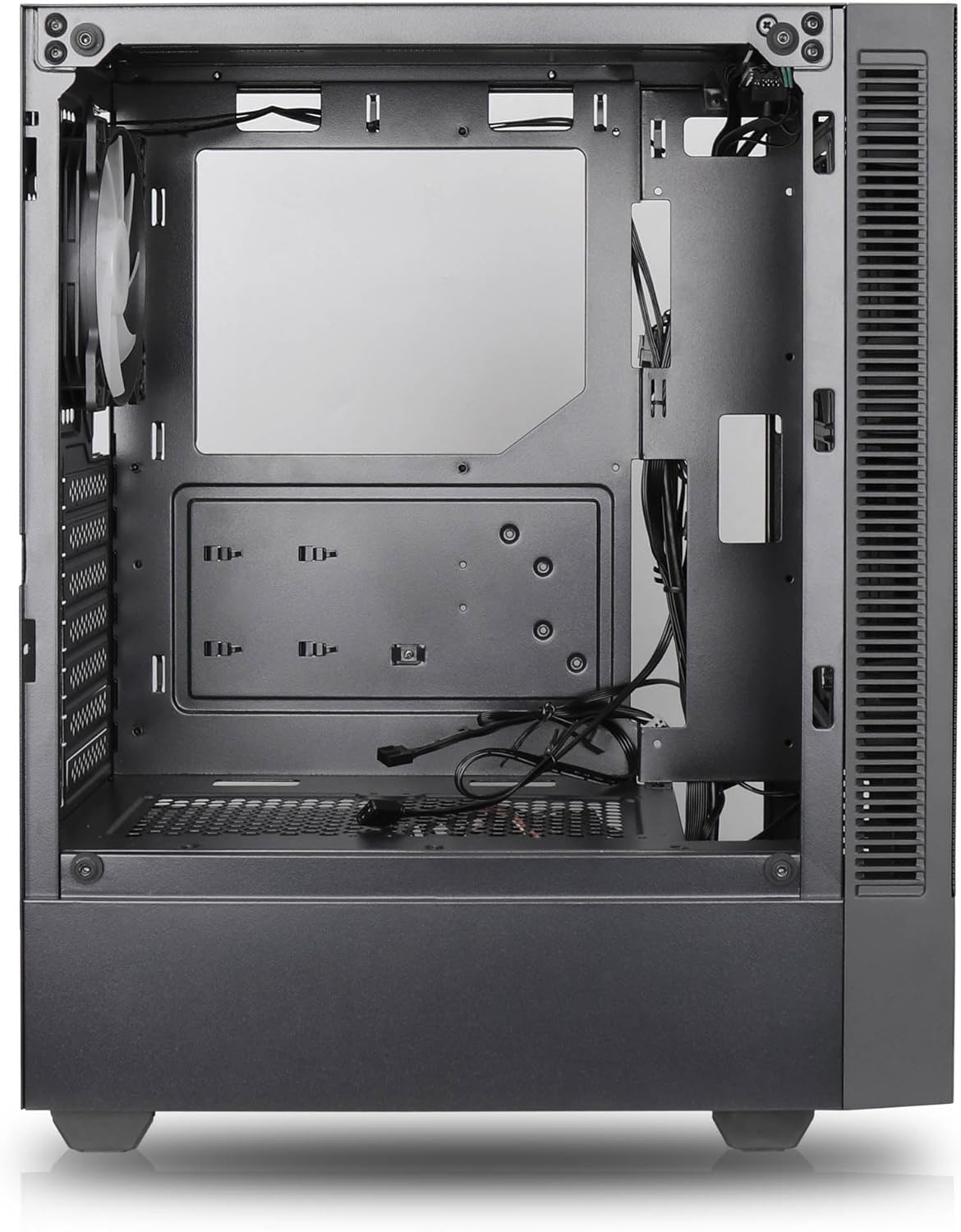

Các tính năng chính:
- Luồng không khí tối đa: Large mesh front panel and four pre-installed 140mm A-RGB fans with hydraulic bearings ensure excellent ventilation.
- Easy PC Building: Thoughtful design with daisy-chain connections simplifies installation, eliminating the need for additional adapters or controllers.
- Thiết kế chất lượng cao: Genuine tempered glass side panel showcases installed components and provides a minimalist, premium aesthetic.
- Flexible Lighting and Control: 3-pin A-RGB fans and 4-pin fan control allow for impressive lighting effects and easy adjustment of fan speed and curves directly from the motherboard.
- Powerful Component Compatibility: Supports GPUs up to 400mm long, radiators up to 360mm (front and top) and 140mm (rear), and space for up to 4 fans.
- Compact Case with AmpKhông gian: Midi tower format accommodates E-ATX, ATX, mATX, and ITX motherboards, up to two 2.5" SSDs, two 3.5" HDDs, and ATX power supplies.
5. Hướng dẫn cài đặt
Follow these steps for component installation. Refer to your individual component manuals for specific instructions.
5.1. Chuẩn bị hồ sơ vụ án
- Đặt hộp đựng lên một bề mặt phẳng và chắc chắn.
- Carefully remove the tempered glass side panel by unscrewing the thumb screws and gently pulling it away. Set it aside on a soft, non-abrasive surface.
- Remove the solid right side panel by unscrewing the thumb screws and sliding it backward.
5.2. Lắp đặt bo mạch chủ
- Lắp tấm chắn I/O vào khe hở phía sau của vỏ máy.
- Ensure the correct standoffs are installed for your motherboard form factor (E-ATX, ATX, mATX, ITX). Adjust or add standoffs as needed.
- Cẩn thận đặt bo mạch chủ lên các trụ đỡ, căn chỉnh các lỗ vít.
- Cố định bo mạch chủ bằng các ốc vít được cung cấp. Không siết quá chặt.
5.3. Lắp đặt bộ nguồn (PSU)
- Đặt bộ nguồn vào ngăn chuyên dụng ở phía dưới bên sau của vỏ máy.
- Ensure the PSU fan faces downwards (if the case has a bottom vent) or upwards, depending on your cooling preference.
- Secure the PSU to the case with the provided screws from the rear.
5.4. Cài đặt ổ đĩa lưu trữ
Ổ SSD 2.5":
- Locate the 2.5" drive mounts (typically behind the motherboard tray).
- Secure the SSDs using the provided screws.
Ổ cứng 3.5":
- Locate the 3.5" drive cages (usually near the PSU shroud).
- Slide the HDDs into the drive trays and secure them with screws or tool-less mechanisms if available.
5.5. Cài đặt Card đồ họa (GPU)
- Tháo các nắp che khe cắm PCIe cần thiết ở phía sau thùng máy.
- Align your GPU with the PCIe slot on the motherboard and press firmly until it clicks into place.
- Secure the GPU to the case with screws.
5.6. Quản lý cáp
Tận dụng các lỗ thoát dây cáp và điểm buộc dây phía sau khay bo mạch chủ để quản lý dây cáp. Điều này giúp cải thiện luồng khí và tính thẩm mỹ.
6. Hoạt động
6.1. Bật nguồn
After all components are installed and cables are connected, reattach the side panels. Connect the power cable to the PSU and a wall outlet, then press the power button on the top I/O panel of the case.
6.2. Điều khiển quạt ARGB
The pre-installed ARGB fans feature 3-pin ARGB connectors for lighting control and 4-pin connectors for fan speed control. These can be connected directly to compatible headers on your motherboard. Use your motherboard's software or BIOS settings to customize lighting effects and fan curves.
7. Bảo trì
7.1. Vệ sinh
- Regularly clean dust filters (if present) to maintain optimal airflow.
- Use a can of compressed air to remove dust from inside the case and components.
- Lau sạch bề mặt bên ngoài bằng khăn mềm, damp vải. Tránh các hóa chất khắc nghiệt.
- For the tempered glass panel, use a glass cleaner and a microfiber cloth.
KHAI THÁC. Xử lý sự cố
- Máy tính không khởi động: Check all power connections, including the 24-pin motherboard power, 8-pin CPU power, and GPU power cables. Ensure the PSU switch is in the 'ON' position.
- Fans not spinning/RGB not working: Verify that fan and ARGB headers are correctly connected to the motherboard. Check motherboard software for fan speed and lighting control settings.
- Quá nhiệt: Ensure proper airflow by checking fan orientation and cleaning dust filters. Verify CPU cooler and GPU cooler are properly seated.
- Không hiển thị: Confirm the monitor cable is connected to the graphics card (not the motherboard integrated graphics, unless you are using integrated graphics). Reseat the graphics card and RAM modules.
9. Thông số kỹ thuật
| Tính năng | Đặc điểm kỹ thuật |
|---|---|
| Thương hiệu | SILENTWARE |
| Tên mẫu | Silentware Flow 100 ARGB |
| Số hiệu mẫu sản phẩm | LƯU LƯỢNG100 |
| ASIN | B0CB8CZ5GF |
| Màu sắc | Đen |
| Loại trường hợp | Tháp giữa |
| Vật liệu | Kính cường lực |
| Khả năng tương thích của bo mạch chủ | ATX, Micro ATX, Mini ITX |
| Thiết bị tương thích | ATX, mATX, ITX motherboards, GPUs up to 325mm, radiators up to 360mm, 2.5" and 3.5" storage drives |
| Sử dụng được đề xuất | Trò chơi |
| Phương pháp làm mát | Không khí |
| Quạt được cài đặt sẵn | 4 quạt ARGB 120mm |
| Kích thước quạt | 140 Millimeters (Note: Product description mentions 140mm fans, while pre-installed are 120mm. Please verify with product packaging.) |
| Loại lắp đặt nguồn điện | Gắn dưới |
| Độ dài GPU tối đa | 400mm |
| Radiator Support (Front/Top) | Lên đến 360mm |
| Giá đỡ bộ tản nhiệt (phía sau) | Lên đến 140mm |
| Khay ổ đĩa 2.5" | Lên đến 2 |
| Khay ổ đĩa 3.5" | Lên đến 2 |
10. Bảo hành và Hỗ trợ
For warranty information and technical support, please refer to the official SILENTWARE website or contact your retailer. Specific details regarding spare parts availability and software updates are not available in the provided product information.