
Taurus 3997
Taurus Lento Cuina Digital Slow Cooker User Manual
Model: 3997 | Brand: Taurus
1. Giới thiệu
Thank you for choosing the Taurus Lento Cuina Digital Slow Cooker. This appliance is designed to simplify your cooking process, allowing you to prepare delicious, slow-cooked meals with minimal effort. Featuring a generous 6.5L capacity, digital controls, and a durable stainless steel body, it is perfect for family-sized meals. Please read this manual thoroughly before first use to ensure safe and optimal operation.

Image: The Taurus Lento Cuina Digital Slow Cooker alongside a cooked chicken, illustrating its capacity for large meals.
2. Hướng dẫn an toàn quan trọng
Luôn tuân thủ các biện pháp phòng ngừa an toàn cơ bản khi sử dụng các thiết bị điện để giảm nguy cơ hỏa hoạn, điện giật và/hoặc thương tích cho người, bao gồm:
- Read all instructions before using the slow cooker.
- Không chạm vào bề mặt nóng. Sử dụng tay cầm hoặc núm vặn.
- Để tránh bị điện giật, không được nhúng đế máy, dây nguồn hoặc phích cắm vào nước hoặc chất lỏng khác.
- Cần phải giám sát chặt chẽ khi trẻ em sử dụng hoặc để thiết bị ở gần trẻ em.
- Rút phích cắm khỏi ổ cắm khi không sử dụng và trước khi vệ sinh. Để nguội trước khi lắp hoặc tháo các bộ phận.
- Không sử dụng bất kỳ thiết bị nào khi dây điện hoặc phích cắm bị hỏng hoặc sau khi thiết bị bị trục trặc hoặc bị hư hỏng theo bất kỳ cách nào.
- Việc sử dụng các phụ kiện kèm theo không được nhà sản xuất thiết bị khuyến nghị có thể gây thương tích.
- Không sử dụng ngoài trời.
- Không để dây điện thòng xuống mép bàn hoặc quầy bếp hoặc chạm vào bề mặt nóng.
- Không đặt trên hoặc gần bếp gas, bếp điện nóng hoặc trong lò nướng đang được đun nóng.
- Phải hết sức thận trọng khi di chuyển thiết bị chứa dầu nóng hoặc các chất lỏng nóng khác.
- Luôn cắm phích cắm vào thiết bị trước, sau đó cắm dây vào ổ cắm trên tường. Để ngắt kết nối, hãy gạt tất cả các nút điều khiển sang "tắt", sau đó rút phích cắm ra khỏi ổ cắm trên tường.
- Không sử dụng thiết bị cho mục đích khác ngoài mục đích đã định.
- Tránh thay đổi nhiệt độ đột ngột, chẳng hạn như cho thực phẩm lạnh vào nồi đun nóng.
- The ceramic pot is designed for use with this appliance only. It must not be used on a gas or electric stovetop or in a heated oven.
3. Thành phần sản phẩm
Familiarize yourself with the parts of your Taurus Lento Cuina Digital Slow Cooker:
- Toughened Glass Lid: Allows you to monitor cooking progress without releasing nhiệt.
- Chậu sứ có thể tháo rời: The main cooking vessel, easy to clean and serve from.
- Vỏ thép không gỉ: The outer body of the slow cooker, containing the heating element and control panel.
- Bảng điều khiển kỹ thuật số: Features a 4-digit LED display, Mode, Timer, Up, Down, and On/Off buttons.
- Tay cầm: Để vận chuyển thiết bị một cách an toàn.
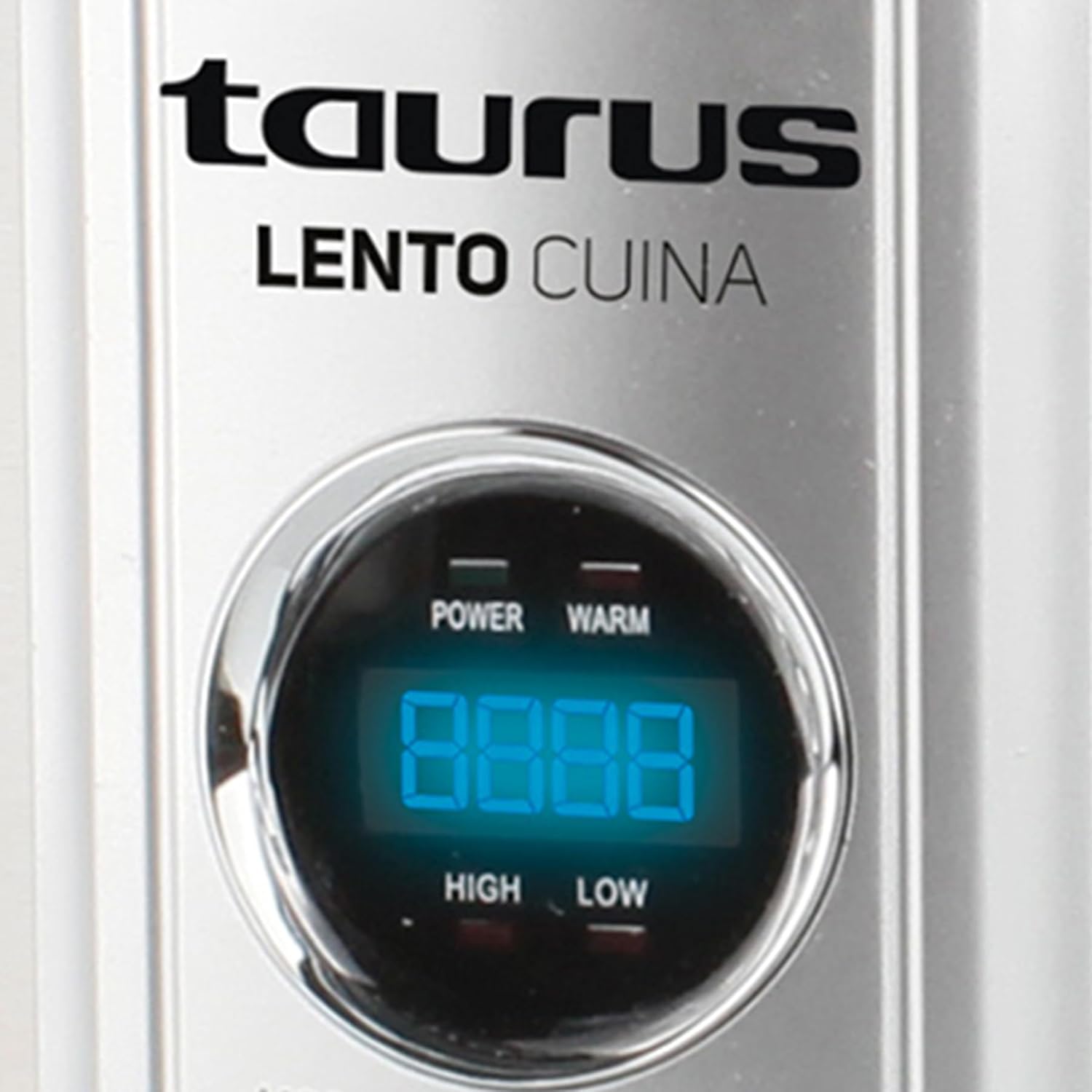
Hình ảnh: Mặt trước chi tiết view of the Taurus Lento Cuina Digital Slow Cooker, highlighting the digital control panel and stainless steel finish.

Image: The Taurus Lento Cuina Digital Slow Cooker with its removable ceramic pot placed next to it, demonstrating ease of cleaning and serving.
4. Thiết lập và sử dụng lần đầu
Before using your slow cooker for the first time:
- Mở hộp nồi nấu chậm và tháo bỏ toàn bộ vật liệu đóng gói.
- Wash the ceramic pot and glass lid in warm, soapy water. Rinse thoroughly and dry completely.
- Wipe the exterior of the stainless steel housing with a damp vải. Không nhúng bộ phận đế vào nước.
- Place the ceramic pot into the stainless steel housing.
- Place the slow cooker on a flat, stable, heat-resistant surface, away from walls or cabinets to allow for proper ventilation.
- Ensure the power cord is not tangled and is placed where it will not be tripped over.
5. Hướng dẫn vận hành
The Taurus Lento Cuina Digital Slow Cooker offers simple digital controls for precise cooking.
5.1 Bảng điều khiển Overview

Hình ảnh: Cận cảnh view of the digital control panel, showing the LED display and buttons for Mode, Timer, Up, Down, and On/Off.
- Màn hình LED: Shows cooking time and temperature settings.
- Nút MODE: Cycles through cooking modes (High, Low, Keep Warm).
- Nút HẸN GIỜ: Activates the timer setting function.
- Các nút LÊN / XUỐNG: Điều chỉnh thời gian nấu.
- Nút BẬT/TẮT: Bật hoặc tắt thiết bị.
5.2 Quy trình nấu ăn
- Prepare your ingredients and place them into the ceramic pot.
- Place the ceramic pot into the stainless steel housing and cover with the glass lid.
- Plug the slow cooker into a grounded electrical outlet. The LED display will illuminate.
- Nhấn nút BẬT/TẮT nút để bật thiết bị.
- Nhấn nút CÁCH THỨC button to select your desired cooking setting:
- CAO: Để nấu nhanh hơn, thông thường từ 2-4 tiếng.
- THẤP: Đối với phương pháp nấu chậm, thường mất từ 6-8 tiếng.
- GIỮ ẤM: Automatically activates after cooking is complete, or can be selected manually to keep food at serving temperature.
- Nhấn nút BỘ ĐỒNG HẸN GIỜ button. The display will flash. Use the UP Và XUỐNG buttons to set the desired cooking time in hours. The timer can be set for up to 20 hours.
- Once the time is set, the display will stop flashing, and the cooking process will begin. The timer will count down.
- When the cooking time expires, the slow cooker will automatically switch to the "KEEP WARM" setting.
- Để tắt nồi nấu chậm bất cứ lúc nào, hãy nhấn nút. BẬT/TẮT button. Unplug the unit from the wall outlet after use.

Image: A hand pressing the ON/OFF button on the slow cooker's control panel, demonstrating the ease of operation.

Image: The Taurus Lento Cuina Digital Slow Cooker with a meal cooking inside, visible through the clear glass lid.
6. Bảo trì và vệ sinh
Proper cleaning and maintenance will extend the life of your slow cooker.
- Luôn rút phích cắm nồi nấu chậm ra khỏi ổ điện và để nguội hoàn toàn trước khi vệ sinh.
- Chậu gốm và nắp thủy tinh: These parts are dishwasher safe or can be washed by hand with warm, soapy water. Avoid abrasive cleaners or scouring pads that may scratch the surface. Rinse thoroughly and dry.
- Vỏ thép không gỉ: Lau sạch bên ngoài bằng một miếng vải mềm, damp Không sử dụng chất tẩy rửa có tính ăn mòn hoặc nhúng đế máy vào nước hay bất kỳ chất lỏng nào khác.
- For stubborn food residue on the ceramic pot, fill it with warm, soapy water and let it soak for a few hours before cleaning.
- Đảm bảo tất cả các bộ phận đều khô hoàn toàn trước khi cất giữ.
KHAI THÁC. Xử lý sự cố
Nếu bạn gặp sự cố với nồi nấu chậm, hãy tham khảo các vấn đề và giải pháp thường gặp sau đây:
| Vấn đề | Nguyên nhân có thể | Giải pháp |
|---|---|---|
| Nồi nấu chậm không bật. | Not plugged in; power outlet not working; unit not switched on. | Ensure plug is securely in a working outlet. Press the ON/OFF button. Check household circuit breaker. |
| Thức ăn không được nấu chín kỹ. | Incorrect heat setting; lid not sealed properly; insufficient cooking time. | Verify correct heat setting (HIGH/LOW). Ensure lid is seated firmly. Adjust cooking time as needed for recipe. Avoid lifting lid frequently. |
| Thức ăn bị cháy ở đáy nồi. | Too little liquid; cooking on HIGH for too long. | Add more liquid to the recipe. Consider using the LOW setting for longer cooking times. |
| Lid does not fit tightly. | Food obstruction; lid not aligned correctly. | Ensure no food is preventing the lid from seating properly. Realign the lid. |
8. Thông số kỹ thuật
Technical details for the Taurus Lento Cuina Digital Slow Cooker:
- Số hiệu mẫu: 3997
- Dung tích: 6.5 lít
- Công suất / Wattage: 320 watt
- Vật liệu: Stainless Steel (housing), Ceramic (pot)
- Màu sắc: Bạc
- Phương pháp kiểm soát: Cảm ứng (Kỹ thuật số)
- Tính năng đặc biệt: Timer, Digital Controls, High/Low/Keep Warm Functions
- Trọng lượng sản phẩm: 6.5kg
- Kích thước sản phẩm: 39.8D x 37.3W x 26H cm
9. Bảo hành và Hỗ trợ
Your Taurus Lento Cuina Digital Slow Cooker comes with a standard 1-year retail warranty, with an additional 1-year extended warranty. For warranty claims, technical support, or spare parts information, please contact Taurus customer service. Refer to the contact information provided with your purchase documentation or visit the official Taurus webđịa điểm.
Note: Spare part information is not available or provided directly in this manual.
Tài liệu liên quan3997

Ask a question about this manual
Ask about setup, troubleshooting, compatibility, parts, safety, or missing instructions. Manuals+ will review the question and use this page’s manual context to help answer it.