
1. Giới thiệu
Thank you for choosing the Aigo AC SE 120 Water Cooler. This All-in-One (AIO) liquid cooling system is designed to provide efficient thermal management for your CPU, ensuring stable performance and extended component lifespan. This manual provides detailed instructions for installation, operation, maintenance, and troubleshooting.
Please read this manual thoroughly before installation and use to ensure proper setup and to prevent any damage to your system.
2. Thông tin an toàn
- Always disconnect power from your computer before installing or performing maintenance on any components.
- Xử lý các bộ phận một cách cẩn thận để tránh hư hỏng.
- Hãy đeo dây đeo cổ tay chống tĩnh điện để ngăn ngừa hư hỏng do phóng điện tĩnh (ESD) gây ra cho các linh kiện nhạy cảm.
- Do not open the sealed liquid cooling loop. Tampering with the unit may cause leaks and void your warranty.
- Ensure all cables are properly connected and routed to avoid interference with moving parts (e.g., fan blades).
- Để xa tầm tay trẻ em.
3. Nội dung gói hàng
Verify that all components are present and in good condition before proceeding with installation.
- Aigo AC SE 120 Water Cooler Unit (Pump, Radiator, Fan pre-installed)
- Mounting Hardware for Intel Sockets (LGA 2066/ 2011-v3 / 2011 / 1700 / 1366 / 1200 / 115X)
- Mounting Hardware for AMD Sockets (FM1 / FM2 / FM2+ / AM2 / AM2+ / AM3 / AM3+ / AM4)
- Keo tản nhiệt (đã được bôi sẵn hoặc dạng tuýp)
- Hướng dẫn sử dụng

Image: Aigo AC SE 120 Water Cooler unit with its fan, radiator, pump, and various mounting brackets and screws for different CPU sockets.
4. Thông số kỹ thuật
| Socket Compatibility (Intel) | LGA 2066/ 2011-v3 / 2011 / 1700 / 1366 / 1200 / 115X |
| Socket Compatibility (AMD) | FM1 / FM2 / FM2+ / AM2 / AM2+ / AM3 / AM3+ / AM4 |
| Kích thước khối nước | 71 x 66.5 x 45mm |
| Kích thước bộ tản nhiệt | 154 x 120 x 27mm |
| Kích thước quạt | 120 x 120 x 25mm |
| Tốc độ bơm | 3200 ± 10% vòng/phút |
| Tốc độ quạt | 800 ~ 1800 vòng / phút |
| Luồng không khí | 64.05 CFM |
| TDP (Công suất thiết kế nhiệt) | 165W |
| Mức độ tiếng ồn | 30 dBA ± 10% |
| Áp suất tĩnh | 1.85 mmH2O |
| Loại vòng bi | Gốm sứ |
| Xếp hạng Voltage | 12V |
| Phương pháp làm mát | Chất lỏng (Nước) |
| Thiết bị tương thích | Máy tính để bàn |
5. Thiết lập và Cài đặt
This section outlines the general steps for installing your Aigo AC SE 120 Water Cooler. Specific steps may vary slightly depending on your motherboard and PC case. Always refer to your motherboard and case manuals for detailed instructions.
5.1 Chuẩn bị khe cắm CPU
- Các socket của Intel: Attach the correct Intel backplate to the rear of your motherboard. Secure the standoffs through the motherboard holes from the front.
- Các socket của AMD: The cooler typically uses the existing AMD backplate. Remove the plastic retention clips from the stock AMD cooler mount, leaving the backplate in place. Install the appropriate AMD standoffs.
- Hãy đảm bảo CPU được lắp đúng cách vào khe cắm.
- Lau sạch bề mặt CPU bằng cồn isopropyl để loại bỏ lớp keo tản nhiệt cũ hoặc cặn bẩn.
- Apply a thin, even layer of thermal paste to the center of the CPU's integrated heat spreader (IHS). If thermal paste is pre-applied to the water block, skip this step.
5.2 Lắp đặt bộ tản nhiệt và quạt
- Determine the optimal mounting location for the 120mm radiator in your PC case. Common locations include the rear exhaust or top exhaust.
- Mount the 120mm fan to the radiator using the provided screws. Ensure the fan is oriented to push or pull air in the desired direction (e.g., exhaust air out of the case).
- Cố định cụm tản nhiệt vào vỏ máy tính bằng các ốc vít phù hợp.

Hình ảnh: Bên view of the Aigo AC SE 120 Water Cooler, showing the radiator with a white fan attached, and the pump/water block unit.
5.3 Lắp đặt khối tản nhiệt nước
- Attach the correct mounting brackets to the water block/pump unit.
- Cẩn thận đặt khối tản nhiệt nước lên CPU, căn chỉnh các lỗ gắn với các trụ đỡ.
- Secure the water block with the provided thumb screws or nuts, tightening them in a diagonal pattern until snug. Do not overtighten.
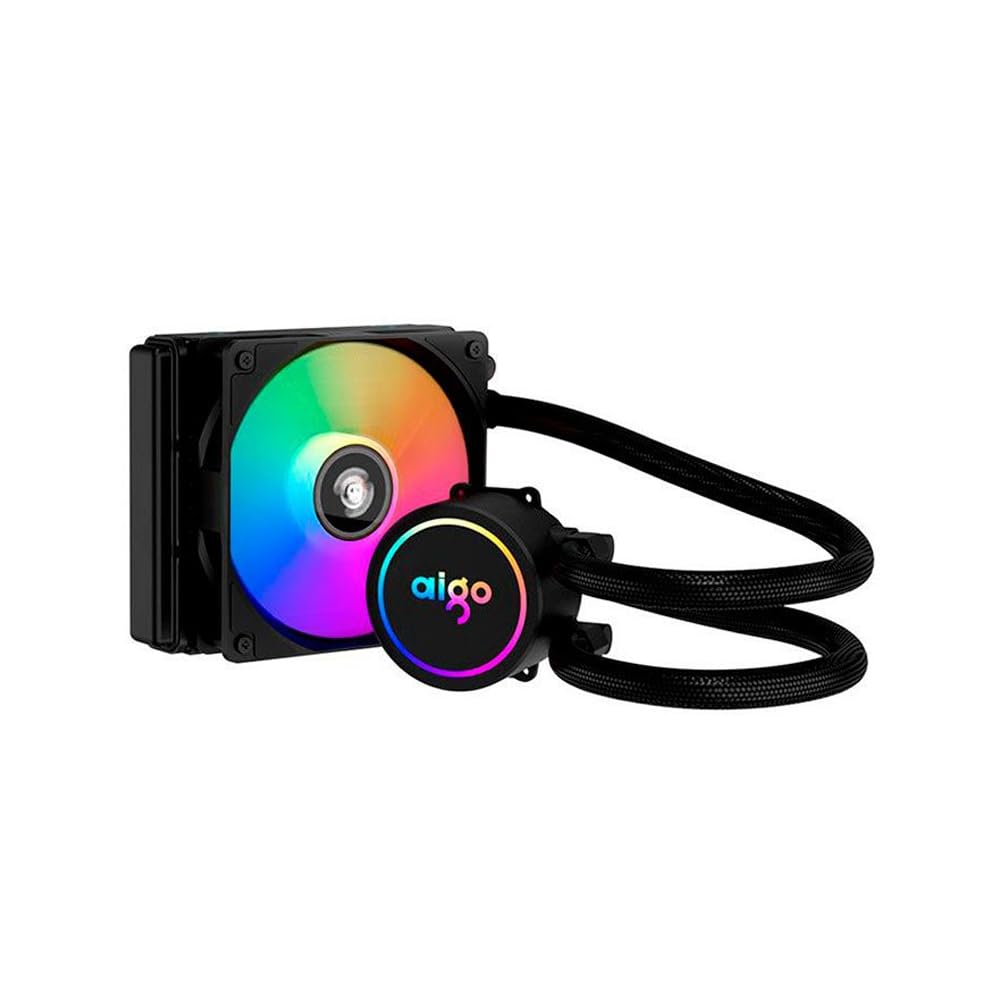
Image: The Aigo AC SE 120 Water Cooler showing the pump unit with an illuminated Aigo logo and a rainbow-colored fan on the radiator.
5.4 Cáp kết nối
- Connect the pump power cable to a dedicated AIO_PUMP or CPU_FAN header on your motherboard. If your motherboard has neither, use a SYS_FAN header and ensure it is set to run at full speed in the BIOS.
- Connect the fan power cable to the CPU_FAN header on your motherboard. If your motherboard has multiple fan headers, consult your motherboard manual for the recommended CPU fan header.
- If your cooler has RGB lighting, connect the RGB cable to a compatible RGB header on your motherboard (e.g., 3-pin ARGB or 4-pin RGB, depending on the cooler's connector type).
- Route all cables neatly to avoid obstructing airflow or interfering with other components.
6. Hướng dẫn vận hành
Once installed, the Aigo AC SE 120 Water Cooler operates automatically based on your motherboard's fan control settings.
- Bật nguồn ban đầu: After installation, power on your computer. The pump and fan should start operating.
- Cài đặt BIOS/UEFI: Access your motherboard's BIOS/UEFI settings to ensure the CPU_FAN and AIO_PUMP headers are configured correctly. It is recommended to set the pump header to run at full speed (100%) for optimal cooling performance. Fan speeds can be adjusted based on temperature curves for a balance of cooling and noise.
- Đèn RGB: If connected to an RGB header, the lighting effects can typically be controlled via your motherboard's RGB software (e.g., ASUS Aura Sync, MSI Mystic Light, Gigabyte RGB Fusion, ASRock Polychrome Sync).
- Giám sát: Use system monitoring software to check CPU temperatures and ensure the cooler is functioning effectively.

Hình ảnh: Từ trên xuống view of the Aigo AC SE 120 Water Cooler, highlighting the illuminated Aigo logo on the pump and the rainbow lighting of the fan.
7. Bảo trì
Regular maintenance helps ensure optimal performance and longevity of your water cooler.
- Vệ sinh bụi: Thường xuyên vệ sinh các lá tản nhiệt và cánh quạt để ngăn bụi bám vào, vì bụi có thể cản trở luồng khí và làm giảm hiệu quả làm mát. Sử dụng khí nén hoặc bàn chải mềm.
- Kiểm tra quạt: Check the fan for any signs of wear, damage, or excessive noise. Replace if necessary.
- Kiểm tra ống: Visually inspect the hoses for any kinks, cracks, or signs of leakage. While AIOs are sealed, regular checks are recommended.
- Keo tản nhiệt: The thermal paste typically lasts for several years. If you notice a significant increase in CPU temperatures over time, consider reapplying fresh thermal paste. This requires carefully removing the water block, cleaning both surfaces, and applying new paste.
KHAI THÁC. Xử lý sự cố
If you encounter issues with your Aigo AC SE 120 Water Cooler, refer to the following common problems and solutions:
| Vấn đề | Nguyên nhân có thể | Giải pháp |
|---|---|---|
| Nhiệt độ CPU cao |
|
|
| Quạt không quay |
|
|
| Pump Not Running / Unusual Noise |
|
|
| Đèn RGB không hoạt động |
|
|
9. Bảo hành và Hỗ trợ
The Aigo AC SE 120 Water Cooler comes with a Bảo hành 12 tháng Kể từ ngày mua. Bảo hành này bao gồm các lỗi sản xuất và sự cố xảy ra trong điều kiện sử dụng bình thường.
Bảo hành không bao gồm:
- Hư hỏng do lắp đặt không đúng cách, sử dụng sai mục đích, lạm dụng hoặc sơ suất.
- Hư hỏng do sửa đổi hoặc sửa chữa trái phép.
- Thiệt hại do thiên tai, tai nạn.
For technical support, warranty claims, or further assistance, please contact your retailer or the Aigo customer service department. Please have your proof of purchase and product model number (ACSE120-BK) ready when contacting support.