
1. Giới thiệu
Cảm ơn bạn đã muaasing the LEVOIT LTF-F361-WEU Tower Fan. This manual provides important information regarding the safe operation, maintenance, and troubleshooting of your new fan. Please read this manual thoroughly before use and retain it for future reference.
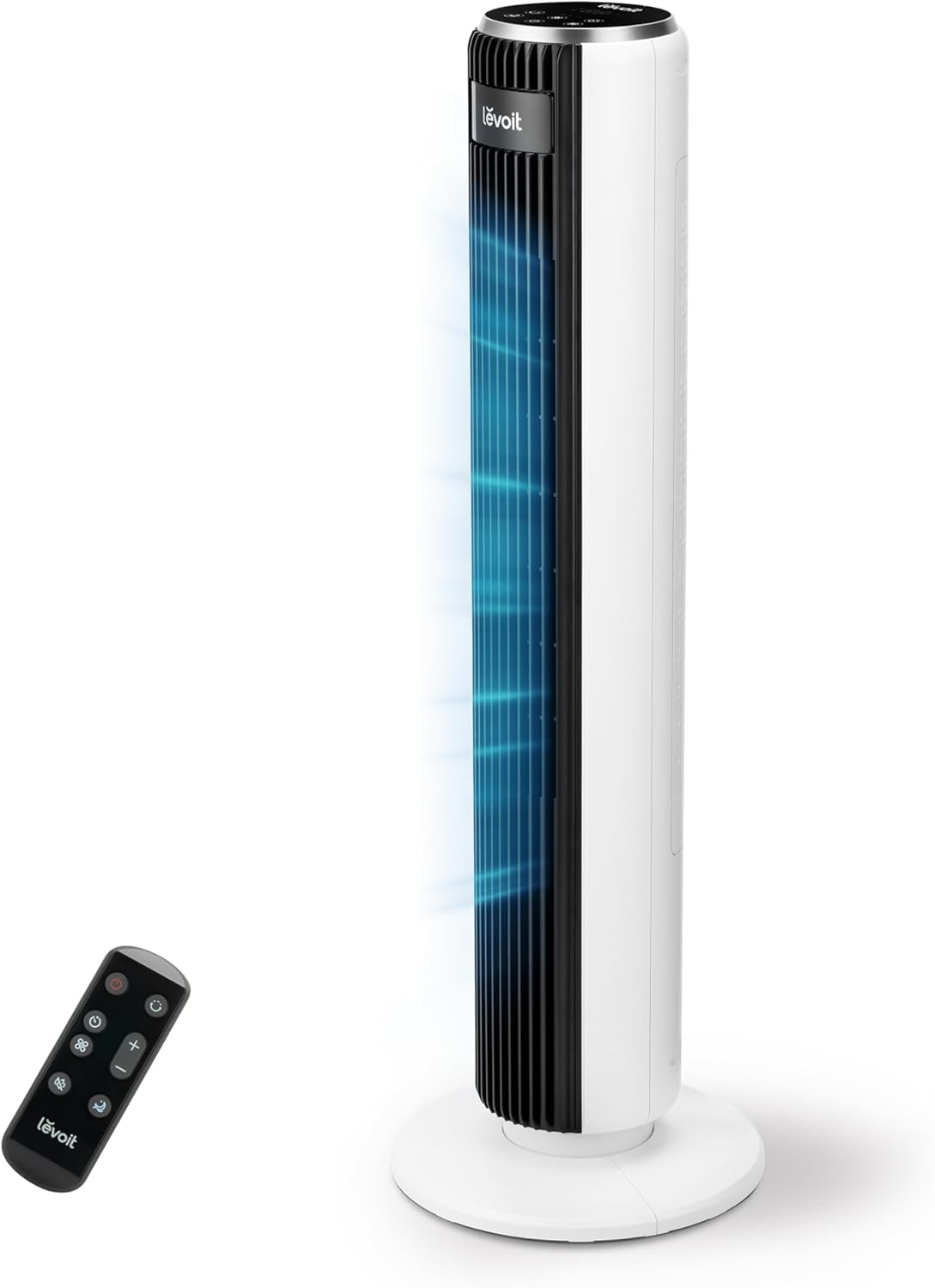
Image 1.1: The LEVOIT LTF-F361-WEU Tower Fan, a sleek and modern cooling device.
2. Hướng dẫn an toàn quan trọng
To reduce the risk of fire, electric shock, or injury, please read and follow all instructions and warnings in this manual.
- Always place the fan on a stable, level surface.
- Không sử dụng quạt ở nơi ẩm ướt hoặcamp địa điểm, chẳng hạn như phòng tắm.
- Giữ quạt tránh xa nước và các chất lỏng khác.
- Không được đưa ngón tay hoặc vật lạ vào lưới tản nhiệt khi quạt đang hoạt động.
- Unplug the fan from the power outlet when not in use, when moving it, or before cleaning.
- Không vận hành quạt bằng dây hoặc phích cắm bị hỏng.
- Tránh xa dây nguồn gần bề mặt có nhiệt.
- Thiết bị này không dành cho những người (bao gồm trẻ em) có khả năng thể chất, giác quan hoặc tinh thần hạn chế, hoặc thiếu kinh nghiệm và kiến thức, trừ khi họ được người chịu trách nhiệm về sự an toàn của họ giám sát hoặc hướng dẫn sử dụng thiết bị.
3. Nội dung gói hàng
Vui lòng kiểm tra nội dung gói hàng khi nhận. Nếu thiếu hoặc hư hỏng bất kỳ mặt hàng nào, vui lòng liên hệ bộ phận chăm sóc khách hàng.
- LEVOIT LTF-F361-WEU Tower Fan
- Điều khiển từ xa
- Hướng dẫn sử dụng
4. Thiết lập và lắp ráp
The LEVOIT LTF-F361-WEU Tower Fan is designed for easy assembly. Follow these steps to set up your fan:
- Tháo quạt ra: Cẩn thận loại bỏ tất cả các thành phần khỏi bao bì.
- Lắp ráp phần đế: The base is designed for straightforward attachment. Align the fan body with the base and secure it according to the instructions provided in the quick start guide (if applicable).
- Kết nối nguồn: Cắm dây nguồn vào ổ cắm điện phù hợp.
The rear grille is detachable for easy cleaning, secured by a single nut.

Hình 4.1: Hếtview of the fan's control panel, remote control storage, and the detachable rear cover for maintenance.
5. Hướng dẫn vận hành
Your LEVOIT Tower Fan offers multiple settings for personalized comfort. You can control the fan using the touch control panel on top or the included remote control.
5.1 Bật/Tắt nguồn
Nhấn nút nguồn trên bảng điều khiển hoặc điều khiển từ xa để bật hoặc tắt quạt.
5.2 Tốc độ quạt
The fan features 5 adjustable speeds. Use the speed buttons on the control panel or remote to cycle through the speed settings (1-5).
5.3 chế độ gió
Select from 4 distinct wind modes to suit your preference:
- Chế độ bình thường: Cung cấp luồng khí ổn định ở tốc độ bạn đã chọn.
- Chế độ tự động: Adjusts fan speed automatically based on ambient temperature, ensuring optimal comfort and energy efficiency.
- Chế độ ngủ: Operates at a very low noise level (as low as 23 dB) with automatic display dimming for an undisturbed night's sleep.
- Chế độ Turbo: Delivers the highest fan speed for rapid cooling.

Image 5.1: Illustration of the fan's Auto Mode, demonstrating how it adjusts speed based on room temperature for optimal comfort.

Image 5.2: The fan operating in Advanced Sleep Mode, providing quiet airflow (23 dB) for a comfortable night's rest.
5.4 Dao động
Activate the 90° oscillation feature to distribute airflow across a wider area. This ensures comprehensive room coverage with a maximum range of 7 meters.

Image 5.3: The fan's 90-degree oscillation feature, illustrating how it provides wide-ranging cool air.
5.5 Chức năng hẹn giờ
Set the fan to automatically turn off after a specified period, up to 12 hours. Use the timer button on the control panel or remote to adjust the duration.
5.6 Điều khiển từ xa
The included remote control allows convenient operation from a distance. Ensure the remote has working batteries and is pointed towards the fan's receiver.
Video 5.4: Một đoạn giới thiệu ngắnview demonstrating the LEVOIT Tower Fan's oscillation feature and quiet operation. This video highlights the fan's movement and low noise level.
Video 5.5: Video giới thiệu sản phẩm chính thứcasing the various features and modes of the LEVOIT Tower Fan, including its quiet operation, multiple speeds, and oscillation.
6. Bảo trì và vệ sinh
Vệ sinh thường xuyên giúp duy trì hiệu suất và tuổi thọ của quạt.
6.1 Vệ sinh bên ngoài
- Luôn rút phích cắm của quạt trước khi vệ sinh.
- Lau các bề mặt bên ngoài bằng giẻ mềm, damp vải. Không sử dụng chất tẩy rửa có tính mài mòn hoặc dung môi.
- Đảm bảo quạt đã khô hoàn toàn trước khi cắm lại vào ổ điện.
6.2 Internal Cleaning (Detachable Rear Cover)
The rear cover is detachable for easy access to the internal components for cleaning.
- Rút phích cắm của quạt.
- Locate the single nut securing the rear cover and unscrew it.
- Cẩn thận tháo nắp phía sau.
- Use a soft brush or vacuum cleaner to remove dust and debris from the fan blades and internal components.
- The rear cover can be washed with water. Ensure it is completely dry before reattaching.
- Reattach the rear cover and secure it with the nut.

Image 6.1: Illustration of the detachable rear cover and internal fan components, highlighting the ease of cleaning.
KHAI THÁC. Xử lý sự cố
Nếu bạn gặp bất kỳ sự cố nào với quạt, vui lòng tham khảo các vấn đề và giải pháp thường gặp sau đây:
| Vấn đề | Nguyên nhân có thể | Giải pháp |
|---|---|---|
| Quạt không quay. | Không có nguồn điện. | Đảm bảo dây nguồn được cắm chắc chắn vào ổ cắm đang hoạt động. Kiểm tra cầu dao điện. |
| Luồng khí yếu. | Air inlet/outlet blocked or dirty. | Clean the air inlet and outlet grilles. Ensure there are no obstructions around the fan. |
| Quạt phát ra tiếng ồn bất thường. | Foreign object inside or fan not on a level surface. | Unplug the fan and check for any foreign objects. Place the fan on a stable, level surface. |
| Điều khiển từ xa không hoạt động. | Pin đã hết hoặc lắp không đúng cách. | Replace the batteries with new ones, ensuring correct polarity. Point the remote directly at the fan. |
If the problem persists after trying these solutions, please contact LEVOIT customer support.
8. Thông số kỹ thuật
| Tính năng | Chi tiết |
|---|---|
| Số hiệu mẫu | LTF-F361-WEU |
| Kích thước (D x R x C) | 16.51 x 16.51 x 91.95cm |
| Cân nặng | 3.6 Kilôgam |
| Quyền lực | 39 Watt |
| Tậptage | 220.0 vôn |
| Mức độ tiếng ồn | 23 dB (lowest) - 28 dB (typical) |
| Tốc độ gió | Lên đến 7 m/giây |
| Dao động | 90 độ |
| Bộ đếm thời gian | 12 giờ |
| Tính năng đặc biệt | Portable, Automatic Shut-off Function, Remote Control |
9. Bảo hành và Hỗ trợ Khách hàng
9.1 Thông tin bảo hành
LEVOIT cung cấp Bảo hành 2 năm for this tower fan. This warranty covers defects in materials and workmanship under normal use. Please retain your proof of purchase for warranty claims.
9.2 Hỗ trợ khách hàng
If you have any questions about your product, warranty, or need technical assistance, please contact LEVOIT customer support. Our professional team is ready to assist you.
For more information, visit the official LEVOIT webtrang web hoặc liên hệ với nhà phân phối địa phương của bạn.