
Unitech TS100
Unitech TS100 2D Hands-Free Presentation Barcode Scanner
Hướng dẫn sử dụng
Giới thiệu
This manual provides essential information for the proper setup, operation, and maintenance of your Unitech TS100 2D Hands-Free Presentation Barcode Scanner. Please read this manual thoroughly before using the device to ensure optimal performance and to prevent damage.
The Unitech TS100 is an omnidirectional USB wired desktop barcode reader designed for efficient and intuitive scanning of 1D and 2D barcodes, including PDF417 and Data Matrix, in retail and other point-of-sale environments.
Thông tin an toàn
- Không để máy quét ở nơi có nhiệt độ, độ ẩm quá cao hoặc ánh nắng trực tiếp.
- Tránh làm rơi máy quét hoặc để máy bị va đập mạnh.
- Không được tự ý tháo rời hoặc sửa đổi máy quét. Việc này sẽ làm mất hiệu lực bảo hành.
- Chỉ sử dụng cáp USB được cung cấp kèm theo để kết nối.
- Keep the scanning window clean to ensure accurate barcode reading.
Nội dung gói
Vui lòng kiểm tra nội dung gói hàng để đảm bảo có đầy đủ tất cả các mục:
- Unitech TS100 2D Presentation Barcode Scanner
- Cáp USB
- Hướng dẫn bắt đầu nhanh (nếu có)
Sản phẩm trênview
The Unitech TS100 features a compact design with a large scan window for easy barcode presentation. Its omnidirectional scanning capability allows for quick and efficient data capture.
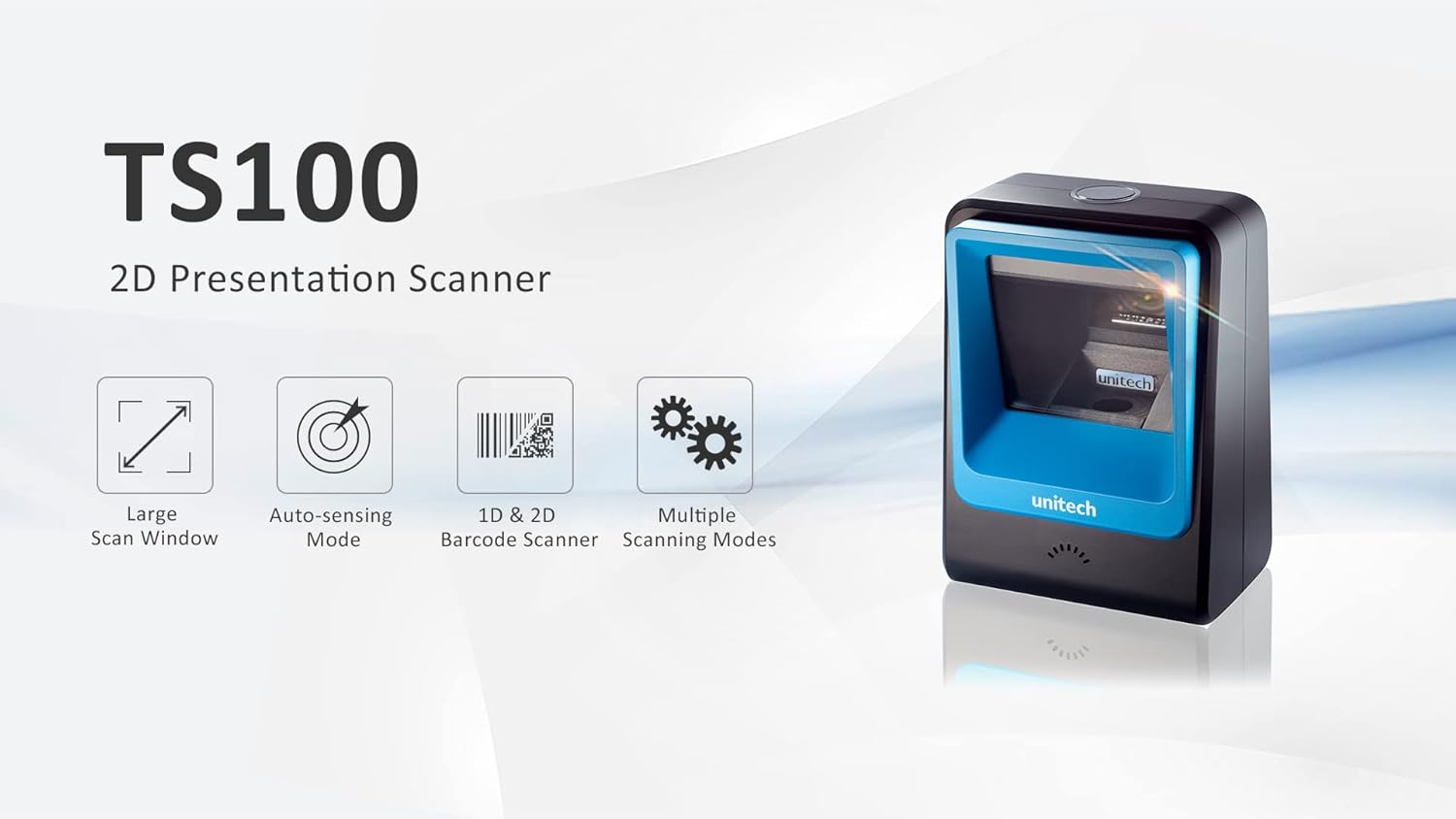
Figure 1: Unitech TS100 2D Presentation Scanner highlighting its large scan window, auto-sensing mode, 1D & 2D barcode scanning, and multiple scanning modes.

Hình 2: Mặt trước view of the Unitech TS100 scanner, showing the blue scanning window and the Unitech logo.

Hình 3: Quay lại view of the Unitech TS100 scanner, displaying the product label with model number TS100-SUCB00-SG and power specifications.
Cài đặt
Follow these steps to set up your Unitech TS100 barcode scanner:
- Mở hộp máy quét: Carefully remove the TS100 scanner and its accessories from the packaging.
- Kết nối cáp USB: Insert the USB cable into the port at the back of the scanner.
- Kết nối với thiết bị chủ: Plug the other end of the USB cable into an available USB port on your computer, laptop, or POS system.
- Cài đặt trình điều khiển: The scanner is typically plug-and-play. Your operating system should automatically detect and install the necessary drivers. Wait for the installation to complete.
- Bật nguồn: The scanner will power on automatically once connected to a powered USB port. A beep and/or LED indicator will confirm it is ready for use.
Hướng dẫn sử dụng
The Unitech TS100 is designed for hands-free operation, offering multiple scanning modes for various applications.
Quét cơ bản
- Place the barcode within the scanner's field of view, facing the scanning window.
- The scanner will automatically detect the barcode and emit a successful scan indication (e.g., a beep and/or green LED).
- The scanned data will be transmitted to your connected host device as keyboard input.
Chế độ quét
The TS100 supports multiple scanning modes to optimize performance for different barcode types and environments:
- Chế độ bình thường: Standard scanning for most 1D and 2D barcodes.
- Smartphone Mode: Optimized for reading barcodes displayed on smartphone screens, which can sometimes be reflective.
- Chế độ nhanh: Designed for faster scanning of multiple barcodes in quick succession.
Refer to the full programming manual (available on the Unitech website) for instructions on how to switch between these modes using configuration barcodes.
BẢO TRÌ
Bảo trì đúng cách sẽ đảm bảo tuổi thọ và hiệu suất của máy quét:
- Vệ sinh cửa sổ quét: Dùng vải mềm, không có xơ vải nhẹ nhàng damprửa bằng nước hoặc chất tẩy rửa nhẹ, không gây mài mòn. Không sử dụng hóa chất mạnh hoặc vật liệu mài mòn.
- Vệ sinh bên ngoài: Dùng khăn mềm, khô lau sạch bề ngoài máy quét.
- Kho: Khi không sử dụng, hãy bảo quản máy quét ở nơi sạch sẽ, khô ráo, tránh ánh nắng trực tiếp và nhiệt độ quá cao hoặc quá thấp.
Xử lý sự cố
If you encounter issues with your TS100 scanner, refer to the table below for common problems and solutions:
| Vấn đề | Nguyên nhân có thể | Giải pháp |
|---|---|---|
| Máy quét không bật được. | USB cable not properly connected or host device USB port is not powered. | Đảm bảo cáp USB được kết nối chắc chắn với cả máy quét và thiết bị chủ. Hãy thử cổng USB hoặc thiết bị chủ khác. |
| Máy quét không đọc được mã vạch. | Barcode is damaged, poorly printed, or not supported. Scanning window is dirty. Incorrect scanning mode. | Ensure the barcode is clear and undamaged. Clean the scanning window. Verify the barcode symbology is supported. Try switching scanning modes (e.g., Smartphone Mode for screen barcodes). |
| Dữ liệu quét không chính xác hoặc không đầy đủ. | Poor barcode quality. Scanner configuration issues. | Ensure the barcode is clear. Refer to the programming manual for advanced configuration settings. |
| Máy quét kêu bíp nhưng không có dữ liệu nào được truyền đi. | Host device not recognizing the scanner as a keyboard input. | Ensure the cursor is in a text field on your host device. Reconnect the USB cable. Restart the host device. |
Thông số kỹ thuật
Detailed technical specifications for the Unitech TS100 scanner:
| Tính năng | Đặc điểm kỹ thuật |
|---|---|
| Cảm biến | Image Sensor with 1280x800 pixels |
| Chiếu sáng | 650nm RED LED |
| Tốc độ quét | 60 khung hình/giây |
| Góc lệch | Horizontal Angle: 50°; Vertical Angle: 35° |
| Góc sân | ±65° |
| Góc cuộn | 360° |
| Độ phân giải quang học | 1D: 4 mil; 2D: 6.7 mil |
| Printing Contrast Scale | 25% |
| Giao diện máy chủ | USB |
| Kích thước (D x R x C) | 4.1 inch x 5.7 inch x 2.7 inch (105mm x 146mm x 70mm) |
| Cân nặng | 12.1 oz / 345g (without cable) |
| 1D Symbologies Supported | UPC-A/E, EAN-8/13, UPC/EAN Supplementals, EAN-8 Extend, Code 128, Code 39, Code 93, Code 11, Interleaved 2 of 5, Matrix 2 of 5, Codabar, MSI Plessey, GS1 DataBar, China Postal, Korean Postal, etc. |
| 2D Symbologies Supported | PDF417, MicroPDF417, DataMatrix, DataMatrix-Inverse, Maxicode, QRcode, MicroQR, Aztec, Aztec Inverse, Han Xin, Han Xin Inverse |
| Chỉ số | Đèn LED, còi báo |
| Nhiệt độ hoạt động | 32°F đến 122°F (0°C đến 50°C) |
| Nhiệt độ lưu trữ | -40°F đến 158°F (-40°C đến 70°C) |
| Độ ẩm tương đối | 0% đến 95% không ngưng tụ |
Bảo hành và Hỗ trợ
The Unitech TS100 barcode scanner main unit comes with a Bảo hành 1 năm kể từ ngày mua. Bảo hành này bao gồm các lỗi về vật liệu và tay nghề trong quá trình sử dụng bình thường.
For technical support, warranty claims, or further assistance, please contact Unitech customer service or visit the official Unitech webHãy giữ lại hóa đơn mua hàng làm bằng chứng mua hàng để được hưởng dịch vụ bảo hành.
Unitech America Webđịa điểm: www.unitechamerica.com
Ask a question about this manual
Ask about setup, troubleshooting, compatibility, parts, safety, or missing instructions. Manuals+ will review the question and use this page’s manual context to help answer it.