
Giới thiệu
Thank you for choosing the Glorious Gaming Model O Wireless Mouse. This manual provides essential information for setting up, operating, maintaining, and troubleshooting your new gaming mouse. Designed for competitive gaming, the Model O Wireless combines a superlight honeycomb design with lag-free 2.4GHz wireless technology and customizable RGB lighting to enhance your gaming experience.
Tính năng sản phẩm
- Superlight Design: Weighing only 69 grams, the honeycomb shell reduces weight while maintaining structural integrity and improving airflow.
- Lag-Free 2.4GHz Wireless: Experience ultra-low wireless latency for responsive and crisp clicks, ensuring no unexpected double-clicking.
- Kéo dài tuổi thọ pin: Up to 71 hours of playtime with RGB lighting off, allowing for prolonged gaming sessions without frequent recharging.
- Wired & Wireless Modes: Includes a flexible USB-C Ascended charging cable for continuous performance even while charging.
- Hình dạng thuận cả hai tay: Ergonomically designed for comfortable use by both left and right-handed users.
- Ánh sáng RGB có thể tùy chỉnh: Personalize your mouse with various lighting effects and colors via the Glorious CORE software.
- Cảm biến quang học độ chính xác cao: Equipped with a Glorious BAMF sensor, offering up to 19,000 DPI and 400 IPS tracking speed for pinpoint accuracy.
- Công tắc bền: Features switches rated for 80 million clicks, ensuring long-lasting performance.
- G-Skates Premium PTFE Mouse Feet: Provides smooth gliding across any surface with minimal friction.

Hình ảnh: Từ trên xuống view of the Glorious Model O Wireless Gaming Mouse, showcasinvới lớp vỏ hình tổ ong và hệ thống đèn RGB rực rỡ.
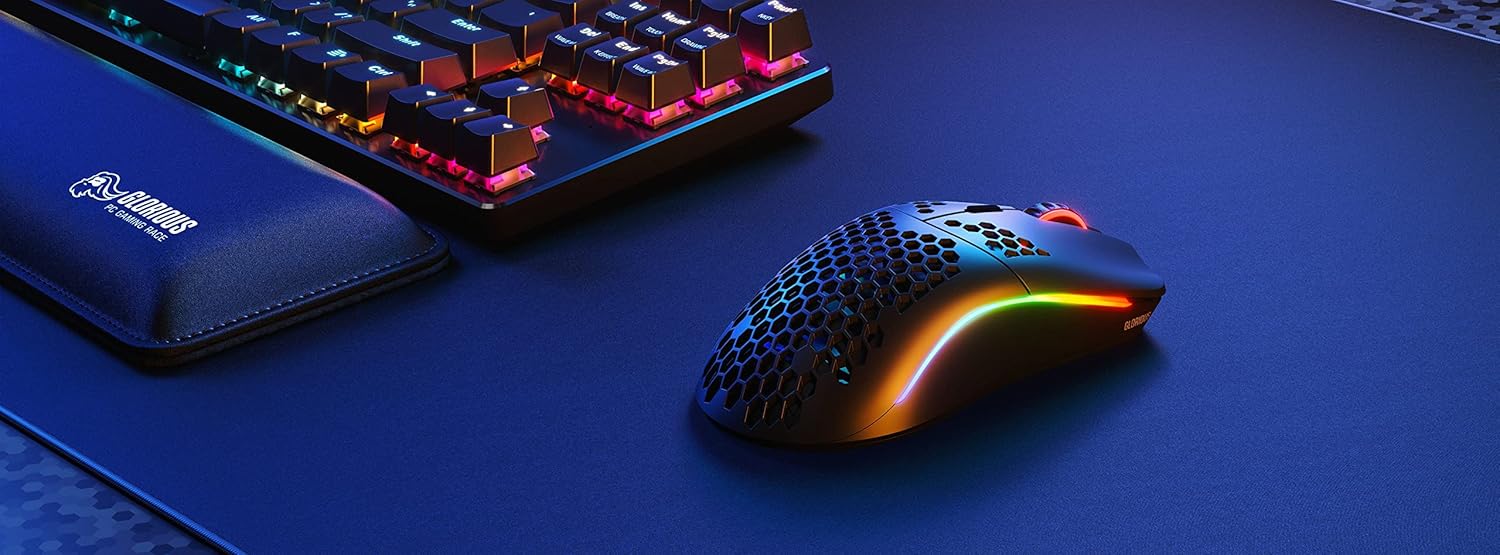
Image: Technical diagram illustrating the dimensions and key specifications of the Glorious Model O Wireless Gaming Mouse.
Cài đặt
- Mở hộp: Carefully remove the mouse, USB-C Ascended charging cable, and wireless dongle from the packaging.
- Kết nối thiết bị thu phát không dây: Plug the 2.4GHz wireless USB dongle into an available USB port on your computer.
- Bật nguồn chuột: Locate the power switch on the underside of the mouse and slide it to the 'ON' position. The mouse should automatically connect to the dongle.
- Phí ban đầu (Tùy chọn): For optimal performance, it is recommended to fully charge the mouse before first use. Connect the USB-C Ascended cable to the front of the mouse and the other end to a USB port on your computer or a USB charger.
- Install Glorious CORE Software: Download and install the Glorious CORE software from the official Glorious webĐịa điểm (www.gloriousgaming.com/pages/glorious-core) to customize settings, RGB lighting, and button assignments.
Video: A seller demonstrates the unboxing and initial setup of the Glorious Model O Wireless mouse, highlighting its lightweight design and flexible cable.
Hướng dẫn sử dụng
The Glorious Model O Wireless mouse features 6 programmable buttons for versatile control during gaming and general use.
- Nhấp chuột trái (Nút 1): Nút thao tác chính.
- Nhấp chuột phải (Nút 2): Nút thao tác phụ.
- Nhấp chuột vào con lăn chuột (Nút 3): Often used for middle-click functions or opening new tabs.
- Nút DPI (Nút 4): Cycles through preset DPI settings. Default settings can be customized via Glorious CORE.
- Nút bên (Nút 5 & 6): Typically used for forward/backward navigation in browsers or assigned to in-game actions. These are fully programmable.
For advanced customization of button functions, macros, and DPI levels, refer to the Glorious CORE software.
Tùy chỉnh
The Glorious Model O Wireless offers extensive customization options through the Glorious CORE software:
- Đèn RGB: Choose from various effects (e.g., Seamless Breathing, Glorious Mode, Single Color) and adjust brightness and speed. You can set different lighting for wired and wireless modes.
- Cài đặt DPI: Create and save multiple DPI profiles, allowing you to switch sensitivity on the fly using the dedicated DPI button.
- Chỉ định nút: Remap any of the 6 buttons to perform mouse functions, keyboard commands, custom macros, or multimedia controls.
- Tỷ lệ bỏ phiếu: Điều chỉnh tốc độ lấy mẫu (lên đến 1000 Hz) để đạt được khả năng phản hồi tối ưu.
- Khoảng cách cất cánh (LOD): Tinh chỉnh khoảng cách mà cảm biến ngừng theo dõi khi chuột được nhấc lên.

Image: Screenshot of the Glorious CORE software, displaying options for customizing RGB lighting effects and colors for the mouse.
BẢO TRÌ
- Vệ sinh: Dùng khăn mềm, khô để lau sạch chuột. Đối với vỏ dạng tổ ong, bạn có thể dùng bình khí nén để loại bỏ bụi bẩn. Tránh sử dụng hóa chất mạnh hoặc vật liệu mài mòn.
- Chăm sóc cáp: Handle the Ascended cable gently to prevent fraying or damage. Avoid sharp bends or excessive pulling.
- Kho: Khi không sử dụng, hãy cất chuột ở nơi sạch sẽ, khô ráo, tránh nhiệt độ cao.
Xử lý sự cố
| Vấn đề | Giải pháp khả thi |
|---|---|
| Chuột không phản hồi (không dây) | Ensure the mouse is powered on and the wireless dongle is securely plugged into a USB port. Try a different USB port. Re-pair the mouse if necessary (refer to Glorious CORE software for pairing instructions). |
| Chuột không phản hồi (Kết nối dây) | Hãy đảm bảo cáp USB-C được kết nối chắc chắn với cả chuột và máy tính. Thử cắm vào cổng USB khác xem sao. |
| Hiện tượng giật lag hoặc gián đoạn | Ensure the mouse is fully charged. Reduce wireless interference by moving the dongle closer to the mouse or away from other wireless devices. Update mouse firmware via Glorious CORE. |
| Ánh sáng RGB không hoạt động | Check RGB settings in Glorious CORE. Ensure brightness is not set to 0. Update mouse firmware. |
| Các nút không hoạt động đúng | Verify button assignments in Glorious CORE. Reset to default settings if needed. Update mouse firmware. |
Thông số kỹ thuật
| Tính năng | Chi tiết |
|---|---|
| Thương hiệu | GLORIOUS |
| Người mẫu | Mô hình O Không dây |
| Màu sắc | Đen mờ |
| Kết nối | Không dây 2.4 GHz, có dây USB-C |
| Cảm biến | Glorious BAMF Optical Sensor |
| ĐẦU TƯ PHIẾU | Lên đến 19,000 |
| Tốc độ theo dõi (IPS) | 400 |
| Tỷ lệ bỏ phiếu | 1000 Hz (Dual Wired/Wireless) |
| Độ trễ nhấp chuột | 2.08ms (Internal Testing) |
| Cân nặng | 69 grams (+/- 1.5g) |
| Tuổi thọ pin | Thời gian sử dụng lên đến 71 giờ (khi tắt chế độ RGB) |
| Nút | 6 (Có thể lập trình) |
| Hướng tay | thuận cả hai tay |
| Bàn chân chuột | G-Skates Premium PTFE |
| Thiết bị tương thích | Windows, Mac, Linux |
Bảo hành và Hỗ trợ
The Glorious Gaming Model O Wireless Mouse comes with a Bảo hành có giới hạn 90 ngày. For warranty claims or technical support, please visit the official Glorious Gaming webtrang web hoặc liên hệ với bộ phận chăm sóc khách hàng của họ. Giữ lại hóa đơn mua hàng để xác nhận bảo hành.
Video: A seller provides a quick overview of the Glorious Model O Wireless mouse, highlighting its features and suitability for gaming.