
Giới thiệu
The LEVOIT Air Purifiers (Core 300 / Core300-P and Core Mini) are designed to improve indoor air quality by effectively removing airborne particles, odors, and allergens. These purifiers utilize advanced filtration systems to create a cleaner and healthier living environment, suitable for various room sizes.
Các tính năng chính bao gồm:
- The Core 300 / Core300-P features a 45W long-life high-torque motor, 8.7" x 8.7" x 14.2" size, 7.48 lb weight, 141CFM CADR and covers up to 1095 sq.ft. The Core Mini features 360° VortexAir Technology 3.0 and quiet operation at 25dB.
- Both air purifiers use a 3-stage filtration system to remove dust, pollen, smoke, odors and airborne particles down to 0.3 microns.
- The Core 300 / Core300-P can purify rooms up to 1095 sq. ft. once per hour. The Core Mini keeps personal spaces fresh.
- The Core Mini includes an aromatherapy pad to add essential oils for great smells. Core 300 / Core300-P is compatible with multiple Levoit filter types including Toxin Absorber, Smoke Remover and Pet Allergy filters.
- Use only genuine Levoit replacement filters to maintain performance.

Image: The Levoit Core 300 and Core Mini air purifiers, showcasinVới thiết kế nhỏ gọn và hiện đại.
Cài đặt
Setting up your LEVOIT Air Purifier is quick and easy. Follow these steps to get started:
- Mở hộp: Carefully remove the air purifier from its packaging. Ensure all components, including the main unit, power adapter, and filter, are present.
- Cài đặt bộ lọc:
- Hãy lật ngược máy lọc không khí.
- Xoay nắp đáy ngược chiều kim đồng hồ để mở khóa và tháo ra.
- Tháo bỏ bao bì nhựa khỏi bộ lọc HEPA.
- Lắp bộ lọc trở lại thiết bị.
- Replace the base cover and twist clockwise to secure it.
- Vị trí: Place the air purifier on a flat, stable surface. Ensure there is at least 6 inches (15 cm) of clearance on all sides for optimal air circulation.
- Kết nối nguồn điện: Cắm bộ chuyển đổi nguồn vào máy lọc không khí, sau đó cắm vào ổ cắm điện tiêu chuẩn.

Image: Components of the Levoit air purifier, illustrating the filter's placement within the unit.
Hướng dẫn sử dụng
Your LEVOIT Air Purifier features intuitive controls for easy operation:
- Bật/Tắt nguồn: Bấm nút nguồn (⑂(Nút) trên bảng điều khiển phía trên để bật hoặc tắt thiết bị.
- Tốc độ quạt: Nhấn nút điều chỉnh tốc độ quạt (☸) repeatedly to cycle through three fan speeds: Low (I), Medium (II), and High (III).
- Chế độ ngủ: Kích hoạt Chế độ Ngủ (☽) for quiet operation during the night. In this mode, the fan runs at its lowest speed, and display lights are dimmed or turned off.
- Chức năng hẹn giờ: Sử dụng nút hẹn giờ (⏱) to set the purifier to operate for a specific duration (2, 4, 6, or 8 hours) before automatically turning off.
- Hiển thị Tắt: Nhấn nút hiển thị (☀) to turn off the display lights for undisturbed sleep.
- Khóa hiển thị: Press the lock button (🔒) to prevent accidental changes to settings, useful for households with children or pets.
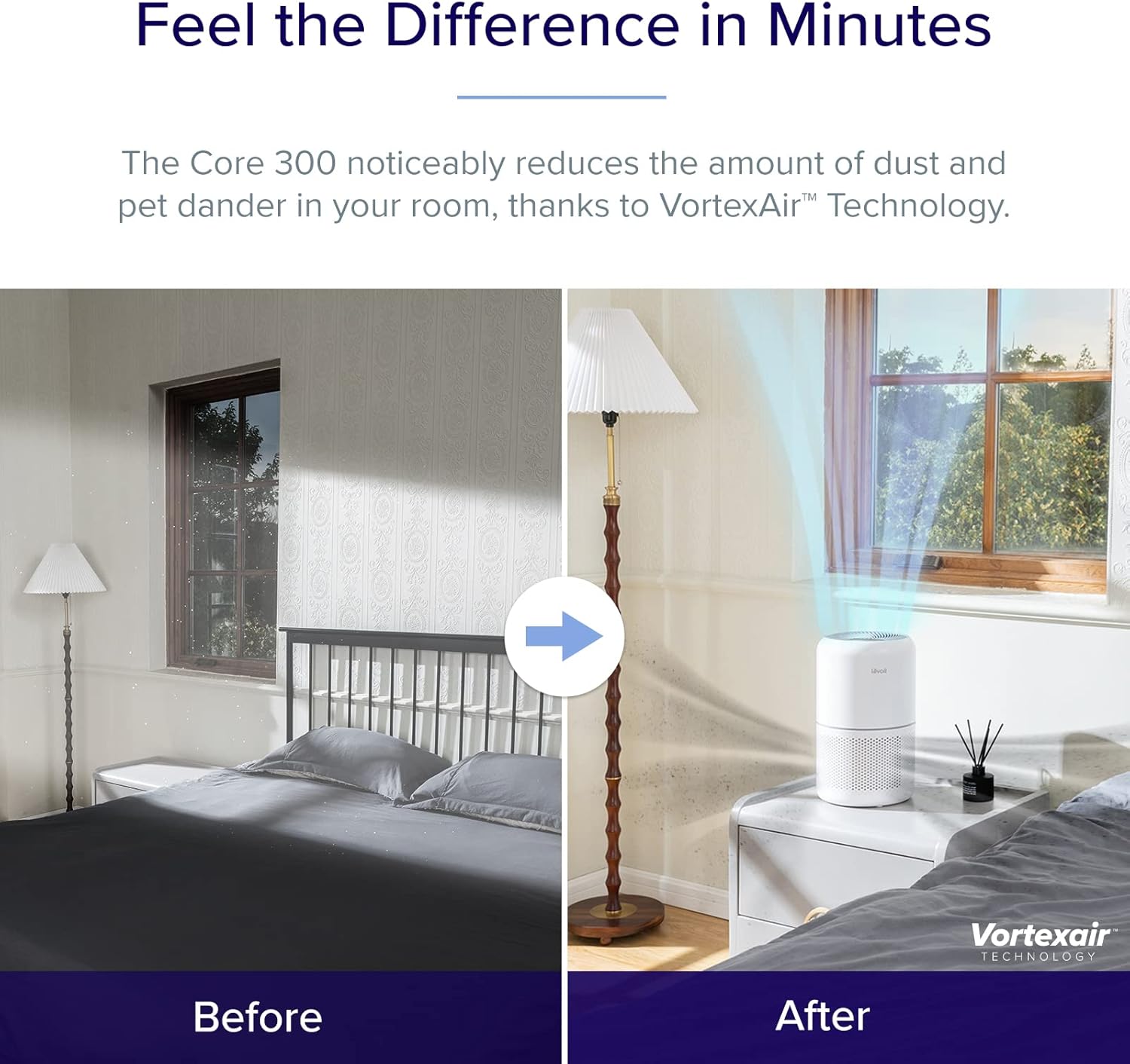
Image: Close-up of the control panel on the Levoit air purifier, showing touch-sensitive buttons for power, fan speed, sleep mode, timer, display, and lock.
BẢO TRÌ
Việc bảo trì thường xuyên đảm bảo hiệu suất tối ưu và tuổi thọ của máy lọc không khí.
Thay thế bộ lọc
The filter should be replaced every 6-8 months, or when the filter indicator light illuminates. Using genuine LEVOIT replacement filters is crucial for maintaining performance.
- Rút phích cắm máy lọc không khí ra khỏi ổ cắm điện.
- Turn the unit upside down and remove the base cover.
- Remove the old filter. You may gently vacuum the outside of the filter periodically to extend its life, but do not wash it.
- Insert a new genuine LEVOIT filter (search for B07RSZSYNC for Core 300 and Core Mini-RF or B09FK5PN4H for Core Mini).
- Replace the base cover and twist clockwise to secure.
- Plug in the air purifier. Press and hold the filter indicator button (🗑) for 3 seconds to reset the filter life indicator.
Vệ sinh thiết bị
Lau sạch bên ngoài máy lọc không khí bằng khăn mềm, khô khi cần thiết. Không sử dụng chất tẩy rửa có tính ăn mòn hoặc dung môi.

Image: Illustration of the 3-stage filtration system, detailing how the pre-filter, HEPA filter, and activated carbon filter work together to purify air.
Xử lý sự cố
If you encounter any issues with your air purifier, refer to the following common troubleshooting tips:
| Vấn đề | Nguyên nhân có thể | Giải pháp |
|---|---|---|
| Thiết bị không bật. | Chưa cắm điện; sự cố ổ cắm điện; bộ lọc chưa được lắp đặt đúng cách. | Ensure power cord is securely plugged in. Try a different outlet. Check if the filter is unwrapped and the base cover is securely twisted on. |
| Lưu lượng không khí giảm đáng kể. | Bộ lọc bị tắc. | Check the filter indicator light. Replace the filter if necessary. |
| Tiếng ồn bất thường trong quá trình hoạt động. | Quạt bị cản trở; thiết bị không được đặt trên bề mặt ổn định. | Unplug and check for any foreign objects. Ensure the unit is on a flat, stable surface. |
| Odor persists or is stronger. | Filter saturation; new filter odor. | Hãy thay bộ lọc. Bộ lọc mới có thể có mùi nhẹ ban đầu, nhưng mùi sẽ biến mất sau một thời gian. |
Thông số kỹ thuật
| Đặc điểm kỹ thuật | Chi tiết |
|---|---|
| Thương hiệu | LÊN |
| Số hiệu mẫu | Core300, CoreMini |
| Màu sắc | Trắng |
| Kích thước sản phẩm | 6.5"D x 6.5"W x 10.4"H |
| Loại bộ điều khiển | Nút điều khiển |
| Cái gì?tage | 7 watt |
| Noise Level (Core Mini) | 25-44dB |
| CADR (Core 300 / Core300-P) | 141CFM |
| Coverage Area (Core 300 / Core300-P) | Up to 1095 sq. ft. (1 air change per hour) |
Bảo hành và Hỗ trợ
For warranty information or technical support, please refer to the official LEVOIT website or contact their customer service directly. The product typically comes with a standard manufacturer's warranty. You can also find the User Manual in PDF format via this liên kết.