
Star Micronics BSH-HR2081BT BLK
Hướng dẫn sử dụng máy quét mã vạch không dây Bluetooth 1D/2D Star Micronics BSH-HR2081BT
Model: BSH-HR2081BT BLK
1. Giới thiệu
This manual provides comprehensive instructions for the setup, operation, maintenance, and troubleshooting of your Star Micronics BSH-HR2081BT Wireless Bluetooth 1D/2D Barcode Scanner. Designed for efficiency and durability, this scanner is a reliable solution for various point-of-sale and inventory management applications.
The BSH-HR2081BT scanner is equipped with a high-power CPU, enabling it to effortlessly capture high-density, high-volume, and even distorted barcodes from both printed materials and digital screens. Its robust design, coupled with advanced wireless capabilities, ensures seamless integration into your workflow.
2. Các tính năng chính
- Quét hiệu suất cao: Powerful CPU captures high-density, high-volume, and distorted 1D/2D barcodes on paper or screen.
- Kéo dài tuổi thọ pin: Offers up to 12 hours of continuous operation (one scan every six seconds) with its 2200mAh battery.
- Kết nối đa năng: Connects directly to the host device via Bluetooth Low Energy (BLE) or wirelessly to a Star printer using the included USB dongle.
- Reliable Wireless Range: Maintains a stable wireless connection to transmit data, with communication distances up to 50 meters (approximately 164 feet).
- Kết cấu bền bỉ: Features an IP42-rated design and a drop-resistant housing, capable of withstanding drops from up to 1.2 meters (approximately 4 feet).
3. Hướng dẫn cài đặt
3.1. Mở hộp và kiểm tra ban đầu
Cẩn thận lấy tất cả các thành phần ra khỏi bao bì. Kiểm tra xem có đầy đủ các mục sau không:
- Star Micronics BSH-HR2081BT Barcode Scanner
- Cáp sạc USB
- USB Dongle (for wireless connection to Star printers)
- Đế máy quét

Figure 3.1: Barcode scanner and its USB dongle.
3.2. Sạc máy quét
Before first use, fully charge the scanner. Connect the USB charging cable to the scanner's charging port (located at the bottom of the handle) and plug the other end into a USB power adapter (not included) or a computer's USB port. The charging indicator light will show the charging status.

Figure 3.2: USB charging port at the base of the scanner handle.
3.3. Kết nối máy quét
The BSH-HR2081BT scanner offers two primary connection methods:
3.3.1. Bluetooth Connection (Direct to Host Device)
- Đảm bảo máy quét đã được bật.
- On your host device (smartphone, tablet, or computer), enable Bluetooth.
- Tìm kiếm available Bluetooth devices. The scanner should appear as "Star Micronics BSH-HR2081BT" or similar.
- Chọn máy quét cần ghép nối. Làm theo hướng dẫn trên màn hình để hoàn tất quá trình ghép nối.
3.3.2. Wireless Connection (via USB Dongle to Star Printer)
- Insert the provided USB dongle into an available USB port on your compatible Star printer (e.g., mC-Print, mPOP).
- Power on the scanner. The scanner and dongle should automatically establish a connection.
- Refer to your Star printer's manual for specific instructions on connecting external devices.

Figure 3.3: Barcode scanner placed in its included stand.
4. Hướng dẫn vận hành
4.1. Thao tác quét cơ bản
To scan a barcode, point the scanner's window at the barcode and press the trigger button. A successful scan will typically be indicated by an audible beep and/or a visual confirmation light.
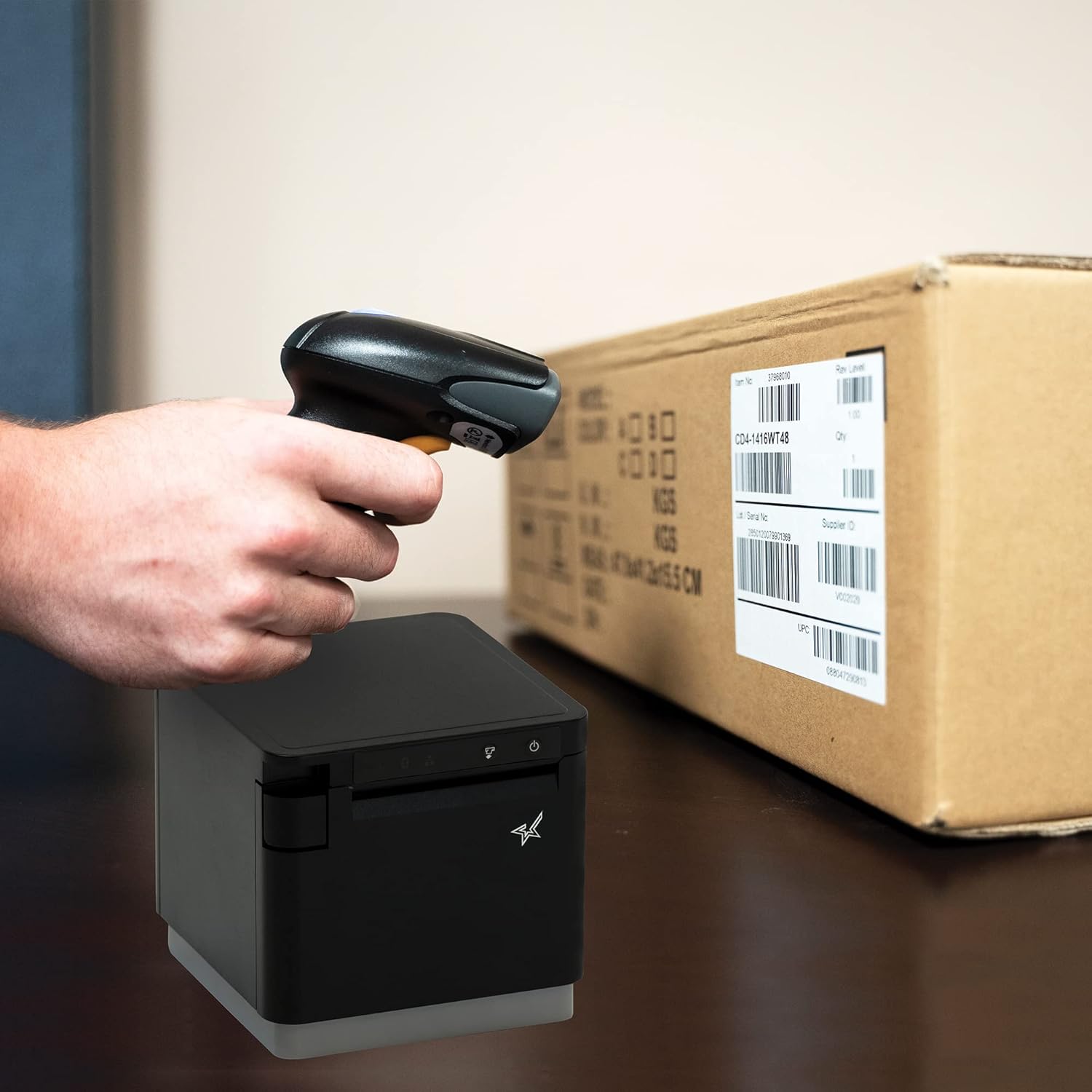
Hình 4.1: Ví dụampVí dụ như việc quét mã vạch trên bao bì.
4.2. Chế độ quét
The BSH-HR2081BT scanner supports six different scanning modes to accommodate various operational needs:
- Chế độ cấp độ: The scanner's trigger will activate the decode session.
- Chế độ kích hoạt: A trigger pull activates a decode session.
- Chế độ cảm biến: The scanner activates a decode session every time it detects a barcode.
- Chế độ liên tục: The scanner automatically starts one decode session after another.
- Chế độ xung: When the trigger is pulled and released, scanning is activated until a barcode is decoded or the decode session timeout expires.
- Chế độ hàng loạt: When the trigger is pulled and released, scanning is activated until the trigger is released.
Refer to the full user guide (link in Section 7) for detailed instructions on how to switch between these modes and configure specific settings.
5. Bảo trì
5.1. Vệ sinh máy quét
Để duy trì hiệu suất tối ưu, hãy giữ cho cửa sổ máy quét luôn sạch sẽ. Sử dụng một miếng vải mềm, không xơ để lau nhẹ nhàng.ampened with water or a mild, non-abrasive cleaner. Do not use harsh chemicals or abrasive materials, as they may damage the scanner's surface or optical components.
5.2. Chăm sóc pin
The scanner is equipped with a Lithium Ion battery. To prolong battery life:
- Tránh xả hết pin thường xuyên.
- Bảo quản máy quét ở nơi khô ráo, thoáng mát khi không sử dụng trong thời gian dài.
- Charge the battery regularly, even if the scanner is not in frequent use.
KHAI THÁC. Xử lý sự cố
6.1. Scanner Not Connecting
- Kiểm tra nguồn điện: Ensure the scanner is fully charged and powered on.
- Ghép nối Bluetooth: For Bluetooth connections, ensure Bluetooth is enabled on your host device and the scanner is in pairing mode. Try unpairing and re-pairing the device.
- Thiết bị USB: If using the USB dongle, ensure it is securely plugged into the Star printer and the printer is powered on.
- Phạm vi: Ensure the scanner is within the effective communication range (up to 50m) of the host device or dongle.
6.2. Scanner Not Reading Barcodes
- Tình trạng mã vạch: Hãy đảm bảo mã vạch rõ ràng, không bị nhòe, rách hoặc quá phản chiếu.
- Khoảng cách và góc: Adjust the distance and angle of the scanner to the barcode. Try different scanning modes if applicable.
- Chiếu sáng: Đảm bảo đủ ánh sáng. Tránh ánh sáng chói trực tiếp chiếu vào mã vạch.
- Cửa sổ máy quét: Clean the scanner's reading window as described in the Maintenance section.
6.3. Thời lượng pin ngắn
- Sạc đầy: Ensure the scanner is charged until the indicator shows a full charge.
- Mô hình sử dụng: Continuous heavy usage will deplete the battery faster.
- Tuổi pin: Over time, rechargeable batteries naturally lose capacity.
7. Thông số kỹ thuật
| Đặc điểm kỹ thuật | Chi tiết |
|---|---|
| Kích thước sản phẩm | 5.7 x 4 x 2.7 inch |
| Trọng lượng sản phẩm | 1.06 pound |
| Số hiệu mẫu | BSH-HR2081BT BLK |
| Pin | Cần có 1 pin Lithium Ion (đã bao gồm) |
| Nhà sản xuất | Ngôi sao Micronics |
| Thiết bị tương thích | Điện thoại thông minh, Máy tính bảng |
| Nguồn điện | Pin chạy bằng |
| Công nghệ kết nối | Bluetooth, cáp USB |
| Xếp hạng IP | IP42 |
| Sức đề kháng khi rơi | Lên đến 1.2 mét |
8. Bảo hành và Hỗ trợ
For warranty information and technical support, please contact Star Micronics directly or visit their official webtrang web. Giữ lại biên lai mua hàng làm bằng chứng mua hàng khi yêu cầu bảo hành.
Bạn có thể tải xuống hướng dẫn sử dụng chi tiết ở định dạng PDF:
Ask a question about this manual
Ask about setup, troubleshooting, compatibility, parts, safety, or missing instructions. Manuals+ will review the question and use this page’s manual context to help answer it.