
1. Giới thiệu
Thank you for choosing the VOYEE WE-07 Wired Game Controller. This manual provides detailed instructions for setting up, operating, and maintaining your controller. The WE-07 is designed for a responsive and immersive gaming experience on both PC and PlayStation 3 platforms.

Image: The VOYEE WE-07 wired game controller, featuring a black and red design with prominent VOYEE branding and illuminated rumble effects, indicating its dual shock capabilities.
2. Tính năng sản phẩm
- Kết nối có dây: Equipped with a 1.8-meter (5.9ft) USB cable for a stable connection and comfortable gaming distance.
- Hệ thống rung kép: Built-in dual motion motors provide varied intensity feedback for an authentic gaming experience.
- Thiết kế công thái học: Features a special matte layer for a comfortable grip during extended gaming sessions.
- Khả năng tương thích rộng: Supports Windows 7/8/8.1/10/11 PC games (DInput and XInput modes) and is fully compatible with Sony PlayStation 3 consoles.

Image: An illustration highlighting the internal dual shock rumble motor within the VOYEE WE-07 controller, emphasizing its vibration feedback capability.
3. Bố cục bộ điều khiển
Familiarize yourself with the buttons and controls of your VOYEE WE-07 controller:

Image: A detailed diagram of the VOYEE WE-07 controller, labeling all buttons and joysticks, including R1/R2/L1/L2 buttons, LED indicators, SELECT, START, HOME, D-Pad, Left/Right Joysticks, and A/B/X/Y buttons.
- Cần điều khiển trái: Dùng để di chuyển theo hướng nhất định.
- Cần điều khiển bên phải: Dùng để điều khiển hoặc ngắm máy ảnh.
- D-Pad: Bàn phím định hướng để nhập liệu chính xác.
- Các nút hành động (A, B, X, Y): Dành cho các hành động trong trò chơi.
- Nút vai (L1, R1): Các nút bấm được gắn ở phía trên.
- Các nút kích hoạt (L2, R2): Các nút kích hoạt analog được gắn ở phía dưới.
- Nút chọn: Typically for menu navigation or specific game functions.
- Nút BẮT ĐẦU: Typically for pausing or starting games.
- HOME/P3 Button: For accessing system menus or PlayStation 3 home screen.
- Đèn báo LED (1-4): Show player number or connection status.
4. Hướng dẫn thiết lập
Connecting your VOYEE WE-07 controller is a straightforward process:
4.1. Connecting to a PC (Windows 7/8/8.1/10/11)
- Xác định vị trí cổng USB khả dụng trên máy tính của bạn.
- Plug the USB connector of the VOYEE WE-07 controller into the USB port.
- Your computer will automatically detect and install the necessary drivers. This may take a few moments.
- Once installed, the controller will be ready for use. You may need to configure the controller settings within your game or platform (e.g., Steam) for optimal performance.
The controller supports both DInput (DirectInput) and XInput modes. Most modern PC games use XInput, which is automatically recognized. For older games, DInput might be used.
4.2. Connecting to a PlayStation 3 (PS3)
- Đảm bảo máy chơi game PS3 của bạn đã được bật nguồn.
- Plug the USB connector of the VOYEE WE-07 controller into an available USB port on your PS3.
- The PS3 will recognize the controller. The LED indicators on the controller will light up to show the assigned player number.
- The controller is now ready for use with your PlayStation 3 games.

Image: A close-up of the VOYEE WE-07 controller's USB cable connecting to a device, illustrating the wired connection process.
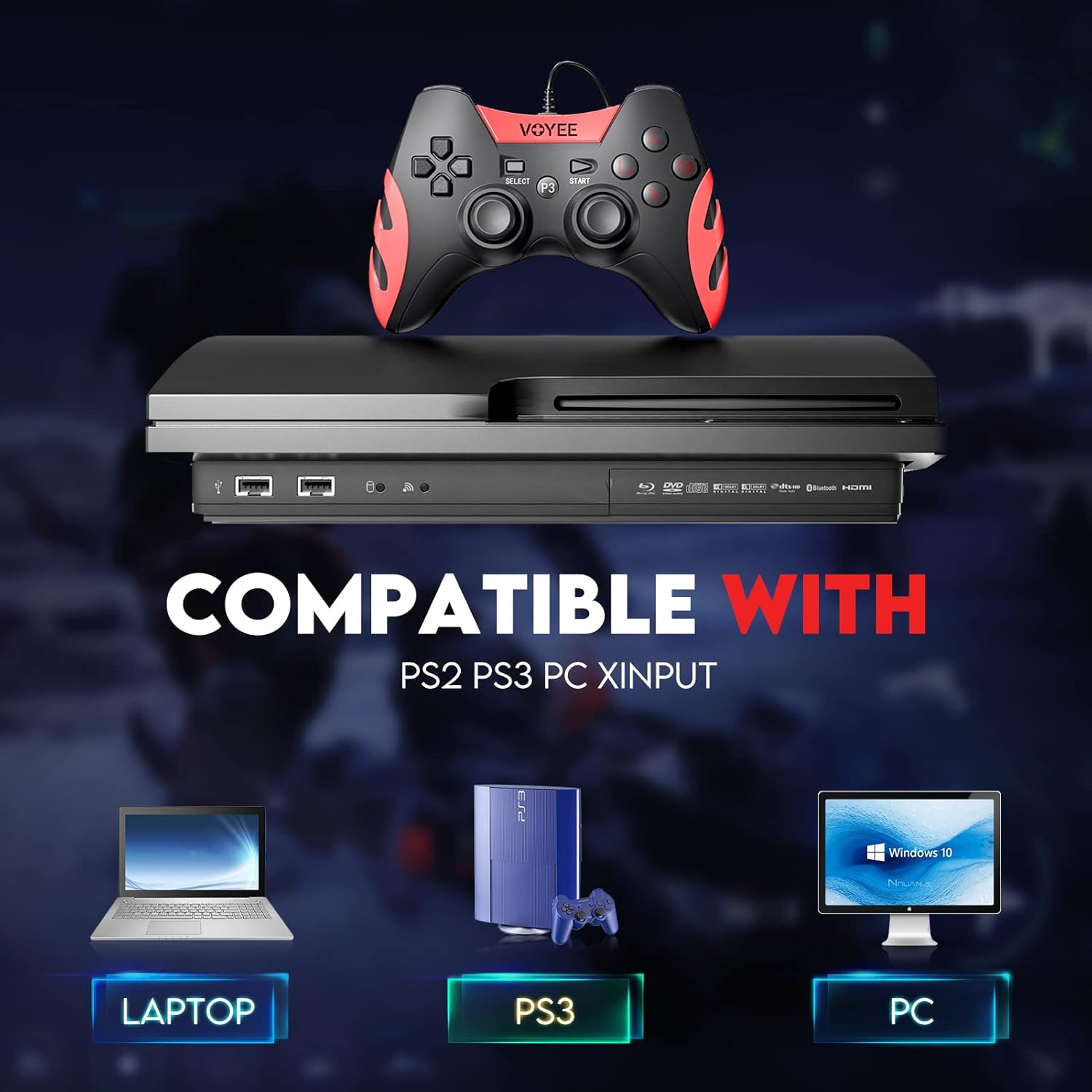
Image: A graphic demonstrating the VOYEE WE-07 controller's compatibility with various platforms, including laptops, PlayStation 3 consoles, and desktop PCs, highlighting its versatility.
5. Hướng dẫn vận hành
Once connected, the VOYEE WE-07 controller functions similarly to standard gamepads. Here are some general operating tips:
- Điều khiển trò chơi: Use the joysticks and D-Pad for movement and navigation. The action buttons (A, B, X, Y) and shoulder/trigger buttons (L1, R1, L2, R2) perform in-game actions as defined by the specific game.
- Phản hồi rung: The dual shock motors will provide tactile feedback during gameplay, enhancing immersion. This feature is automatically enabled when supported by the game.
- HOME/P3 Button: Press this button to access the system menu on PS3 or to bring up the game overlay on PC (depending on the game or platform).
- Công thái học: The controller's matte finish and ergonomic design are intended for comfortable use during long gaming sessions.
KHAI THÁC. Xử lý sự cố
If you encounter issues with your VOYEE WE-07 controller, please refer to the following common solutions:
| Vấn đề | Giải pháp |
|---|---|
| Controller not recognized by PC/PS3. |
|
| Vibration feedback is not working. |
|
| Các nút bấm hoặc cần điều khiển không phản hồi. |
|
7. Bảo trì
To ensure the longevity and optimal performance of your VOYEE WE-07 controller, follow these maintenance guidelines:
- Vệ sinh: Dùng vải mềm, khô để lau bề mặt bộ điều khiển. Đối với vết bẩn cứng đầu, lau nhẹampLau sạch vải bằng nước. Tránh sử dụng hóa chất mạnh hoặc chất tẩy rửa có tính mài mòn.
- Kho: Bảo quản bộ điều khiển ở nơi khô ráo, thoáng mát, tránh ánh nắng trực tiếp và nhiệt độ quá cao hoặc quá thấp. Tránh đặt vật nặng lên bộ điều khiển.
- Chăm sóc cáp: Do not sharply bend or pull the USB cable. Always grasp the plug when disconnecting, not the cable itself.
- Tránh rơi: Bảo vệ bộ điều khiển khỏi bị rơi và va đập, vì có thể làm hỏng các linh kiện bên trong.
8. Thông số kỹ thuật
| Người mẫu | WE-07 |
| Thương hiệu | VOYEE |
| Kết nối | USB có dây |
| Chiều dài cáp | 1.8 mét (5.9 ft) |
| Thiết bị tương thích | PC (Windows 7/8/8.1/10/11), PlayStation 3 |
| Loại bộ điều khiển | Gamepad, Joystick (DInput & XInput) |
| Các tính năng bổ sung | Dual Shock Vibration, Ergonomic Design, Matte Finish |
| Số lượng nút | 17 |
9. Bảo hành và Hỗ trợ
VOYEE provides a Bảo hành 365 ngày for the WE-07 wired gamepad controller from the date of purchase. This warranty covers manufacturing defects under normal use.
If you encounter any problems or have questions regarding your VOYEE WE-07 controller, please do not hesitate to contact our customer service team via e-mail. Our friendly customer service is available to assist you.
For support, please visit the official VOYEE webXem trang web hoặc tham khảo tài liệu mua hàng của bạn để biết thông tin liên hệ.