
Black Shark Lucifer T2
Black Shark Lucifer T2 Wireless Gaming Earbuds
Hướng dẫn sử dụng
Model: Lucifer T2 | Brand: Black Shark
Giới thiệu
This manual provides comprehensive instructions for the Black Shark Lucifer T2 Wireless Gaming Earbuds. Please read this manual carefully before using the product to ensure proper operation and to maximize your gaming and audio experience. Keep this manual for future reference.
Nội dung gói
Upon opening the Black Shark Lucifer T2 package, please verify that all items listed below are present and in good condition:
- Black Shark Lucifer T2 Wireless Gaming Earbuds (Left and Right)
- Vỏ sạc
- Cáp sạc USB-C
- Hướng dẫn sử dụng
- Nhiều kích cỡ nút tai khác nhau để vừa vặn tối ưu.

Image: Contents of the Black Shark Lucifer T2 package, including the earbuds, charging case, USB-C cable, user manual, and various ear tip sizes.
Hướng dẫn thiết lập
1. Sạc ban đầu
Before first use, fully charge the Black Shark Lucifer T2 earbuds and their charging case. Connect the provided USB-C cable to the charging port on the case and plug the other end into a compatible USB power source (e.g., computer, wall adapter). The charging indicators on the case will illuminate to show charging status.
- Thời gian chơi của tai nghe: Thời lượng sử dụng khoảng 5 tiếng sau mỗi lần sạc đầy.
- Tổng thời gian chơi với Hộp sạc: Lên đến 20 giờ.
- Thời gian sạc: Thời gian sạc đầy hộp đựng và tai nghe khoảng 5 tiếng.

Image: The Black Shark Lucifer T2 earbuds and their charging case, connected via a USB-C cable for charging.
2. Ghép nối với thiết bị của bạn
- Hãy đảm bảo tai nghe nằm trong hộp sạc và hộp sạc có đủ pin.
- Open the charging case lid. The earbuds will automatically enter pairing mode, indicated by flashing lights.
- On your device (smartphone, tablet, laptop, gaming console), navigate to the Bluetooth settings.
- Bật Bluetooth và tìm kiếm các thiết bị khả dụng.
- Lựa chọn "Black Shark Lucifer T2" từ danh sách các thiết bị được tìm thấy.
- Once connected, the earbud lights will stop flashing, and your device will confirm the connection.
The Lucifer T2 earbuds utilize Bluetooth 5.2 for a stable and efficient connection, with a wireless range of up to 10 mét (33 feet).

Image: A smartphone displaying its Bluetooth settings, with 'Black Shark Lucifer T2' highlighted as a connected device.
Hướng dẫn sử dụng
Điều khiển cảm ứng
The Black Shark Lucifer T2 earbuds feature intuitive touch controls on each earbud. Refer to the table below for common functions:
| Hoạt động | Chức năng |
|---|---|
| Triple tap L/R touch control | Switch between Gaming Mode / Music Mode |
| Double tap L/R touch control | Phát / Tạm dừng nhạc |
| Hold Left touch control for 2 seconds | Bài hát trước |
| Hold Right touch control for 2 seconds | Bài hát tiếp theo |
| Double tap L/R touch control | Trả lời / Kết thúc cuộc gọi |
| Triple tap Left touch control | Kích hoạt Trợ lý giọng nói |
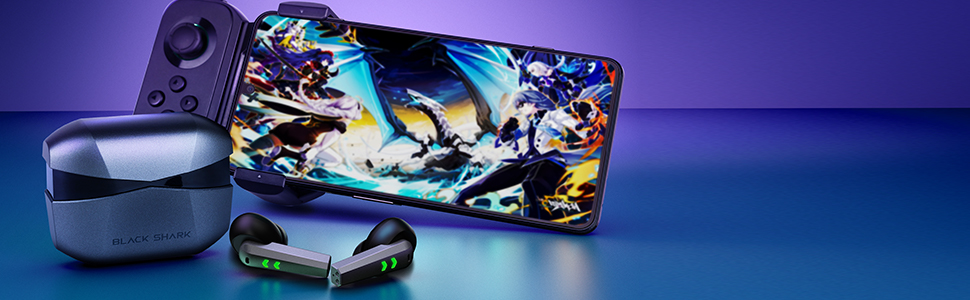
Image: Visual guide to the touch controls on the Black Shark Lucifer T2 earbuds, along with battery level indicators on the charging case.
Gaming Mode and Music Mode
The Lucifer T2 earbuds feature a Dual-Mode Design, allowing you to switch between Gaming Mode and Music Mode for optimized performance based on your activity.
- Chế độ chơi game: Provides an ultra-low latency of 35ms, ensuring synchronized audio and visuals for a competitive gaming experience. This minimizes audio delay, crucial for fast-paced games.
- Chế độ âm nhạc: Delivers premium sound quality with deeper bass and higher frequency detail, ideal for an immersive audio listening experience.

Image: A visual representation of the 35ms ultra-low latency gaming mode, highlighting its benefit for synchronized gaming experiences compared to regular earbuds.
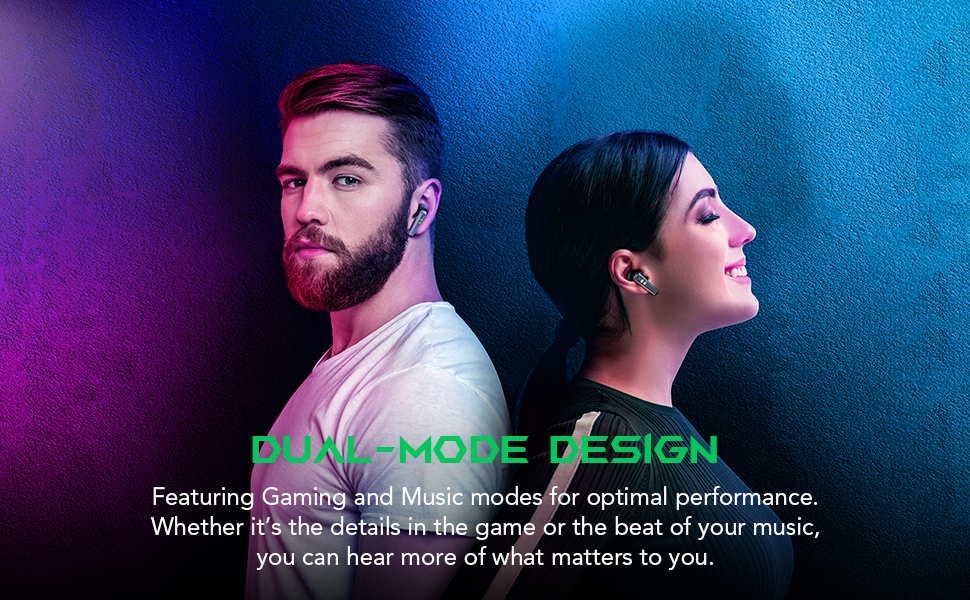
Image: Two people wearing the Black Shark Lucifer T2 earbuds, emphasizing the versatility of the dual-mode design for both gaming and music.
Tính năng âm thanh
- Trình điều khiển động 10mm: Expertly tuned 10mm drivers provide rich, clear audio with pronounced bass and crisp highs for superior sound clarity in both music and gaming.
- Hyperclear Microphones: Equipped with 4 microphones for ultra-clear voice communication, ensuring your voice is heard clearly during gaming sessions and voice calls.

Hình ảnh: Một nội bộ view of an earbud highlighting the 10mm dynamic driver, illustrating how it produces sound with deeper bass and higher frequency detail.

Image: A person wearing a Black Shark Lucifer T2 earbud, visually representing the ultra-clear microphone feature for enhanced vocal clarity.
Bảo trì và chăm sóc
Vệ sinh tai nghe của bạn
To ensure optimal performance and hygiene, regularly clean your Black Shark Lucifer T2 earbuds:
- Sử dụng vải mềm, khô, không xơ để lau tai nghe và hộp sạc.
- For ear tips, remove them from the earbuds and clean with a mild soap solution and water. Ensure they are completely dry before reattaching.
- Nhẹ nhàng loại bỏ ráy tai hoặc bụi bẩn bám trong lưới tai nghe bằng bàn chải nhỏ, mềm hoặc tăm bông.
- Tránh sử dụng các vật liệu mài mòn, cồn hoặc chất tẩy rửa hóa học, vì chúng có thể làm hỏng sản phẩm.
Chống nước
The Black Shark Lucifer T2 earbuds are rated Chống nước IPX5, meaning they are protected against low-pressure water jets from any direction. This makes them suitable for use during workouts or in light rain. However, they are not designed for submersion in water or for use during swimming.
- Không nên cố ý nhúng tai nghe vào nước.
- Nếu tai nghe bị ướt, hãy lau khô kỹ trước khi đặt lại vào hộp sạc.

Image: The Black Shark Lucifer T2 earbuds with water droplets on their surface, demonstrating their IPX5 water resistance against sweat and rain.
Kho
Khi không sử dụng, hãy cất tai nghe vào hộp sạc để bảo vệ chúng khỏi bụi bẩn, hư hỏng và để giữ cho chúng luôn được sạc đầy. Bảo quản hộp sạc ở nơi khô ráo, thoáng mát, tránh nhiệt độ quá cao hoặc quá thấp.
Xử lý sự cố
If you encounter issues with your Black Shark Lucifer T2 earbuds, try the following troubleshooting steps:
Tai nghe không ghép nối/kết nối
- Kiểm tra pin: Hãy đảm bảo cả tai nghe và hộp sạc đều được sạc đầy.
- Sửa chữa: Place both earbuds back into the charging case, close the lid, wait a few seconds, then open the lid. Go to your device's Bluetooth settings, forget/delete "Black Shark Lucifer T2" if previously paired, and then attempt to pair again.
- Khoảng cách thiết bị: Hãy đảm bảo tai nghe nằm trong phạm vi 10 mét (33 feet) so với thiết bị của bạn.
- Sự can thiệp: Move away from other strong wireless signals (Wi-Fi routers, other Bluetooth devices) that might cause interference.
Không có âm thanh hoặc âm lượng thấp
- Mức âm lượng: Increase the volume on both your connected device and the earbuds.
- Độ vừa vặn của tai nghe: Hãy đảm bảo tai nghe được đặt đúng vị trí trong tai và bạn đang sử dụng đúng kích cỡ nút tai để tạo độ kín tốt.
- Vệ sinh tai nghe: Check for any debris or earwax blocking the earbud speakers and clean them if necessary.
- Kết nối lại: Disconnect and reconnect the earbuds from your device's Bluetooth settings.
Vấn đề sạc
- Kiểm tra cáp và bộ chuyển đổi: Ensure the USB-C charging cable and power adapter are working correctly. Try a different cable or adapter.
- Làm sạch cổng sạc: Kiểm tra xem có vật cản nào trong cổng sạc của hộp đựng hoặc trên các điểm tiếp xúc sạc của tai nghe hay không.
- Vị trí thích hợp: Ensure the earbuds are correctly seated in the charging case. The indicator lights on the case should confirm charging.
Điều khiển cảm ứng không phản hồi
- Làm sạch bề mặt: Hãy đảm bảo vùng cảm ứng trên tai nghe sạch sẽ và khô ráo.
- Firm Taps: Ensure you are tapping or holding the touch area firmly and accurately as per the operating instructions.
- Khởi động lại: Place the earbuds back in the case, close the lid, and then take them out again to reset them.
Thông số kỹ thuật sản phẩm
| Tính năng | Chi tiết |
|---|---|
| Tên mẫu | Lucifer T2 |
| Thương hiệu | Cá mập đen |
| Công nghệ kết nối | Không dây (Bluetooth) |
| Phiên bản Bluetooth | 5.2 |
| Phạm vi Bluetooth | 10 mét |
| Loại trình điều khiển âm thanh | Trình điều khiển động (10mm) |
| Dải tần số | 20 Hz - 20,000 Hz |
| Micro | 4 Hyperclear Mics |
| Độ trễ | 35ms (Chế độ chơi game) |
| Tuổi thọ pin tai nghe | Lên đến 5 giờ |
| Tổng thời gian chơi (có hộp đựng) | Lên đến 20 giờ |
| Thời gian sạc | Khoảng 5 giờ |
| Mức độ chống nước | Chống nước IPX5 |
| Phương pháp kiểm soát | Cảm ứng, giọng nói |
| Vật liệu | PVC, Plastic (Case) |
| Trọng lượng sản phẩm | 5.99 Ounces (Earbuds) / 6 Ounces (Total) |
| Thiết bị tương thích | Laptops, Desktops, Gaming Consoles, Tablets, Telephones, Smart Speaker, Television, Cellphones |
Bảo hành và Hỗ trợ
Chính sách trả hàng
Sản phẩm này chịu sự ràng buộc bởi... Chính sách đổi trả trong vòng 30 ngày from the date of purchase, allowing for refund or replacement in accordance with the seller's terms and conditions.
Hỗ trợ khách hàng
For further assistance, technical support, or warranty inquiries, please visit the official Black Shark store or contact their customer service:
- Black Shark Official Store: Ghé thăm cửa hàng
- Refer to the contact information provided on the product packaging or the official Black Shark webtrang web dành cho các kênh hỗ trợ trực tiếp.
Thông tin an toàn quan trọng
- Không tháo rời, sửa chữa hoặc thay đổi sản phẩm.
- Tránh để sản phẩm tiếp xúc với nhiệt độ quá cao, ánh nắng trực tiếp và lửa.
- Tránh để sản phẩm tiếp xúc với độ ẩm quá cao hoặc chất lỏng ăn mòn.
- Chỉ sử dụng bộ sạc và cáp được phê duyệt.
- Tiếp xúc lâu dài với âm lượng lớn có thể gây tổn thương thính giác. Hãy điều chỉnh âm lượng về mức an toàn.
- Vứt bỏ sản phẩm và pin một cách có trách nhiệm theo quy định của địa phương.
Ask a question about this manual
Ask about setup, troubleshooting, compatibility, parts, safety, or missing instructions. Manuals+ will review the question and use this page’s manual context to help answer it.