

1. Giới thiệu
The WSDCAM 22R-03C is a wireless anti-theft vibration alarm system designed to protect your bicycle, motorcycle, scooter, or other valuable assets. Featuring a loud 113dB alarm, adjustable sensitivity, and remote control operation, it provides an effective deterrent against theft. This manual provides detailed instructions for setup, operation, and maintenance to ensure optimal performance and longevity of your device.
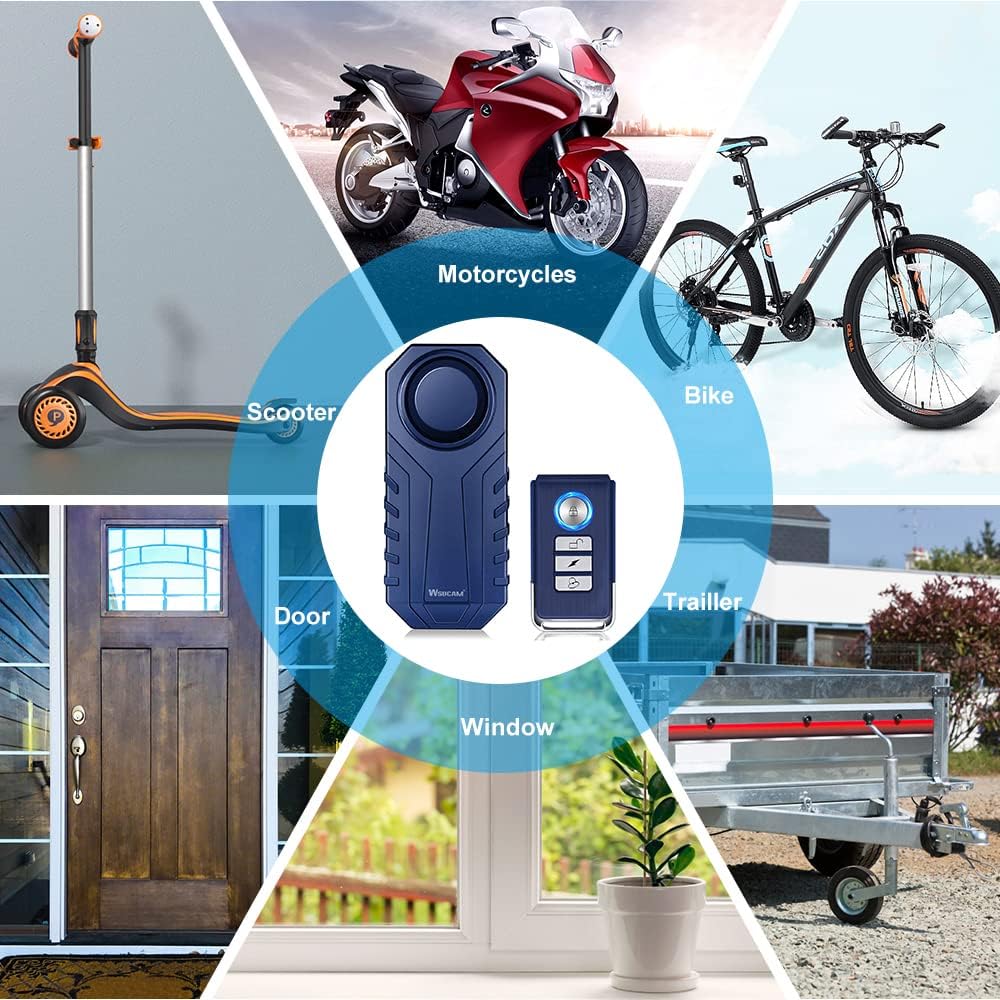
Image: The WSDCAM Bike Alarm is versatile, suitable for bikes, motorcycles, scooters, cars, trailers, luggage, doors, and windows.
2. Thông tin an toàn
- Giữ thiết bị tránh xa nhiệt độ cao và ánh nắng trực tiếp.
- Không được tự ý tháo rời hoặc sửa đổi thiết bị, vì điều này có thể làm mất hiệu lực bảo hành và gây hư hỏng.
- Ensure the battery compartment is securely closed after battery installation to maintain water resistance.
- The alarm produces a loud sound. Avoid prolonged exposure to prevent hearing damage.
3. Nội dung gói hàng
Your WSDCAM 22R-03C package includes:
- 2 x WSDCAM Bike Alarm Units
- 2 x Điều khiển từ xa
- Mounting Accessories (double-sided stickers, cable ties)
- Hướng dẫn sử dụng
4. Sản phẩm hếtview
The WSDCAM 22R-03C system consists of an alarm unit and a remote control. The alarm unit features a vibration sensor, a loud siren, and a battery compartment. The remote control allows for arming, disarming, adjusting settings, and locating your vehicle.

Image: Remote control with buttons for Arm, Disarm, Change Tone, and Search Function. It has a wireless range of up to 66ft.

Image: Dimensions of the alarm unit (3.7in x 1.6in x 0.8in) and remote control (2.4in x 1.2in).
5. Thiết lập
5.1. Battery Installation (Alarm Unit)
The alarm unit requires 3 AAA batteries. To install or replace batteries:
- Unscrew the small screw at the end of the alarm unit using a small screwdriver.
- Nhẹ nhàng cạy nắp pin ra.
- Lắp 3 pin AAA, đảm bảo đúng cực.
- Đóng nắp pin và cố định nó bằng vít.
For a visual guide on battery replacement, refer to the video below:
Video: A user demonstrates how to access the battery compartment and replace the AAA batteries in the WSDCAM bike alarm. This video also shows the installation process on a bike rack.
5.2. Lắp đặt thiết bị báo động
The alarm unit can be mounted using double-sided stickers or cable ties. Choose a discreet location on your vehicle where it is less accessible to potential thieves and the sound is not obstructed.
- Using Double-Sided Stickers: Clean the mounting surface thoroughly. Peel off the protective film from the sticker and firmly press the alarm unit onto the desired location.
- Sử dụng dây buộc cáp: Thread the cable ties through the designated slots on the alarm unit and around a secure part of your vehicle (e.g., bike frame, seat post, rack). Tighten the cable ties securely and trim any excess.

Image: The WSDCAM Bike Alarm is shown mounted on a bike seat post using cable ties, highlighting its IP55 waterproof rating for outdoor use.

Alarm on bike frame

Alarm in bicycle bag

Alarm under bike/motor seat
5.3. Ghép nối điều khiển từ xa
The alarm unit and remote control are pre-paired from the factory. If you need to re-pair them or pair additional remotes/alarms, follow these steps:
- Pairing the First Alarm and Remote:
a. Remove the battery from the alarm unit and then reinstall it. The alarm will sound "Bi, Bi, Bi".
b. Immediately (within 3 seconds) press and hold the Bell Button on the remote for 6 seconds until you hear "Bi". (Note: Ignore any bell sound while pressing until you hear "Bi").
c. Short press the Arm Button or Disarm Button on the remote. If it sounds "Bi, Bi", the pairing is successful. - Pairing with More Alarms:
a. Repeat steps a-c from "Pairing the First Alarm and Remote" for each new alarm unit you wish to pair with the same remote. - Pairing with More Remotes:
a. Disarm the alarm unit using an already paired remote.
b. Press and hold the Bell Button on the already paired remote for about 6 seconds until you hear "Bi".
c. Immediately (within 3 seconds) press the Arm Button or Disarm Button of the NEW remote. If it sounds "Bi, Bi", the pairing is successful.
For a visual guide on pairing, refer to the video below:
Video: Official WSDCAM video demonstrating how to pair multiple alarm units and remote controls.

Image: The alarm unit can be controlled by multiple remote controls, and one remote can control multiple alarms.
6. Hướng dẫn vận hành
6.1. Trang bị và giải giáp vũ khí
- Cánh tay: Nhấn nút Khóa button on the remote control. The alarm will sound a single "Bi" to indicate it is armed. Any vibration will trigger a warning sound, followed by the full alarm if vibration continues.
- Giải trừ vũ khí: Nhấn nút Mở khóa button on the remote control. The alarm will sound "Bi, Bi" to indicate it is disarmed.
6.2. Điều chỉnh độ nhạy
The alarm has 7 levels of adjustable sensitivity, from a gentle touch to a strong impact.
- Tắt báo thức.
- Nhấn và giữ Mở khóa button until you hear a short "Bi".
- Nhấn nút Mở khóa button again to cycle through sensitivity levels (1-7). Each press will indicate the current level with a "Bi" sound (e.g., one "Bi" for level 1, seven "Bi"s for level 7).
- Once the desired sensitivity level is reached, stop pressing. The alarm will automatically save the setting after a few seconds.

Image: Diagram illustrating the 7 levels of adjustable sensitivity, from gentle touch to push/beat.
6.3. Điều chỉnh âm lượng
The alarm has 3 levels of adjustable volume, up to 113dB.
- Tắt báo thức.
- Nhấn và giữ Chuông button until you hear a short "Bi".
- Nhấn nút Chuông button again to cycle through volume levels. Each press will indicate the current level.
- Once the desired volume level is reached, stop pressing. The alarm will automatically save the setting after a few seconds.
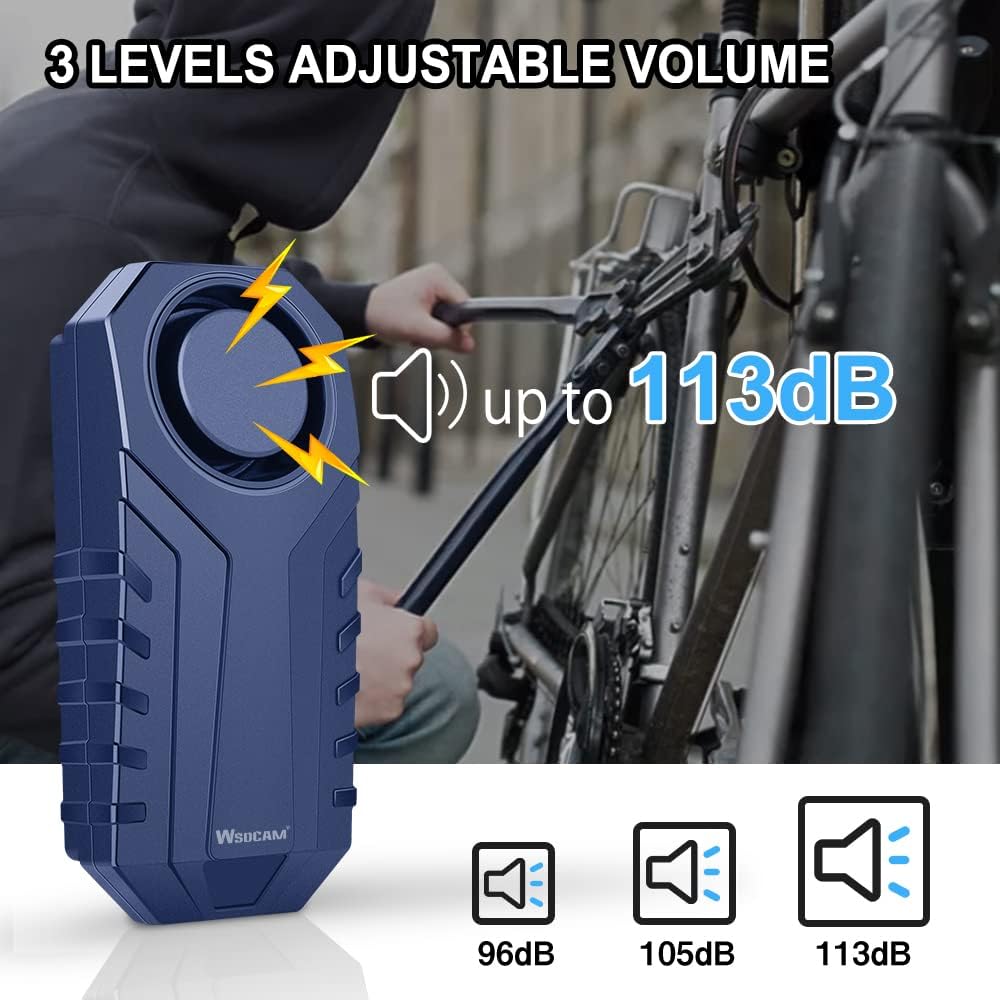
Image: Diagram showing the three adjustable volume levels: 96dB, 105dB, and 113dB.
6.4. Vehicle Search Function
To locate your vehicle in a parking lot or crowded area:
- Nhấn nút Chuông button on the remote control. The alarm will emit a distinct sound, helping you find your vehicle.

Image: The remote control's search function helps locate your vehicle within a certain distance.
6.5. Chức năng SOS
The alarm includes an SOS function that activates if the device detects a tilt of 45 degrees or more, indicating a fall or impact. This function can be enabled or disabled.
- Enable/Disable SOS: While the alarm is disarmed, press and hold the Chuông button for 3 seconds. The alarm will sound "Bi" once for enabled, or "Bi, Bi" for disabled.
7. Bảo trì
7.1. Thay thế pin
When the alarm sound becomes weak or the remote control range decreases, it's time to replace the batteries. Refer to Section 5.1 for detailed instructions on battery installation.
7.2. Khả năng chống nước
The WSDCAM 22R-03C alarm unit is IP55 waterproof, meaning it is protected against dust and low-pressure water jets. It is suitable for outdoor use and can withstand rain. However, it should not be submerged in water.
KHAI THÁC. Xử lý sự cố
- Báo động không phản hồi lệnh từ xa: Check remote battery. Re-pair the remote and alarm (see Section 5.3). Ensure you are within the 66ft wireless range.
- Alarm sound is weak: Replace the batteries in the alarm unit (see Section 5.1). Adjust the volume level (see Section 6.3).
- Báo động giả: Adjust the sensitivity level to a lower setting (see Section 6.2). Ensure the alarm is securely mounted and not subject to excessive movement from wind or passing vehicles.
- Alarm not turning on: Kiểm tra xem pin đã được lắp đúng cách và sạc đầy chưa.
9. Thông số kỹ thuật
| Tính năng | Đặc điểm kỹ thuật |
|---|---|
| Thương hiệu | WSDCAM |
| Số hiệu mẫu | 22R-03C |
| Mức độ tiếng ồn | 113 Decibels (Adjustable) |
| Độ nhạy | Có thể điều chỉnh 7 mức |
| Chống nước | IP55 |
| Phạm vi điều khiển từ xa | Lên đến 66 feet (20 mét) |
| Thiết bị tương thích | Bikes, Electric Bikes, Motorcycles, Scooters, Cars, Trailers, Luggage, Doors, Windows |
10. Bảo hành và Hỗ trợ
WSDCAM products are designed for quality and performance. For specific warranty details, please refer to the product packaging or contact WSDCAM customer support directly. If you encounter any issues or have questions regarding your WSDCAM 22R-03C alarm, please reach out to the seller or manufacturer for assistance.


