
1. Thông tin an toàn
Please read and understand all safety information before operating this digital multimeter. Failure to follow these instructions may result in electric shock, fire, or damage to the device.
- Luôn đảm bảo đồng hồ vạn năng được cài đặt đúng chức năng và phạm vi đo trước khi thực hiện bất kỳ phép đo nào.
- Không được vượt quá các giá trị đầu vào tối đa được quy định cho mỗi hàm.
- Hãy cẩn thận khi làm việc với voltagtrên 30V AC RMS, 42V đỉnh hoặc 60V DC vì chúng có thể gây nguy cơ điện giật.
- Kiểm tra xem dây thử có bị hư hỏng không trước mỗi lần sử dụng. Không sử dụng nếu lớp cách điện bị hỏng.
- CẢNH BÁO: Before opening the case for battery or fuse replacement, always remove the test leads from the object being measured and disconnect from any power source to avoid electric shock.
- This device features F0.5A/600V fuse overload protection. Replace fuses only with specified types and ratings.
2. Sản phẩm hếtview
The ANENG AN101 is a portable digital multimeter designed for measuring AC voltage, AC current, DC voltage, DC current, and resistance. It features an easy-to-read LCD display with 1999 counts and supports both automatic and manual ranging for versatile use in various electrical and electronic applications.
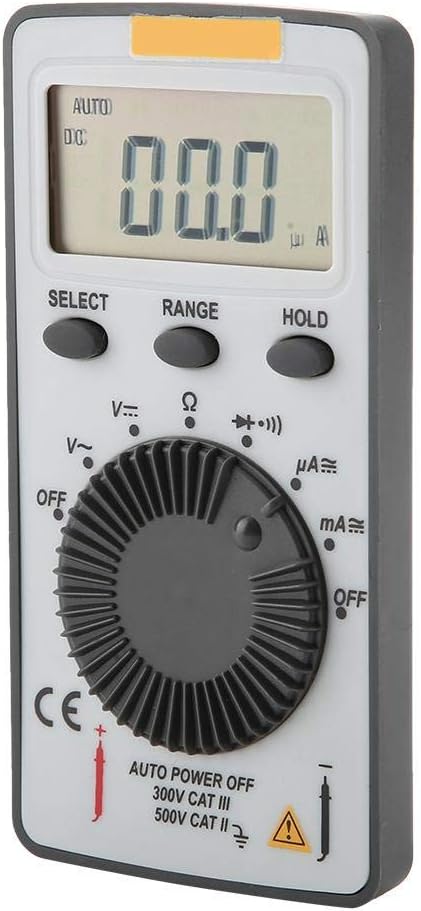
Hình 2.1: Mặt trước view of the ANENG AN101 Digital Multimeter. This image displays the device's LCD screen, the central rotary function dial, and the 'SELECT', 'RANGE', and 'HOLD' buttons.
3. Thiết lập
3.1 Lắp đặt pin
- Hãy đảm bảo rằng đồng hồ vạn năng đã được tắt nguồn và ngắt kết nối tất cả các dây dẫn thử nghiệm.
- Xác định vị trí ngăn chứa pin ở mặt sau của thiết bị.
- Sử dụng tua vít để mở nắp ngăn chứa pin.
- Insert two 3V CR2032 batteries, observing the correct polarity.
- Lắp lại nắp ngăn chứa pin và cố định nó bằng vít.

Hình 3.1: Quay lại view of the ANENG AN101 Digital Multimeter. This image shows the battery compartment cover and a safety warning regarding opening the case.
3.2 Kết nối dây dẫn thử nghiệm
- Cắm đầu dây đo màu đỏ vào giắc cắm đầu vào 'VΩmA'.
- Cắm đầu dây thử màu đen vào giắc cắm đầu vào 'COM'.
- Ensure the connections are firm before proceeding with measurements.
4. Hướng dẫn vận hành
4.1 Bật/Tắt nguồn
Rotate the central dial from 'OFF' to any measurement function to power on the device. To power off, rotate the dial back to 'OFF'. The multimeter also features an auto power-off function to conserve battery life.
4.2 Lựa chọn chức năng
Turn the rotary dial to select the desired measurement function (e.g., DC Voltage (V=), AC Voltage (V~), Resistance (Ω), DC Current (μA=, mA=), AC Current (μA~, mA~)).
4.3 Lựa chọn phạm vi (Tự động/Thủ công)
The AN101 supports both automatic and manual ranging. In auto-ranging mode, the meter automatically selects the best range for the measurement. Press the 'RANGE' button to switch between auto and manual ranging. In manual mode, press 'RANGE' repeatedly to cycle through available ranges.
4.4 Đo DC Voltage
- Set the rotary dial to 'V='.
- Nối đầu dây đo màu đỏ vào cực dương của mạch điện và đầu dây đo màu đen vào cực âm.
- Đọc tậptage value on the LCD display. The polarity will be indicated automatically.
4.5 Đo AC Voltage
- Set the rotary dial to 'V~'.
- Kết nối các dây dẫn thử nghiệm qua dải điện áp ACtagnguồn e.
- Đọc tậptaggiá trị e trên màn hình LCD.
4.6 Đo dòng điện một chiều
- Set the rotary dial to 'μA=' or 'mA=' depending on the expected current.
- CẢNH BÁO: To measure current, the multimeter must be connected in series with the circuit. Do not connect it in parallel across a voltagnguồn e.
- Break the circuit and connect the multimeter in series, ensuring the red lead is towards the higher potential and the black lead towards the lower potential.
- Đọc giá trị hiện tại trên màn hình LCD.
4.7 Measuring AC Current
- Set the rotary dial to 'μA~' or 'mA~'.
- CẢNH BÁO: Kết nối vạn năng kế nối tiếp với mạch điện.
- Ngắt mạch và mắc nối tiếp đồng hồ vạn năng.
- Đọc giá trị hiện tại trên màn hình LCD.
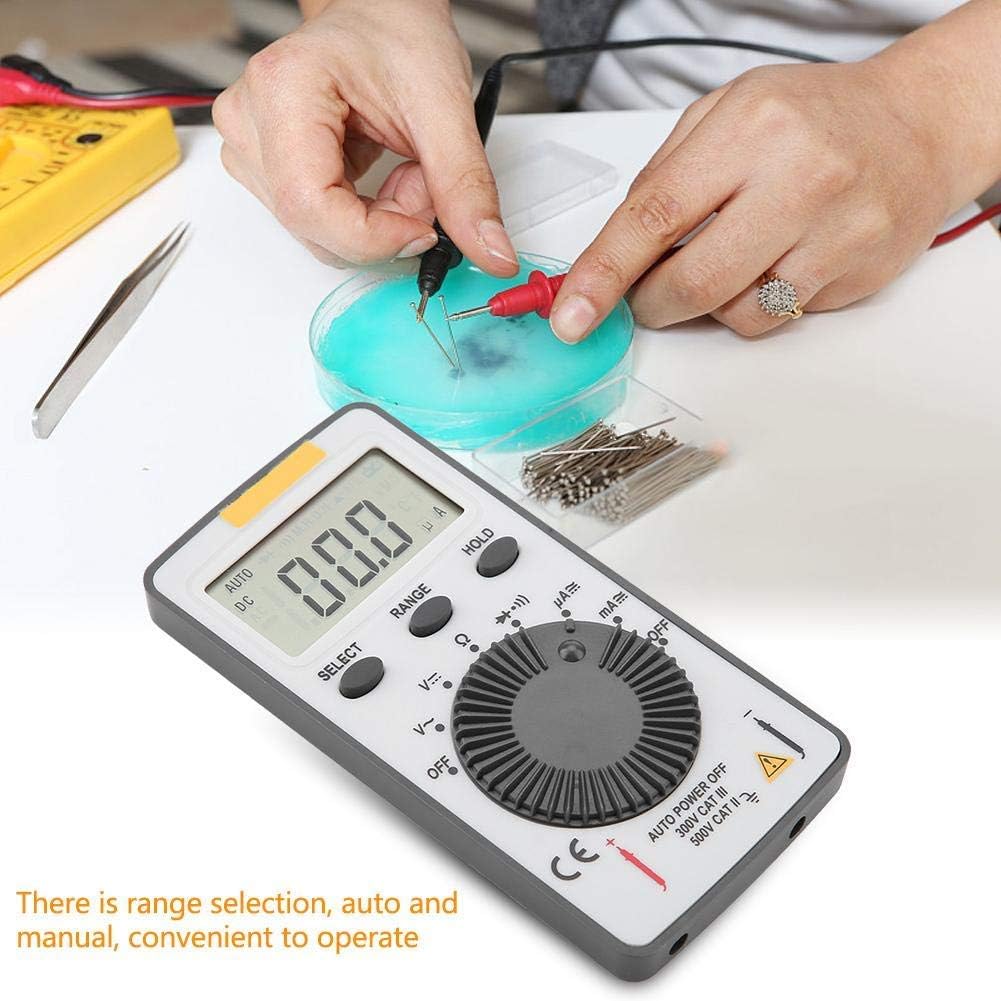
Figure 4.1: The ANENG AN101 Digital Multimeter in use, demonstrating its application for measuring electrical components. The image highlights the ease of operation with auto and manual range selection.
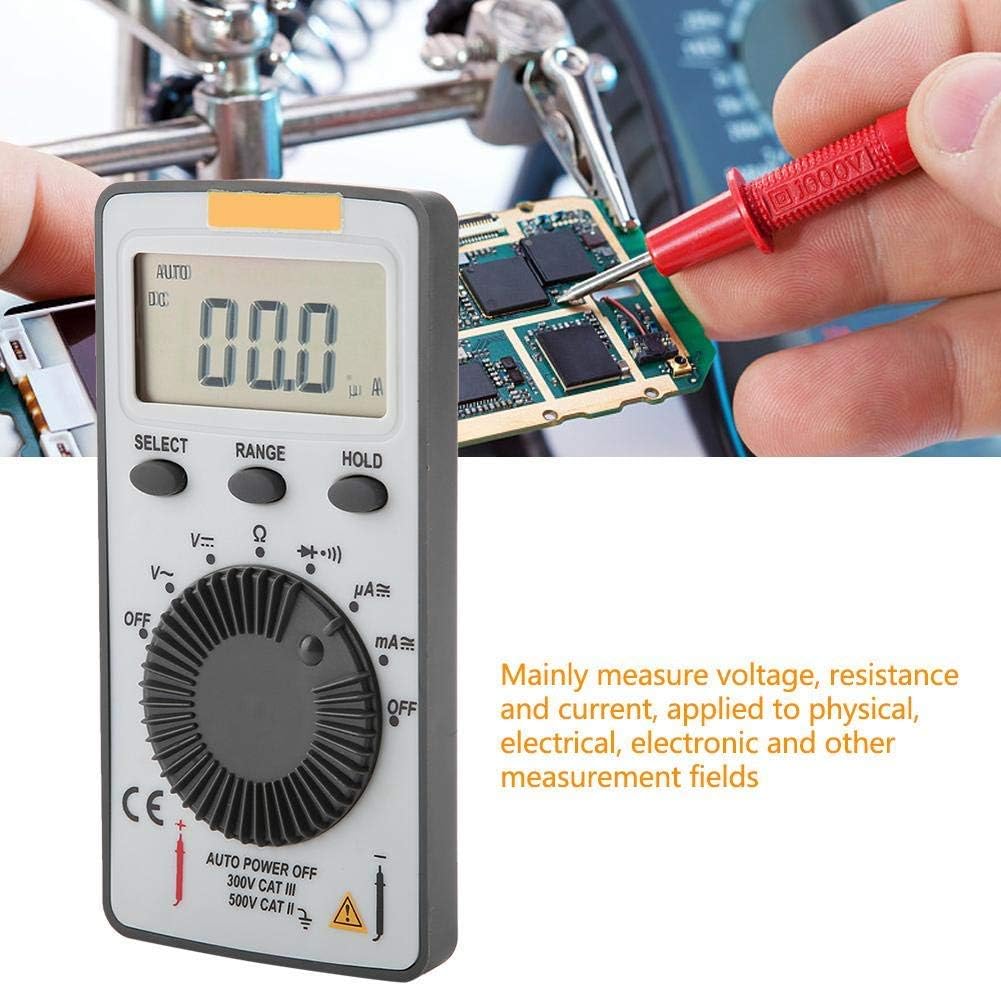
Figure 4.2: The ANENG AN101 Digital Multimeter being used to measure voltage or current on a circuit board. This illustrates its primary function in physical, electrical, and electronic measurement fields.
4.8 Chức năng Giữ
Nhấn nút 'HOLD' để giữ nguyên giá trị đo hiện tại trên màn hình. Nhấn lại nút đó để bỏ chức năng giữ và tiếp tục đo trực tiếp.
5. Bảo trì
5.1 Vệ sinh
Wipe the device with a dry, soft cloth. Do not use abrasive cleaners or solvents. Keep the device free from dust and moisture.
5.2 Thay thế pin
When the battery indicator appears on the display, replace the batteries as described in Section 3.1. Always use two new 3V CR2032 batteries.
5.3 Thay thế cầu chì
If the current measurement functions stop working, the fuse may need replacement. Refer to the safety warnings in Section 1 before attempting to open the case. Replace the fuse only with a F0.5A/600V type.
KHAI THÁC. Xử lý sự cố
- Không hiển thị: Kiểm tra việc lắp đặt pin và đảm bảo pin không bị cạn.
- "OL" hiển thị: This indicates an over-range condition. Either the measured value exceeds the selected range, or the circuit is open (for resistance/current measurements). Select a higher range or check circuit continuity.
- Đọc không chính xác: Ensure test leads are properly connected, the correct function and range are selected, and the circuit connections are secure.
- Chức năng đo dòng điện hiện không hoạt động: Check the fuse as described in Section 5.3.
7. Thông số kỹ thuật
| Tính năng | Đặc điểm kỹ thuật |
|---|---|
| Thương hiệu | ANENG |
| Người mẫu | AN101 |
| Trưng bày | LCD, 1999 Counts |
| Cập nhật tỷ lệ | 2 lần / giây |
| Kích thước LCD | 40 * 20mm |
| Chỉ báo phân cực | Automatic '-' |
| Chỉ báo trên phạm vi | 'OL' |
| Lựa chọn phạm vi | Tự động hoặc thủ công |
| Nhiệt độ hoạt động | 0℃ to 40℃, Relative Humidity: <80% RH |
| Nhiệt độ lưu trữ | -10℃ to 50℃, Relative Humidity: <85% RH |
| Loại pin | 2 * 3V, CR2032 size (not included) |
| Tập DCtage Trở kháng đầu vào | 10MΩ |
| Tập DCtage Bảo vệ quá tải | 600V DC / AC RMS |
| Tối đa DC Voltage Đầu vào | 600V một chiều |
| DC Current Overload Protection | F0.5A / 600V Fuse |
| Max. DC Current Input | 500mA |
| AC Current Overload Protection | F0.5A / 600V Fuse |
| Max. AC Current Input | 500mA |
| AC Current Frequency Range | 40Hz - 400Hz |
| điện áp xoay chiềutage Trở kháng đầu vào | 10MΩ |
| điện áp xoay chiềutage Dải tần số | 40Hz - 400Hz |
| điện áp xoay chiềutage Bảo vệ quá tải | 600V DC / AC RMS |
| Tối đa AC Voltage Đầu vào | Điện áp xoay chiều 600V |
| Cân nặng | Xấp xỉ 102g / 3.6oz |
| Kích thước | Approx. 110 * 55 * 10 mm / 4.3 * 2.2 * 0.4 in |
| Nội dung gói | 1 * Digital Multimeter, 2 * Test Leads |

Figure 7.1: Dimensions of the ANENG AN101 Digital Multimeter, showing its compact size for portability.
8. Bảo hành và Hỗ trợ
Để biết thông tin bảo hành và hỗ trợ kỹ thuật, vui lòng tham khảo tài liệu được cung cấp tại thời điểm mua hàng hoặc liên hệ với nhà bán lẻ của bạn. Vui lòng giữ lại hóa đơn mua hàng làm bằng chứng.


