
1. Giới thiệu
This instruction manual provides essential information for the safe and effective use of your Hubble Connected View Pro Twin 5-inch Video Baby Monitor. Please read this manual thoroughly before operating the device and retain it for future reference.
The Hubble Connected View Pro Twin is designed to help you monitor your baby with its dual camera system, 5-inch color display, and various features including two-way talk, night vision, and room temperature monitoring. This device operates on a secure, non-WiFi connection for enhanced privacy.
2. Thiết lập
2.1. Nội dung gói hàng
Đảm bảo tất cả các mục đều có trong gói hàng:
- 1 x Nursery View Pro Parent Unit
- 2 x Nursery Cameras
- 2 x Bộ điều hợp nguồn
- Hướng dẫn bắt đầu nhanh
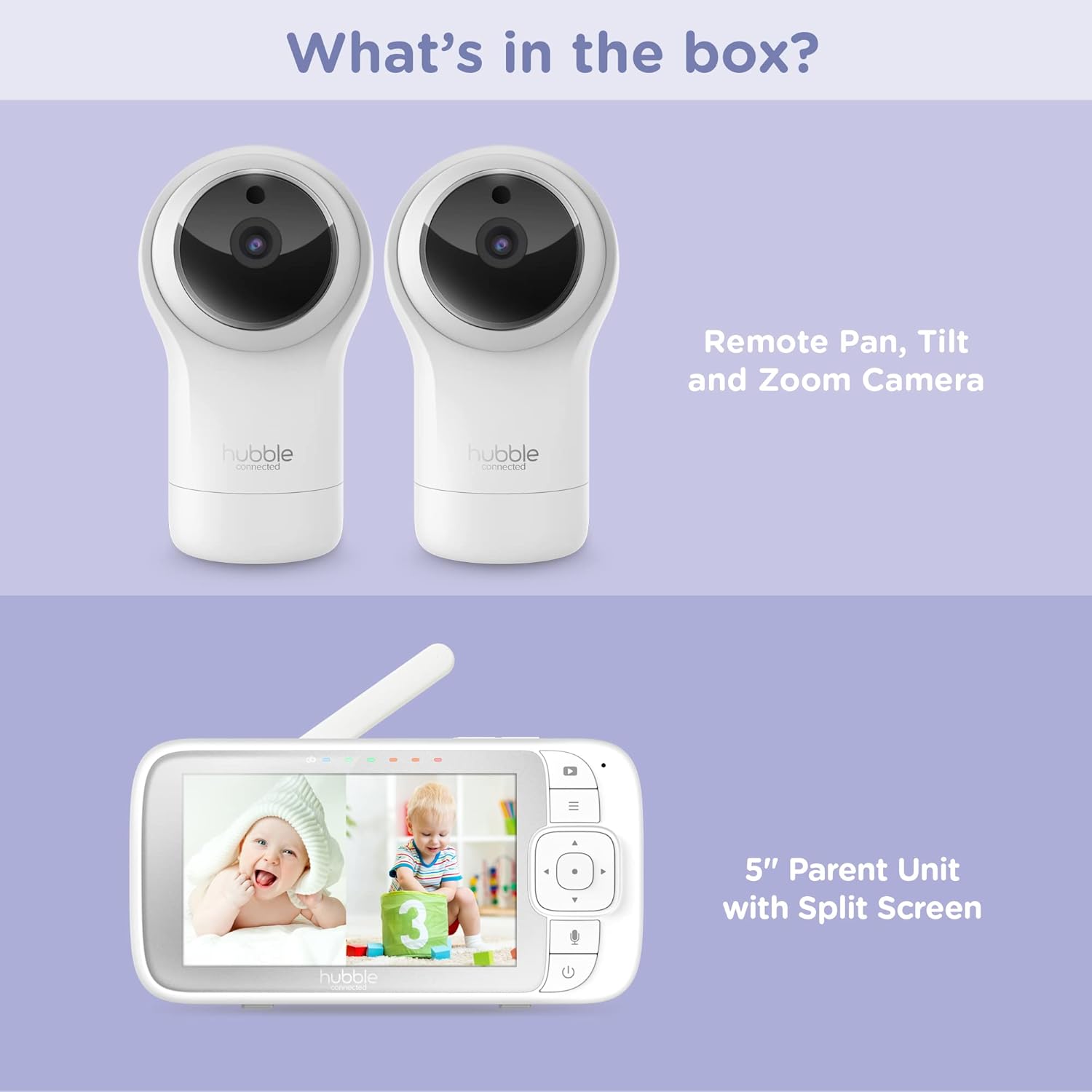
Figure 2.1: Package Contents - Parent Unit and Two Cameras
2.2. Khởi động và bố trí ban đầu
- Connect each camera to a power outlet using the provided power adapters.
- Connect the Parent Unit to a power outlet using its dedicated power adapter. The Parent Unit contains a rechargeable battery for portable use.
- Press and hold the Power button on the Parent Unit until the screen turns on.
- Place the cameras in a secure location within the baby's room, ensuring a clear view of the crib or play area. Avoid placing cameras within reach of children or near heat sources.

Figure 2.2: Hubble Connected View Pro Twin Monitor and Cameras
3. Sử dụng màn hình
3.1. Điều khiển đơn vị cha mẹ
The Parent Unit features a 5-inch color display and intuitive buttons for navigation and control:
- Bàn phím định hướng: Used to navigate menus and control camera pan/tilt/zoom.
- Nút Menu: Accesses settings and features.
- Nút Nói (biểu tượng micro): Activates two-way talk.
- Nút nguồn: Bật / tắt thiết bị.
- Nút âm lượng (+/-): Điều chỉnh âm lượng.

Figure 3.1: Parent Unit Displaying Split Screen
3.2. ViewChế độ ing
Your monitor supports multiple viewtùy chọn ing:
- Camera đơn View: Displays the feed from one camera at a time. Use the menu to switch between cameras.
- Màn hình chia đôi View: Simultaneously displays feeds from both cameras on the 5-inch screen. This allows for monitoring two areas at once.
- Chế độ quét: The monitor can automatically cycle through the camera feeds periodically.
3.3. Điều khiển máy quay (Xoay ngang, Xoay dọc, Thu phóng)
Use the directional pad on the Parent Unit to remotely adjust the camera's view:
- Xoay: Di chuyển camera theo chiều ngang (trái/phải).
- Nghiêng: Di chuyển máy ảnh theo chiều dọc (lên/xuống).
- Phóng: Enlarge or reduce the image.
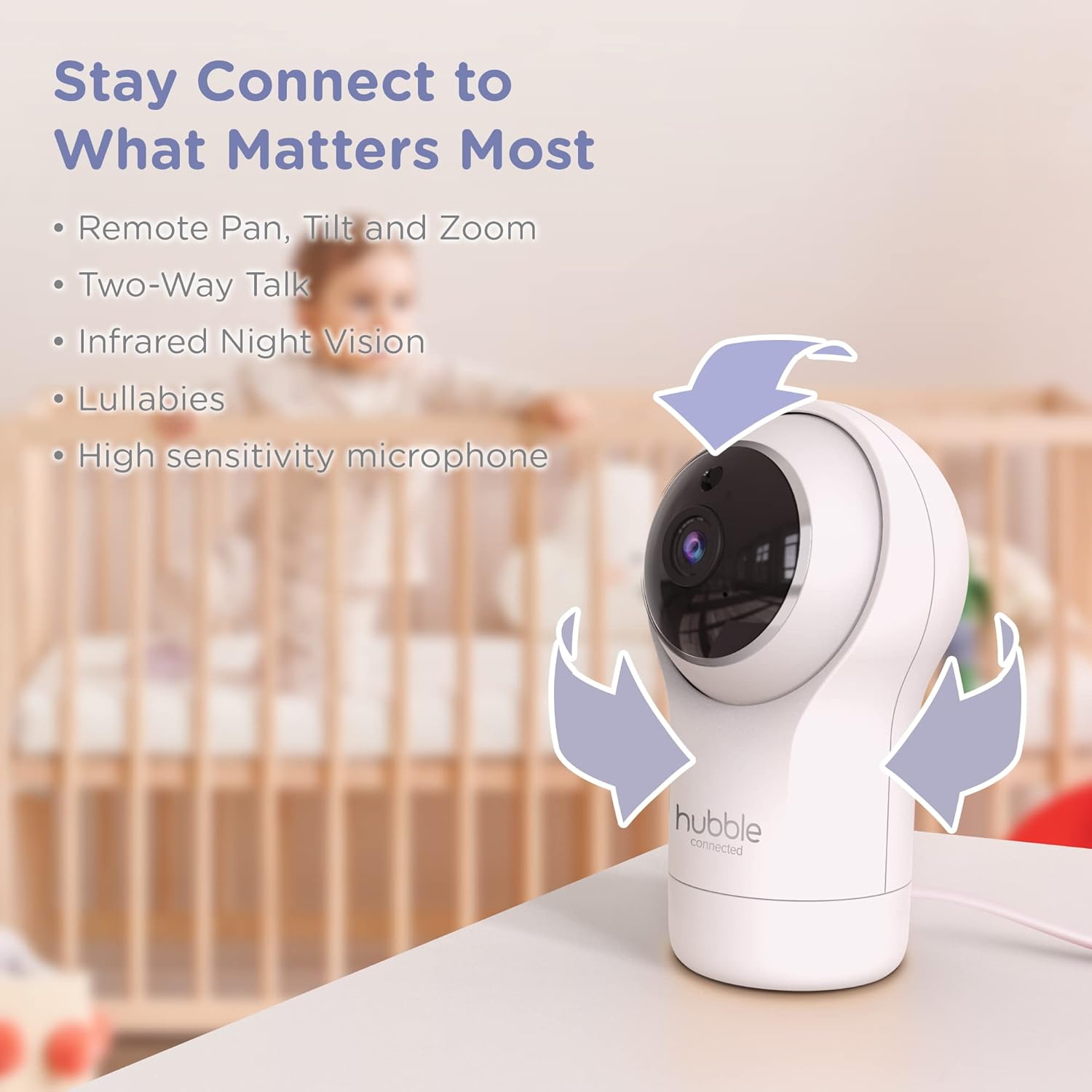
Figure 3.2: Camera Pan, Tilt, and Zoom Functionality
3.4. Đàm thoại hai chiều
To communicate with your baby, press and hold the microphone button on the Parent Unit and speak. Release the button to hear your baby's response.
3.5. Tầm nhìn ban đêm
The cameras are equipped with infrared night vision, which automatically activates in low-light conditions, providing a clear black-and-white image of your baby.

Figure 3.3: Infrared Night Vision in Operation
3.6. Lullabies and Room Temperature Monitoring
The monitor includes preloaded lullabies to soothe your baby. Access these through the Parent Unit's menu. The system also continuously monitors the room temperature, displayed on the Parent Unit, to ensure a comfortable environment for your child.

Hình 3.4: Các tính năng chính trênview
3.7. Video sản phẩm chính thức
Video 3.1: Kết thúcview of the Nursery View Pro Twin features, including split screen, pan/tilt/zoom, two-way talk, night vision, and lullabies.
4. Bảo trì
4.1. Vệ sinh
To clean the monitor and cameras, use a soft, dry cloth. Do not use abrasive cleaners or solvents. Ensure the devices are unplugged before cleaning.
4.2. Lưu trữ
When not in use for extended periods, store the monitor and cameras in a cool, dry place, away from direct sunlight and extreme temperatures.
KHAI THÁC. Xử lý sự cố
5.1. No Signal/Poor Image
- Ensure both the Parent Unit and cameras are powered on and within range.
- Check for obstructions between the Parent Unit and cameras that might interfere with the signal.
- Relocate the Parent Unit or cameras to improve reception.
5.2. Battery Not Charging/Low Battery Alert
- Verify that the power adapter is securely connected to the Parent Unit and a working power outlet.
- Allow sufficient time for the battery to charge.
- Nếu sự cố vẫn tiếp diễn, hãy liên hệ với bộ phận hỗ trợ khách hàng.
6. Thông số kỹ thuật
| Tính năng | Chi tiết |
|---|---|
| Tên mẫu | Vườn ươm View Sinh đôi chuyên nghiệp |
| Số hiệu mẫu | HCNVPRO2 |
| Kích thước màn hình | Màn hình màu đường chéo 5 inch |
| Công nghệ kết nối | Wireless (Non-WiFi) |
| Phạm vi | Lên đến 1,000ft / 300m |
| Độ phân giải quay video | 720p |
| Tính năng đặc biệt | Night Vision, Two-Way Talk, Soothing Nature Sounds, Room Temperature Monitoring |
| Nguồn điện | Battery Powered (Parent Unit), AC Adapter (Cameras) |
| Pin | Cần có 3 pin Lithium Ion (bao gồm) |
| Trọng lượng sản phẩm | 2 pound |
| Kích thước sản phẩm | 2.8 x 2.7 x 4.8 inch |
7. Bảo hành và Hỗ trợ
7.1. Thông tin bảo hành
Your Hubble Connected View Pro Twin is covered by a One (1) year Limited Warranty from the date of purchase. Please retain your proof of purchase for warranty claims.
7.2. Hỗ trợ khách hàng
For technical assistance, troubleshooting, or warranty inquiries, please contact Hubble Connected customer support. Visit the official Hubble Connected Store để biết thêm thông tin và tài nguyên hỗ trợ.