
1. Giới thiệu
This manual provides detailed instructions for the safe and efficient operation of the Komshine GX39 Fiber Fusion Splicer. The GX39 is designed for precise fiber optic splicing with features such as fast splicing and heating times, low splice loss, and a versatile 3-in-1 fiber holder. Please read this manual thoroughly before using the device.

Quaview of the Komshine GX39 Fiber Fusion Splicer highlighting its core features.
2. Thông tin an toàn
Luôn tuân thủ các biện pháp phòng ngừa an toàn sau đây để tránh thương tích và hư hỏng thiết bị:
- Do not look directly into the fiber end when the splicer is operating, as invisible laser light may be present.
- Đảm bảo khu vực làm việc sạch sẽ và đủ ánh sáng.
- Handle optical fibers with care; they are fragile and can cause splinters.
- Tránh xa thiết bị có nước và độ ẩm cao.
- Use only the provided power adapter and battery.
- Không tự ý tháo rời hoặc sửa chữa thiết bị. Hãy liên hệ với nhân viên bảo trì có trình độ.
3. Nội dung gói hàng
Verify that all items are present in your Komshine GX39 package:
- Komshine GX39 Fiber Fusion Splicer
- Máy tách sợi
- dao cắt sợi quang
- Bộ đổi nguồn AC
- Pin Lithium (5200mAh)
- Điện cực dự phòng
- Bộ sạc
- Khay làm mát
- Operation Manual CD
- Hộp đựng
- Khăn lau vệ sinh

Complete Komshine GX39 Fiber Fusion Splicer kit.
4. Cài đặt và vận hành
Follow these steps for proper setup and operation of the GX39 Fusion Splicer.
4.1. Sạc pin
The GX39 is equipped with a 5200mAh lithium battery. Connect the AC adapter to the splicer and a power outlet to charge the battery. A full charge allows for approximately 320 splicing and heating cycles.
4.2. Fiber Preparation
Proper fiber preparation is crucial for successful splicing.
- Tách sợi: Use the fiber stripper to remove the outer coating of the optical fiber to the required length.
- Làm sạch sợi vải: After stripping, use cleaning wipes moistened with alcohol to thoroughly clean the bare fiber. This removes any residue that could affect splice quality.
- Cắt đứt sợi xơ: Place the cleaned fiber into the optical fiber cleaver. Ensure the fiber is positioned correctly for a precise, perpendicular cut. The cleaver features a tungsten steel blade for a smooth cut surface and has a blade life of up to 48,000 times with a cleaving angle of less than 0.5 degrees.

Optical fiber cleaver with tungsten steel blade for precise cuts.
4.3. Fiber Placement and Splicing
The GX39 features a 3-in-1 fiber holder compatible with various fiber types.
- Place the Fiber: Open the splicer's cover and carefully place the prepared fibers into the 3-in-1 fiber holders on both sides. Ensure the fiber ends are aligned in the V-grooves. The holder supports 3.0mm jumper, 0.9mm pigtail, FTTH fiber, and bare fiber.
- Initiate Splicing: Close the cover. The splicer will automatically detect the fibers and begin the alignment process. The 3.5-inch 800*480 HD LCD screen will display the fiber alignment.
- Splicing Cycle: The GX39 performs fast splicing in approximately 9 seconds. The screen will show the estimated splice loss, typically around 0.01dB for SM fiber.

The 3-in-1 fiber holder accommodates various fiber types.
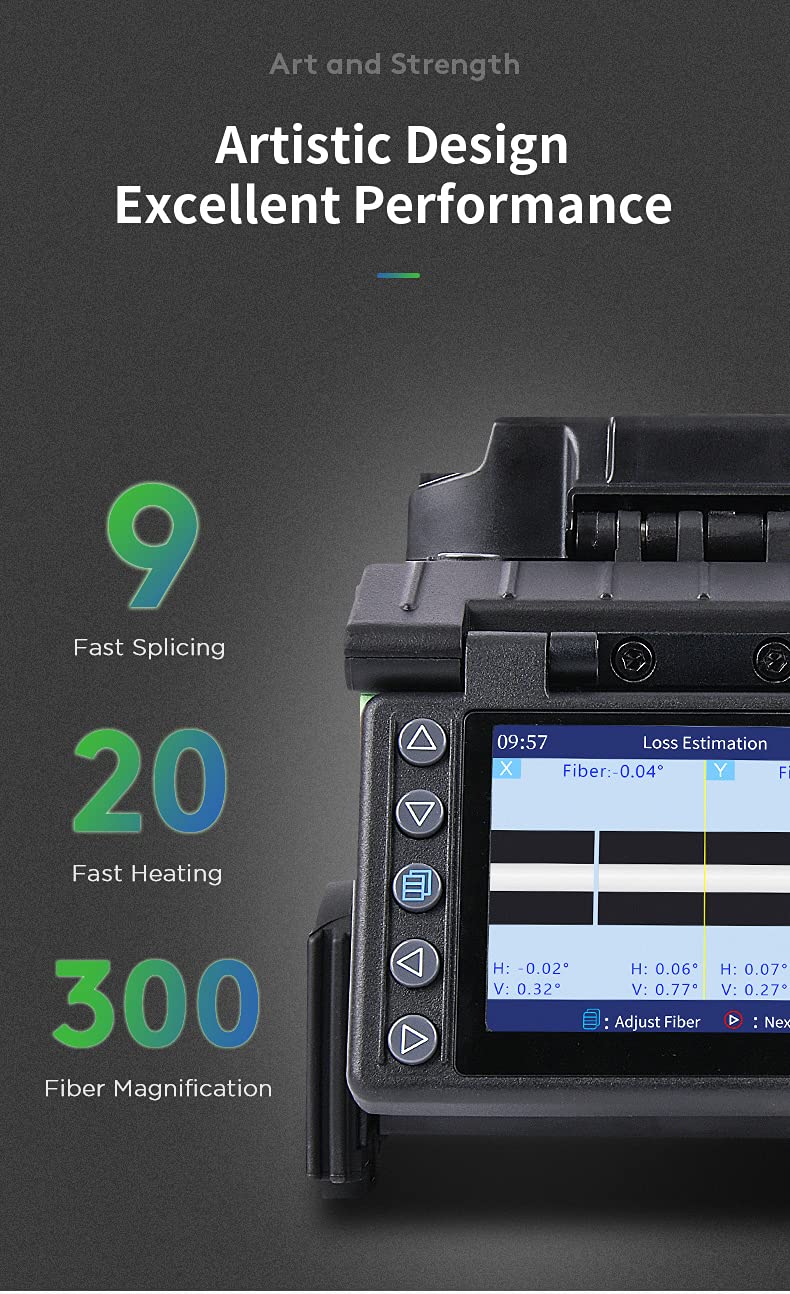
Splicer display showing fiber alignment and estimated loss.
4.4. Heat Shrinking
After successful splicing, the splice point needs protection.
- Position Heat Shrink Tube: Move the heat shrink tube over the welded fiber joint.
- Đặt vào máy sưởi: Carefully place the fiber with the heat shrink tube into the heating oven.
- Chu kỳ sưởi ấm: Close the heater cover. The GX39 performs fast heating in approximately 20 seconds.
- Làm mát: Once heating is complete, remove the fiber and place it in the integrated cooling tray to cool down before handling.

Heat shrinking process for protecting the fiber splice.
4.5. Hướng dẫn video vận hành
This video demonstrates the complete fiber optic fusion splicing process using the Komshine GX39, including fiber preparation, splicing, and heat shrinking.
5. Bảo trì
Regular maintenance ensures the longevity and performance of your GX39 Fusion Splicer.
5.1. Thay thế điện cực
The electrodes have a life of approximately 4000 splices. When the splicer indicates electrode wear or splice quality degrades, replace them. The GX39 features an innovative tool-free electrode replacement design.

Tool-free electrode replacement for convenience.
5.2. Vệ sinh
Regularly clean the V-grooves, objective lenses, and other optical components with a soft, lint-free cloth and appropriate cleaning solution. Keep the entire device free from dust and debris.
5.3. Durability and Storage
The GX39 is designed with enhanced toughness and features a silicone protective case, making it water-resistant, dust-resistant, and shock-resistant. Store the splicer in its carrying case in a dry, cool environment when not in use to protect it from environmental factors and physical damage.

Silicone protective case for enhanced durability.
KHAI THÁC. Xử lý sự cố
If you encounter issues with your Komshine GX39, refer to the following common troubleshooting tips:
- Poor Splice Quality: Check fiber cleave quality, clean V-grooves and electrodes, and ensure electrodes are not worn out.
- Pin không sạc: Verify the AC adapter connection and ensure the power outlet is functional.
- Sự cố hiển thị: Restart the device. If the problem persists, contact support.
- Fiber Not Detected: Ensure fibers are correctly placed in the V-grooves and the fiber holders are properly closed.
For more complex issues, consult the detailed troubleshooting section on the provided Operation Manual CD or contact Komshine customer support.
7. Thông số kỹ thuật
| Tính năng | Đặc điểm kỹ thuật |
|---|---|
| Thời gian ghép nối | 9 seconds (fast splicing) |
| Thời gian gia nhiệt | 20 seconds (fast heating) |
| Cuộc sống điện cực | 4000 lần |
| Average Splice Loss | SM: 0.02dB; MM: 0.01dB; DS: 0.04dB; NZDS: 0.04dB |
| Dung lượng pin | 5200mAh (approx. 320 circular welds) |
| Trưng bày | 3.5 inch 800*480 HD LCD Screen |
| Fiber Magnification | 300X (X-axis or Y-axis); 150X (X-axis or Y-axis) |
| Giá đỡ sợi | 3-in-1 (SM, MM, bare fiber, pigtail, rubber-insulated, multi fiber cable) |
| Lưu trữ dữ liệu | 10000 groups splicing results; 100 sets of images |
| Kết nối | USB interface for data download and software updates |
| Kích thước | 122mm (Rộng) × 148mm (Cao) × 130mm (Sâu) |
| Cân nặng | Min. 1.44kg (without battery) |
| Sức đề kháng của môi trường | Water-resistant, dust-resistant, shock-resistant, high-temp-resistant |

Key specifications and features of the Komshine GX39.
8. Bảo hành và Hỗ trợ
The Komshine GX39 Fiber Fusion Splicer comes with a manufacturer's warranty. For detailed warranty terms and conditions, please refer to the documentation included with your product or visit the official Komshine website. For technical support, service, or spare parts, please contact Komshine customer service through their official channels.