
1. Giới thiệu
Cảm ơn bạn đã muaasing the JVC XS-N2239TC Wireless Stereo Speaker System. This manual provides essential information for the safe and efficient use of your new speaker system. Please read these instructions thoroughly before operating the device and retain them for future reference.
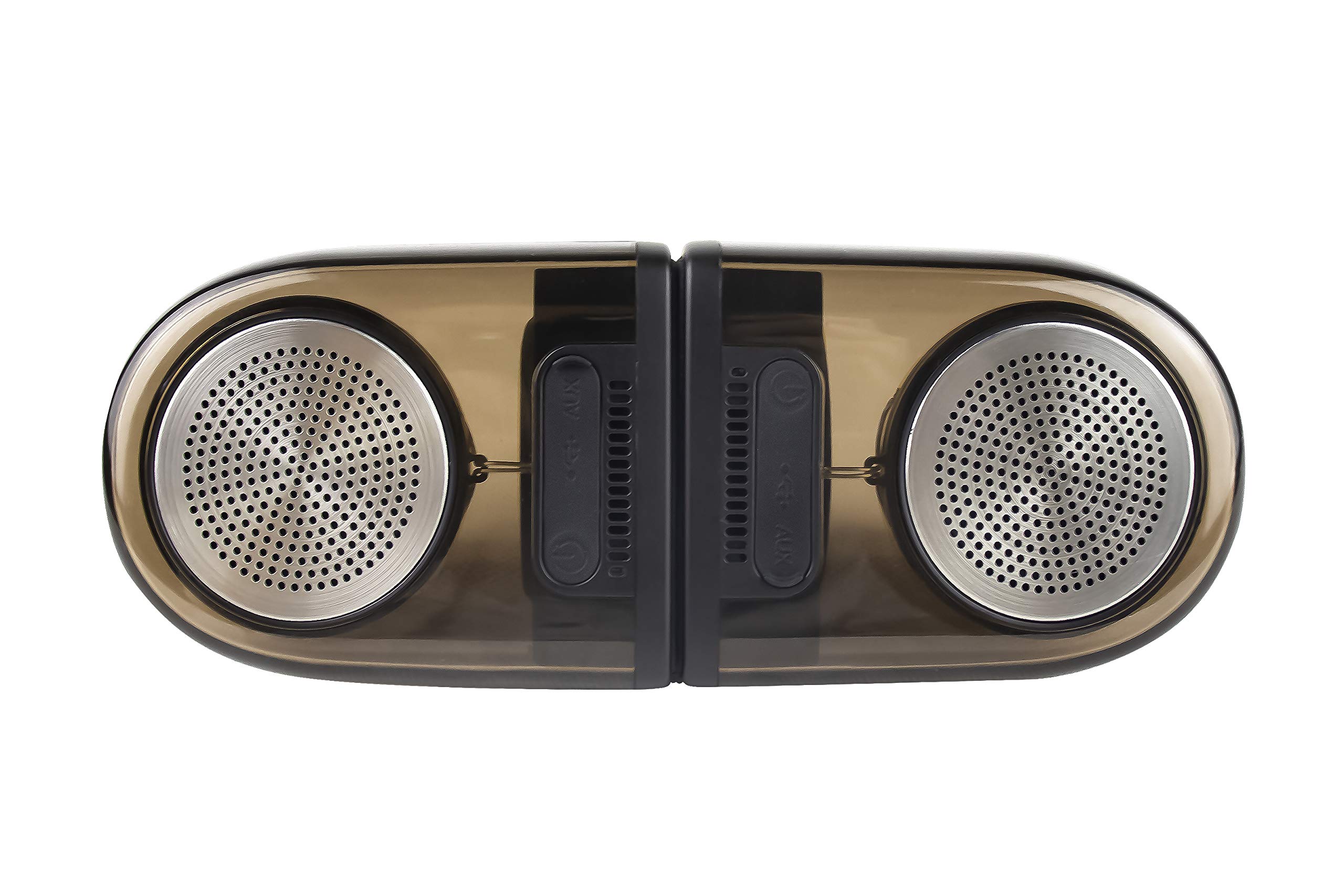
Image of the JVC XS-N2239TC speaker system, showcasing thiết kế và các thành phần của nó.
2. Nội dung hộp
Vui lòng kiểm tra xem gói hàng của bạn có bao gồm tất cả các mục sau đây không:
- 1 x JVC XS-N2239TC Speaker Unit
- Cáp 1 x AUX
- 1 x Hướng dẫn sử dụng (tài liệu này)
- 1 x Cáp sạc
- 1 x Thẻ bảo hành
3. Thiết lập
3.1 Vị trí
The JVC XS-N2239TC speakers are designed for versatile placement, suitable as Bookshelf or Floor Standing units. Ensure the speakers are placed on a stable, flat surface or floor, away from direct sunlight, heat sources, and moisture. For optimal stereo sound, position the two speakers appropriately within your listening area.
3.2 kết nối nguồn
- Connect the charging cable to the speaker's power input port.
- Cắm đầu còn lại của cáp sạc vào ổ cắm điện phù hợp.
- Ensure the speaker is fully charged before initial use for optimal battery life.
4. Hướng dẫn vận hành
4.1 Bật / Tắt nguồn
Locate the power button on the speaker unit. Press and hold the button for a few seconds to power the speaker on or off. An indicator light will typically confirm the power status.
4.2 Kết nối
4.2.1 Kết nối không dây
The speaker supports wireless streaming. To connect wirelessly:
- Ensure the speaker is powered on and in pairing mode (refer to the speaker's indicator lights for status).
- On your device (e.g., smartphone, tablet, television), enable wireless functionality.
- Tìm kiếm available devices and select "JVC XS-N2239TC" from the list.
- Once connected, you can stream audio wirelessly to the speaker system.
4.2.2 Kết nối USB
The speaker features a plug-and-play USB card reader. Insert a USB storage device containing audio files into the designated USB port on the speaker. The speaker will automatically detect and begin playing compatible audio files.
4.2.3 Kết nối AUX
Use the provided AUX cable to connect the speaker to devices with a 3.5mm audio output jack, such as televisions or other audio sources. Plug one end of the AUX cable into the speaker's AUX input and the other end into your audio source's output.
4.3 Kiểm soát
4.3.1 Multifunctional Panel Keys
The speaker unit is equipped with multifunctional panel keys. These keys allow you to:
- Adjust volume (increase/decrease).
- Play/Pause audio playback.
- Navigate tracks (forward/backward) when playing from USB or wireless sources.
4.3.2 Điều khiển từ xa
The included remote control provides convenient access to various functions from a distance. Use the remote to:
- Bật/tắt loa.
- Điều chỉnh âm lượng.
- Control playback (play, pause, skip tracks).
- Switch input modes (e.g., Wireless, USB, AUX).
5. Bảo trì
5.1 Vệ sinh
To clean the speaker, use a soft, dry cloth. Do not use abrasive cleaners, waxes, or solvents as they may damage the finish. Ensure the speaker is powered off and unplugged before cleaning.
5.2 Khả năng chống nước
The JVC XS-N2239TC speaker is designed with water resistance. While it can withstand splashes, it is not intended for submersion. Avoid exposing the speaker to excessive moisture or direct water jets to prevent damage.
KHAI THÁC. Xử lý sự cố
If you encounter issues with your speaker system, please refer to the following common solutions:
- Không có điện: Ensure the charging cable is securely connected to both the speaker and a working power outlet. Check if the power button has been pressed correctly.
- Không có âm thanh: Verify the volume level on both the speaker and your connected device. Ensure the correct input mode (Wireless, USB, AUX) is selected. Check all cable connections.
- Sự cố kết nối không dây: Make sure the speaker is within range of your device. Try unpairing and re-pairing the speaker with your device. Ensure no other devices are interfering with the wireless signal.
- Các vấn đề khi phát nhạc qua USB: Confirm the USB device is formatted correctly and contains compatible audio files. Hãy thử một thiết bị USB khác.
- Điều khiển từ xa không hoạt động: Check the remote control's batteries and replace them if necessary. Ensure there are no obstructions between the remote and the speaker's sensor.
Nếu sự cố vẫn tiếp diễn, vui lòng liên hệ bộ phận hỗ trợ khách hàng.
7. Thông số kỹ thuật
| Tính năng | Chi tiết |
|---|---|
| Thương hiệu | JVC |
| Tên mẫu | JVC XS-N2239TC |
| Công nghệ kết nối | USB, Không dây |
| Loại công nghệ không dây | Không dây |
| Giao thức kết nối | USB |
| Chế độ đầu ra âm thanh | Âm thanh nổi |
| Loại loa | Kệ sách |
| Kiểu lắp đặt | Đứng sàn |
| Tính năng sản phẩm | Điều khiển từ xa |
| Phương pháp kiểm soát | Xa |
| Thiết bị tương thích | Tivi |
| Số kênh âm thanh | 2.1 |
| Kích thước loa | 7.5 Centimet |
| Subwoofer Speaker Diameter | 5 inch |
| Tweeter Driver Diameter | 1 inch |
| Loại trình điều khiển âm thanh | Trình điều khiển động |
| Màu sắc | Đen |
| Không thấm nước | ĐÚNG VẬY |
| Mức độ chống nước | Không thấm nước |
| Sử dụng cụ thể cho sản phẩm | Hệ thống giải trí gia đình |
| Tuổi thọ trung bình của pin | 6 giờ |
| Trọng lượng sản phẩm | 0.56 Kilôgam |
8. Bảo hành và Hỗ trợ
8.1 Thông tin bảo hành
Sản phẩm này đi kèm với một Bảo hành 1 năm provided by the manufacturer from the date of purchase. Please retain your purchase receipt and warranty card for any warranty claims.
8.2 Hỗ trợ khách hàng
For any complaints, technical assistance, or support regarding your JVC XS-N2239TC speaker system, please contact JVC customer care:
- Số chăm sóc khách hàng: +91-9910332380
Please have your product model number and purchase details ready when contacting support.