
Giới thiệu
Cảm ơn bạn đã muaasing the ThermoPro TP53 Indoor Hygrometer Thermometer. This device is designed to provide accurate measurements of indoor temperature and humidity, helping you maintain a comfortable and healthy living environment. Please read this manual carefully before use to ensure proper operation and to maximize the product's lifespan.
Tính năng sản phẩm
- Đèn nền cảm ứng: Features a touch backlight button on the frame for easy screen illumination in dark conditions.
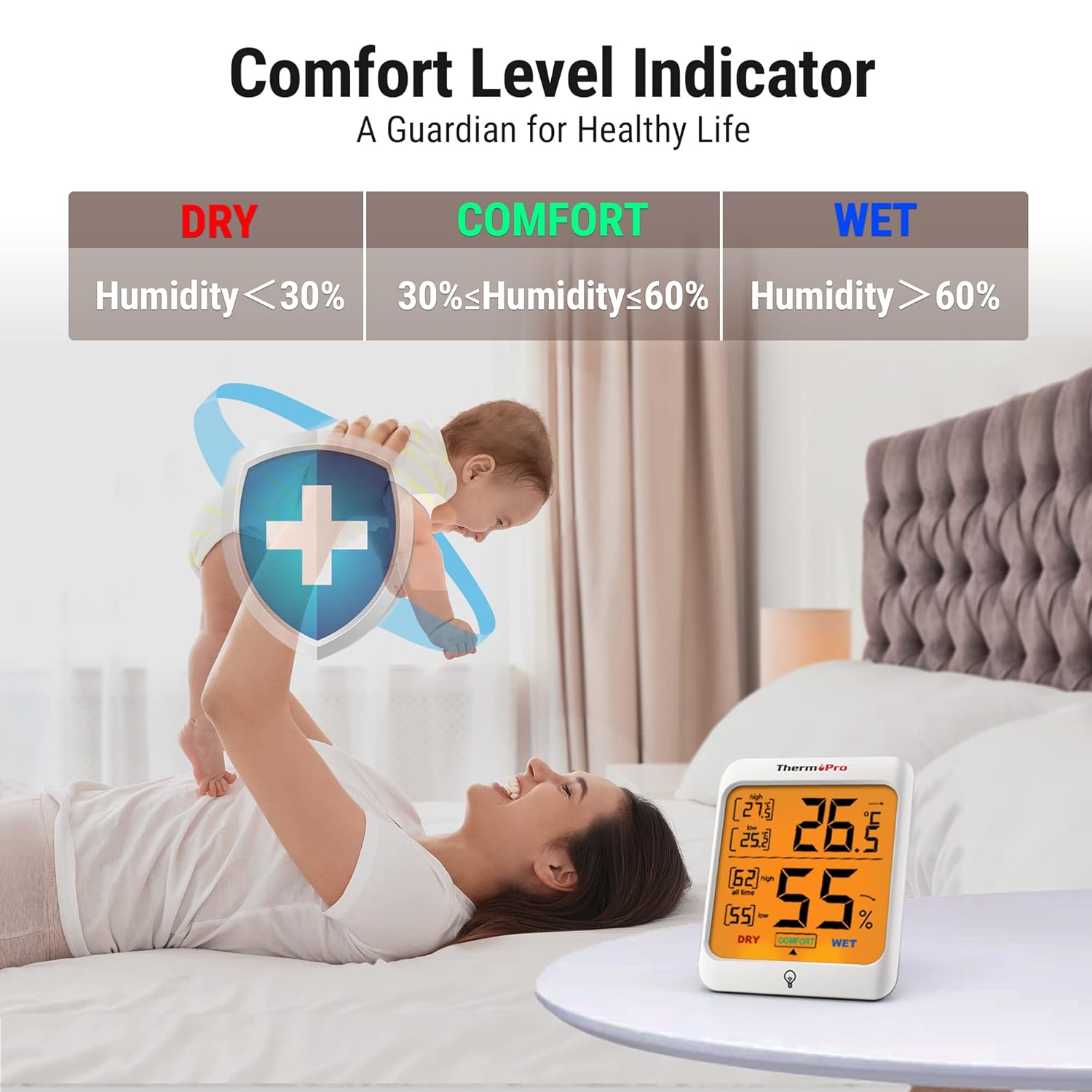
- Chỉ báo tiện nghi không khí: Displays the comfort level (DRY, COMFORT, WET) based on current humidity, keeping you informed of indoor conditions.
- Max and Min Records: Stores and displays all-time or 24-hour maximum and minimum temperature and humidity records.
- Nhiều tùy chọn gắn kết: Designed for tabletop placement, wall mounting, or magnetic attachment for versatile positioning.
- Ứng dụng rộng rãi: Provides essential temperature and humidity control for various environments such as baby rooms, nurseries, basements, warehouses, and greenhouses.

Nội dung gói
- 2 x ThermoPro TP53 Indoor Hygrometer Thermometer
- 4 x Pin AAA
- 1 x Hướng dẫn sử dụng
Các thành phần chính

Màn hình phía trước:
- Nhiệt độ trong nhà: Đọc nhiệt độ hiện tại.
- Độ ẩm trong nhà: Current humidity reading.
- Nhiệt độ MAX/MIN: Highest/lowest temperature recorded.
- Độ ẩm tối đa/tối thiểu: Highest/lowest humidity recorded.
- Chỉ báo mức độ thoải mái: Shows DRY, COMFORT, or WET.
- Temperature Trend Arrow: Indicates rising, falling, or stable temperature.
- Humidity Trend Arrow: Indicates rising, falling, or stable humidity.
- Touch Backlight Button: Located at the bottom center of the display.
Nút quay lại:
- °C/°F Switcher: Chuyển đổi giữa độ Celsius và độ Fahrenheit.
- ALL TIME/24HRS Button: Switches between all-time and 24-hour MAX/MIN records.
Cài đặt
- Chèn pin: Open the battery compartment on the back of the unit. Insert 2 AAA batteries, ensuring correct polarity (+/-). Close the battery compartment. The device will power on automatically.
- Chọn đơn vị nhiệt độ: On the back of the unit, press the '°C/°F' button to switch between Celsius and Fahrenheit as desired.
- Vị trí: Place the hygrometer in your desired location. It can stand on a tabletop using its integrated stand, be mounted on a wall using the hanging hole, or attached to a metallic surface via its powerful magnets. Allow approximately 10-15 minutes for the sensor to stabilize and provide accurate readings.

Hướng dẫn sử dụng
Reading Temperature and Humidity:
The current indoor temperature and humidity are displayed prominently on the large LCD screen.
Sử dụng đèn nền:
Touch the backlight button located on the front frame of the unit to activate the backlight. The backlight will remain on for approximately 15 seconds before automatically turning off to conserve battery life.

Viewing MAX/MIN Records:
Press the 'ALL TIME/24HRS' button on the back of the unit to cycle through the maximum and minimum records. You can view records for the past 24 hours or all-time since the last reset/battery change.

Understanding the Comfort Level Indicator:
The comfort level indicator provides a quick visual reference for your indoor environment:
- KHÔ: Humidity below 30% RH
- AN ỦI: Humidity between 30% and 60% RH
- ƯỚT: Humidity above 60% RH
Understanding Trend Arrows:
Arrows next to the temperature and humidity readings indicate the trend:
- Mũi tên lên (↑): Rising trend
- Mũi tên xuống (↓): Falling trend
- Mũi tên ngang (→): Stable trend
BẢO TRÌ
- Vệ sinh: Lau thiết bị bằng vải mềm, damp vải. Không sử dụng chất tẩy rửa có tính mài mòn hoặc nhúng thiết bị vào nước.
- Thay thế pin: When the battery indicator appears on the display, replace the AAA batteries. Ensure correct polarity.
- Kho: If storing the unit for an extended period, remove the batteries to prevent leakage. Store in a dry place away from extreme temperatures.
Xử lý sự cố
Không hiển thị hoặc hiển thị mờ:
- Kiểm tra xem pin đã được lắp đúng cách và đúng cực chưa.
- Thay thế bằng pin AAA mới.
Đọc không chính xác:
- Ensure the unit is placed in a location away from direct sunlight, heat sources, or drafts, which can affect readings.
- Allow 10-15 minutes for the sensor to stabilize after initial setup or relocation.
- If readings seem consistently off, try replacing the batteries.
Thông số kỹ thuật
| Thương hiệu | NhiệtPro |
| Số hiệu mẫu | TP53 |
| Màu sắc | Trắng |
| Phạm vi nhiệt độ | -50°C đến 70°C (-58°F đến 158°F) |
| Độ chính xác nhiệt độ | ±0.5°C (±1.0°F) |
| Độ ẩm | 10% đến 99% RH |
| Độ chính xác độ ẩm | ±2-3% RH |
| Tốc độ làm mới | 10 giây |
| Nguồn điện | 2 x Pin AAA |
| Kích thước (Rộng x Cao x Sâu) | 7.1 cm x 8.4 cm x 6.2 cm (approximate, based on visual representation) |


Bảo hành
ThermoPro provides a 3-year warranty for this product from the date of purchase. This warranty covers defects in materials and workmanship under normal use. It does not cover damage caused by misuse, accidents, unauthorized modifications, or normal wear and tear. Please retain your proof of purchase for warranty claims.
Ủng hộ
For any questions, assistance, or warranty claims, please contact ThermoPro Customer Service. Refer to the contact information provided on the ThermoPro official webtrang web hoặc bao bì sản phẩm của bạn.