
CHEREEKI 8808
CHEREEKI Digital Alarm Clock User Manual
Mẫu: 8808
Giới thiệu
Cảm ơn bạn đã muaasing the CHEREEKI Digital Alarm Clock. This manual provides detailed instructions on how to set up, operate, and maintain your new alarm clock. Please read this manual carefully before use to ensure optimal performance and longevity of the product.

Hình ảnh: Mặt trước view of the CHEREEKI Digital Alarm Clock displaying time and temperature.
Nội dung gói
Vui lòng kiểm tra nội dung gói hàng khi mở hộp:
- 1 x LED Digital Alarm Clock
- 1 x USB Cable (adapter not included)
- 1 x Hướng dẫn sử dụng
Note: The alarm clock contains a built-in Lithium-polymer battery.
Cài đặt
Cấp nguồn cho thiết bị
The CHEREEKI Digital Alarm Clock offers two power modes:
- USB Power (Recommended for continuous display):
Connect the alarm clock to a USB port or a 5V/1A or 5V/2A adapter using the provided USB cable. In this mode, the LED display will remain continuously on.

Image: Illustrations demonstrating connection to a USB port and a 5V/1A or 5V/2A adapter for continuous power.
- Built-in Battery Power:
When fully charged, the alarm clock can operate on its internal battery. In this mode, the LED display will automatically turn off after 6 seconds to conserve power. The display can be reactivated by sound (above 90 dB) or by pressing any button.

Image: Visual representation of the intelligent voice control function, where the display turns off after 6 seconds in battery mode and can be awakened by sound.
Thiết lập ban đầu
Upon first use or after a reset, you may need to set the time and other preferences.

Hình ảnh: Chi tiết view of the alarm clock's top and bottom panels, highlighting buttons for time setting, alarm setting, volume, and switches for alarms.
Hướng dẫn sử dụng
Thiết lập thời gian
- Ở chế độ hiển thị thời gian bình thường, nhấn nút "TIME SET" button located on the bottom of the clock.
- Sử dụng "HƯỚNG LÊN" Và "XUỐNG" các nút điều chỉnh giờ.
- Nhấn "TIME SET" lại chuyển sang chế độ điều chỉnh phút, sau đó sử dụng "HƯỚNG LÊN" Và "XUỐNG".
- Nhấn "TIME SET" Kiểm tra lại lần nữa để xác nhận và thoát.
- The clock supports both 12-hour (with AM/PM indicator) and 24-hour formats. To switch, press the "HƯỚNG LÊN" nhấn nút trong quá trình cài đặt thời gian.

Image: Illustration of the alarm clock displaying time in both 12-hour and 24-hour formats.
Cài đặt báo thức (Báo thức 1 & Báo thức 2)
Đồng hồ có hai chế độ báo thức độc lập.
- To set Alarm 1: Press the "BẬT BÁO THỨC" button once. The Alarm 1 icon will flash.
- Sử dụng "HƯỚNG LÊN" Và "XUỐNG" để đặt giờ, sau đó nhấn "BẬT BÁO THỨC" để di chuyển đến phút.
- Lặp lại trong vài phút, sau đó nhấn "BẬT BÁO THỨC" để xác nhận.
- To set Alarm 2: Press the "BẬT BÁO THỨC" button twice. The Alarm 2 icon will flash. Follow the same steps as Alarm 1.
- To activate/deactivate an alarm: In normal time display mode, press the "Alarm 1 Switch" or "Alarm 2 Switch" on the bottom of the clock. The corresponding alarm icon will appear/disappear on the display.

Image: A visual demonstrating the dual alarm functionality with different wake-up times and the snooze feature.
Chức năng báo lại
- Khi có tiếng báo thức, hãy nhấn nút lớn "SNOOZE / LIGHT" button on top of the clock to activate the 5-minute snooze function.
- Báo thức sẽ kêu lại sau 5 phút.
- To turn off the alarm completely, press any other button on the clock.

Image: A user enjoying extra sleep thanks to the 5-minute snooze feature.
Điều chỉnh độ sáng
The clock offers both automatic and manual brightness control:
- Automatic Brightness (when USB powered): The display brightness adjusts automatically based on the time of day:
- 7:00 AM - 7:00 PM: High brightness
- 7:00 PM - 12:00 AM: Medium brightness
- 12:00 AM - 7:00 AM: Low brightness
- Điều chỉnh độ sáng thủ công: Ở bất kỳ chế độ nào, nhấn nút "SNOOZE / LIGHT" button on top of the clock to cycle through 4 levels of brightness (25%, 50%, 75%, 100%).
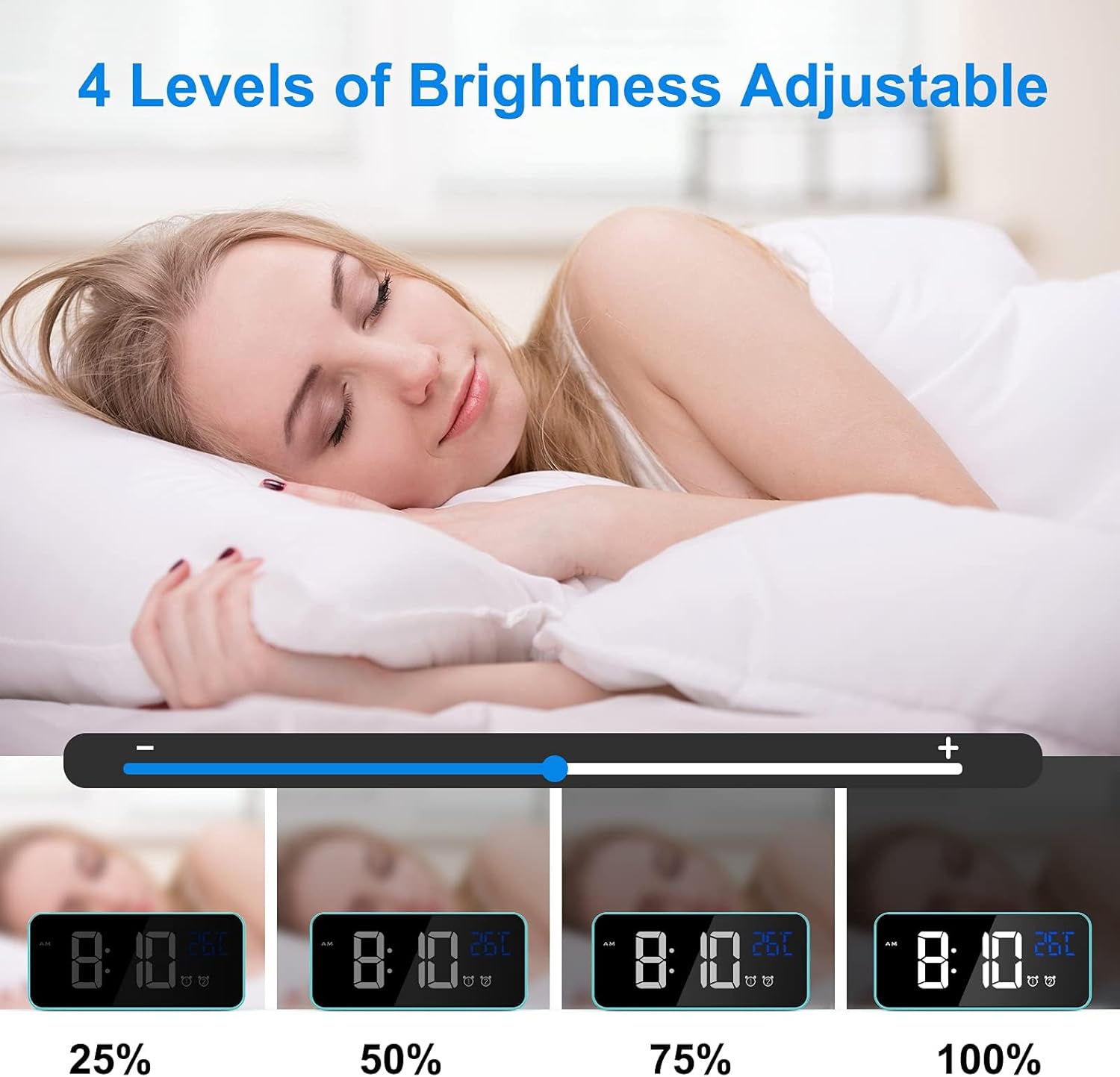
Image: Visual representation of the four adjustable brightness levels of the LED display.
Âm lượng và nhạc chuông
The alarm clock features 3 volume levels and 10 different ringtones.
- To adjust volume: During alarm setting, or when an alarm is sounding, press the "Âm lượng" button on the bottom of the clock to cycle through the 3 volume levels.
- To change ringtone: During alarm setting, press the "HƯỚNG LÊN" or "XUỐNG" buttons when the ringtone selection is active (after setting time and minutes for the alarm).

Image: A user waking up to one of the 10 natural sounds, with an illustration of the four selectable volume levels.
Hiển thị nhiệt độ
- The clock displays the ambient temperature in Celsius (°C) by default.
- To switch between Celsius (°C) and Fahrenheit (°F), press the "XUỐNG" button in normal time display mode.

Image: Illustration of the temperature display switching between Celsius and Fahrenheit.
Các tính năng hếtview
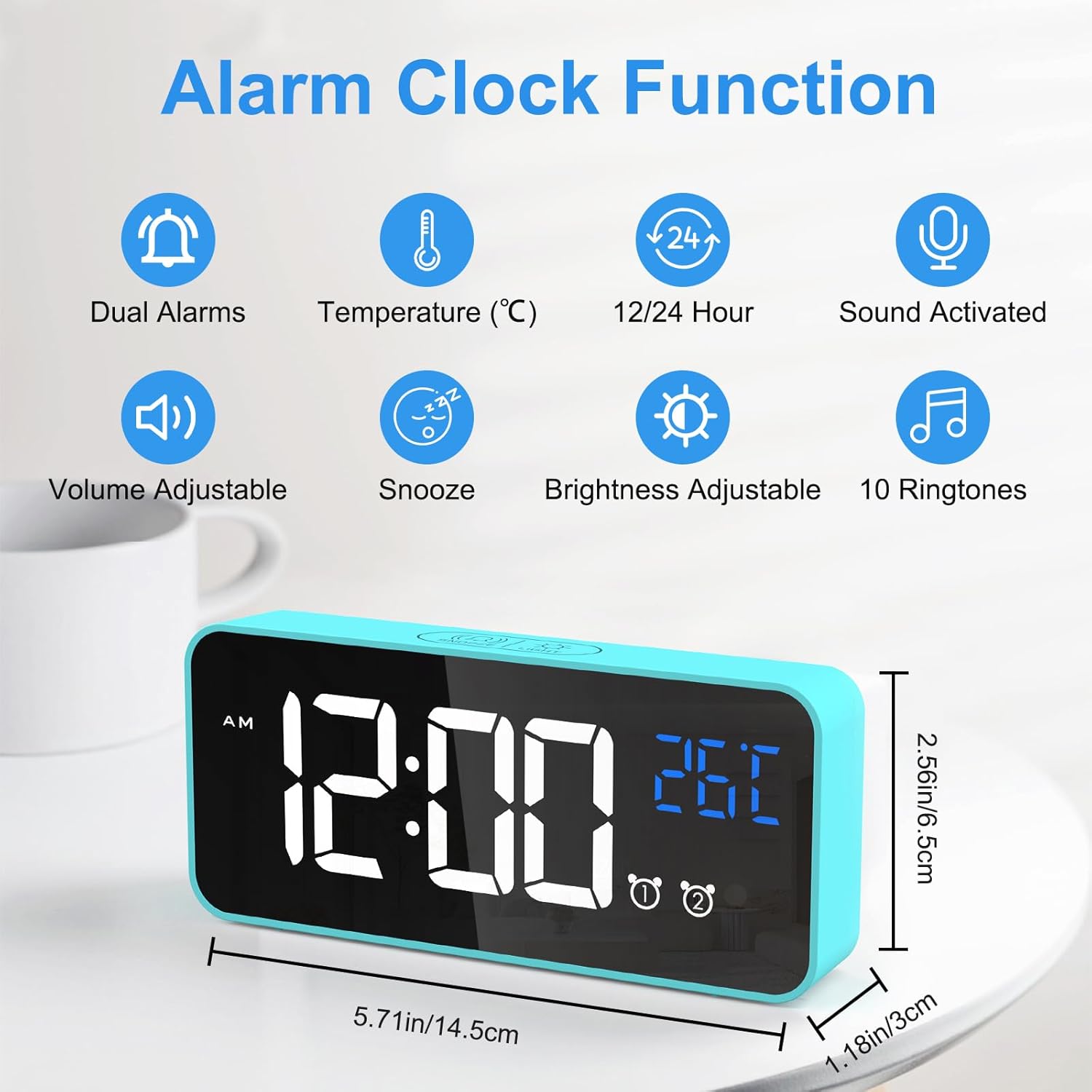
Image: An infographic highlighting the key functions of the alarm clock, including dual alarms, temperature display, 12/24 hour format, sound activation, volume adjustment, snooze, brightness adjustment, and 10 ringtones.
- Chế độ nguồn kép: Operates via USB for continuous display or built-in battery for portable use with voice activation.
- Độ sáng có thể điều chỉnh: 4 manual levels and automatic adjustment when USB powered.
- Dual Alarms with Snooze: Set two independent alarms with a convenient 5-minute snooze function.
- Tùy chỉnh âm thanh: Choose from 3 volume levels and 10 unique ringtones.
- Kích hoạt bằng giọng nói: In battery mode, the display activates for 6 seconds when sound exceeds 90 dB.
- Hiển thị nhiệt độ: Shows ambient temperature in Celsius or Fahrenheit.
- Chức năng bộ nhớ: Settings are retained even if power is lost or the clock is turned off and on again.

Image: A visual explanation of the memory function, showing that settings are retained even after power loss or restart.
BẢO TRÌ
- Vệ sinh: Hãy dùng khăn mềm, khô để lau sạch bề mặt đồng hồ báo thức. Không sử dụng chất tẩy rửa có tính ăn mòn hoặc dung môi.
- Môi trường: Keep the alarm clock away from heat sources, direct sunlight, and high humidity environments.
- Kho: If the alarm clock will not be used for an extended period, turn off the power switch to preserve battery life.
Xử lý sự cố
| Vấn đề | Nguyên nhân có thể | Giải pháp |
|---|---|---|
| Display is blank or scrambled. | Low battery, power issue, or internal error. | Connect to USB power. If the issue persists, use a pin to press the "CÀI LẠI" button on the bottom of the clock. |
| Màn hình sẽ tắt sau 6 giây. | Clock is operating on battery power. | This is normal behavior to conserve battery. Connect to USB power for a continuously lit display. |
| Chuông báo động không kêu. | Chuông báo thức không được kích hoạt hoặc âm lượng quá nhỏ. | Ensure the alarm switch (Alarm 1 or Alarm 2) is in the "ON" position. Check and adjust the alarm volume. |
| Time/settings are lost after power off. | This should not happen due to memory function. | Ensure the internal battery is charged. If the issue persists, perform a reset. |
Thông số kỹ thuật
| Tính năng | Chi tiết |
|---|---|
| Thương hiệu | CHEREEKI |
| Số hiệu mẫu | 8808 |
| Màu sắc | Màu xanh da trời |
| Kích thước (D x R x C) | 14.5 x 6.5 x 3 cm (5.71 x 2.56 x 1.18 inch) |
| Cân nặng | 158 gam (0.35 lb) |
| Vật liệu | Nhựa |
| Kiểu hiển thị | Đèn LED kỹ thuật số |
| Nguồn điện | USB Cable / Built-in Lithium-polymer Battery |
| Tính năng đặc biệt | Temperature Display, Snooze Function, Dual Alarms, Voice Activation, Adjustable Brightness, 10 Ringtones |
Bảo hành và Hỗ trợ
CHEREEKI is committed to providing high-quality products and excellent customer service. If you have any questions or encounter issues with your alarm clock, please do not hesitate to contact our customer support team. We are dedicated to providing attentive after-sales service.
For support, please refer to the contact information provided with your purchase or visit the official CHEREEKI webđịa điểm.
Ask a question about this manual
Ask about setup, troubleshooting, compatibility, parts, safety, or missing instructions. Manuals+ will review the question and use this page’s manual context to help answer it.