
1. Giới thiệu
This manual provides detailed instructions for the installation, operation, and maintenance of your Axis Communications M3064-V Mini Dome Camera. This camera is designed for indoor surveillance, offering HDTV 720p video quality, dust resistance, and IK08 impact protection. Please read this manual thoroughly before using the product to ensure proper functionality and safety.
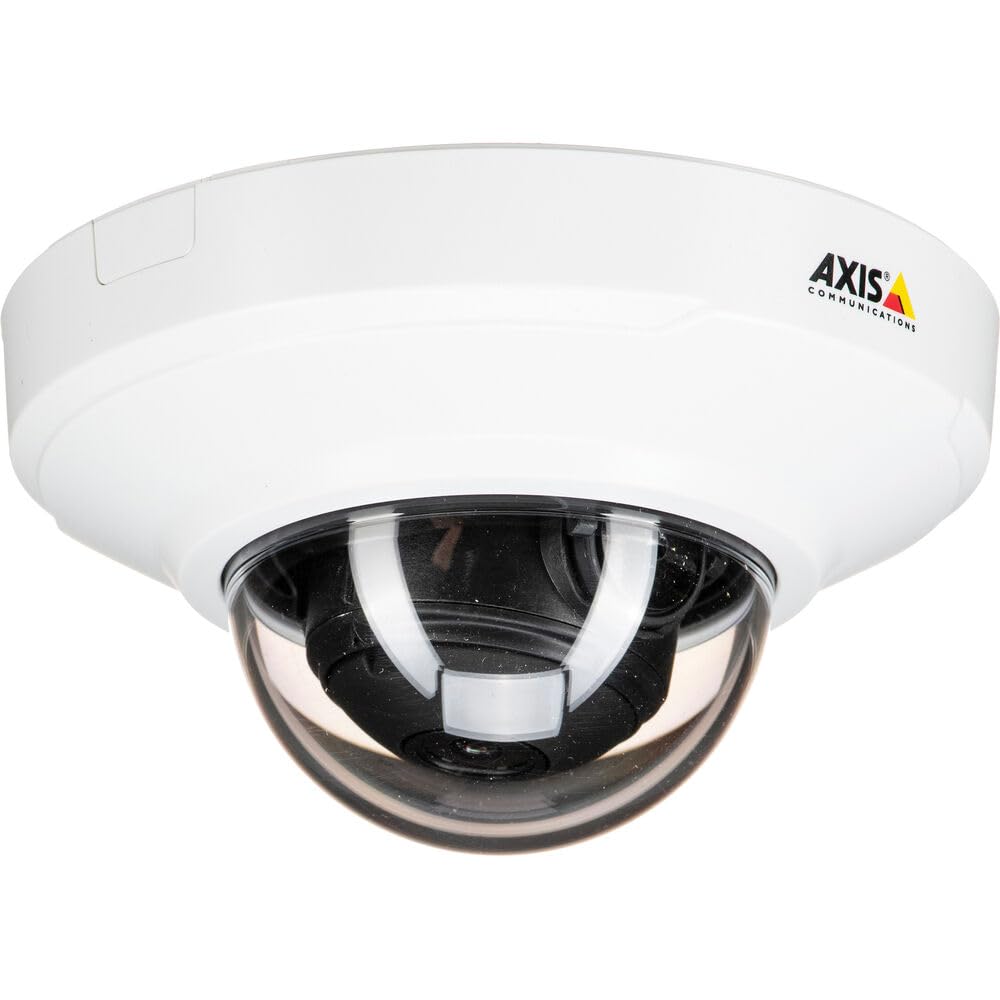
Hình 1: Mặt trước view of the Axis M3064-V Mini Dome Camera. This image shows the compact dome design suitable for discreet indoor surveillance.
2. Thông tin an toàn
- Nguồn điện: Use only the specified power supply (AC/DC, 220 Volts, 1.6 Watts) to prevent damage or fire.
- Cài đặt: Installation should be performed by qualified personnel and comply with all local electrical codes. Ensure the mounting surface can support the camera's weight.
- Môi trường: This camera is designed for indoor use. While dust-resistant and IK08 rated, avoid exposing it to extreme temperatures, direct water spray, or corrosive substances.
- Vệ sinh: Ngắt nguồn điện trước khi vệ sinh. Sử dụng vải mềm, khô. Không sử dụng chất tẩy rửa dạng lỏng hoặc dạng xịt.
- Bảo dưỡng: Đừng cố gắng tự bảo dưỡng sản phẩm này. Giới thiệu tất cả các dịch vụ cho nhân viên dịch vụ có trình độ.
3. Nội dung gói hàng
Verify that all items are present in the package. If any items are missing or damaged, contact your supplier.
- Axis M3064-V Mini Dome Camera (1 unit)
- Hướng dẫn cài đặt
- Lắp khung
- Vít lắp và phích cắm tường
- Resistorx L-key
4. Thiết lập và Cài đặt
4.1 Gắn máy ảnh
The Axis M3064-V camera can be mounted on a ceiling or wall. Ensure the mounting surface is stable and can support the camera's weight.
- Chuẩn bị bề mặt: Choose a suitable location. Use the mounting bracket as a template to mark drill holes.
- Lỗ khoan: Drill pilot holes for the mounting screws. Insert wall plugs if necessary.
- Đính kèm giá đỡ: Cố định giá đỡ vào bề mặt bằng các vít được cung cấp.
- Kết nối cáp: Route the network cable (wired connectivity) through the bracket and connect it to the camera's Ethernet port.
- Gắn Camera: Secure the camera body to the mounting bracket. Ensure it clicks into place or is fastened according to the specific bracket design.

Figure 2: Illustrative diagram of the camera mounting process on a ceiling. This shows the steps from marking holes to securing the camera.
4.2 Khởi động và kết nối mạng
- Kết nối có dây: Connect an Ethernet cable from your network switch or router to the camera's Ethernet port. The camera supports Power over Ethernet (PoE), simplifying power delivery.
- Kết nối Wi-Fi: The camera supports Wi-Fi connectivity. After initial wired setup, you can configure wireless settings via the camera's web giao diện.
- Nguồn điện: If not using PoE, connect a compatible AC/DC power adapter (220V, 1.6W) to the camera's power input.
- Truy cập ban đầu: Once powered, the camera will obtain an IP address from your network (DHCP). Use an Axis IP Utility tool or your network router's client list to find the camera's IP address.
5. Hướng dẫn vận hành
5.1 Accessing the Camera Interface
Mở một web browser (e.g., Chrome, Firefox) and enter the camera's IP address in the address bar. You will be prompted to create a new password for the root user upon first access. Follow the on-screen instructions.
5.2 Trực tiếp View and Video Settings
- Sống View: The main interface provides a live video feed. You can adjust the viewing angle remotely if the camera supports pan/tilt/zoom (PTZ) functions, though this model features a fixed dome with 3x optical zoom.
- Nghị quyết: The camera supports HDTV 720p video capture resolution. You can configure streaming profiles for different quality and frame rate needs.
- Tầm nhìn ban đêm: The camera includes Night Color functionality, providing enhanced visibility in low-light conditions. This feature can be configured in the image settings.
- Thu phóng quang học: Utilize the 3x optical zoom feature through the web interface to focus on specific areas within the 83-degree viewgóc ing.
5.3 Ghi và Lưu trữ
Camera hỗ trợ nhiều tùy chọn ghi hình khác nhau:
- Lưu trữ cạnh: The camera has 128 GB of flash memory installed for local recording. Insert a compatible microSD card (not included) for additional storage.
- Đầu ghi hình mạng (NVR): Integrate the camera with an NVR or video management system (VMS) for centralized recording and management.
- Ghi hình dựa trên sự kiện: Configure motion detection or other event triggers to start recording, saving storage space.
6. Bảo trì
6.1 Vệ sinh máy ảnh
Regular cleaning helps maintain optimal image quality.
- Tắt nguồn: Always disconnect the camera from its power source before cleaning.
- Ống kính: Gently wipe the lens cover with a soft, lint-free cloth. For stubborn dirt, slightly dampen the cloth with water or a mild lens cleaning solution. Avoid abrasive materials.
- Nhà ở: Wipe the camera housing with a soft, dry cloth. Do not use strong detergents or solvents.
6.2 cập nhật chương trình cơ sở
Kiểm tra định kỳ hệ thống Axis Communications. website for firmware updates. Keeping your camera's firmware up-to-date ensures optimal performance, security, and access to new features. Follow the instructions provided with the firmware update package.
KHAI THÁC. Xử lý sự cố
| Vấn đề | Nguyên nhân có thể | Giải pháp |
|---|---|---|
| Camera không bật nguồn | No power supply; Faulty PoE switch/injector; Damaged cable. | Check power connection. Verify PoE functionality. Test with a different Ethernet cable or power adapter. |
| Không có nguồn cấp dữ liệu video | Network connectivity issue; Incorrect IP address; Firewall blocking access; Camera not configured. | Verify network connection. Confirm camera's IP address. Check firewall settings. Ensure camera is properly configured via its web giao diện. |
| Chất lượng hình ảnh kém | Dirty lens; Incorrect focus; Low light conditions; Network bandwidth issues. | Clean the lens. Adjust focus settings in the web interface. Ensure adequate lighting or verify Night Color settings. Check network bandwidth. |
| Không thể truy cập web giao diện | Incorrect IP address; Network issue; Browser compatibility. | Confirm IP address. Ping the camera's IP. Try a different web trình duyệt. Xóa bộ nhớ đệm của trình duyệt. |
8. Thông số kỹ thuật
| Tính năng | Chi tiết |
|---|---|
| Tên mẫu | M3064-V |
| Số hiệu mẫu | 01716-001 |
| Thương hiệu | Truyền thông Axis |
| Yếu tố hình thức | mái vòm |
| Công nghệ kết nối | Có dây, Wi-Fi |
| Độ phân giải quay video | 720p (HDTV) |
| Độ phân giải tĩnh hiệu quả | 64 MP (Note: This might refer to sensor resolution, actual video output is 720p) |
| Độ phân giải cảm biến ảnh | 5MP |
| Viewgóc ing | 83 Độ |
| Thu phóng quang học | 3x |
| Tầm nhìn ban đêm | Màu đêm |
| Xếp hạng chống thấm nước | IP42 (Dust-resistant) |
| Bảo vệ tác động | IK08 |
| Nguồn điện | AC/DC, PoE |
| Tậptage | 220 vôn |
| Cái gì?tage | 1.6 Watt |
| Kích thước bộ nhớ Flash đã cài đặt | 128GB |
| Kích thước vật phẩm (LxWxH) | 3.98 x 3.98 x 2.2 inch |
| Trọng lượng sản phẩm | 150 gam |
| Màu sắc | Đen / Trắng |
9. Bảo hành và Hỗ trợ
9.1 Bảo hành sản phẩm
Axis Communications products typically come with a limited manufacturer's warranty. Please refer to the warranty card included with your product or visit the official Axis Communications website for detailed warranty terms and conditions specific to the M3064-V model. Keep your proof of purchase for warranty claims.
9.2 Hỗ trợ kỹ thuật
For technical assistance, troubleshooting beyond this manual, or service inquiries, please contact Axis Communications customer support. You can find contact information, FAQs, and additional resources on the official Axis Communications support website. When contacting support, please have your product model number (M3064-V or 01716-001) and serial number ready.
Tài nguyên trực tuyến: www.axis.com/support