
AWESAFE FR-M3PG
AWESAFE 7-Inch Car Stereo GPS Navigator for Opel (Model FR-M3PG)
Hướng dẫn sử dụng
Giới thiệu
This manual provides detailed instructions for the installation, operation, and maintenance of your AWESAFE 7-inch Car Stereo GPS Navigator. This unit is designed for Opel vehicles and features a 7-inch touchscreen, CD/DVD player, USB and SD card support, Bluetooth connectivity, 720P video playback, FM/AM radio with RDS, and a WindowsCE operating system with integrated GPS navigation. Please read this manual thoroughly before using the product to ensure proper function and safety.
Khả năng tương thích của xe
This car stereo is designed for specific Opel models. Please verify your vehicle's dashboard shape and size against the unit's dimensions before installation. Compatible models include:
- Opel Vivaro (2006-2010)
- Opel Antara (2006-2011)
- Opel Vectra (2006-2011)
- Opel Sigum (2003)
- Opel Combo (2004-2010)
- Opel Zafira (2005-2008)
- Opel Astra (2004-2009)
- Opel Corsa (2006-2011)
- Opel Meriva (2006-2008)
- Opel Tigra (2006 only)
- Opel Agila (2004 only)


Thiết lập và cài đặt
Nội dung gói
Trước khi cài đặt, hãy đảm bảo tất cả các thành phần đều có sẵn:
- AWESAFE Car Stereo Unit
- Mô-đun Bluetooth
- Trưng bày
- Mô-đun WIFI
- Micrô
- Ăng-ten GPS
- Cáp USB
- Ăng ten vô tuyến
- Công cụ cài đặt
- Bộ giải mã CAN Bus
- Pre-wired Cables (large and small connectors)
- USB Cable for MirrorLink
- Bộ chuyển đổi USB
- Hướng dẫn sử dụng
- Công cụ nạy

Các bước cài đặt trước
- Before installation, remove the two screws located on the top of the unit. This is crucial for proper operation.
- Ensure the vehicle's power is off and the battery is disconnected to prevent electrical damage.

Sơ đồ đấu dây
Refer to the following diagram for correct wiring connections. Incorrect wiring can damage the unit or vehicle electronics.


Hướng dẫn sử dụng
Các điều khiển và giao diện cơ bản
The unit features a 7-inch touchscreen and physical buttons for common functions. Familiarize yourself with the layout:

Định vị GPS
The unit comes with pre-installed European GPS navigation software on an 8GB SD card, covering 48 countries including France. It offers point-of-interest (POI) display, 3D building views, speed warnings, and supports over 30 announcement systems and languages. Free lifetime map updates are available.
- Bắt đầu điều hướng: Tap the "NAVI" button or the GPS icon on the touchscreen.
- Điểm đến nhập cảnh: Use the touchscreen keyboard to enter addresses or select POIs.
- Bản đồ View: Chuyển đổi giữa bản đồ 2D và 3D views như mong muốn.
- Cập nhật: Tham khảo hướng dẫn của nhà sản xuất. website or contact support for map update procedures.

Kết nối Bluetooth
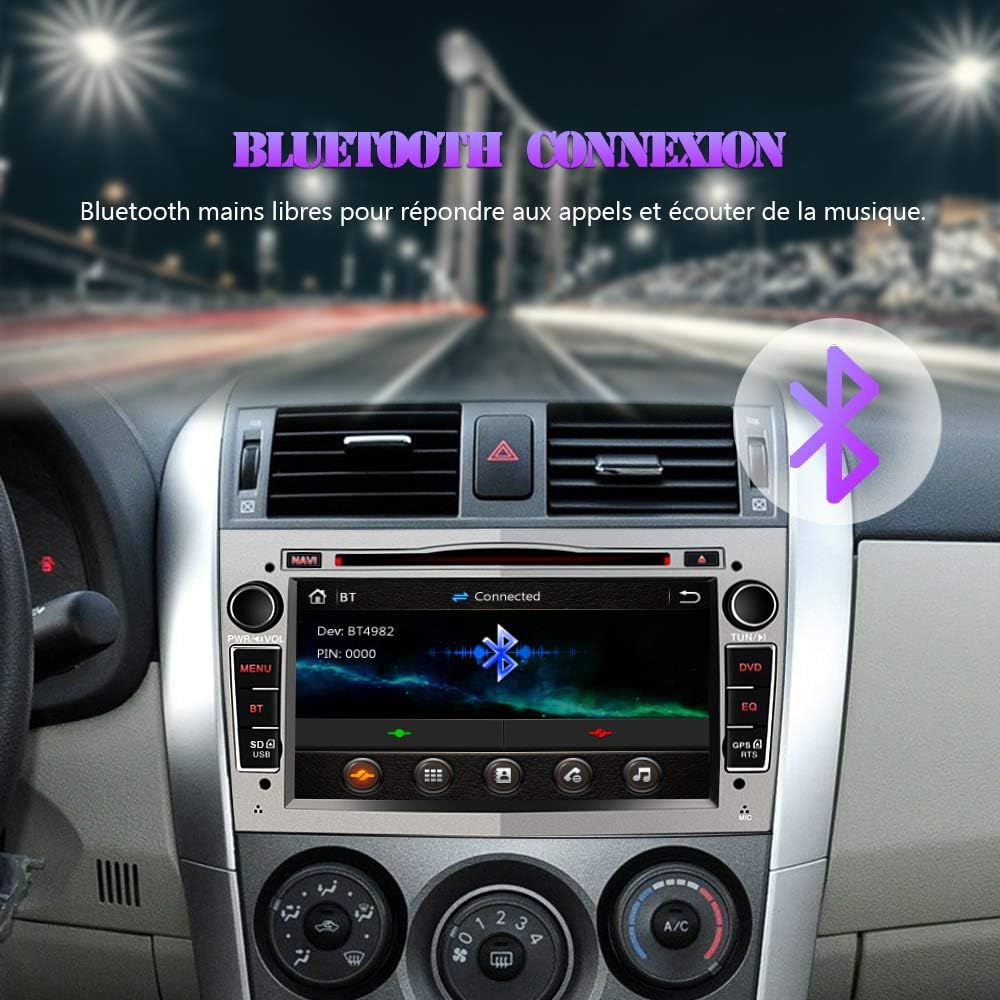
Connect your smartphone via Bluetooth for hands-free calling and audio streaming. The unit has an integrated microphone.
- Ghép nối: Go to the Bluetooth menu, enable Bluetooth on your phone, and search for the unit (e.g., "AWESAFE"). Enter the PIN (usually "0000").
- Gọi điện thoại rảnh tay: Make and receive calls directly from the unit's touchscreen.
- Phát thanh: Play music from your phone through the car stereo speakers.

Đài phát thanh (FM/AM/RDS)
The radio receiver is RDS compatible and supports both manual and automatic station searching. You can adjust the balance settings.
- điều chỉnh: Use the "TUN" knob or touchscreen controls to select radio stations.
- Tìm kiếm trạm: Utilize automatic or manual search functions to find available stations.
- RDS: Radio Data System provides additional information like station name and traffic announcements where available.

Multimedia Playback (CD/DVD/USB/SD)
Enjoy videos, photos, and music from various sources.
- Đầu đĩa CD/DVD: Insert discs into the slot. The unit supports various formats.
- Thẻ USB / SD: Cắm ổ USB hoặc thẻ SD vào các khe cắm được chỉ định để phát lại phương tiện.
- Định dạng được hỗ trợ: MP3, WMA, AAC, RM, MPEG, MP4, AVI, WAV, MOV, RMVB, MKV.

Điều khiển vô lăng (SWC)
The steering wheel control function is decoded via CANBUS. This allows you to control basic functions of the stereo directly from your vehicle's steering wheel buttons.
- Cấu hình: Access the SWC settings in the unit's menu to program or verify button assignments.
- Xử lý sự cố: If SWC does not work, please contact customer support for assistance.


Ở phía sau View Hỗ trợ máy ảnh
Thiết bị này hỗ trợ phía sau view camera (camera not included). When connected, the display automatically switches to the rear view image when the vehicle is in reverse, aiding in parking.
- Sự liên quan: Connect the camera's video output to the unit's CAMERA RCA input. Ensure the camera's power is correctly wired to the reverse light circuit.


AV Output / Headrest Monitor Function
The unit can transmit video signals to other screens, such as headrest monitors, allowing rear passengers to enjoy media.
- Sự liên quan: Use the AV output ports to connect external monitors.

MirrorLink (for Android Phones)
Mirror the screen of your Android smartphone onto the car stereo display. This allows you to view and interact with your phone's content on the larger screen. Audio is transmitted via Bluetooth.
- Sự liên quan: Connect your Android phone via USB for MirrorLink.
- Kích hoạt: Follow the on-screen prompts on the car stereo and your phone to establish the MirrorLink connection.

BẢO TRÌ
- Vệ sinh màn hình: Hãy dùng khăn mềm, không xơ để lau màn hình cảm ứng. Không sử dụng chất tẩy rửa có tính ăn mòn hoặc dung môi.
- Cập nhật phần mềm: Periodically check the AWESAFE webtrang web cập nhật chương trình cơ sở để đảm bảo hiệu suất tối ưu và truy cập vào các tính năng mới.
- Quan tâm chung: Tránh để thiết bị ở nơi có nhiệt độ quá cao, ánh nắng trực tiếp trong thời gian dài hoặc độ ẩm quá cao.
Xử lý sự cố
| Vấn đề | Nguyên nhân có thể | Giải pháp |
|---|---|---|
| Thiết bị không bật nguồn. | Incorrect wiring, blown fuse, or power issue. | Check power connections (ACC, BATT, GND). Verify vehicle fuses. Ensure the two transport screws on top of the unit were removed. |
| Các nút điều khiển trên vô lăng không hoạt động. | CANBUS decoding issue or incorrect configuration. | Ensure CANBUS decoder is correctly connected. Access SWC settings in the unit's menu and reconfigure. If issues persist, contact AWESAFE support. |
| Không có tín hiệu GPS hoặc định vị không chính xác. | GPS antenna not properly connected or positioned, outdated maps. | Hãy đảm bảo ăng-ten GPS được kết nối chắc chắn và đặt ở vị trí thoáng đãng. view của bầu trời. Kiểm tra các bản cập nhật bản đồ hiện có. |
| Sự cố kết nối Bluetooth. | Pairing error, device compatibility, or interference. | Ensure Bluetooth is enabled on both devices. Delete previous pairings and re-attempt pairing. Check phone compatibility (supports Android phones for MirrorLink). |
| CD/DVD player not reading discs. | Disc is dirty, scratched, or incompatible format. Transport screws not removed. | Clean the disc. Try a different disc. Ensure the two transport screws on top of the unit were removed before installation. |
Thông số kỹ thuật
| Thương hiệu | TUYỆT VỜI |
| Số hiệu mẫu | FR-M3PG |
| Công nghệ kết nối | USB, Bluetooth |
| Loại bộ điều khiển | Android (for MirrorLink), Touchscreen |
| Tính năng đặc biệt | Bluetooth, RDS, Touchscreen, GPS Navigation, CD/DVD Player, USB, SD Card Slot |
| Thiết bị tương thích | Điện thoại thông minh |
| Chế độ đầu ra âm thanh | Âm thanh nổi |
| Cấu hình kênh âm thanh vòm | 4.0 |
| Mã hóa video | MPEG-2, MPEG-4, H.264/AVC |
| Màu sắc | Xám |
| Công suất đầu ra | 50 Watt x 4 Kênh |
| Internet Applications | Browser, Netflix, YouTube (via MirrorLink/connected device) |
| Định dạng phương tiện kỹ thuật số | CD, DVD, USB, SD |
| Trọng lượng sản phẩm | 2750 Milligrams (2.75 kg) |
| GTIN | 725756735937 |

Bảo hành và Hỗ trợ
For warranty information, technical support, or further assistance, please contact AWESAFE customer service. Refer to your purchase documentation for specific warranty terms and contact details.
If you encounter issues with steering wheel controls or other functions, and the troubleshooting steps do not resolve the problem, please reach out to us directly.
Ask a question about this manual
Ask about setup, troubleshooting, compatibility, parts, safety, or missing instructions. Manuals+ will review the question and use this page’s manual context to help answer it.