
Giới thiệu
The Onset HOBO RXW-SMD-900 HOBOnet Wireless Soil Moisture 10HS Sensor is designed to accurately measure soil moisture. This sensor integrates seamlessly with the HOBOnet Wireless Sensor Network, facilitating wireless data transmission from the sensor mote to an RX3000 station. Data is then uploaded to the HOBOlink web-based software, enabling users to monitor readings, view graphs, configure alarms, and download data for analysis.
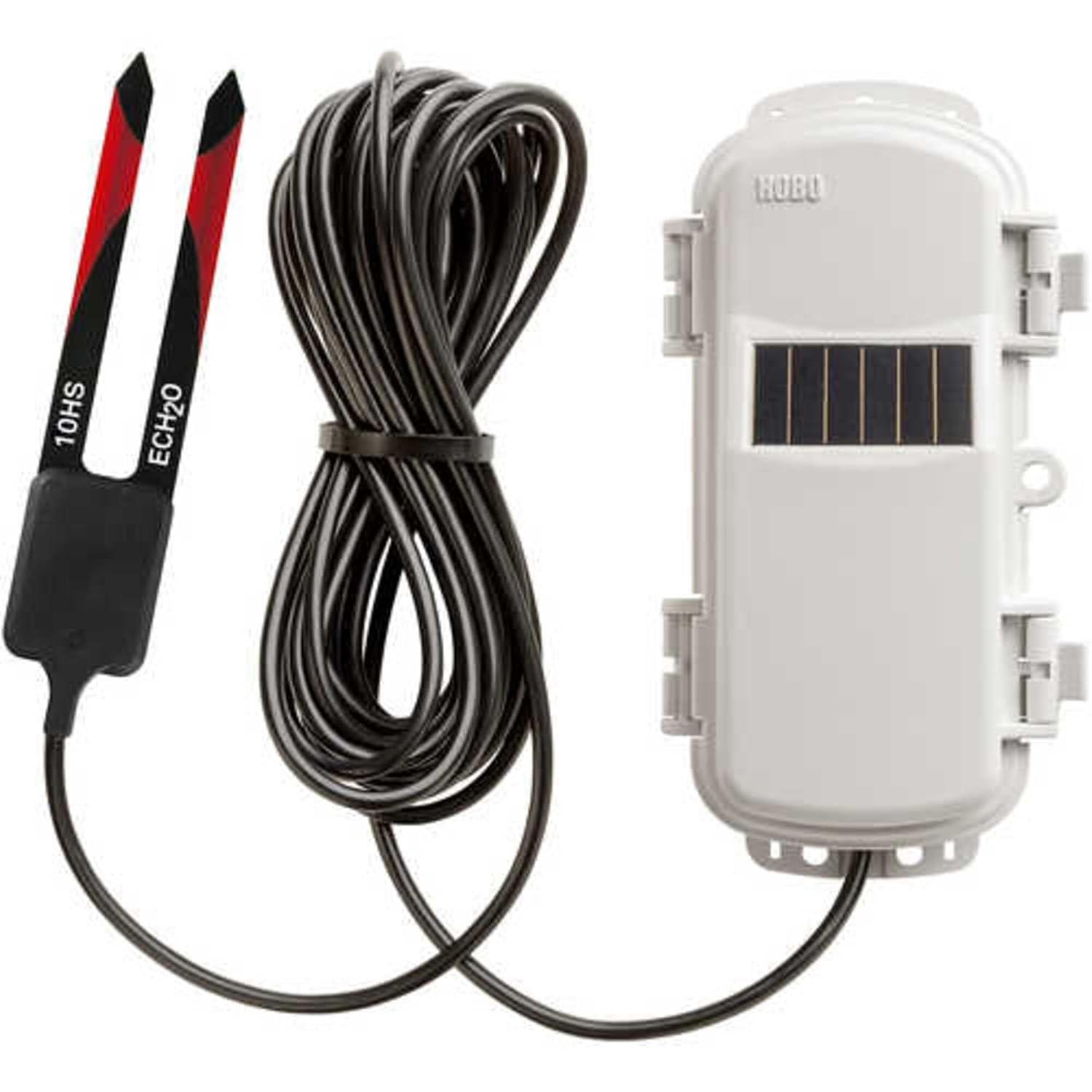
Hình 1: The Onset RXW-SMD-900 HOBOnet Wireless Soil Moisture 10HS Sensor. This image displays the soil moisture probe with its two prongs, connected by a cable to the wireless mote, which features a solar panel for power.
Cài đặt
Proper setup is crucial for accurate data collection. Follow these steps to integrate your RXW-SMD-900 sensor into your HOBOnet Wireless Sensor Network.
- Mở hộp cảm biến: Carefully remove the sensor and all components from its packaging. Inspect for any visible damage.
- Connect to a HOBOnet Mote: The soil moisture sensor connects to a HOBOnet Wireless Sensor Mote (sold separately). Ensure the connection is secure and watertight.
- Lựa chọn địa điểm: Choose a representative location for soil moisture measurement. Avoid areas with unusual drainage, compaction, or vegetation that may not reflect the overall area of interest.
- Cài đặt cảm biến: Dig a small trench or pilot hole to the desired depth. Insert the sensor probes into the soil, ensuring full contact with the soil and minimizing air gaps. Backfill the trench, compacting the soil gently around the sensor.
- Mote Placement: Position the HOBOnet Mote in an open area with a clear line of sight to other motes or the RX3000 station for optimal wireless communication. Ensure the solar panel on the mote receives adequate sunlight.
- Tích hợp mạng: Follow the instructions for your HOBO RX3000 station and HOBOlink software to add the new sensor to your wireless network. This typically involves initiating a search for new sensors from the RX3000 station.
Hướng dẫn sử dụng
Once installed and integrated into the HOBOnet network, the RXW-SMD-900 sensor will begin transmitting data wirelessly. Data management and monitoring are performed via the HOBOlink web-dựa trên phần mềm.
- Truyền dữ liệu: The sensor mote will automatically transmit soil moisture data at configured intervals to the RX3000 station.
- Accessing Data via HOBOlink: Log in to your HOBOlink account. Navigate to your RX3000 station and locate the RXW-SMD-900 sensor.
- Theo dõi số liệu: View real-time and historical soil moisture readings. Data can be displayed in graphs for trend analysis.
- Cài đặt báo thức: Configure alarms within HOBOlink to receive notifications (e.g., email or SMS) when soil moisture levels fall outside specified thresholds.
- Tải xuống dữ liệu: Download collected data in various formats for further analysis using spreadsheet software or other tools.
- Trạng thái hệ thống: Regularly check the HOBOlink dashboard for sensor battery status and network connectivity to ensure continuous operation.
BẢO TRÌ
Regular maintenance helps ensure the longevity and accuracy of your soil moisture sensor.
- Làm sạch cảm biến: Periodically inspect the sensor probes. If removed from the soil, gently clean any accumulated soil or debris from the probes using a soft cloth and water. Avoid abrasive materials that could scratch the sensor surface.
- Kiểm tra cáp: Check the sensor cable for any signs of damage, such as cuts, abrasions, or rodent chew marks. Ensure all connections remain secure.
- Mote Inspection: Ensure the HOBOnet Mote's solar panel is clean and free of obstructions (e.g., leaves, dirt) to maximize charging efficiency.
- Hiệu chuẩn lại: While the sensor is factory calibrated, soil-specific calibration can improve accuracy. Refer to the HOBOlink documentation or Onset support for guidance on performing soil-specific calibrations if required for your application.
- Giám sát pin: Monitor the battery level of the wireless mote via HOBOlink. Replace batteries as needed, following the mote's specific instructions.
Xử lý sự cố
This section addresses common issues you might encounter with your RXW-SMD-900 sensor.
- No Data Appearing in HOBOlink:
- Verify the sensor is properly connected to the HOBOnet Mote.
- Check the mote's battery status in HOBOlink.
- Ensure the mote has a clear wireless path to the RX3000 station or another mote in the network.
- Confirm the sensor has been successfully added to the HOBOlink network.
- Kết quả đo không chính xác hoặc không như mong đợi:
- Inspect the sensor probes for proper soil contact; air gaps can lead to low readings.
- Ensure the sensor is installed at a representative depth and location.
- Consider performing a soil-specific calibration if the default calibration does not match your soil type.
- Check for any physical damage to the sensor or cable.
- Mote Not Communicating:
- Check the mote's battery.
- Ensure the mote is within range of the RX3000 station or another active mote.
- Verify there are no new obstructions blocking the wireless signal.
Thông số kỹ thuật
Hiệu suất cảm biến
- Phạm vi đo lường: Trong đất: 0 đến 0.570 m³/m³ (hàm lượng nước thể tích)
- Phạm vi mở rộng: -0.659 to 0.6026 m³/m³
- Sự chính xác: ±0.033 m³/m³ (±3.3%) typical 0 °C to 50 °C (32 °F to 122 °F) for mineral soils up to 10 dS/m and ±0.020 m³/m³ (±2%) with soil specific calibration
- Nghị quyết: 0.0008 m³/m³ (0.08%)
Chi tiết sản phẩm chung
- Số hiệu sản phẩm: RXW-SMD-900
- Nhà sản xuất: Bắt đầu
- Kích thước gói hàng: 11 x 5 x 3 inch
- Trọng lượng sản phẩm: 14.56 ounce
- ASIN: B07SPFX6SD
- Ngày đầu tiên có sẵn: Ngày 4 tháng 2019 năm XNUMX
Bảo hành và Hỗ trợ
Onset provides a standard warranty for its products. Specific warranty terms and duration are typically provided with your purchase documentation or can be found on the official Onset webtrang web. Vui lòng giữ lại bằng chứng mua hàng để yêu cầu bảo hành.
For technical support, troubleshooting assistance, or warranty inquiries, please contact Onset Customer Service:
- Webđịa điểm: www.onsetcomp.com
- Thông tin liên lạc: Refer to the 'Contact Us' section on the Onset webtrang web cung cấp số điện thoại và email hỗ trợ.
Additional resources, including detailed product manuals and software guides, are available on the Onset webđịa điểm.