1. Giới thiệu
This manual provides detailed instructions for the safe and effective use of the Sperry Instruments DM6410 8 Function Digital Multimeter. This device is designed for measuring AC/DC voltage, AC/DC current, resistance, continuity, diode, and battery testing (1.5V, 9V). It features a large LCD display, data hold function, and is built to industry standards for durability and safety.
2. Thông tin an toàn
WARNING: To avoid electric shock or personal injury, read and understand all instructions before using this multimeter. Always adhere to local and national safety codes.
- Không áp dụng nhiều hơn mức định mứctage, như được đánh dấu trên đồng hồ, giữa các cực hoặc giữa bất kỳ cực nào với đất.
- Hãy cẩn thận khi làm việc với voltagtrên 30V AC RMS, 42V đỉnh hoặc 60V DC. Các vol nàytagcó thể gây ra nguy cơ điện giật.
- Luôn ngắt kết nối các đầu đo khỏi mạch điện trước khi thay đổi chức năng hoặc phạm vi đo.
- Đảm bảo dây dẫn thử nghiệm ở tình trạng tốt, không bị nứt hoặc lớp cách điện bị hỏng.
- Không vận hành đồng hồ đo nếu nó có vẻ bị hư hỏng hoặc vỏ máy bị hở.
- This meter is rated CAT III 600V. Adhere to these safety categories for appropriate measurement environments.
- Thay pin ngay khi có dấu hiệu pin yếu để đảm bảo kết quả đo chính xác.
3. Sản phẩm hếtview
The Sperry Instruments DM6410 Digital Multimeter is a compact and robust tool for electrical measurements. Below are the key components and their functions.

Hình 3.1: Đằng trước view of the DM6410 Multimeter with key features labeled, including the 2000-count LCD screen, SELECT and HOLD buttons, rotary switch, and input jacks. It highlights compliance with ETL listed to UL and CSA standards and CAT III 600V design.
- Màn hình LCD: Large 2000-count digital display for clear readings.
- Công tắc quay: Dùng để chọn chức năng đo và phạm vi đo mong muốn.
- Nút chọn: Toggles between AC/DC functions or other sub-functions within a range.
- Nút HOLD: Đóng băng giá trị đọc hiện tại trên màn hình.
- Giắc cắm đầu vào: Terminals for connecting test leads (A, COM, mA µA VΩ).

Hình 3.2: The DM6410 Digital Multimeter shown alongside its red and black test leads, which are essential for making electrical measurements.
4. Thiết lập
4.1 Lắp đặt pin
The DM6410 multimeter requires two AAA batteries for operation. The unit includes an auto-off function to conserve battery life.
- Đảm bảo đồng hồ vạn năng đã được TẮT.
- Xác định vị trí ngăn chứa pin ở mặt sau của máy đo.
- Dùng tua vít để tháo ốc vít giữ nắp pin.
- Lắp hai pin AAA, chú ý đúng cực (+ và -).
- Lắp lại nắp pin và cố định nó bằng vít.
Hình 4.1: The rear of the DM6410 Multimeter, displaying the battery compartment cover and safety warnings. The compartment requires two 1.5V AAA batteries.
4.2 Kết nối dây dẫn thử nghiệm
Việc kết nối đúng dây đo là rất quan trọng để có phép đo chính xác và an toàn.
- Cắm dây thử màu đen vào giắc cắm đầu vào 'COM' (chung).
- Đối với hầu hết các trường hợp,tage, resistance, continuity, and diode measurements, insert the red test lead into the 'VΩ' input jack.
- Đối với các phép đo hiện tại (Amps), insert the red test lead into the 'A' or 'mA µA' input jack, depending on the expected current range.

Hình 4.2: The DM6410 Multimeter with the black test lead connected to the 'COM' jack and the red test lead connected to the 'VΩ' jack, ready for voltage hoặc phép đo điện trở.
5. Hướng dẫn vận hành
Follow these steps for various measurement functions.
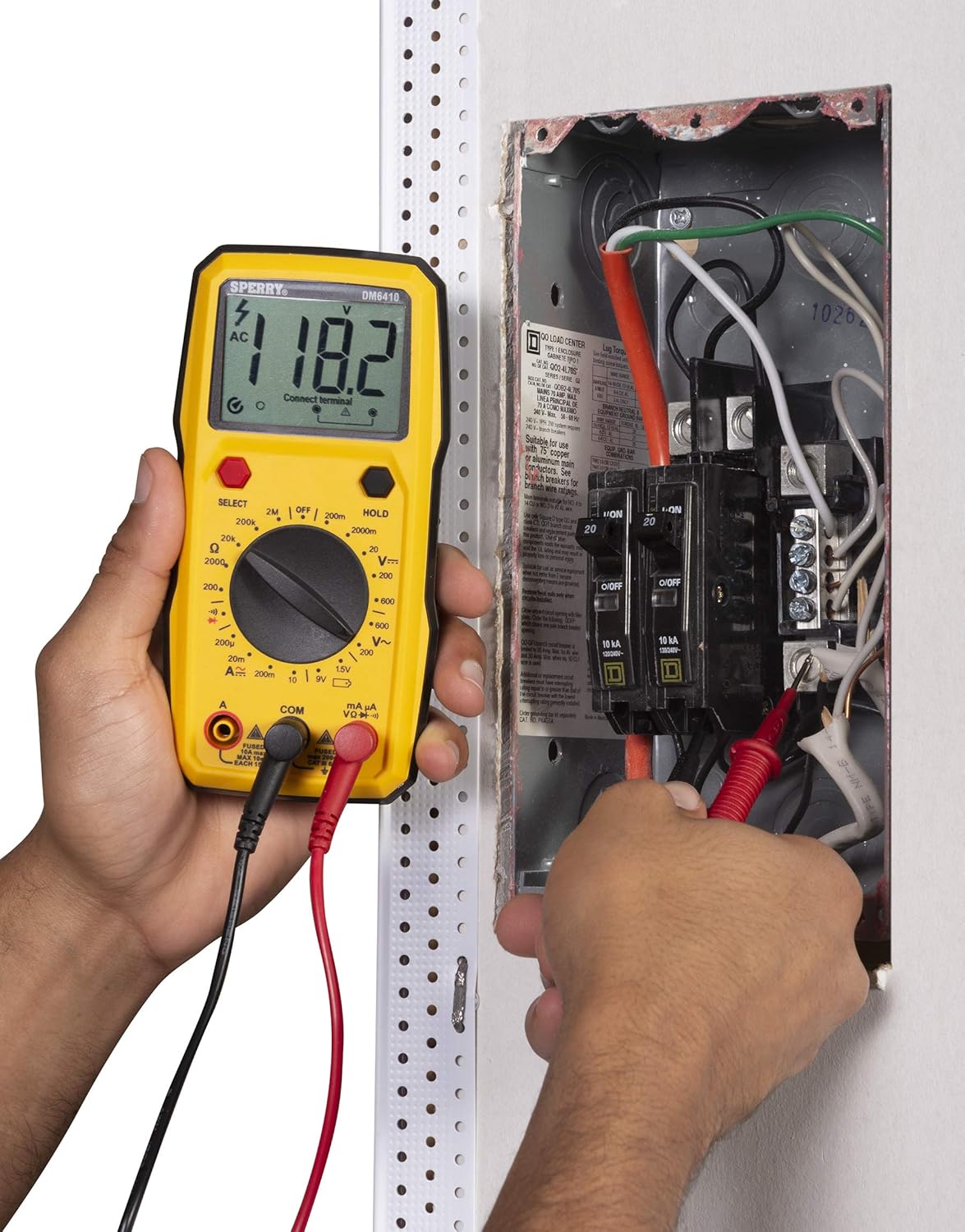
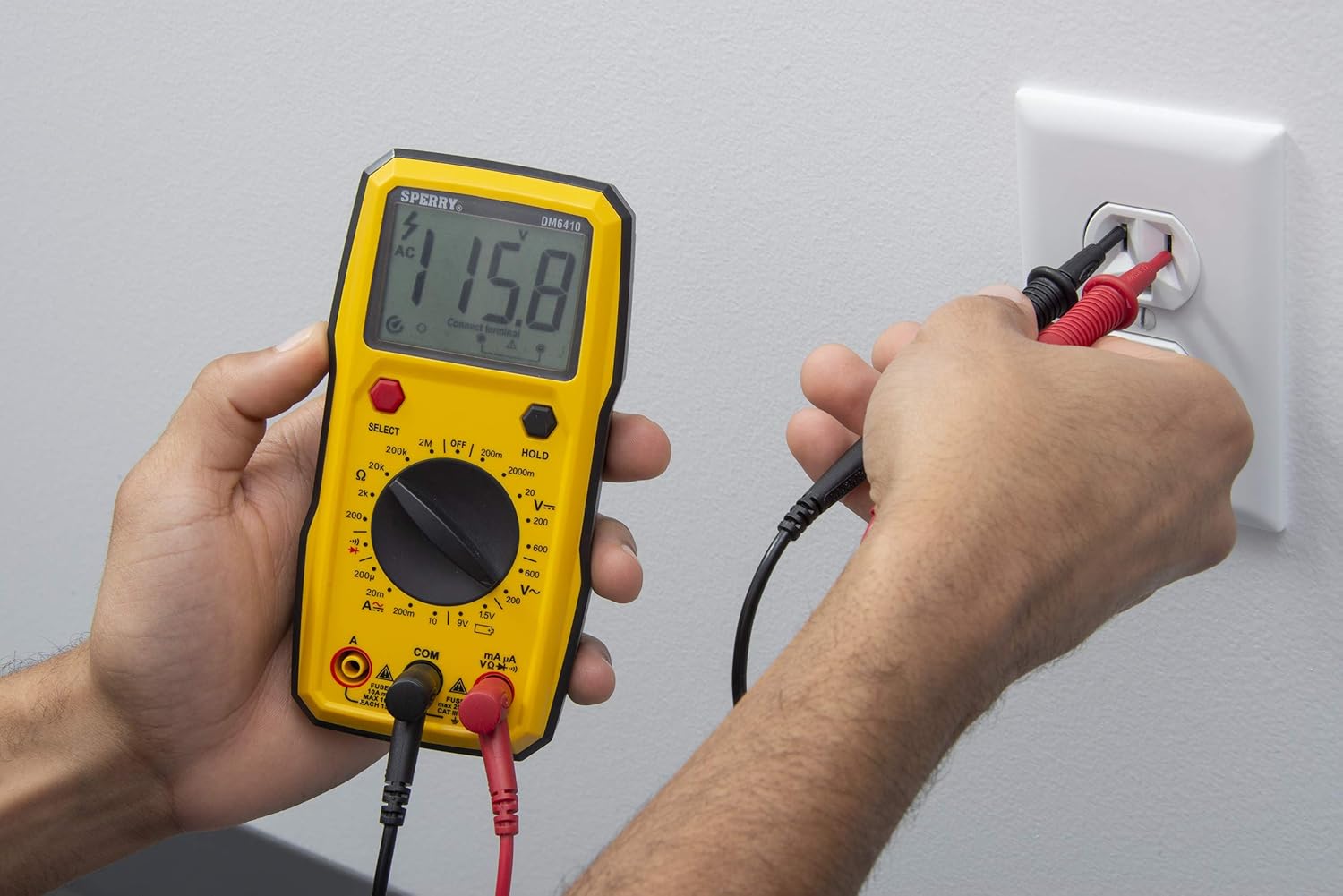
5.1 Đo lưu lượng AC/DCtage
- Connect the red test lead to the 'VΩ' jack and the black test lead to the 'COM' jack.
- Turn the rotary switch to the desired 'V~' (AC Voltage) or 'V--' (DC Voltage) range. If the voltage chưa được biết, hãy bắt đầu với phạm vi cao nhất và giảm dần khi cần thiết.
- Press the 'SELECT' button if you need to switch between AC and DC voltage within a combined range.
- Mắc song song các đầu dò thử nghiệm vào mạch hoặc linh kiện cần đo.
- Đọc tậptaggiá trị e trên màn hình LCD.

Hình 5.1: A user measuring AC voltage from a standard wall outlet using the DM6410 multimeter. The display shows a reading of 118.1 AC volts.
5.2 Đo điện trở (Ω)
- Connect the red test lead to the 'VΩ' jack and the black test lead to the 'COM' jack.
- Turn the rotary switch to the desired 'Ω' (Resistance) range.
- Đảm bảo mạch điện hoặc linh kiện đã được ngắt điện trước khi đo điện trở.
- Nối các đầu dò thử nghiệm vào các vị trí khác nhau trên linh kiện.
- Đọc giá trị điện trở trên màn hình LCD.
5.3 Kiểm tra liên tục
- Connect the red test lead to the 'VΩ' jack and the black test lead to the 'COM' jack.
- Xoay công tắc xoay đến vị trí có biểu tượng thông mạch (biểu tượng loa).
- Hãy đảm bảo mạch điện đã được ngắt.
- Connect the test probes across the circuit path. An audible tone indicates continuity (low resistance).
5.4 Kiểm tra Diode
- Connect the red test lead to the 'VΩ' jack and the black test lead to the 'COM' jack.
- Xoay công tắc xoay đến vị trí có biểu tượng điốt.
- Kết nối đầu dò màu đỏ với cực dương và đầu dò màu đen với cực âm của điốt. Màn hình sẽ hiển thị âm lượng thuận.tage drop. Reverse the probes; the display should show 'OL' (Open Loop) for a good diode.
5.5 Battery Test (1.5V, 9V)
- Connect the red test lead to the 'VΩ' jack and the black test lead to the 'COM' jack.
- Xoay công tắc xoay đến vị trí kiểm tra pin '1.5V' hoặc '9V'.
- Nối đầu dò màu đỏ vào cực dương và đầu dò màu đen vào cực âm của pin.
- Đọc vol pintage trên màn hình LCD.
Hình 5.2: A user measuring the voltage of a AA battery with the DM6410 multimeter. The display shows a reading of 1.565 volts DC.
5.6 Chức năng giữ dữ liệu
To freeze the current reading on the display, press the 'HOLD' button. Press it again to release the hold and resume live readings.
6. Bảo trì
6.1 Vệ sinh
Lau sạch đồng hồ đo bằng quảng cáoamp Dùng khăn mềm và chất tẩy rửa nhẹ. Không sử dụng chất tẩy rửa mạnh hoặc dung môi. Giữ cho màn hình luôn sạch sẽ và khô ráo.
6.2 Thay thế pin
Refer to Section 4.1 for battery installation instructions. Replace batteries when the low battery indicator appears on the display to ensure accurate measurements.
6.3 Thay thế cầu chì
If the current measurement function fails, the fuse may need replacement. Only replace with fuses of the specified type and rating:
- For 'A' input: Fused 10A max, 10 sec EACH 15min.
- For 'mA µA' input: Fused max 200mA CAT II 600V.
WARNING: To prevent electric shock, remove test leads before opening the case or battery cover. Do not operate with the battery cover open.
KHAI THÁC. Xử lý sự cố
If the multimeter is not functioning as expected, consider the following common issues:
- Không hiển thị: Kiểm tra việc lắp đặt pin và đảm bảo pin không bị cạn. Thay thế nếu cần thiết.
- Bài đọc sai: Verify that the correct function and range are selected for the measurement. Ensure test leads are properly connected and in good condition. Check battery level.
- Lỗi đo dòng điện hiện tại: Check the fuse for the current input jack being used. Replace if blown.
- Hiển thị 'OL' (Quá tải): This indicates the measured value exceeds the selected range. Switch to a higher range or ensure the circuit is within the meter's capabilities.
Nếu vấn đề vẫn tiếp diễn, hãy liên hệ với bộ phận hỗ trợ khách hàng.
8. Thông số kỹ thuật
| Đặc điểm kỹ thuật | Chi tiết |
|---|---|
| Thương hiệu | SPERRY |
| Số hiệu mẫu | DM6410 |
| Loại đo lường | Đồng hồ vạn năng kỹ thuật số |
| Chức năng | 8 Function / 28 Manual Range |
| Tậptage Đánh giá | 600V xoay chiều / 1000V một chiều |
| Xếp hạng an toàn | CAT III 600V, cETLus, CE |
| Nguồn điện | 2 x AAA Batteries (Alkaline) |
| Trưng bày | 2000 Count LCD |
| Kích thước (D x R x C) | 2.9 x 1.75 x 3.8 inch |
| Trọng lượng sản phẩm | 13.1 ounce |
| Vật liệu | Nhựa |
| Mã số UPC | 035632201143 |
9. Bảo hành
The Sperry Instruments DM6410 Digital Multimeter comes with a limited warranty. For specific details regarding warranty coverage and duration, please refer to the warranty card included with your product or visit the official Sperry Instruments webđịa điểm.
10. Hỗ trợ
Để được hỗ trợ thêm, hỗ trợ kỹ thuật hoặc để view additional product information, please visit the official Sperry Instruments webtrang web hoặc liên hệ với bộ phận dịch vụ khách hàng của họ.
You can find more information about Sperry products at: Sperry Instruments Store