
1. Giới thiệu
The TP-Link Archer T2U Plus is an AC600 High Gain Wireless Dual Band USB Adapter designed to provide high-speed Wi-Fi connectivity for desktop PCs and laptops. It supports both 2.4 GHz and 5 GHz bands, offering flexible connectivity options and enhanced range with its 5dBi high-gain antenna. This manual provides instructions for setting up, operating, and maintaining your adapter.

Image: The TP-Link Archer T2U Plus AC600 High Gain Wireless Dual Band USB Adapter.
2. Nội dung gói hàng
Xác minh rằng gói của bạn chứa các mục sau:
- AC600 High Gain Wireless Dual Band USB Adapter (Archer T2U Plus)
- Hướng dẫn cài đặt nhanh
- Đĩa CD tài nguyên (chứa trình điều khiển và tiện ích)

Image: The retail packaging for the Archer T2U Plus, showing the adapter and its key features.
3. Yêu cầu hệ thống
Trước khi cài đặt, hãy đảm bảo hệ thống của bạn đáp ứng các yêu cầu sau:
- Cần có cổng USB khả dụng (khuyến nghị USB 2.0 trở lên).
- Operating System: Windows 11/10/8.1/8/7/XP or Mac OS 10.15 and earlier.
- CD-ROM drive (for driver installation from Resource CD) or internet access (for driver download).

Image: Icons representing compatible operating systems: Windows 10, Windows 8.1, Windows 8, Windows 7, Windows XP, and Mac OS.
4. Thiết lập và cài đặt trình điều khiển
4.1 Cài đặt phần cứng
- Lắp Bộ chuyển đổi: Plug the Archer T2U Plus USB adapter into an available USB port on your computer. Ensure it is securely seated.
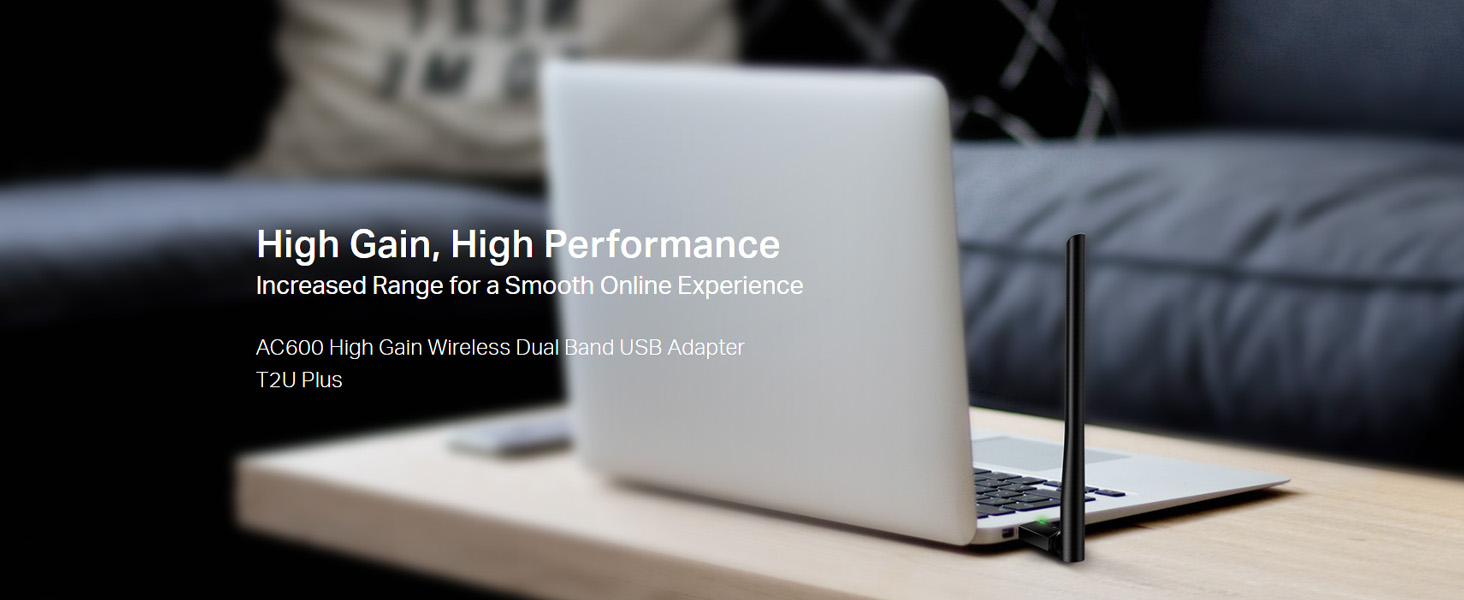
Image: The Archer T2U Plus adapter connected to a laptop's USB port, demonstrating its compact form factor.
4.2 Cài đặt trình điều khiển
The adapter requires a driver to function correctly. You can install it using the provided Resource CD or by downloading it from the TP-Link webđịa điểm.
Option A: Using the Resource CD
- Hãy lắp đĩa CD tài nguyên vào ổ đĩa CD-ROM của máy tính.
- Hãy làm theo hướng dẫn trên màn hình để chạy trình hướng dẫn cài đặt.
- Select the Archer T2U Plus model and proceed with the driver installation.
- Khởi động lại máy tính nếu được yêu cầu.
Option B: Downloading Drivers Online
- Hãy truy cập trang hỗ trợ chính thức của TP-Link. webĐịa điểm (www.tp-link.com/support/download/).
- Tìm kiếm "Archer T2U Plus" and download the latest driver compatible with your operating system.
- Giải nén phần đã tải xuống file (if compressed) and run the setup executable.
- Follow the installation wizard and restart your computer if required.
5. Hướng dẫn vận hành
5.1 Kết nối với mạng Wi-Fi
- After successful driver installation, the adapter will be detected by your operating system.
- Click the Wi-Fi icon in your system tray (Windows) or menu bar (Mac OS).
- Chọn mạng Wi-Fi (SSID) mong muốn từ danh sách các mạng khả dụng.
- Enter the network password (security key) if prompted and click Kết nối.
- The adapter will establish a connection to the Wi-Fi network.
5.2 Chức năng băng tần kép
The Archer T2U Plus supports both 2.4 GHz and 5 GHz Wi-Fi bands. The 5 GHz band offers faster speeds and less interference, ideal for streaming and gaming, while the 2.4 GHz band provides wider coverage.
- Băng tần 2.4 GHz: Up to 200 Mbps data rate, suitable for general web duyệt và gửi email.
- Băng tần 5 GHz: Up to 433 Mbps data rate, ideal for HD video streaming and online gaming.
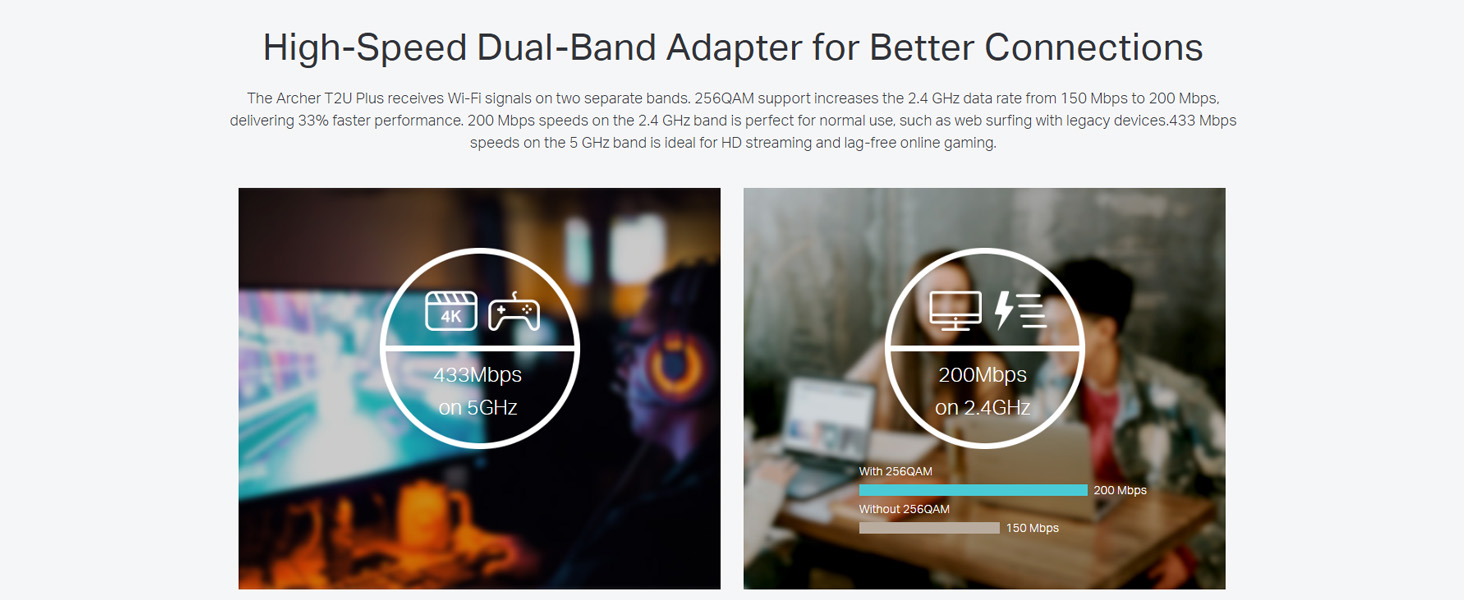
Image: A visual representation comparing the data rates and typical uses for the 2.4 GHz (200 Mbps) and 5 GHz (433 Mbps) bands.
5.3 Điều chỉnh ăng-ten
The adapter features an adjustable, multi-directional 5dBi high-gain antenna to optimize signal reception and transmission.
- Rotate and adjust the antenna in various directions to find the optimal position for signal strength and performance in your environment.
- Experiment with different angles to achieve the best possible Wi-Fi range and stability.

Image: The Archer T2U Plus adapter illustrating its adjustable antenna, capable of rotating up to 180 degrees and tilting 90 degrees for optimal signal.
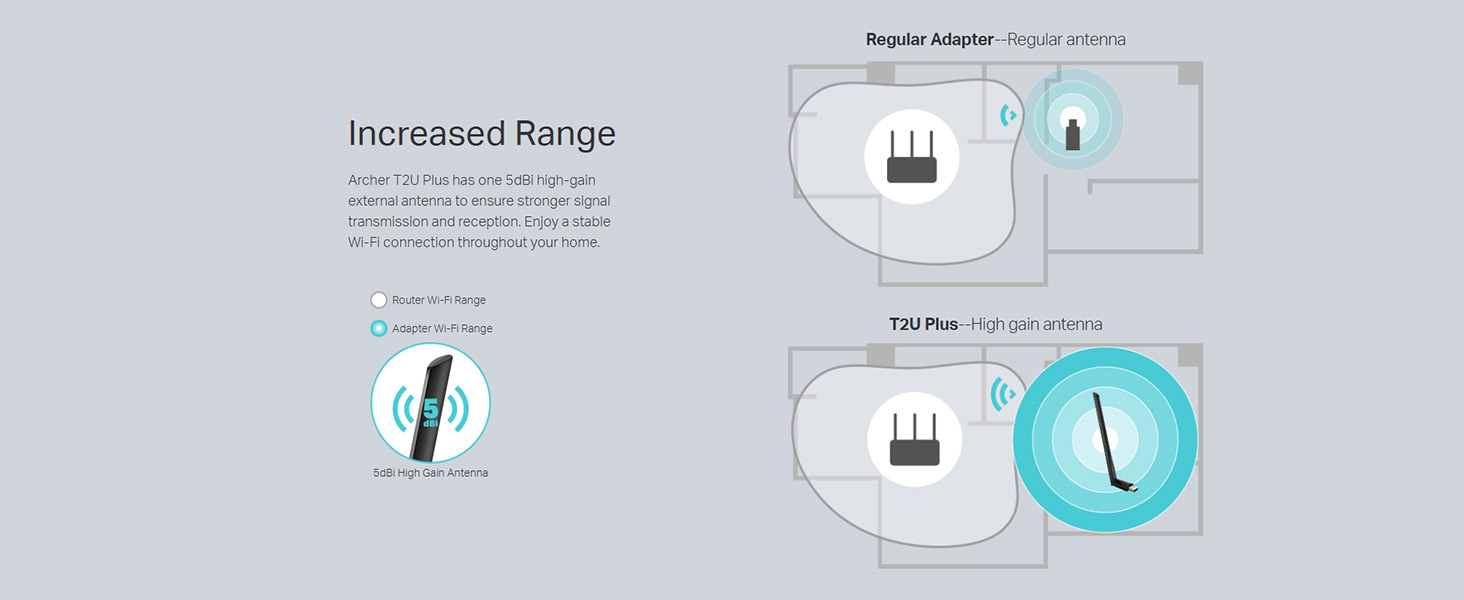
Image: A diagram comparing the Wi-Fi coverage area of a regular adapter with a standard antenna versus the extended range provided by the Archer T2U Plus's high-gain antenna.
6. Bảo trì
6.1 Cập nhật trình điều khiển
Hãy thường xuyên kiểm tra trang hỗ trợ của TP-Link. website for updated drivers. Keeping your drivers current ensures optimal performance, compatibility, and security.
6.2 Vệ sinh
To maintain the adapter's performance, keep it clean and free from dust. Use a soft, dry cloth to wipe the device. Avoid using liquid cleaners or solvents.
KHAI THÁC. Xử lý sự cố
If you encounter issues with your Archer T2U Plus adapter, refer to the following common troubleshooting steps:
- Không có kết nối Wi-Fi:
- Đảm bảo bộ chuyển đổi được cắm chắc chắn vào cổng USB.
- Kiểm tra xem trình điều khiển đã được cài đặt đúng cách chưa. Cài đặt lại nếu cần.
- Kiểm tra xem bộ định tuyến của bạn có đang bật nguồn và phát tín hiệu Wi-Fi hay không.
- Hãy thử kết nối với một cổng USB khác.
- Tốc độ Wi-Fi chậm:
- Ensure you are connected to the 5 GHz band if your router supports it, for faster speeds.
- Adjust the antenna position for better signal reception.
- Giảm nhiễu bằng cách di chuyển bộ chuyển đổi ra xa các thiết bị điện tử khác.
- Update your adapter's drivers to the latest version.
- Bộ chuyển đổi không được phát hiện:
- Try plugging the adapter into another USB port.
- Khởi động lại máy tính của bạn.
- Cài đặt trình điều khiển thủ công từ đĩa CD tài nguyên hoặc từ TP-Link. webđịa điểm.
8. Thông số kỹ thuật
| Thương hiệu | TP-Link |
| Người mẫu | Archer T2U Plus |
| Giao diện phần cứng | USB, USB 2.0 |
| Tốc độ truyền dữ liệu | 600 Megabits Per Second (200 Mbps on 2.4 GHz, 433 Mbps on 5 GHz) |
| Loại Ăng-ten | 5dBi High-Gain External Antenna |
| Hệ điều hành tương thích | Windows 11/10/8.1/8/7/XP, Mac OS 10.15 and earlier |
| Kích thước sản phẩm (D x R x C) | 5.8L x 1.8W x 17.3H Centimet |
| Trọng lượng sản phẩm | 12 gam |
| Màu sắc | Đen |
9. Bảo hành và Hỗ trợ
9.1 Thông tin bảo hành
Sản phẩm này đi kèm với một Bảo hành 3 năm kể từ ngày mua. Vui lòng giữ lại hóa đơn mua hàng để yêu cầu bảo hành. Bảo hành bao gồm các lỗi sản xuất và trục trặc trong điều kiện sử dụng bình thường.
9.2 Hỗ trợ kỹ thuật
For technical assistance, driver downloads, or further inquiries, please contact TP-Link support:
- Hỗ trợ miễn phí: 1800-209-4168
- Hỗ trợ qua Email: support.in@tp-link.com
- Webđịa điểm: www.tp-link.com/in/support/