
1. Giới thiệu
This manual provides essential information for the safe and efficient operation, maintenance, and troubleshooting of your Philips Series 3200 Super-Automatic Coffee Machine, model EP3221/40. Please read all instructions carefully before using the appliance and retain this manual for future reference.
2. Thông tin an toàn quan trọng
Luôn tuân thủ các biện pháp an toàn cơ bản khi sử dụng thiết bị điện để giảm nguy cơ cháy nổ, điện giật và thương tích. Thiết bị này chỉ dành cho sử dụng trong gia đình.
- Không nhúng thiết bị, dây nguồn hoặc phích cắm vào nước hoặc các chất lỏng khác.
- Đảm bảo voltage được chỉ ra trên thiết bị tương ứng với vol nguồn điện cục bộ của bạntage trước khi kết nối.
- Để thiết bị và dây điện xa tầm tay trẻ em.
- Không vận hành thiết bị nếu phích cắm, dây nguồn hoặc bản thân thiết bị bị hỏng.
- Always unplug the appliance before cleaning, maintenance, or if it is not in use for an extended period.
- Use only original Philips accessories and parts.
3. Sản phẩm hếtview
The Philips Series 3200 Super-Automatic Coffee Machine EP3221/40 is designed to deliver a variety of fresh coffee beverages with ease. Key features include an intuitive touch display, a classic milk frother, and a durable ceramic grinder.
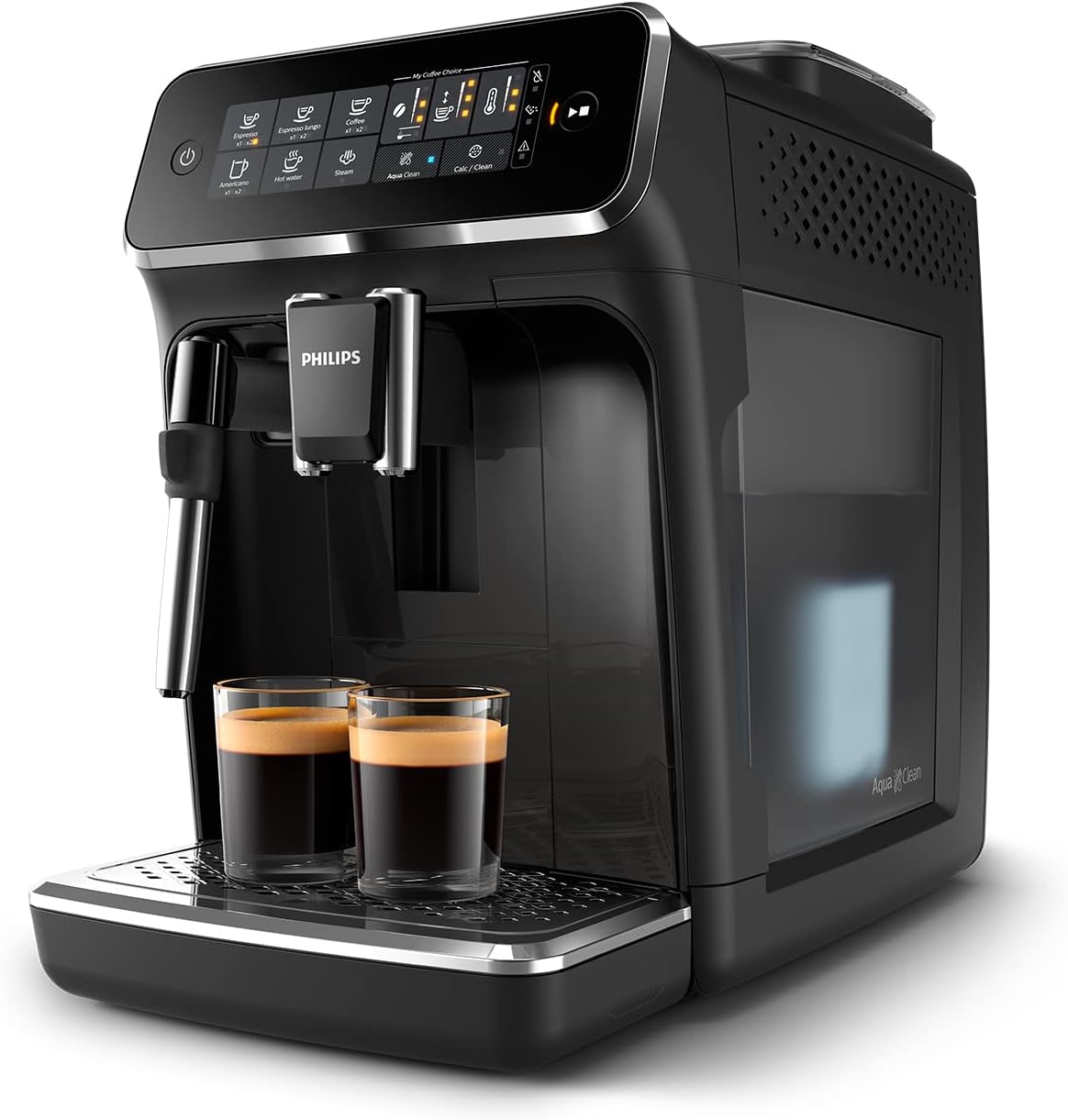
Image: Philips Series 3200 Super-Automatic Coffee Machine with two espresso cups on the drip tray.
4. Thiết lập và sử dụng lần đầu
4.1 Tháo dỡ và vệ sinh ban đầu
- Lấy tất cả vật liệu đóng gói ra khỏi máy.
- Wash the water tank, drip tray, and coffee grounds container with warm water and a mild detergent. Rinse thoroughly.
- Lau bên ngoài máy bằng vải mềm, damp vải.
4.2 Đổ đầy bể nước
- Tháo ngăn chứa nước khỏi máy.
- Đổ đầy bình chứa bằng nước máy sạch đến vạch MAX.
- Đặt bình chứa nước trở lại máy.
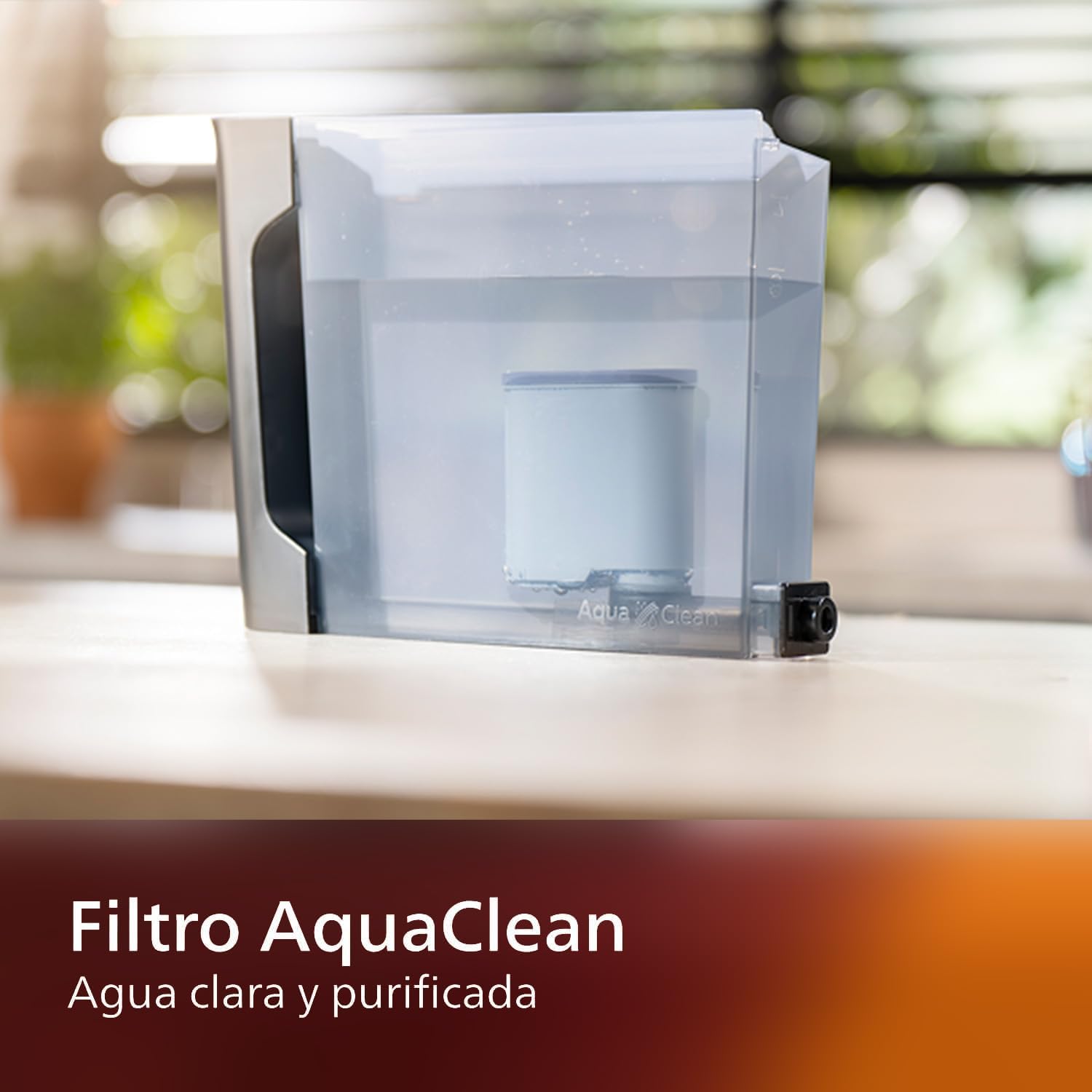
Image: AquaClean water filter installed in the water tank. The AquaClean filter helps ensure clear and purified water for your coffee.
4.3 Đổ đầy phễu chứa đậu
- Open the coffee bean hopper lid.
- Đổ hạt cà phê tươi vào phễu. Không đổ đầy quá vạch MAX.
- Close the lid securely to preserve aroma.
4.4 kết nối nguồn
- Cắm dây nguồn vào ổ cắm trên tường có nối đất.
- Press the power button to turn on the machine. The machine will perform an automatic rinse cycle.
5. Hướng dẫn vận hành
5.1 Pha cà phê
The intuitive touch display allows for easy selection of your desired coffee beverage.
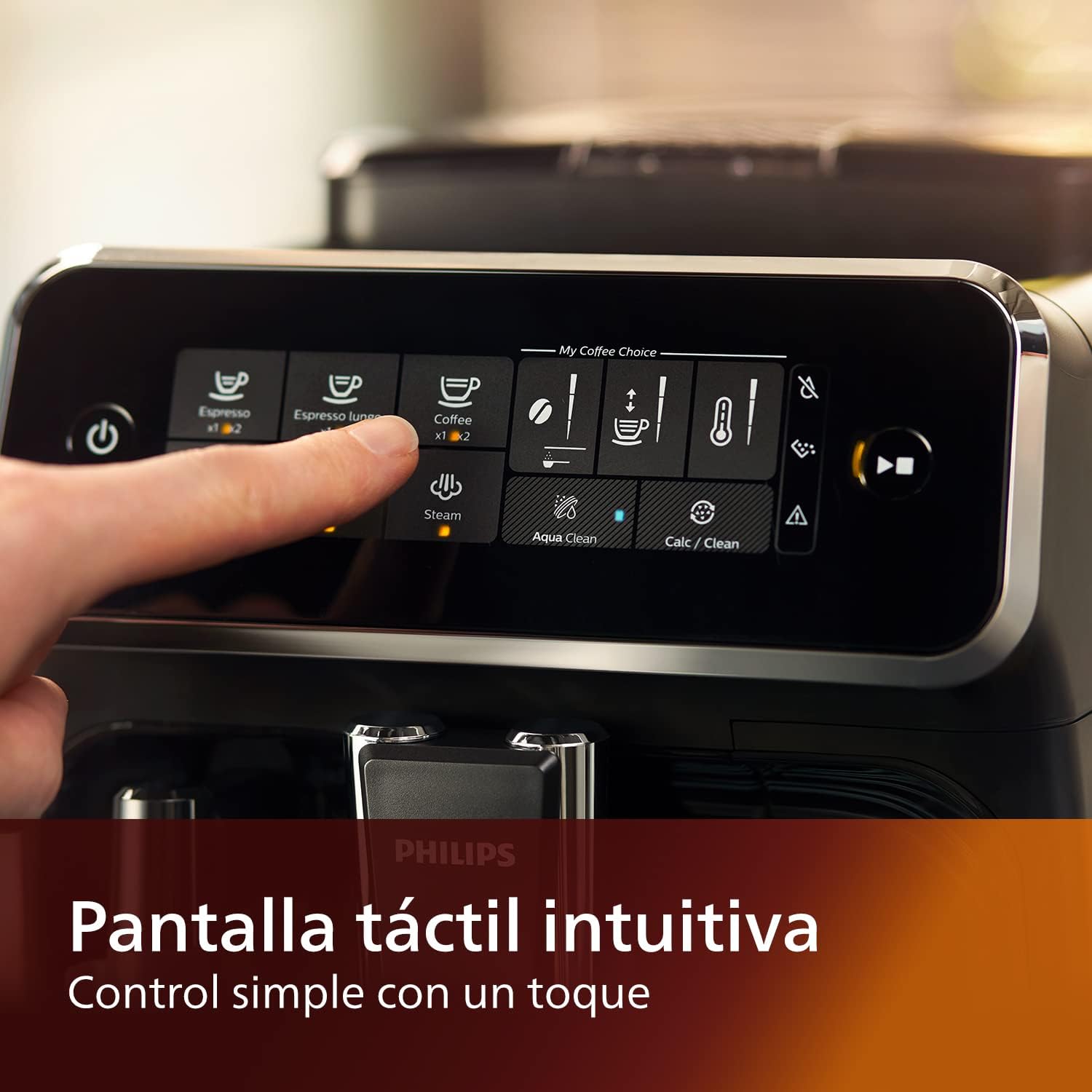
Image: Close-up of the intuitive touch display on the Philips Series 3200 coffee machine, showing various beverage options.
- Đặt một tách dưới vòi cà phê.
- Select your desired coffee type (e.g., Espresso, Coffee, Americano) from the touch display.
- Máy sẽ tự động xay hạt cà phê và pha cà phê cho bạn.
5.2 Customizing Your Coffee (My Coffee Choice)
Use the My Coffee Choice menu to adjust intensity and quantity.

Image: The 'My Coffee Choice' screen on the touch display, illustrating options to adjust coffee intensity and volume.
- After selecting a beverage, tap the 'My Coffee Choice' icon.
- Adjust the coffee strength (intensity) and volume (quantity) using the on-screen controls. There are three settings for each.
- Confirm your selection to start brewing.
5.3 Sử dụng máy tạo bọt sữa cổ điển
The Panarello milk frother allows you to prepare smooth and silky milk foam for cappuccinos and lattes.

Image: The classic milk frother steaming milk directly into a glass cup, creating foam.
- Đổ sữa lạnh vào bình đựng sữa.
- Place the milk jug under the frother.
- Select the 'Steam' option on the touch display.
- Immerse the frother nozzle into the milk and turn the steam knob (if applicable) or press the steam button to start frothing.
- Once desired foam is achieved, turn off the steam.
- Clean the frother immediately after use by wiping it with a damp dùng vải lau và xả một lượng nhỏ hơi nước.
6. Bảo trì và vệ sinh
Việc vệ sinh và bảo dưỡng thường xuyên sẽ đảm bảo hiệu suất và độ bền tối ưu cho máy pha cà phê của bạn.
6.1 Vệ sinh hàng ngày
- Hàng ngày, hãy đổ hết nước trong khay hứng nước và hộp đựng bã cà phê rồi rửa sạch.
- Lau sạch vòi cà phê và bình đánh bọt sữa bằng khăn lauamp vải.
- Rửa sạch bể chứa nước.
6.2 Bộ lọc AquaClean
The AquaClean filter ensures clear and purified water, reducing the need for frequent descaling. Replace the filter when indicated by the machine, typically after approximately 5000 cups, depending on water hardness.

Image: A demonstration of the AquaClean water filter, showing its effectiveness in purifying water.
6.3 Tẩy cặn
Even with the AquaClean filter, descaling will eventually be required. The machine will prompt you when descaling is necessary. Follow the on-screen instructions and use a Philips-approved descaling solution.
6.4 Các bộ phận an toàn với máy rửa chén
Note that the main appliance is not dishwasher safe. However, some removable parts, such as the drip tray and coffee grounds container, may be dishwasher safe. Refer to the specific instructions for each component.
KHAI THÁC. Xử lý sự cố
If you encounter issues with your coffee machine, consult the table below for common problems and solutions.
| Vấn đề | Nguyên nhân có thể | Giải pháp |
|---|---|---|
| Không có cà phê được pha chế. | Bể nước đã hết. | Đổ đầy nước vào bình. |
| Cà phê quá nhạt. | Grind setting is too coarse. | Điều chỉnh máy xay sang chế độ mịn hơn. |
| Máy tạo bọt sữa không tạo bọt. | Frother is clogged or not clean. | Clean the milk frother thoroughly. Ensure the nozzle is clear. |
| Máy hiển thị cảnh báo tẩy cặn. | Sự tích tụ cặn vôi. | Perform a descaling cycle as instructed by the machine. |
8. Thông số kỹ thuật
| Tính năng | Chi tiết |
|---|---|
| Thương hiệu | Philips |
| Số hiệu mẫu | EP3221 / 40 |
| Công suất hạt cà phê | 275 gam |
| Màu sắc | Đen bóng |
| Kích thước sản phẩm (D x R x C) | 25 x 36.6 x 32 cm |
| Tính năng đặc biệt | Integrated coffee grinder, Milk Frother, Water Filter, Programmable |
| Loại máy pha cà phê | Máy pha cà phê espresso |
| Vật liệu | Nhựa |
| Hoạt động | Hoàn toàn tự động |
| Quyền lực | 1500 Watt |
| Tậptage | 230 vôn |
| Đầu vào giao diện con người | Màn hình cảm ứng |
| Loại đầu vào cà phê | Đậu nguyên hạt |
| Loại bộ lọc | Reusable (AquaClean) |
| An toàn với máy rửa chén | Không (đối với thiết bị chính) |
| Năm sản xuất | 2022 |
9. Bảo hành và Hỗ trợ
9.1 Thông tin bảo hành
Your Philips Series 3200 Super-Automatic Coffee Machine is covered by a manufacturer's warranty. For detailed information regarding warranty terms, duration, and conditions, please refer to the warranty card included with your product or visit the official Philips webtrang web cho khu vực của bạn.
9.2 Hỗ trợ khách hàng
For technical assistance, spare parts, or service, please contact Philips Customer Support. You can find contact details (phone numbers, email, and online support) on the official Philips webtrang web hoặc trong tài liệu hướng dẫn đi kèm với thiết bị của bạn.
When contacting support, please have your model number (EP3221/40) and purchase date ready.