
1. Giới thiệu
The Zerone K-1028E is a universal remote control designed for use with a wide range of air conditioning units. This remote offers comprehensive functionality, including temperature adjustment, mode selection, fan speed control, and timer settings, providing a convenient replacement for lost or damaged original air conditioner remotes. Its compact design and clear LCD screen ensure ease of use.
2. Thông tin an toàn
- Không sử dụng lẫn lộn pin cũ và pin mới.
- Không trộn lẫn pin kiềm, pin tiêu chuẩn (cacbon-kẽm) hoặc pin sạc (niken-cadmium).
- Tháo pin ra nếu không sử dụng điều khiển từ xa trong thời gian dài để tránh rò rỉ pin.
- Hãy để điều khiển từ xa tránh xa ánh nắng trực tiếp, nguồn nhiệt và hơi ẩm.
- Tránh làm rơi hoặc để điều khiển từ xa chịu tác động mạnh.
3. Sản phẩm hếtview
The K-1028E remote control features an ergonomic design with clearly labeled buttons and a large LCD display for easy readability. It includes essential functions such as power, mode, temperature control, fan speed, and a dedicated light button.

This image displays the front of the Zerone K-1028E universal air conditioner remote control, highlighting its compact size with approximate dimensions of 13.3 cm in length, 5 cm in width, and 2.3 cm in thickness. The LCD screen and primary control buttons are visible.

A hand is shown holding the remote control, with the LCD screen clearly visible. The display shows a temperature setting of 26°C, along with icons indicating various modes and functions, demonstrating the remote in active use.
4. Thiết lập
4.1 Lắp đặt pin
- Mở nắp ngăn chứa pin ở mặt sau của điều khiển từ xa.
- Lắp hai pin AAA, đảm bảo lắp đúng cực (+ và -).
- Đóng chặt nắp ngăn chứa pin.
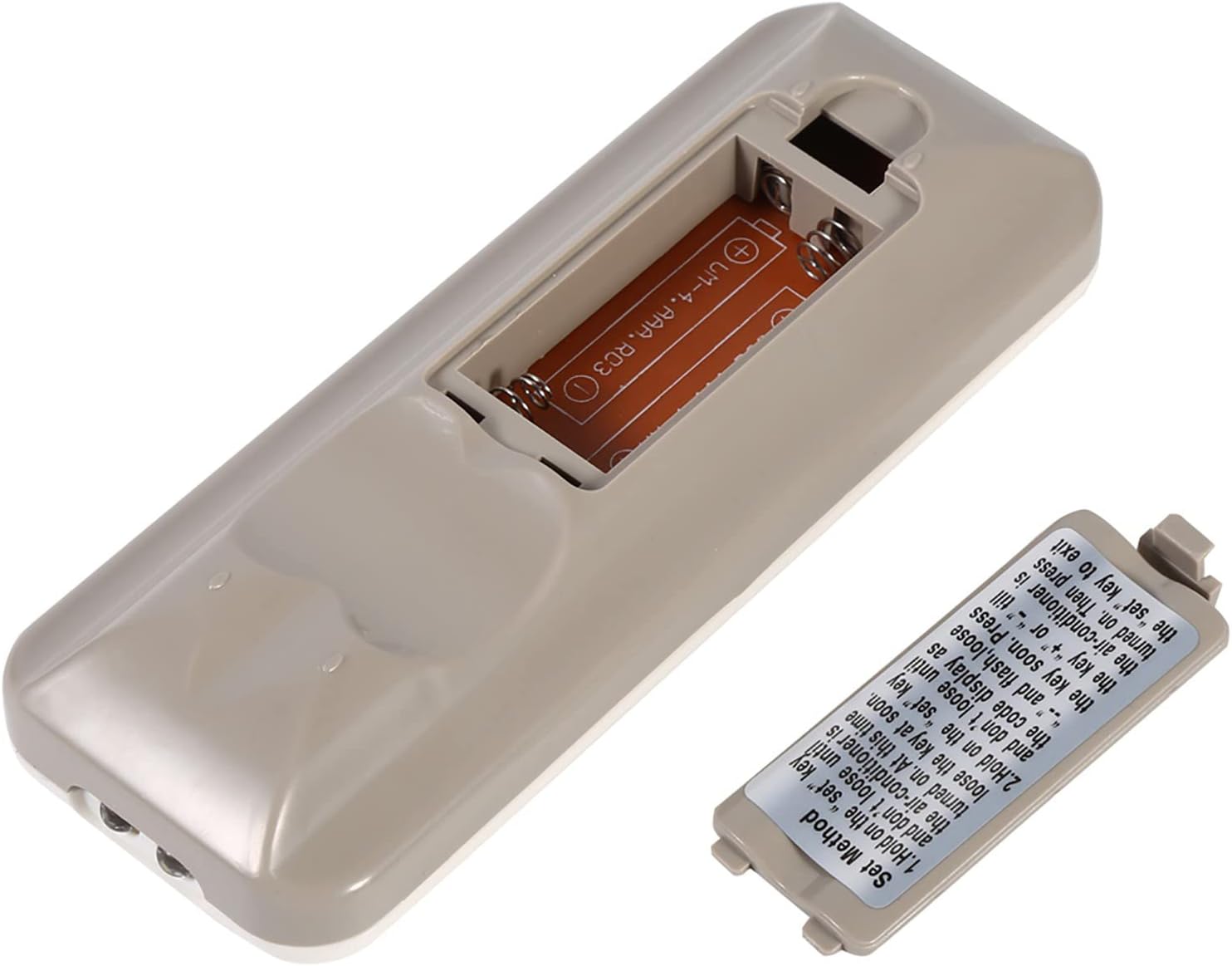
The back of the remote control is shown with the battery compartment cover removed, revealing the slot for two AAA batteries. This illustrates where to insert or replace the power source.
4.2 Programming the Remote (Automatic Search Method)
This method allows the remote to automatically search for the correct code for your air conditioner.
- Ensure your air conditioner unit is powered off.
- Nhấn và giữ BỘ button on the remote control. Continue holding until your air conditioner unit turns on. Once the air conditioner turns on, immediately release the BỘ cái nút.
- Alternatively, if the above step does not work, press and hold the BỘ button until the code display on the remote's LCD screen shows "--" and begins to flash. Release the BỘ cái nút.
- While the code is flashing, press the + or - buttons repeatedly until your air conditioner unit turns on.
- Once the air conditioner turns on, press the BỘ button again to confirm the code and exit the programming mode.
- Test all functions of the remote control to ensure proper operation. If some functions do not work, repeat the programming process to find a more compatible code.

Hình ảnh này cung cấp một chi tiết view of the 'Set Method' instructions sticker located on the back of the remote control. It outlines the steps for automatically programming the remote to an air conditioner unit.
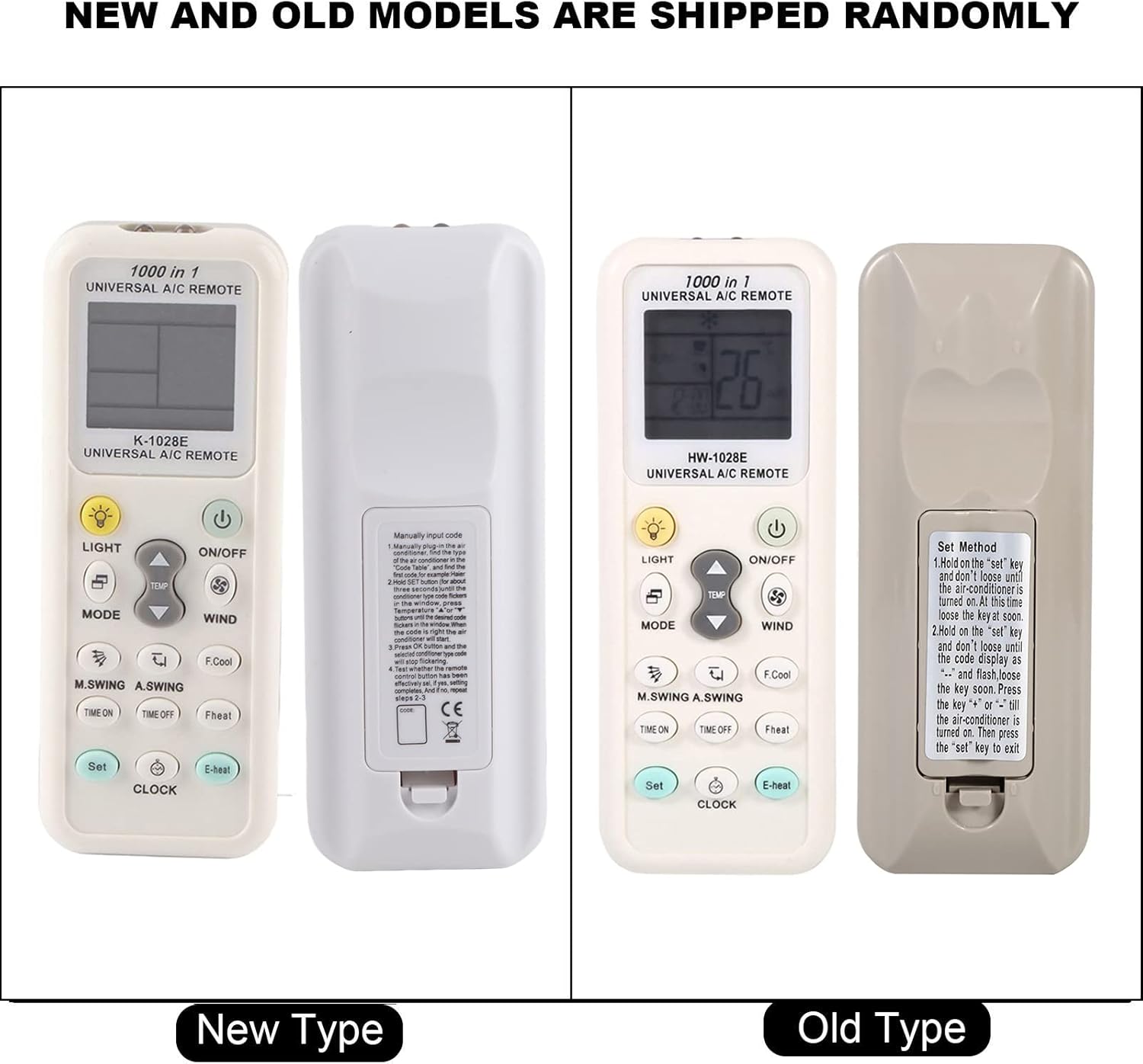
This image compares two versions of the K-1028E remote control, labeled 'New Type' and 'Old Type'. It illustrates slight variations in button arrangement and the instruction sticker on the back panel, indicating potential minor design updates over time. The programming method remains consistent.
5. Hướng dẫn vận hành
- Nút BẬT/TẮT: Nhấn để bật hoặc tắt máy điều hòa.
- Nút MODE: Press to cycle through available operating modes: Auto, Cool, Dry, Fan, Heat.
- Nút TEMP ▲/▼: Press to increase or decrease the desired temperature setting.
- WIND (Fan Speed) Button: Press to adjust the fan speed (e.g., Auto, Low, Medium, High).
- M.SWING/A.SWING Button: Controls the horizontal or vertical swing of the air conditioner's louvers.
- TIME ON/TIME OFF Buttons: Used to set a timer for the air conditioner to turn on or off automatically.
- Nút LIGHT: Activates or deactivates the backlight on the remote's LCD screen or the air conditioner's display light (if supported).
- Nút SET: Used for programming the remote and confirming settings.
- Nút ĐỒNG HỒ: Dùng để thiết lập thời gian hiện tại trên màn hình điều khiển từ xa.
6. Bảo trì
- Thường xuyên lau chùi điều khiển từ xa bằng vải mềm, khô. Không sử dụng chất tẩy rửa dạng lỏng hoặc vật liệu mài mòn.
- If the remote control is not responding or the display is dim, replace the batteries.
- Khi không sử dụng trong thời gian dài, hãy cất giữ điều khiển từ xa ở nơi khô ráo, thoáng mát.
KHAI THÁC. Xử lý sự cố
- Điều khiển từ xa không hoạt động: Ensure batteries are inserted correctly and are not depleted. Reprogram the remote using the automatic search method. Ensure there are no obstructions between the remote and the air conditioner's receiver.
- Chức năng hạn chế: If some functions do not work after programming, it may indicate that the selected code is not fully compatible. Try repeating the automatic search method to find an alternative, more compatible code.
- Sự cố hiển thị: If the LCD display is dim or incomplete, replace the batteries.
8. Thông số kỹ thuật
| Thương hiệu | Số không |
| Số hiệu mẫu | K-1028E |
| Trọng lượng sản phẩm | 0.704 ounce (khoảng 20 gram) |
| Thiết bị tương thích | Máy điều hòa không khí |
| Số lượng thiết bị được hỗ trợ tối đa | 1 (Universal for many AC brands) |
| Tính năng đặc biệt | Khả năng tương thích phổ quát |
9. Bảo hành và Hỗ trợ
Để biết thông tin bảo hành hoặc hỗ trợ kỹ thuật, vui lòng tham khảo tài liệu được cung cấp kèm theo sản phẩm hoặc liên hệ với nhà bán lẻ. Vui lòng giữ lại hóa đơn mua hàng làm bằng chứng.