
Giới thiệu
This manual provides detailed instructions for the proper use and maintenance of your Casio Illuminator AQ-E10 digital-analog watch. Please read this manual thoroughly to ensure optimal performance and longevity of your timepiece. The AQ-E10 features both analog and digital time displays, an alarm, a stopwatch, and an illuminator backlight.
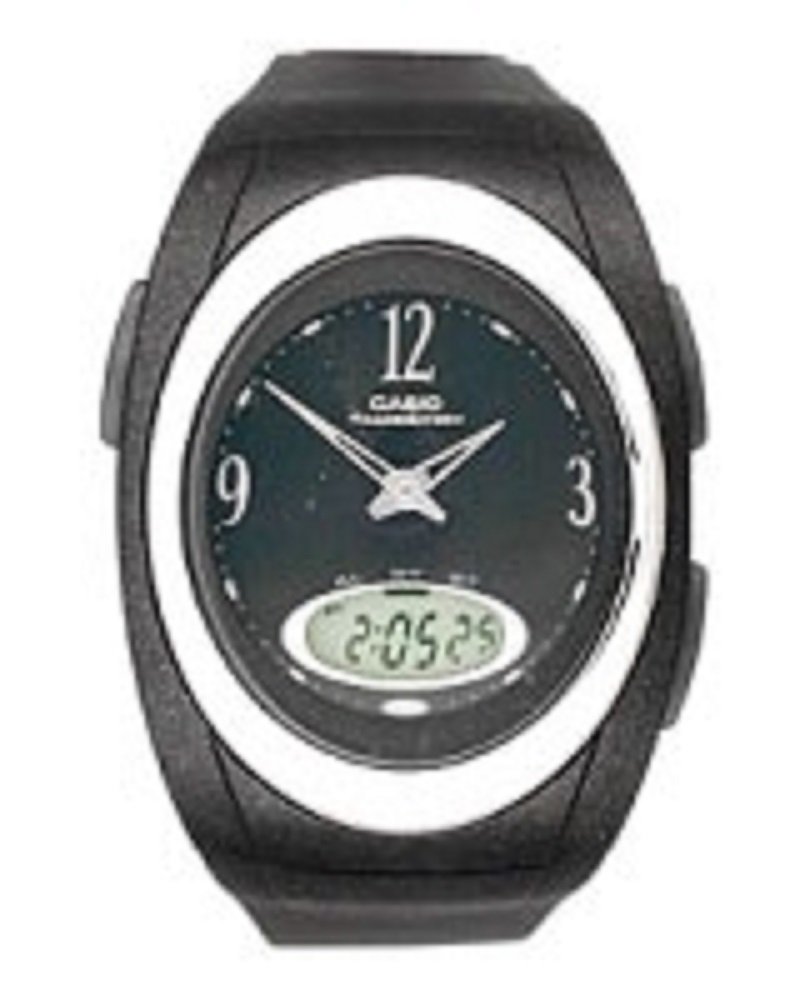
Đằng trước view of the Casio Illuminator AQ-E10 watch, showcasing its digital and analog display, black rubber strap, and round black dial.
Cài đặt
Kiểm tra ban đầu
Upon unboxing, inspect the watch for any visible damage. Ensure all buttons operate smoothly. If any issues are found, contact your retailer.
Đặt ngày và giờ kỹ thuật số
- Ở chế độ hiển thị giờ, nhấn và giữ nút ĐIỀU CHỈNH button (usually top-left) until the seconds digits start to flash, indicating the setting screen.
- Nhấn nút CÁCH THỨC button (usually bottom-left) to cycle through the settings: Seconds → Hour → Minutes → Year → Month → Day → 12/24-hour format.
- Sử dụng TÌM KIẾM button (usually top-right) or PHÍA TRƯỚC button (usually bottom-right) to increase the flashing value. Hold the button to change values rapidly.
- Sau khi tất cả các thiết lập được điều chỉnh, nhấn nút ĐIỀU CHỈNH Nhấn nút một lần nữa để thoát khỏi màn hình cài đặt.
Synchronizing Analog Hands
The analog hands are typically synchronized automatically with the digital time. If they are out of sync, refer to the detailed instructions in the operating section for manual adjustment, or consult the full Casio module manual for your specific watch module number (often found on the watch's case back).
Vận hành đồng hồ
Chế độ điều hướng
Nhấn nút CÁCH THỨC button to cycle through the watch's functions: Timekeeping Mode → Alarm Mode → Stopwatch Mode.
Chế độ hẹn giờ
This mode displays the current time (hours, minutes, seconds) and date (month, day, day of the week) digitally, alongside the analog hands.
Chế độ báo thức
- Từ Chế độ chấm công, nhấn CÁCH THỨC until you reach the Alarm Mode. The alarm time will be displayed.
- Nhấn và giữ ĐIỀU CHỈNH nhấn nút cho đến khi chữ số giờ báo thức nhấp nháy.
- Sử dụng TÌM KIẾM or PHÍA TRƯỚC nút để cài đặt giờ báo thức mong muốn.
- Nhấn CÁCH THỨC to move to the minutes setting, then use TÌM KIẾM or PHÍA TRƯỚC để thiết lập các phút.
- Nhấn ĐIỀU CHỈNH để xác nhận và thoát.
- Để bật/tắt báo thức, hãy nhấn nút TÌM KIẾM nút khi ở Chế độ báo thức (không giữ ĐIỀU CHỈNH). An indicator will show if the alarm is active.
Chế độ đồng hồ bấm giờ
- Từ Chế độ chấm công, nhấn CÁCH THỨC until you reach the Stopwatch Mode. The display will show "00'00"00".
- Nhấn nút TÌM KIẾM nút để bắt đầu đồng hồ bấm giờ.
- Nhấn TÌM KIẾM lại dừng đồng hồ bấm giờ.
- Nhấn nút ĐIỀU CHỈNH nút để đặt lại đồng hồ bấm giờ về "00'00"00".
Đèn chiếu sáng (Đèn nền)
Nhấn nút ÁNH SÁNG button (usually top-right or a dedicated button) to illuminate the digital display for easy viewing in low-light conditions. The illumination duration is typically a few seconds.
BẢO TRÌ
Chống nước
The Casio AQ-E10 is designed to be water resistant. However, it is important to avoid operating the watch buttons while submerged in water to prevent water ingress. Avoid exposing the watch to hot water or steam, as this can compromise the seals.
Vệ sinh
Lau vỏ và dây đeo đồng hồ bằng vải mềm, khô. Đối với vết bẩn cứng đầu, hãy lau nhẹamp cloth can be used, followed by a dry cloth. Avoid using chemical cleaners, as they may damage the watch's materials.
Thay thế pin
The watch is powered by a battery. When the display becomes dim or functions become erratic, it may be time for a battery replacement. It is highly recommended to have the battery replaced by a qualified watch technician to ensure proper sealing and water resistance integrity.
Kho
Khi không sử dụng trong thời gian dài, hãy cất đồng hồ ở nơi khô ráo, thoáng mát, tránh ánh nắng trực tiếp và nhiệt độ cao.
Xử lý sự cố
- Hiển thị thời gian không chính xác: If the digital or analog time is incorrect, refer to the "Setting the Digital Time and Date" and "Synchronizing Analog Hands" sections under Setup to re-adjust.
- Blank or Dim Digital Display: This usually indicates a low battery. Arrange for battery replacement by a professional.
- Các nút không phản hồi: Ensure the watch is not in a locked mode (if applicable, though not a common feature for this model). If the issue persists, a battery replacement or professional inspection may be required.
- Hiện tượng ngưng tụ hơi nước bên trong đồng hồ: If condensation appears inside the watch, it indicates a breach in water resistance. Stop using the watch immediately and have it inspected by a professional to prevent further damage.
Thông số kỹ thuật
- Số hiệu mẫu:
- AQ-E10-1BEF
- Định dạng hiển thị:
- Analog-Digital
- Kiểu chuyển động:
- thạch anh
- Tính năng đặc biệt:
- Alarm, Chronograph (Stopwatch), Illuminator (Backlight)
- Nguồn điện:
- Ắc quy
- Kiểu móc khóa:
- Khóa thắt lưng
- Chất liệu dây đeo:
- Cao su
- Chất liệu vỏ hộp:
- Cao su
- Loại tinh thể:
- Acrylic
- Màu dây đeo:
- Đen
- Màu mặt đồng hồ:
- Đen
- Độ dày vỏ:
- 7 milimét
- Chiều rộng dây đeo:
- 16 milimét
- Kích thước (Gói):
- 11 x 11 x 7.49 cm; 27.22 g
- Khả năng chống nước:
- General water resistance (specific depth not provided, avoid button operation underwater).
Bảo hành và Hỗ trợ
Your Casio Illuminator AQ-E10 watch is covered by a manufacturer's warranty. For specific warranty terms and conditions, please refer to the warranty card included with your purchase or visit the official Casio webĐể được hỗ trợ kỹ thuật, dịch vụ hoặc giải đáp thắc mắc, vui lòng liên hệ bộ phận chăm sóc khách hàng của Casio hoặc trung tâm dịch vụ được ủy quyền.
Casio chính thức Webđịa điểm: www.casio.com