
1. Giới thiệu
This manual provides instructions for the installation, operation, and maintenance of your Gembird 3.5" SATA USB 3.0 External HDD Enclosure. This device allows you to convert an internal 3.5-inch SATA hard disk drive into a portable external storage solution, utilizing the high-speed USB 3.0 interface for data transfer.
2. Nội dung gói hàng
Vui lòng kiểm tra kỹ nội dung gói hàng. Nếu có bất kỳ sản phẩm nào bị thiếu hoặc hư hỏng, vui lòng liên hệ với nhà bán lẻ.
- Gembird 3.5" SATA USB 3.0 External HDD Enclosure (Model: EE3-U3S-3)
- cáp dữ liệu USB 3.0
- Bộ đổi nguồn
- Screws and screwdriver (if applicable for assembly)
- Hướng dẫn sử dụng (tài liệu này)
3. Thiết lập
3.1 Installing a 3.5" SATA Hard Drive
- Cẩn thận trượt mở nắp hộp casing.
- Connect your 3.5-inch SATA hard drive to the SATA data and power connectors inside the enclosure. Ensure a firm connection.
- Secure the hard drive within the enclosure using the provided screws, if necessary.
- Slide the enclosure casinĐặt lại vị trí cho đến khi đóng chặt.
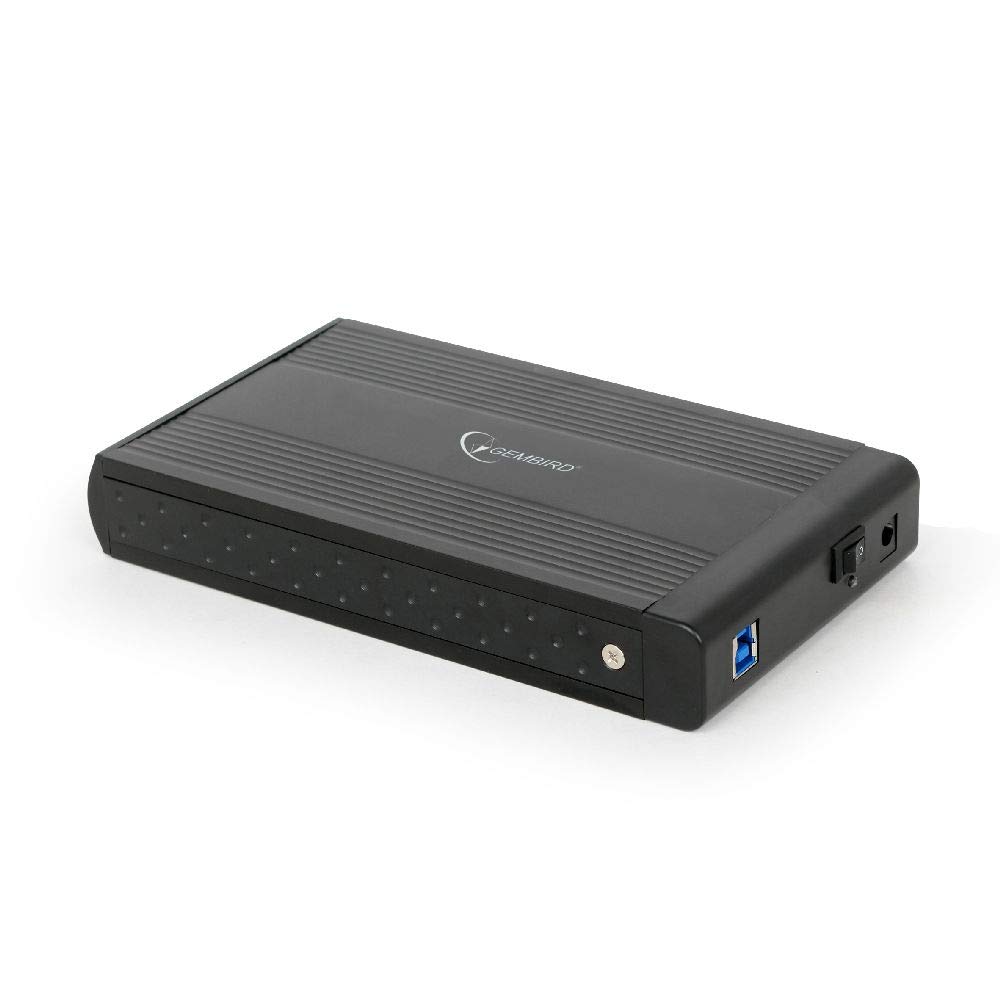
Image: The Gembird 3.5-inch SATA USB 3.0 External HDD Enclosure. This image shows the sleek black aluminum casing of the enclosure, designed to house a 3.5-inch SATA hard drive and connect to a computer via USB 3.0.
3.2 Kết nối với máy tính của bạn
- Connect the power adapter to the enclosure's power input port and then plug it into an electrical outlet.
- Connect one end of the supplied USB 3.0 cable to the USB 3.0 port on the enclosure.
- Connect the other end of the USB 3.0 cable to an available USB 3.0 port on your computer. For optimal performance, use a USB 3.0 port (typically blue). The enclosure is backward compatible with USB 2.0, but data transfer speeds will be limited.
- Your operating system should automatically detect and install the necessary drivers. The hard drive will appear as a new storage device.
4. Hướng dẫn vận hành
4.1 Truyền dữ liệu
Once the enclosure is connected and recognized by your computer, you can drag and drop files to and from the external hard drive, or use it for backup purposes. The USB 3.0 interface supports data transfer speeds up to 5 Gbps (Gigabits per second), significantly faster than USB 2.0.
4.2 Tháo lắp an toàn
Always safely remove the external hard drive before disconnecting it from your computer to prevent data corruption. In Windows, use the "Safely Remove Hardware and Eject Media" icon in the system tray. On macOS, drag the drive icon to the Trash or use the Eject option in Finder.
5. Bảo trì
To ensure the longevity and optimal performance of your enclosure:
- Giữ cho chuồng nuôi sạch sẽ và không bám bụi. Sử dụng khăn mềm, khô để lau chùi.
- Tránh để chuồng nuôi tiếp xúc với nhiệt độ quá cao, độ ẩm quá cao hoặc ánh nắng trực tiếp.
- Do not drop or subject the enclosure to strong impacts, as this can damage the internal hard drive.
- Đảm bảo thông gió tốt để tránh quá nhiệt, đặc biệt là khi sử dụng trong thời gian dài.
KHAI THÁC. Xử lý sự cố
6.1 Không phát hiện thấy vỏ bọc
- Kiểm tra nguồn điện: Ensure the power adapter is securely connected to both the enclosure and a working electrical outlet.
- Check USB connection: Verify that the USB cable is firmly connected to both the enclosure and a functional USB port on your computer. Try a different USB port or cable.
- Hard drive installation: Re-open the enclosure and ensure the SATA hard drive is correctly seated and connected to the internal connectors.
- Quản lý ổ đĩa (Windows) / Tiện ích ổ đĩa (macOS): Check if the drive appears in your operating system's disk management tools. If it appears but is unallocated or unformatted, you may need to initialize and format it (note: formatting will erase all data on the drive).
6.2 Tốc độ truyền dữ liệu chậm
- Cổng USB 3.0: Hãy đảm bảo bạn đã kết nối thiết bị với cổng USB 3.0 trên máy tính. Cổng USB 2.0 sẽ làm giảm tốc độ kết nối.
- USB 3.0 cable: Use the provided USB 3.0 cable or another certified USB 3.0 cable.
- Hard drive performance: The speed of the internal hard drive itself can be a limiting factor. Older or slower HDDs will not achieve maximum USB 3.0 speeds.
7. Thông số kỹ thuật
| Người mẫu | EE3-U3S-3 |
| Yếu tố hình thức | 3.5 inch |
| Giao diện (Nội bộ) | Ổ cứng SATA |
| Interface (External) | USB 3.0 |
| Tốc độ truyền dữ liệu | Tốc độ lên đến 5 Gbps (USB 3.0) |
| Vật liệu | Nhôm |
| Màu sắc | Đen |
| Thiết bị tương thích | 3.5" SATA HDDs |
| Cân nặng | 235 gam |
8. Bảo hành và Hỗ trợ
Gembird products are designed for reliability and performance. For warranty information, please refer to the warranty card included with your product or visit the official Gembird website. For technical support or further assistance, please contact your retailer or the Gembird customer support team.